
Yamaha have announced the Extrack app in Europe and the USA. As I mentioned in my preview, Extrack is a practice buddy and a stem extraction tool. More from Yamaha itself:
Yamaha Corporation announced today the U.S. and European launch of Extrack, an iOS/Android music app that allows users to practice and play their instruments along with their favorite songs as if they are part of the band, following its successful debut in Japan.
Built by musicians for musicians, Extrack makes it easy and fun for a user to learn, practice and play along with their own library of songs. Extrack uses proprietary stem separation technology to automatically extract individual instrumental parts such as guitar, drums, bass, piano or vocals from the user’s own audio files on a mobile device, making it possible to adjust the volume, mute or isolate individual instruments.
Extrack automatically transcribes chords for guitar and piano, helping users learn their favorite songs with confidence. It also features song structure analysis, allowing users to repeat sections, skip by measure, and adjust playback speed.
Extrack subsumes much of the Yamaha Chord Tracker application.
There are two levels: free and subscription. An Extrack subscription is called “Extrack Pass” and it gives you:
- Unlimited song analysis (Free: 5 songs per month)
- Up to 50 favorite songs (Free: 3 favorite songs)
- Seven instrument separation (Free: 4 instruments)
- Up to 50 songs in your Extrack Library (Free: 5 songs)
- Fine tune tempo to two decimal places (Free: One decimal place)
An Extrack Pass subscription is $39.99 USD per year or $5.99 per month. A 7-day free trial is available in either case.
The current USA IOS version is v1.1. I’ve downloaded the app and I’m very curious about the stem separation process and results.
In use
Here are four short stems extracted from Fleetwood Mac’s “Go Your Own Way”. No tweaking and tweezing. Simply import the track from my music library and analyze. The Extrack analysis phase takes a minute or two. Then, I played each stem into Sound Forge.
- GoYourOwnWay: Others stem (MP3 file)
- GoYourOwnWay: Vocal stem (MP3 file)
- GoYourOwnWay: Drum stem (MP3 file)
- GoYourOwnWay: Bass stem (MP3 file)
There are four stems (Vocal, Drum, Bass and Others) because I’m cheap and I’m running the free edition of Extrack. 🙂
Even though I saved the audio to MP3, the MP3 files are a reasonably accurate portrayal of what I heard through the monitors during record. The Vocal, Drum and Others stems have audible artifacts. The Vocal and Drum extractions aren’t too bad although you would want to bury the artifacts in the mix. The Bass stem seems to be missing the low-mids that give an electric bass punch.
Mixing three or four stems together and you get an acceptable music-minus-one practice experience. Extrack gets the job done as a practice buddy. I don’t think pro re-mixers are going to give up their high-end tools for Extrack, however. I should crank “Go Your Own Way” through SpectraLayers and hear what I get. Get what you pay for?
Copyright © 2025 Paul J. Drongowski
Extrack manual
The following images are the embedded Extrack manual (Copyright Yamaha, thank you). Click on an image to enlarge it.

Yamaha Extrack manual (1)
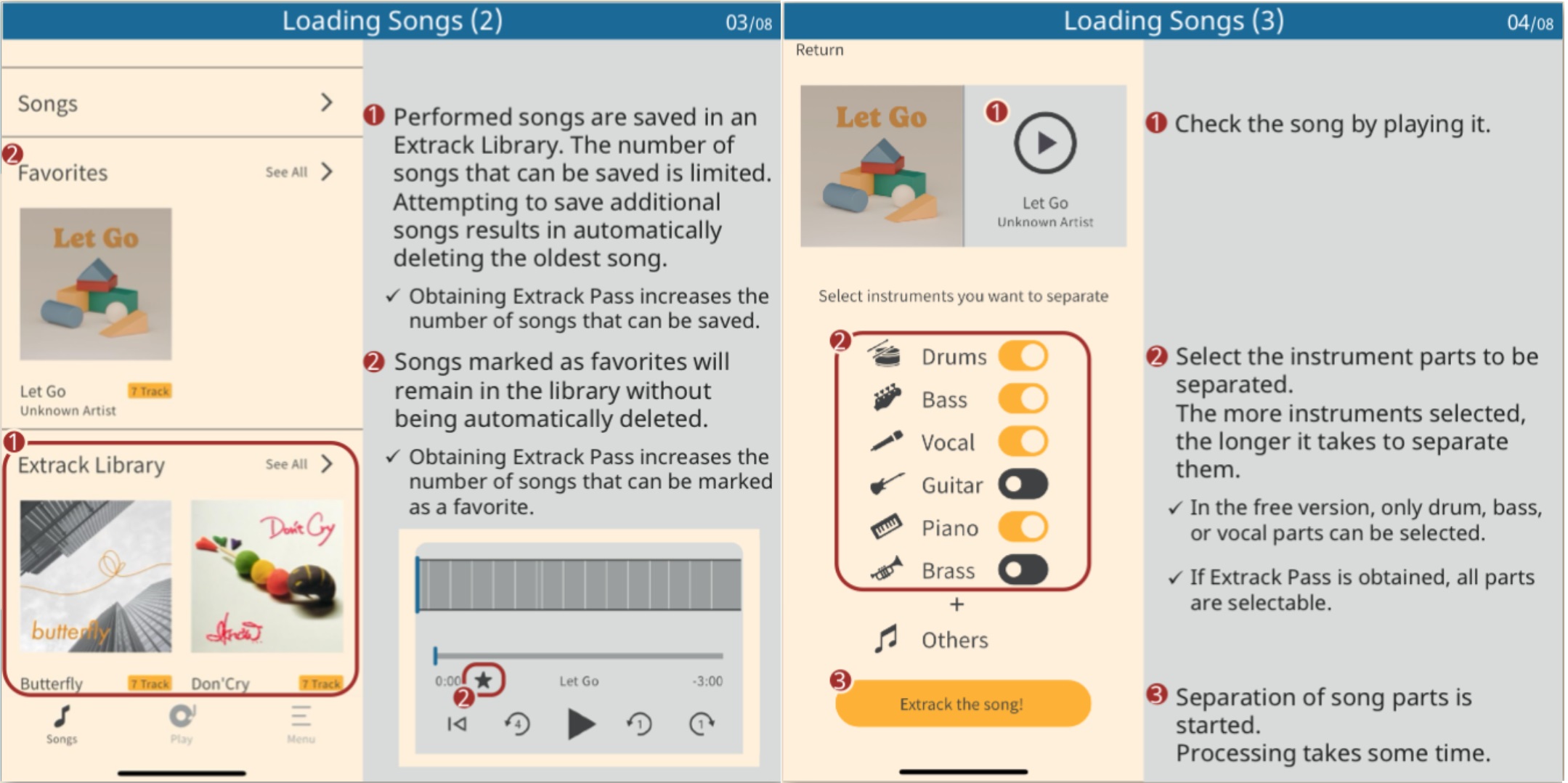
Yamaha Extrack manual (2)
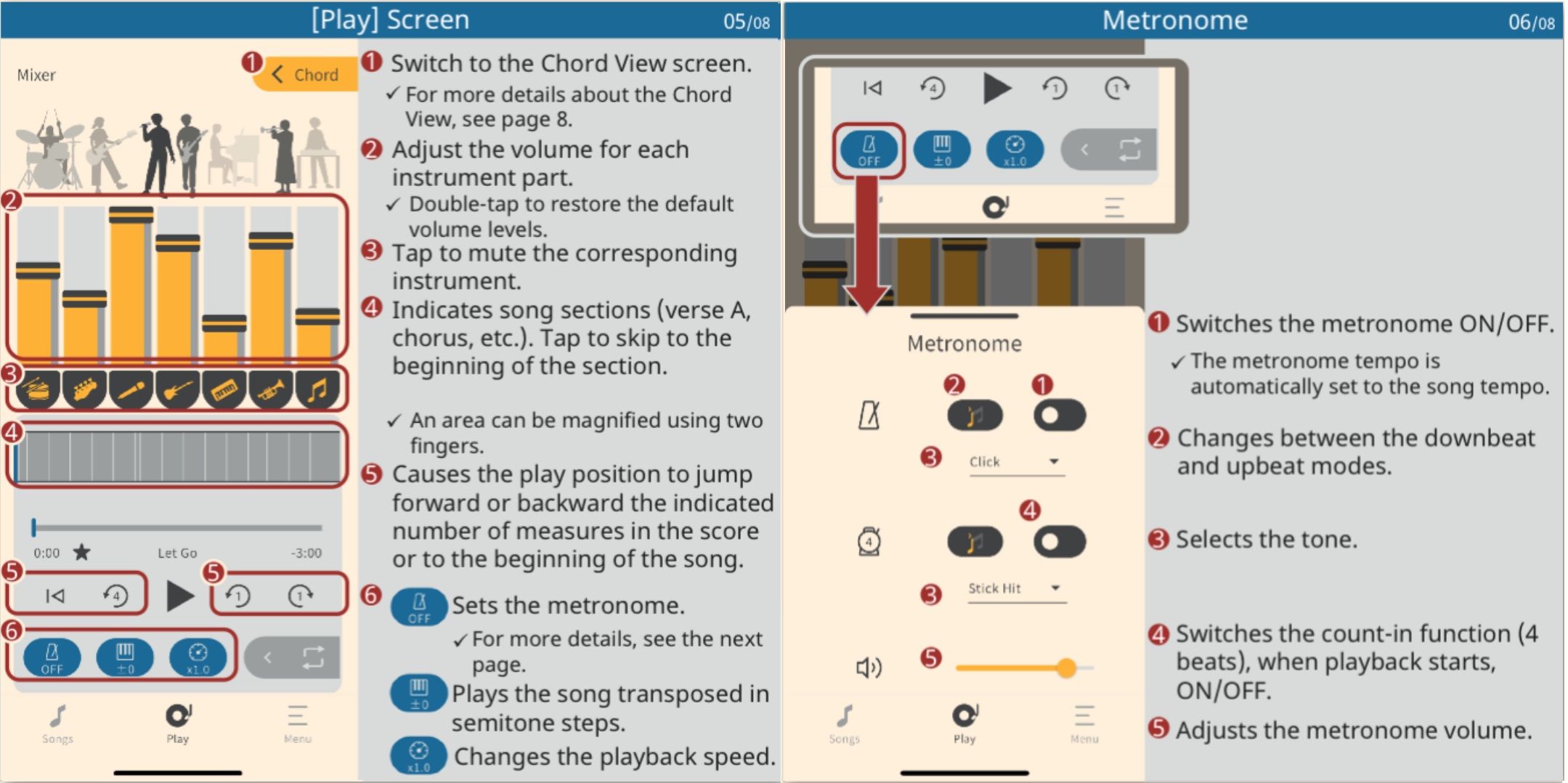
Yamaha Extrack manual (3)
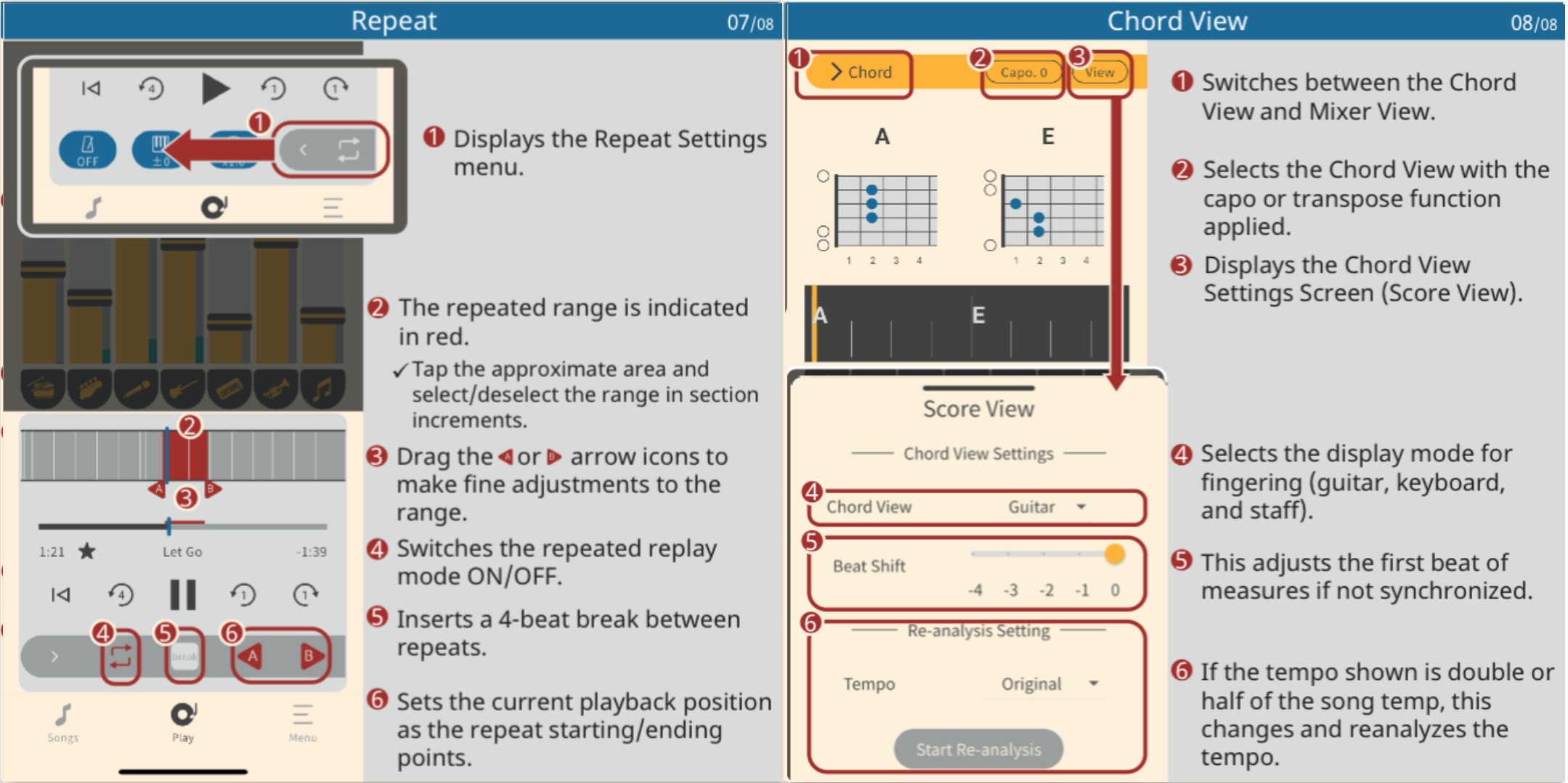
Yamaha Extrack manual (4)