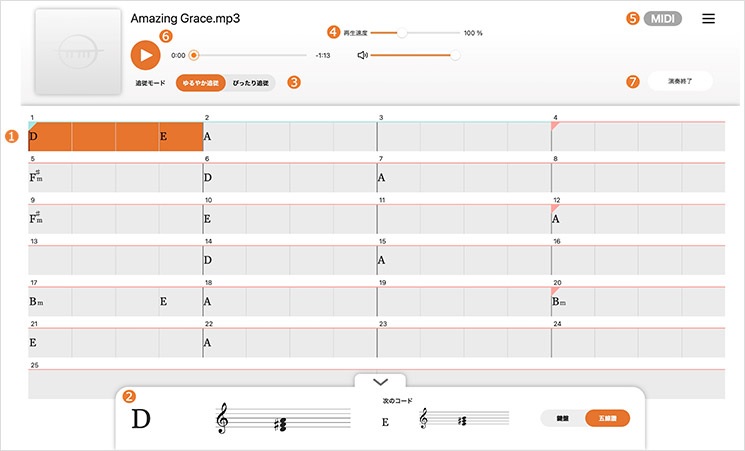
EXTRACK is a Yamaha app which hasn’t yet broken surface in the United States. It was released in Japan about five months ago. My guess — Yamaha is in the process of “globalizing” the app for international release, including the subscription Extrack Pass service.
In Yamaha’s own words (translated from Japanese):
Extrack is a music app for iOS and Android that lets you practice and jam with your favorite songs, experiencing the immersive experience of playing along with a real artist. The basic features are free with no expiration date. By paying for a subscription, you can enjoy even more features.
Yamaha is always looking for ways to enhance instrument sales. Extrack is a music-minus-one practice partner on steroids.
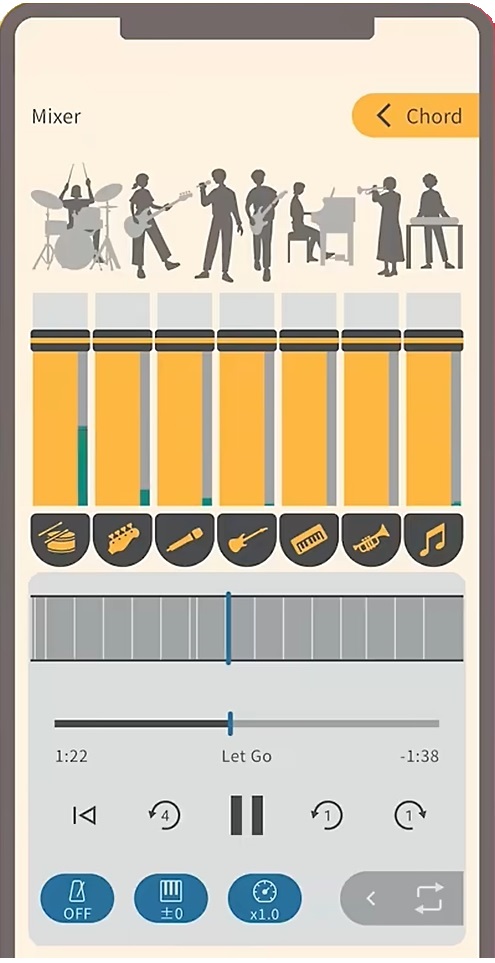
Yamaha Extrack stem mixing
Extrack uses stem extraction technology to separate an audio song into individual instrument parts, e.g., vocals, guitar, piano, bass, drums and wind instrument. You can adjust the volume of individual parts and remix the song, either enhancing a part to be learned or suppressing a part so you can take over (minus-one). Yamaha also throws in chord analysis, variable playback speed (tempo change), transposition (key change) and partial repeat.
Here’s the Extrack Quick Start video for ya.
Yamaha keeps getting better at IOS integration. You can analyze songs on your phone (tablet), or songs saved on iCloud drive, Google Drive, Dropbox or OneDrive. Extract handles songs encoded in MP3, AAC and FLAC. Songs from streaming services cannot be loaded (restricted rights). Analyzed songs are stored in an “Extrack Library”. The number of songs in the Extrack Library is limited, but the number can be increased through a paid subscription (Extract Pass).
Speaking of which, only basic app functionality is free. The Japanese Extrack Pass subscription service (available through in-app purchase) is ¥7,000 ($47USD) for one year and ¥900 (about $6USD) per month.
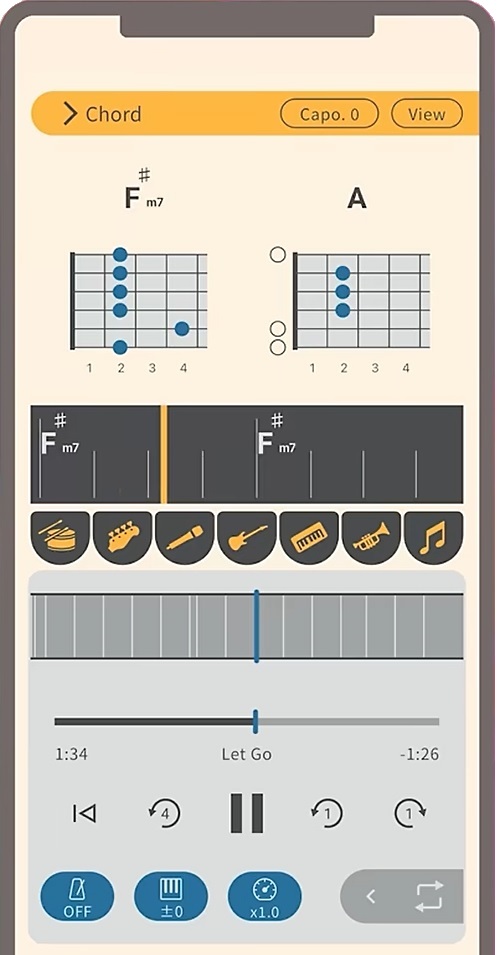
Yamaha Extrack chord analysis
Extrack possesses Chord Tracker-like features. You can choose chord symbol, TAB, keyboard, and notation views. Guitarists will appreciate the CAPO feature. There are a few refinements over Chord Tracker such as the ability to shift the beat in order to align chord changes with bars. (Chord Tracker sometimes loses “the one.”) There is a metronome which syncs with playback.
Like Chord Tracker, Extrack identifies song sections (intro, verse, chorus, etc.) You can navigate within a song by section.
On a different front, Yamaha’s piano evoce ß application has dropped from sight. The dedicated web site is nowhere to be found. Here is Yamaha’s brief description of the application:
“piano evoce ß” is an application that analyzes music data and provides a function that plays back vocal parts in sync with the user’s performance. By connecting a keyboard instrument such as an electronic piano or keyboard to your Mac and playing along with the chords displayed on the application screen, the AI ensemble technology will play back the vocal parts in sync with your performance, allowing you to easily enjoy the feeling of playing in an ensemble.
I captured a little bit of information from the initial announcement.
As I’ve said time and again, Yamaha experiments with technologies and tools with no guarantee that any of it will appear in an actual product. Maybe Extrack aced piano evoce ß?
Copyright © 2025 Paul J. Drongowski