Yamaha AN-200: Crate digging

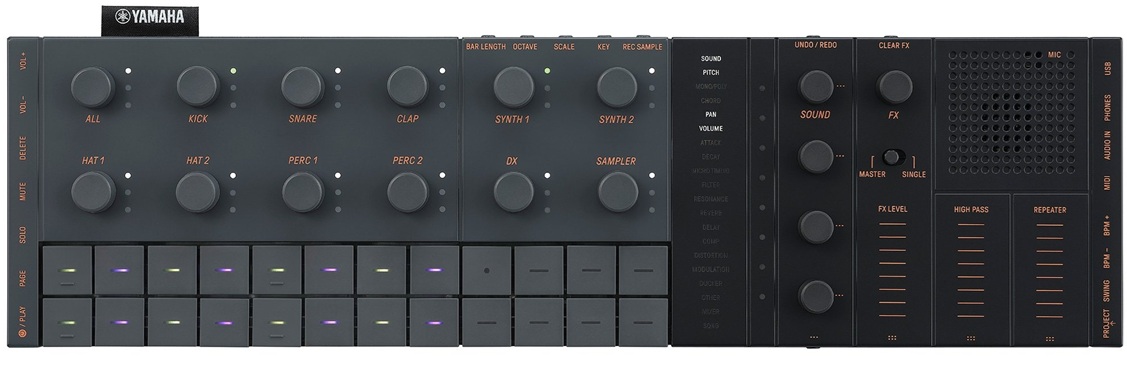
One of my favorite pastimes is finding and collecting patterns from vintage Yamaha beat boxes. It’s been a long time coming — the Yamaha AN200 Loop Factory.

The AN200 is renown for its 5-voice Analog Physical Modeling (AN) engine. Yamaha provided patterns to get you started and to show off the AN engine. The AN synth is accompanied by AWM rhythm, and sometimes, bass tones, too.
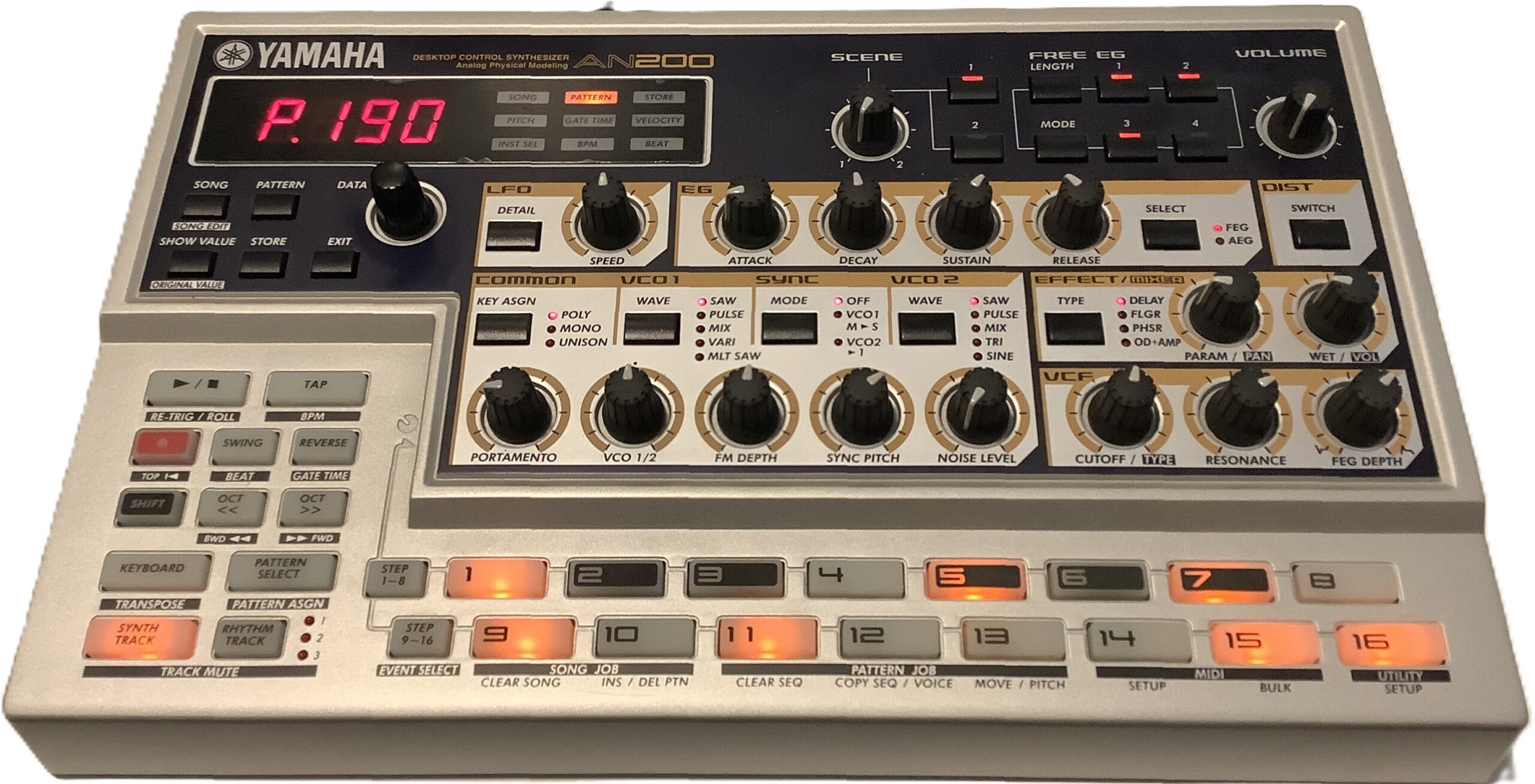
Yamaha AN200 — the OG

The AN200 has 256 factory preset patterns. That’s a mess o’stuff and capturing all 256 patterns is a daunting task. So, I recorded the 20+ patterns that hit me in the sweet spot (funk, downtempo, etc.)

AN200 track structure

Each AN200 factory preset pattern has four tracks:

  • Synth: AN, MIDI channel 1
  • Rhythm 1: AWM, MIDI channel 2
  • Rhythm 2: AWM, MIDI channel 3
  • Rhythm 3: AWM, MIDI channel 4

The first track drives the AN engine. Surprisingly, the outgoing MIDI data doesn’t have any MIDI Continuous Control (CC) messages. I guess the AN engine has enough free-running gizmos like its LFO to provide interesting dynamics. The lack of CC messages is a bit disappointing.

The three rhythm tracks drive an AWM engine. AWM synths typically provide a selection of voices and drum kits. The AN200 is different. The AWM rhythm tracks have one big drum kit which is a crazy amalgam of percussion instruments (kick, snare, etc.), found sounds, bass tones and synth waves. Each MIDI note hits its own drum instrument, bass tone, etc. just like a conventional drum kit. The AN200 manual has a list of the Rhythm Track Instruments — essential reading if you’re going to re-use these patterns!

Why “essential reading”? Sometimes a rhythm track is dedicated to a single instrument like kick, snare or bass tone. Quite often, though, a rhythm track pounds away on multiple instruments, e.g., 3 or 4 hi-hats, a second kick and a shaker top. It all works on the AN200 with its integrated rhythm instrument (“drum”) kit, but you will need to reassign these beats to a kit on your target instrument. On SEQTRAK, for example, you will want to assign individual instrument patterns to its seven percussion tracks (and/or sampler).

Busting apart an AN200 rhythm track is a lot like working with the DJX-II patterns. It is a lot of work, so be prepared to roll up your sleeves.

Hunting the snark

I captured the AN200 MIDI over 5-pin MIDI (no USB in the olden days) and SONAR Home Studio on a Windows 11 OmniDesk PC. [Yes, Cakewalk Home Studio from 2006.] I sync’ed the AN200 to SONAR’s MIDI clock:

    AN200 -- set AN200 to external SYNC
        1. Shift + SETUP (button 14)
        2. Press multiple times to see "Clok"
        3. Turn DATA knob to "Ext"
    SONAR -- set SONAR to generate MIDI clock
        1. Option > Project > Sync
        2. Check send Start/Stop/Clock

I captured one AN200 factory pattern per SONAR project. Each SONAR project has four MIDI tracks, one track for each MIDI channel (1 to 4). By setting the MIDI input channel for each track, I could capture the entire pattern in one pass. SONAR’s input default is “OMNI”, so the individual track channels must be assigned explicitly in order to separate the MIDI channel streams into SONAR tracks.

After track set-up, arm RECORD on all four tracks and hit the red button. I captured a minimum of eight measures per AN200 pattern with a little slop over to ease looping (if that’s ever necessary).

Don’t get pitchy with me

Crack open a rhythm track and you’ll ask, “What are all of those NRPN messages?” Nearly every drum-ish note has an NRPN setting its pitch. 97% of the time, the pitch offset is zero (MIDI value: 8,192). A few AN200 patterns use the NRPN messages to slowly pitch up (or down) a percussion instrument like tabla. That’s how you get cool tribal sounds.

The Drum Instrument Pitch Control NRPN seems (is?) AN200-specific. You’ll probably want to zap them. I zapped the NRPNs from the patterns that I translated to SEQTRAK.

Why did Yamaha use the NRPNs? If there are multiple instruments in a single track (MIDI channel), you can’t use pitch bend because ALL of the instruments will be shifted in pitch. The NRPNs let Yamaha target specific notes (drum instruments). I just wish they had suppressed the non-essential NRPN messages; they clutter things up and waste message bandwidth.

Oprah time

So, what do we have for today’s guests? Here is a ZIP file with all of my work products: SONAR projects, MIDI Type 1 capture files, MP3 demos for each factory preset, and SEQTRAK projects. [More about the SEQTRAK projects in a future post.] My sweet spots are funk, tribal, and downtempo, so that is what you get.

Have fun and enjoy!

One final comment. I love the AN200 instrurment names and descriptions. I wish SEQTRAK names were just as descriptive instead of Kick 1, Kick 2, Kick 3, etc.

Copyright © 2026 Paul J. Drongowski
SEQTRAK MIDI controller power

In my last post about connecting a MIDI controller to Yamaha SEQTRAK over USB, I expressed concern about power draw. Measurements show that my initial concern is unfounded.

I pulled out a trusty Klein Tools ET900 USB Digital Multimeter. For testing, I plugged my two MIDI controllers through the meter into the USB-A port of an HP OmniDesk PC, assuming that the PC would provide a solid 5V USB power source.

Current draw is not as high as I expected. Of course, plugging a MIDI controller into SEQTRAK will drawn down the SEQTRAK’s lithium ion battery at a higher rate. Still, an additional 100mA to 200mA is not a big load.

Here are the test results:

    Novation Launchkey 49 mk4
        0.18A @ 5V
        Power = 0.18A * 5V = 0.9W

    Arturia Keylab Essential 49 mk2
        0.10A @ 5V
        Power = 0.10A * 5V = 0.5W

The current draws are 180mA and 100mA, respectively.

I also measured the SEQTRAK powered via the USB-A port:

    SEQTRAK
        Charging:  0.11A (110mA)
        Operation: 0.44A (440mA)

Yamaha spec the SEQTRAK in the following way:

    SEQTRAK battery
        Battery:           7.6Wh
        Power consumption: 6W
        Battery life:      3 to 4 hours

If I plug the operational current (0.44A) into the standard DC power equation:

    Power = 0.44A * 5V = 2.2W
    Estimated life = 7.6Wh / 2.2W = 3.45 hours

we see that Yamaha’s estimates are bang on: about 3 to 4 hours of continuous operation.

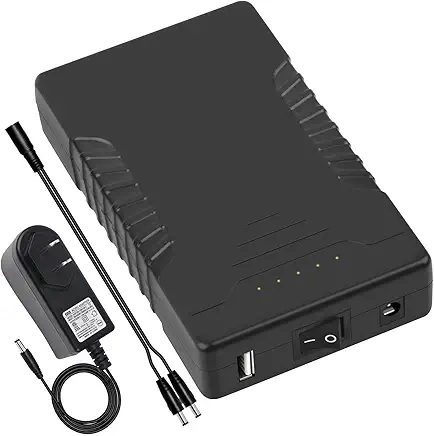
TalentCell 12V 6000mAh battery pack

Using a conservative 200mA additional draw for a MIDI controller, I estimate battery life, thus:

    Power = (0.44A + 0.20A) * 5V = 3.2W
    Estimated life = 7.6Wh / 3.2W = 2.37 hours

Good enough for a short one hour gig; anything longer would be safer on external power. My TalentCell (Model YB1206000-USB) has a USB-A port and could do the business.

Copyright © 2026 Paul J. Drongowski

SEQTRAK as sound module: Connections

A quick hit on the SEQTRAK front…

I’ve been experimenting with Yamaha SEQTRAK as a sound module. The biggest trick is living within SEQTRAK’s MIDI channel assignments:

  • Channels 1 to 7: Drum, synth, or drum kit
  • Channels 8 and 9: Synth
  • Channel 10: DX 4-op FM
  • Channel 11: Sampler

Channels 1 to 7 can be assigned to “Synth” through the SEQTRAK app and that’s how I have assigned them. Overall, I have 9 channels of AWM2 synth and 1 channel of 4-op FM for ten melodic voices total. I haven’t sussed out the Sampler yet.

So far, I’ve tested SEQTRAK using three MIDI controllers:

As you might expect for a mature technology, 5-pin MIDI is rock solid. The Keylab Essential and Launchpad both have 5-pin MIDI out which I connect to the SEQTRAK through its MIDI adapter. The SEQTRAK MIDI adapter has an oddball 5-pole TRRRS 3.5mm plug (Yamaha part number VFD34200). I intend to buy a spare adapter or two just in case I lose one.

I didn’t try the Keylab or Launchpad over USB due to power concerns. I don’t want to tax the small-ish SEQTRAK lithium-Ion battery (2,100 mAh) although the output current is rated at a hefty 1.5 Amps.

The output current spec gives me pause. Maybe I should pull out a USB power meter and take measurements?

I tested SEQTRAK with the Microkey Air USB interface because the Air has low current draw. No joy. Although the Microkey Air powered up, no notes, no sound. I double-checked the outgoing MIDI (channel 1) stream. The SEQTRAK just did not seem to get MIDI messages. I need to find a way to monitor SEQTRAK’s MIDI activity in order to draw a more definite conclusion.

I was more successful sending MIDI over USB from a Yamaha PSS-A50. (Channel 1, again.) Unfortunately, SEQTRAK would occasionally lose the USB connection and I would need to restart the PSS-A50 and SEQTRAK. Other folks on the web have reported this issue and Yamaha need to troubleshoot.

KORG USB MIDI ain’t working too well with Windows 11, either. There is something quirky about KORG’s USB support and I wish KORG would put engineers on it and straighten things out once and forall.

A quick test with a CME Bluetooth WIDI UHost was successful. I connected SEQTRAK to the UHost USB-C data port, turned on SEQTRAK, turned on the Microkey Air, and bang — the Microkey Air connects to the SEQTRAK via Bluetooth MIDI. It would be terrific if the Microkey Air connected to SEQTRAK’s internal MIDI, but I could easily live with a tiny external WIDI UHost instead.

Going forward, I will stick to 5-pin MIDI or WIDI Bluetooth. I need rock solid connection and cannot reboot during a church service. One thing about playing in church, when you gotta play and be heard, your tech must work without failure every time.

I will have more to say about configuring the SEQTRAK voices in a future post. I’ll leave you with a list of my favorite and most useful melodic voices:

    Hammond organ    Pipe organ       Electric piano
    -------------    -------------    --------------------
    Vib Chorus       St. Paul         Wood EP (DX)
    Soulemn          Sunday           Wood EQ Tremolo (DX)
    Mellow                            Soft Case
    Even Out                          Vintage Case
    Draw Control
    Swishie

    Strings          Brass            Woodwind
    -------------    -------------    --------------------
    Violin           2 Flutes         Jazzy Flugel     
    Violin Solo      Flute & Clari    Legend Mute
    Cello Duo        2 Oboes&Bassoon  Trumpet Vibrato
    Quartet          WoodWind Quartet French Horn
    Medium Section                    FrenchHornSection1
    Full Chamber                      F.Horn + Trombine
    Warm Back                         F.Horn + Strings
    VP Soft                           Wood Winds+Strings

    Pad
    ----------------
    Ethereal
    Simple Air
    Warm Backing Pad
    Oooh Pad
    Strings & Choir
    Nativity

This list reads like the greatest orchestral sounds of the Motif XS and XF. For a $250 to $300 USD sound module, that ain’t bad! Many of these sounds are in my MODX Live Set for church.

More to come…

Copyright © 2026 Paul J. Drongowski