
AN200 patterns converted to Seqtrak

After rummaging through the AN200 crate, I cherry-picked eight favorite patterns and converted them to Yamaha Seqtrak. Yamaha Seqtrak doesn’t have an AN synthesis engine, so you only get a close approximation. Still, why not?
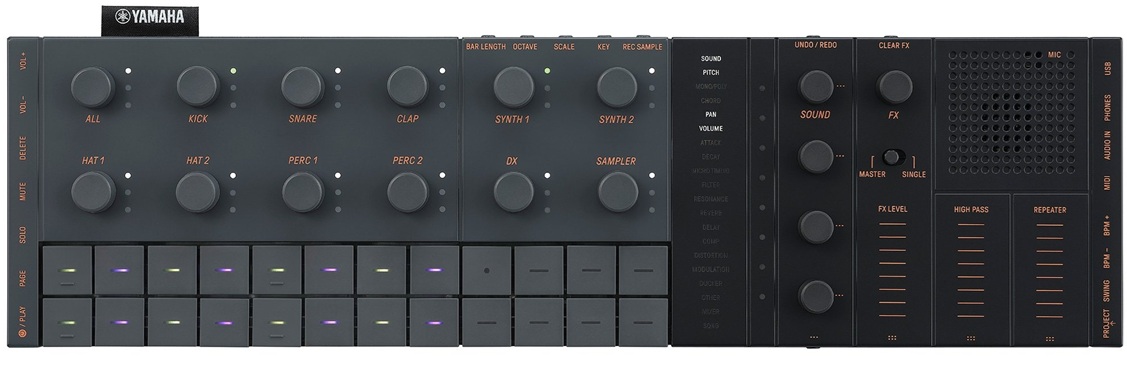
Converting Yamaha’s AN200 patterns to Seqtrak is labor intensive. As I noted in my AN200 crate digging article, the AN200 has four tracks: Synth, Rhythm 1, Rhythm 2 and Rhythm 3. The Synth track is the easiest to deal with. It contains MIDI notes and no continuous control messages. That’s pretty raw and kind of disappointing (no automation tricks). The biggest conversion issue is finding a suitable Seqtrak voice — a voice with dynamism and life — to replace the AN voice.

The rhythm tracks are truly a bear to convert. The AN200 doesn’t have drum kits in the sense of a conventional Yamaha synth. Rather, the rhythm tracks contain notes that hit a vocabulary of AN200 percussion instruments, bass notes, found sounds and whatnot. A single AN200 rhythm track might contain only high hats, if you’re lucky. Often, a rhythm track contains patterns for several percussion instruments and you need to find a way to explode the track into individual Seqtrak drum tracks. Ouch.

The AN200 Owner’s Manual has a table listing the instrument for each MIDI note number. If you are going to do conversions yourself, you must have this table!

I did all the MIDI whacking in (ancient) Cakewalk SONAR Home Studio (circa 2006). Once I had the individual SONAR tracks set up, I exported the individual instrument patterns to MIDI files. SONAR is cool that way — just drag the pattern clips and drop them into a directory. SONAR writes the clips as Standard MIDI Files (SMF).

With individual SMF patterns in hand, activity shifts to the Yamaha Seqtrak app. First thing is to assign Seqtrak voices to the drum and synth tracks. Sometimes I spend too much time finding the ideal voice only to change the voice later. Better to make initial picks quickly and get on with the fun stuff.

After choosing voices and creating the project, it’s time to import patterns. You need to crack open the pattern editor for each track one at a time and drag the appropriate MIDI file into the pattern box.

This is where you may hit a major issue — time alignment. During export, SONAR truncates the outgoing MIDI clip to the first MIDI event in the clip. Seqtrak imports from the beginning of the MIDI file and uh-oh, what was aligned in the original pattern is no longer aligned with the first beat. I got into the habit of adding a super-quiet (velocity 1) note to the start of clips without a pattern note on the one. The quiet note forces SONAR to create a properly aligned clip during export. [I said conversion is work, didn’t I?]

Finally, you get to the funner stuff — tempo, effects, automation and all that. The Seqtrak mixer is really spiffy with just one gotcha. If you change a track voice, be aware that Seqtrak will change the effect send levels to those stored with the new voice. You will need to restore the reverb send level, for example. This is kind of a pain.

There is another thing that might drive you mad. Seqtrak tries to be helpful by saving your project on start-up and shut-down. [Read the manual.] Soon you will have multiple back-ups for the project. Back-ups are dated, but don’t display a creation time. Thus, you won’t know which project back-up is the latest one.

If you export a project from the app, look out for a garbage character before the file extension dot in the file name. You won’t see it, but it’s there. ZIP and other applications will find the garbage character in the file name and complain in some irrational way.

Once again, what do we have for our guests? All of the pieces and parts are in this ZIP file (27MB). You’ll find the original AN200 patterns, MP3 demos, Seqtrak projects, and working notes (README.TXT, etc.)

Before leaving, here is a brief MP3 demo. You’ll hear eight converted AN200 patterns in the following order: ElecHop, Funky, Jazzwonka, Mushroom, Naja, Tribal, TribeGathr and Trippin. Enjoy!

Copyright © 2026 Paul J. Drongowski
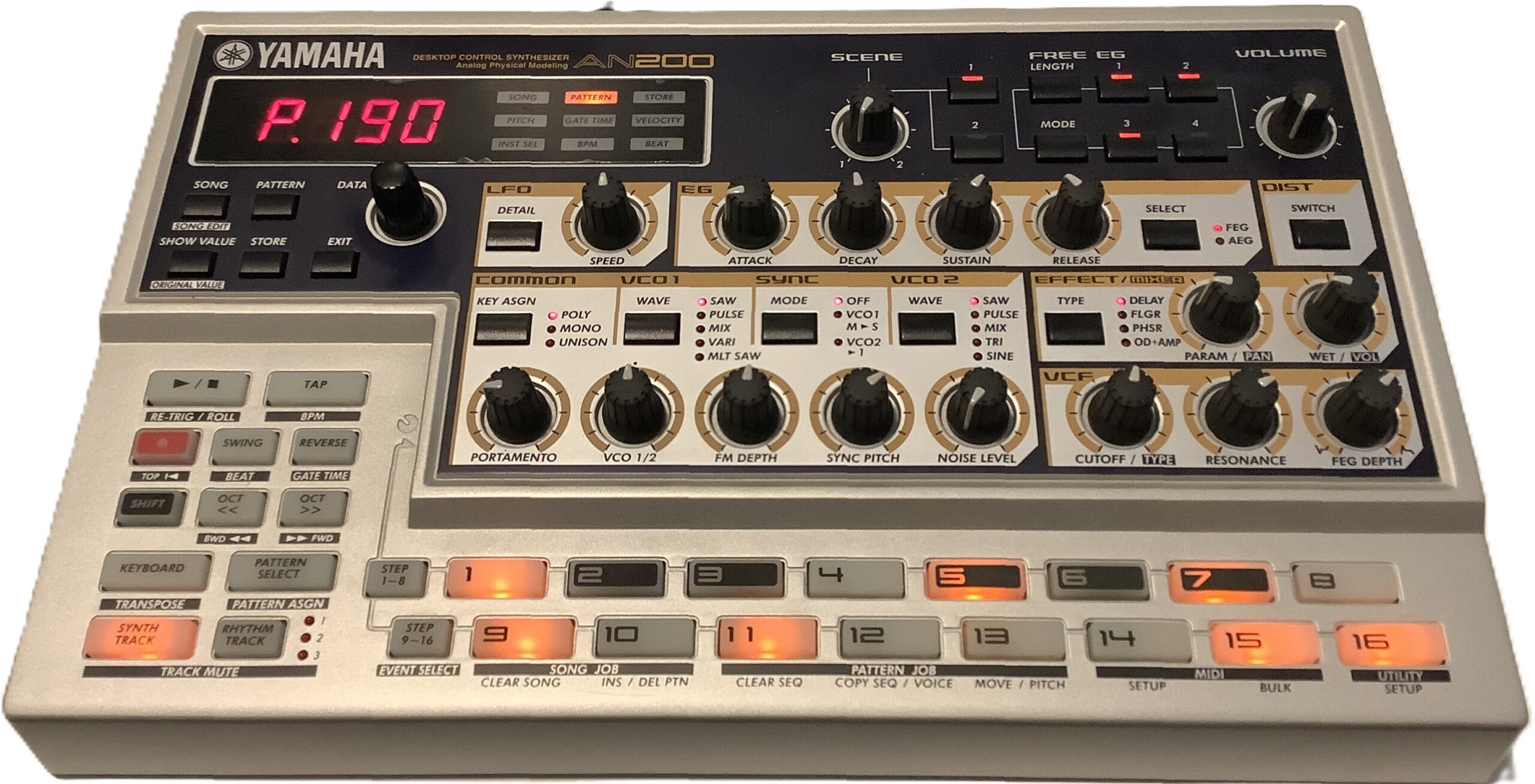
Yamaha AN-200: Crate digging

One of my favorite pastimes is finding and collecting patterns from vintage Yamaha beat boxes. It’s been a long time coming — the Yamaha AN200 Loop Factory.

The AN200 is renown for its 5-voice Analog Physical Modeling (AN) engine. Yamaha provided patterns to get you started and to show off the AN engine. The AN synth is accompanied by AWM rhythm, and sometimes, bass tones, too.

Yamaha AN200 — the OG

The AN200 has 256 factory preset patterns. That’s a mess o’stuff and capturing all 256 patterns is a daunting task. So, I recorded the 20+ patterns that hit me in the sweet spot (funk, downtempo, etc.)

AN200 track structure

Each AN200 factory preset pattern has four tracks:

  • Synth: AN, MIDI channel 1
  • Rhythm 1: AWM, MIDI channel 2
  • Rhythm 2: AWM, MIDI channel 3
  • Rhythm 3: AWM, MIDI channel 4

The first track drives the AN engine. Surprisingly, the outgoing MIDI data doesn’t have any MIDI Continuous Control (CC) messages. I guess the AN engine has enough free-running gizmos like its LFO to provide interesting dynamics. The lack of CC messages is a bit disappointing.

The three rhythm tracks drive an AWM engine. AWM synths typically provide a selection of voices and drum kits. The AN200 is different. The AWM rhythm tracks have one big drum kit which is a crazy amalgam of percussion instruments (kick, snare, etc.), found sounds, bass tones and synth waves. Each MIDI note hits its own drum instrument, bass tone, etc. just like a conventional drum kit. The AN200 manual has a list of the Rhythm Track Instruments — essential reading if you’re going to re-use these patterns!

Why “essential reading”? Sometimes a rhythm track is dedicated to a single instrument like kick, snare or bass tone. Quite often, though, a rhythm track pounds away on multiple instruments, e.g., 3 or 4 hi-hats, a second kick and a shaker top. It all works on the AN200 with its integrated rhythm instrument (“drum”) kit, but you will need to reassign these beats to a kit on your target instrument. On SEQTRAK, for example, you will want to assign individual instrument patterns to its seven percussion tracks (and/or sampler).

Busting apart an AN200 rhythm track is a lot like working with the DJX-II patterns. It is a lot of work, so be prepared to roll up your sleeves.

Hunting the snark

I captured the AN200 MIDI over 5-pin MIDI (no USB in the olden days) and SONAR Home Studio on a Windows 11 OmniDesk PC. [Yes, Cakewalk Home Studio from 2006.] I sync’ed the AN200 to SONAR’s MIDI clock:

    AN200 -- set AN200 to external SYNC
        1. Shift + SETUP (button 14)
        2. Press multiple times to see "Clok"
        3. Turn DATA knob to "Ext"
    SONAR -- set SONAR to generate MIDI clock
        1. Option > Project > Sync
        2. Check send Start/Stop/Clock

I captured one AN200 factory pattern per SONAR project. Each SONAR project has four MIDI tracks, one track for each MIDI channel (1 to 4). By setting the MIDI input channel for each track, I could capture the entire pattern in one pass. SONAR’s input default is “OMNI”, so the individual track channels must be assigned explicitly in order to separate the MIDI channel streams into SONAR tracks.

After track set-up, arm RECORD on all four tracks and hit the red button. I captured a minimum of eight measures per AN200 pattern with a little slop over to ease looping (if that’s ever necessary).

Don’t get pitchy with me

Crack open a rhythm track and you’ll ask, “What are all of those NRPN messages?” Nearly every drum-ish note has an NRPN setting its pitch. 97% of the time, the pitch offset is zero (MIDI value: 8,192). A few AN200 patterns use the NRPN messages to slowly pitch up (or down) a percussion instrument like tabla. That’s how you get cool tribal sounds.

The Drum Instrument Pitch Control NRPN seems (is?) AN200-specific. You’ll probably want to zap them. I zapped the NRPNs from the patterns that I translated to SEQTRAK.

Why did Yamaha use the NRPNs? If there are multiple instruments in a single track (MIDI channel), you can’t use pitch bend because ALL of the instruments will be shifted in pitch. The NRPNs let Yamaha target specific notes (drum instruments). I just wish they had suppressed the non-essential NRPN messages; they clutter things up and waste message bandwidth.

Oprah time

So, what do we have for today’s guests? Here is a ZIP file with all of my work products: SONAR projects, MIDI Type 1 capture files, MP3 demos for each factory preset, and SEQTRAK projects. [More about the SEQTRAK projects in a future post.] My sweet spots are funk, tribal, and downtempo, so that is what you get.

Have fun and enjoy!

One final comment. I love the AN200 instrurment names and descriptions. I wish SEQTRAK names were just as descriptive instead of Kick 1, Kick 2, Kick 3, etc.

Copyright © 2026 Paul J. Drongowski