Yamaha AN-200: Crate digging

One of my favorite pastimes is finding and collecting patterns from vintage Yamaha beat boxes. It’s been a long time coming — the Yamaha AN200 Loop Factory.

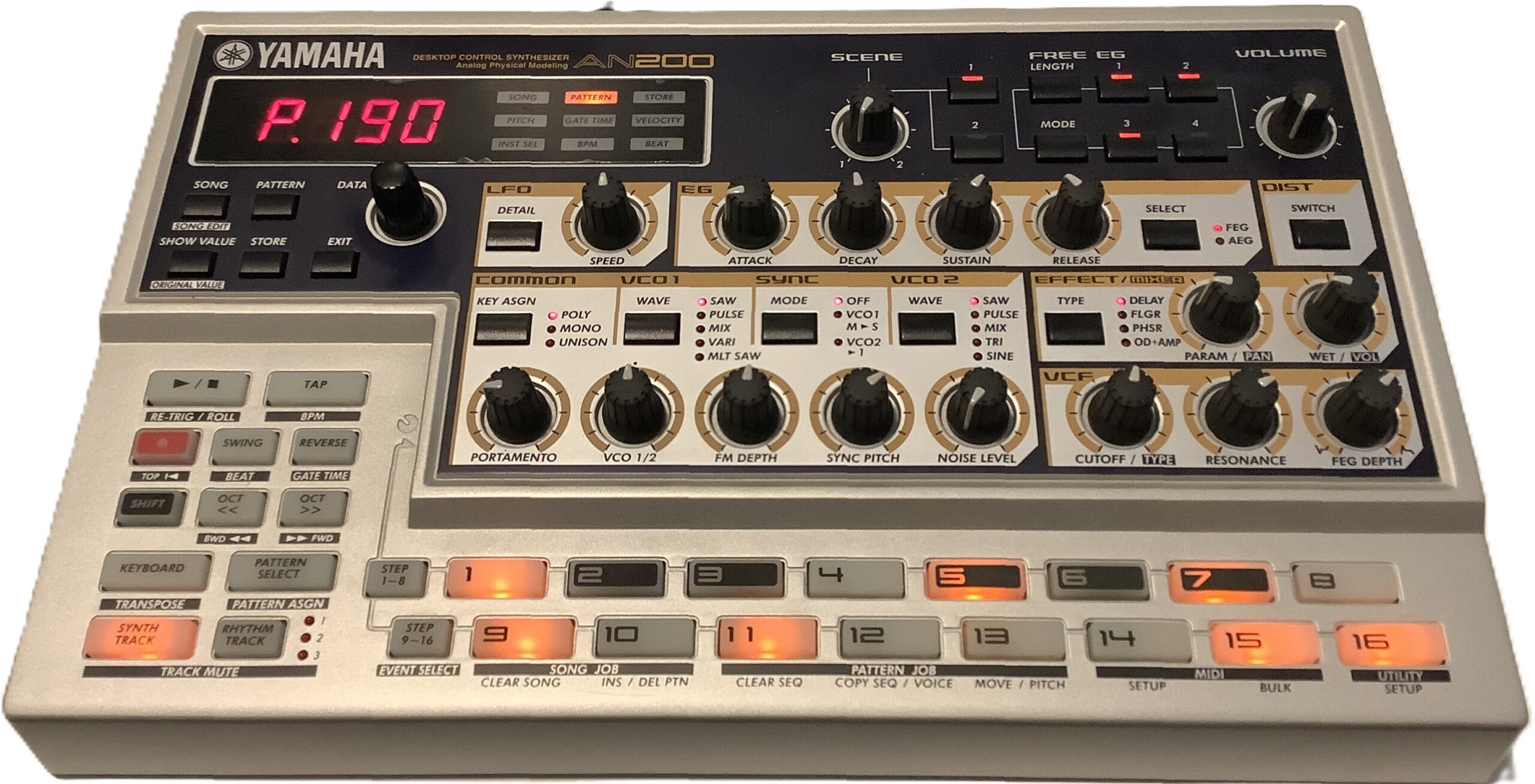
The AN200 is renown for its 5-voice Analog Physical Modeling (AN) engine. Yamaha provided patterns to get you started and to show off the AN engine. The AN synth is accompanied by AWM rhythm, and sometimes, bass tones, too.

Yamaha AN200 — the OG

The AN200 has 256 factory preset patterns. That’s a mess o’stuff and capturing all 256 patterns is a daunting task. So, I recorded the 20+ patterns that hit me in the sweet spot (funk, downtempo, etc.)

AN200 track structure

Each AN200 factory preset pattern has four tracks:

  • Synth: AN, MIDI channel 1
  • Rhythm 1: AWM, MIDI channel 2
  • Rhythm 2: AWM, MIDI channel 3
  • Rhythm 3: AWM, MIDI channel 4

The first track drives the AN engine. Surprisingly, the outgoing MIDI data doesn’t have any MIDI Continuous Control (CC) messages. I guess the AN engine has enough free-running gizmos like its LFO to provide interesting dynamics. The lack of CC messages is a bit disappointing.

The three rhythm tracks drive an AWM engine. AWM synths typically provide a selection of voices and drum kits. The AN200 is different. The AWM rhythm tracks have one big drum kit which is a crazy amalgam of percussion instruments (kick, snare, etc.), found sounds, bass tones and synth waves. Each MIDI note hits its own drum instrument, bass tone, etc. just like a conventional drum kit. The AN200 manual has a list of the Rhythm Track Instruments — essential reading if you’re going to re-use these patterns!

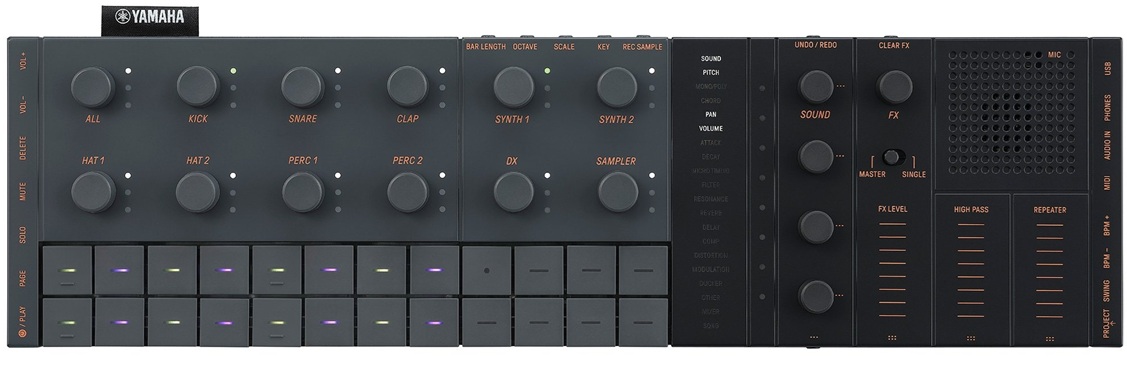
Why “essential reading”? Sometimes a rhythm track is dedicated to a single instrument like kick, snare or bass tone. Quite often, though, a rhythm track pounds away on multiple instruments, e.g., 3 or 4 hi-hats, a second kick and a shaker top. It all works on the AN200 with its integrated rhythm instrument (“drum”) kit, but you will need to reassign these beats to a kit on your target instrument. On SEQTRAK, for example, you will want to assign individual instrument patterns to its seven percussion tracks (and/or sampler).

Busting apart an AN200 rhythm track is a lot like working with the DJX-II patterns. It is a lot of work, so be prepared to roll up your sleeves.

Hunting the snark

I captured the AN200 MIDI over 5-pin MIDI (no USB in the olden days) and SONAR Home Studio on a Windows 11 OmniDesk PC. [Yes, Cakewalk Home Studio from 2006.] I sync’ed the AN200 to SONAR’s MIDI clock:

    AN200 -- set AN200 to external SYNC
        1. Shift + SETUP (button 14)
        2. Press multiple times to see "Clok"
        3. Turn DATA knob to "Ext"
    SONAR -- set SONAR to generate MIDI clock
        1. Option > Project > Sync
        2. Check send Start/Stop/Clock

I captured one AN200 factory pattern per SONAR project. Each SONAR project has four MIDI tracks, one track for each MIDI channel (1 to 4). By setting the MIDI input channel for each track, I could capture the entire pattern in one pass. SONAR’s input default is “OMNI”, so the individual track channels must be assigned explicitly in order to separate the MIDI channel streams into SONAR tracks.

After track set-up, arm RECORD on all four tracks and hit the red button. I captured a minimum of eight measures per AN200 pattern with a little slop over to ease looping (if that’s ever necessary).

Don’t get pitchy with me

Crack open a rhythm track and you’ll ask, “What are all of those NRPN messages?” Nearly every drum-ish note has an NRPN setting its pitch. 97% of the time, the pitch offset is zero (MIDI value: 8,192). A few AN200 patterns use the NRPN messages to slowly pitch up (or down) a percussion instrument like tabla. That’s how you get cool tribal sounds.

The Drum Instrument Pitch Control NRPN seems (is?) AN200-specific. You’ll probably want to zap them. I zapped the NRPNs from the patterns that I translated to SEQTRAK.

Why did Yamaha use the NRPNs? If there are multiple instruments in a single track (MIDI channel), you can’t use pitch bend because ALL of the instruments will be shifted in pitch. The NRPNs let Yamaha target specific notes (drum instruments). I just wish they had suppressed the non-essential NRPN messages; they clutter things up and waste message bandwidth.

Oprah time

So, what do we have for today’s guests? Here is a ZIP file with all of my work products: SONAR projects, MIDI Type 1 capture files, MP3 demos for each factory preset, and SEQTRAK projects. [More about the SEQTRAK projects in a future post.] My sweet spots are funk, tribal, and downtempo, so that is what you get.

Have fun and enjoy!

One final comment. I love the AN200 instrurment names and descriptions. I wish SEQTRAK names were just as descriptive instead of Kick 1, Kick 2, Kick 3, etc.

Copyright © 2026 Paul J. Drongowski
SEQTRAK MIDI controller power

In my last post about connecting a MIDI controller to Yamaha SEQTRAK over USB, I expressed concern about power draw. Measurements show that my initial concern is unfounded.

I pulled out a trusty Klein Tools ET900 USB Digital Multimeter. For testing, I plugged my two MIDI controllers through the meter into the USB-A port of an HP OmniDesk PC, assuming that the PC would provide a solid 5V USB power source.

Current draw is not as high as I expected. Of course, plugging a MIDI controller into SEQTRAK will drawn down the SEQTRAK’s lithium ion battery at a higher rate. Still, an additional 100mA to 200mA is not a big load.

Here are the test results:

    Novation Launchkey 49 mk4
        0.18A @ 5V
        Power = 0.18A * 5V = 0.9W

    Arturia Keylab Essential 49 mk2
        0.10A @ 5V
        Power = 0.10A * 5V = 0.5W

The current draws are 180mA and 100mA, respectively.

I also measured the SEQTRAK powered via the USB-A port:

    SEQTRAK
        Charging:  0.11A (110mA)
        Operation: 0.44A (440mA)

Yamaha spec the SEQTRAK in the following way:

    SEQTRAK battery
        Battery:           7.6Wh
        Power consumption: 6W
        Battery life:      3 to 4 hours

If I plug the operational current (0.44A) into the standard DC power equation:

    Power = 0.44A * 5V = 2.2W
    Estimated life = 7.6Wh / 2.2W = 3.45 hours

we see that Yamaha’s estimates are bang on: about 3 to 4 hours of continuous operation.

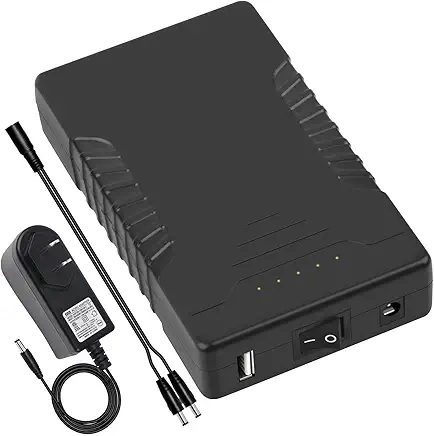
TalentCell 12V 6000mAh battery pack

Using a conservative 200mA additional draw for a MIDI controller, I estimate battery life, thus:

    Power = (0.44A + 0.20A) * 5V = 3.2W
    Estimated life = 7.6Wh / 3.2W = 2.37 hours

Good enough for a short one hour gig; anything longer would be safer on external power. My TalentCell (Model YB1206000-USB) has a USB-A port and could do the business.

Copyright © 2026 Paul J. Drongowski