Another tiny toy from Yamaha: SHS-300

Yamaha keeps cranking out mini-keyboards!

The SHS-300 Sonogenic is squarely in the musical toy category. The SHS-500 keytar is a solid, well-built instrument with 28 melodic instruments, 2 drum kits (House and Power), and DSP effects. The SHS-300, on the other hand, is a plastic, reduced rendition.

Both keyboards interface with Yamaha’s ChordTracker app and implement Jam mode. Jam mode lets an untrained user flail at the keyboard while the software maps the played notes to the musical scale determined by ChordTracker.

The SHS-300 has just 12 instruments organized into four categories:

  • Synth: Saw Lead, Square Lead, Synth Brass
  • Piano: Piano, Electric Piano, Organ
  • Guitar: Electric Guitar, Acoustic Guitar, Electric Bass
  • Other: Strings, Synth Bass, Dance Kit

The Dance Kit is the sole drum kit. The sounds are definitely entry-level PSR quality with no real effects. The nice solid controls of the SHS-500 are replaced by plastic buttons. Buttons control vibrato and sustain; Pitch bend is the sole wheel.

Street prices should be quite low as Yamaha are aiming for a super-casual, impulse-buy customer base.

Of course, the SHS-300 does not provide 5-pin MIDI out, an alphanumeric display or other niceties. I think I would stick with the bigger sibling SHS-500.

Boston Music Expo 2018

After having so much fun last year, I couldn’t pass up the 2018 Boston Music Expo (Saturday, June 9). Music Expo brings people together — artists, producers, engineers, composers, tech companies — the whole panoply of folks at the intersection of musical art and technology.

Sound On Sound Magazine is the chief sponsor. This year’s gold sponsors are Yamaha and Steinberg. Of course, both Steinberg and Yamaha were showing their wares along with many other companies big and small.

Loïc Maestracci — the founder of Music Expo — was at the door with the chance for a quick “Hello!” Let’s get started and go in.

Boston Music Expo 2018 was hosted by The Record Co., located in Boston’s South Bay. The Record Co. has the ambitious mission “to build a sustainable, equitable music scene in Boston.” Although Boston already has a busy scene, it isn’t easy for all artists to grow, collaborate and record. The Record Co. provides subsidized studio space, gear and production resources, thereby lowering the financial barrier for artists looking to record.

The Record Co. has two studios, both kitted out with top-notch gear. Rates are very reasonable. The Studio A live room is quite large and was the venue for one of the two parallel seminar tracks running at Music Expo. Studio A held 40 to 50 seats with space to spare. Studio B is smaller and more intimate.

The thing that I like best about Music Expo is the surprises. While getting my bearings, I was blown away to find people soldering! I had stumbled into the Audio Builders Workshop sponsored by the Boston Chapter of the Audio Engineering Society (AES).

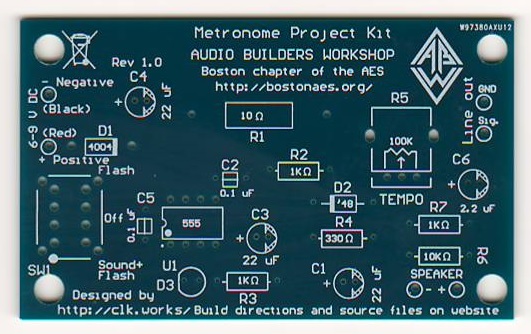
The Audio Builders Workshop offers seminars and group builds to encourage and inspire people to make their own audio electronics. I had a great chat with Brewster LaMacchia (Clockworks Signal Processing) who was leading the group build. The workshop participants were building a small metronome kit ($10 donation). The kit consists of a circuit board, 555 timer, speaker, battery connector, and a handful of discrete components. It’s all through-hole construction and looks like a great way to get started with soldering. If you’re in the Boston area and have an interest in audio electronics, then I definitely recommend getting in touch with this organization.

I bought one of the kits and will eventually build and review it. Sometimes I just like to soldering something up on a rainy day.

Another organization at Music Expo that deserves recognition and support is Beats By Girlz. BBG is a “music technology curriculum, collective, and community template designed to empower females to engage with music technology.” BBG sponsors workshops and other events (hardware and software provided!) to get women and girls into music production, composition and engineering.

That last “E” for “engineering” gets me fired up! Music technology, for me, is the gateway drug to Science, Technology, Engineering and Mathematics (STEM) education and careers. Women are so woefully underrepresented in STEM that I wholeheartedly support groups like Beats By Girlz. In addition to Boston, BBG has chapters in Minnesota, Los Angeles, New York and Chicago. I recommend Women In Music, too, BTW.

I arrived at Music Expo a little later than expected due to a traffic tie-up on the expressway. (Saturday morning? Really?) However, I did manage to catch the two sessions in which I was most interested.

Since it was first announced, I wanted to see and hear Audionamix Xtrax STEMS in action. I’ve tried to spice up my backing tracks with vocal snippets and found center extract (and center cancel) techniques lacking. My first “must-hear” session at Music Expo was an Xtrax STEMS plus Ableton Live presentation by Venomisto. Venomisto used Xtrac STEMS to pull a vocal stem from an existing song and then inserted the vocals into his own remix. Xtrax STEMS is not perfect, but it’s darned good for the money ($99 USD).

I really dug Venomisto’s latin remix, Havana. Toe tappin’, head noddin’. I love this stuff on a Saturday in the city! [I’m listening to it right now and can’t get back to work.] Cruise over to his site and you’ll hear Xtrax STEMS in action, too.

My second “don’t miss” session was “From Score To Stage” by Paul Lipscomb joined by Pieter Schlosser via Skype. Paul ran through the process of sketching and delivering the “Destiny 2” game soundtrack (Bungie Software). Wow, this session could have been a full day.

Although Paul wanted to show people that there are many ways to work and create as an artist, we’re talking “Production” here with a capital “P”. The Destiny 2 soundtrack is a AAA (big) budget production with multiple composers, orchestrators and an orchestra. All I can say, if you want to do this kind of work, be good at the hang and collaboration. Be prepared to work in a geographically dispersed team: client (Bellevue/Seattle), co-writers (Los Angeles, Seattle), orchestrator (The Berkshires in Massachusetts).

Paul classifies music (and the process of getting there) as either linear or interactive. Music for film or video is linear, having a start point, several intermediate points one after another and an end. Game music is interactive and must adapt and re-structure itself to fit the actions of the player.

He demonstrated how one can start with a simple motif (or two) and build your way to a 250 track behemoth. Thanks to the wonderful orchestral libraries available today, composers can put together a rather complete mock-up to present to a client for approval. Even on a big budget job, some of the parts in the mock-up may make it to the final mix simply because there isn’t enough money available to fund everything live (e.g., you can have the orchestra, but not the choir).

Paul uses Steinberg Nuendo and swears by it. Pieter uses Cubase. Nuendo is the bigger brother to Cubase and is geared for post-production and scoring. Paul exports MIDI tracks and provides them to the orchestrator for notation. Yep, good old MIDI.

Paul and Pieter’s presentation was thought provoking, especially about the current state/direction of orchestral music for film, video and games. A discussion about clients and aesthetics would be more appropriate for the “Notes From The Deadline” column in Sound On Sound. [My favorite SOS column, BTW.] However, I’m pondering the age-old question of how to raise our clients to a higher level of musicality. Like Paul, many of us listen to a wide range of music including traditional and modern classical music. (Paul’s advice: “Listen to everything!”) How can we move our clients beyond the limited scope of their own musical experience?

Well, shucks, that’s just two of the fifteen Boston Music Expo sessions on offer. Several sessions dealt with the business side — promotion, social media and collaboration — in addition to the artistic side.

I spent time cruising the exhibitor booths. Here’s a few short-takes and shout-outs:

  • Scott Esterson at Audionamix demonstrated Instant Dialog Cleaner (IDC) as well as XTrax STEMS. He humored a lot of my crazy questions and comments. Thanks.
  • The Yamaha folks had Montage6, MX88, MOXF8 and a clutch of Reface keyboards available for trial. Friendly as ever, it was good to touch base. I had an extended conversation with Nithin Cherian (Product Marketing Manager, Steinberg) and I quite appreciate the time that he spent talking with me.
  • The IK Multimedia iLoud Micro Monitors are excellent for the price. Not quite up to the Genelec studio monitors on show in the room next door, but much more affordable. A definite covet.
  • Speaking of IK, the iRig Keys I/O have a decent, solid feel and touch. The 25 key model is seriously small and still has full size keys. Suggestion to IK Multimedia: Please bring out a 5-pin MIDI dongle for us dinosaurs with old keyboards. I’d love to hook up an iRig Keys I/O 49 to Yamaha Reface YC.

A special shout-out to Derrick Floyd at the IK Multimedia booth. He epitomizes “good at the hang.”

I said it last year and I’ll say it again, Music Expo bridges the widening gap between customers and technically advanced products. On-line ads and videos just aren’t the same as playing with a product and experiencing it for one’s self. Brick and mortar stores cannot devote much space, inventory or expertise to the broad range of fun tools and toys that are up for sale. With on-line sales as perhaps the dominant sales channel, whoof, tactile customer experience is utterly lost. Music Expo closes the gap.

If Music Expo is coming to your corner of timespace, please don’t hesitate to attend and participate. I’m sure that you will enjoy the experience and will make valuable connections.

Copyright © 2018 Paul J. Drongowski

Audio Style file format

Yamaha introduced audio styles in the PSR-S950 arranger workstation. Audio styles are both loved and hated. Loved when they sound good, but hated when people try to change or repurpose them in new styles.

The term “audio style” is a bit of an overstatement. Only the percussion track is audio. At least, that’s how audio styles have been developed and used to this day. Yamaha just released the Audio Phraser application for creating and editing the basic skeleton of an audio style, so this situation may change now that people can more freely create, edit and share their own audio styles.

Audio style file internal format

Ever since Yamaha distributed the audio styles for Genos, I’ve been meaning to take a look inside of an audio style file. Here’s a little preliminary information.

An audio style file is an IFF-like container just like a Standard MIDI File (SMF). In fact, an audio style file has the same internal organization as a regular style file which we know to be a Type 0 SMF with extra chunks.

An audio style file has the following chunks (in order):

    Type    Purpose
    ----    ------------------------------------
    MThd    SMF header chunk
    MTrk    SMF track chunk
    CASM    Yamaha CASM chunk
    AASM    Audio assembly (descriptor) chunk
    AFil    Audio file (waveform) chunk
    OTSc    Yamaha OTS chunk

The AASM and AFil chunks are new, additional chunks beyond the known MIDI, CASM and OTS chunks. All chunks have a four byte chunk identifier and a four byte chunk size. The chunk size does not include the identifier or chunk size bytes, as usual.

The AASM chunk is relatively small, about 2,500 bytes. It consists of 15 variable length ASEG subchunks. The ASEG subchunk has a four byte subchunk size. Each ASEG corresponds to a style section; that’s why there are fifteen of them.

An ASEG subchunk has three parts:

    Type    Purpose
    ----    ------------------------------------
    Adec    Identifies the style section
    Atab    Identifies the audio file; other functions unknown
    AMix    Function unknown

The Adec part is variable length, having an explicit four byte size. The Atab and AMix parts appears to be fixed length (101 and 28 bytes, respectively) and do not have an explicit size field.

The Adec part is ASCII text and is a style section name like “Main A” or “Fill In DD”. That is the only information in Adec.

I don’t know exactly what the Atab does. The Atab part contains an ASCII string which identifies the audio file associated with the style section. This string is clearly visible in a dump. (Example below.) All of the Atab and AMix parts in the test audio file have the same values except for the audio file names.

File Offset:       36965
Subchunk type:     'ASEG'
Subchunk size:     151
Section name:      Main D
Atab type:         'Atab'
   0    0    0   97    0   32   32   32 | 00 00 00 61 00 20 20 20 | ...a.
  32   32   32   32   32   41   56   48 | 20 20 20 20 20 29 38 30 |      )80
 115   67   97  110   97  100  105   97 | 73 43 61 6E 61 64 69 61 | sCanadia
 110   82  111   99  107   95   77   97 | 6E 52 6F 63 6B 5F 4D 61 | nRock_Ma
 105  110   32   68    0    0    0    0 | 69 6E 20 44 00 00 00 00 | in D....
   0    0    0    0    0    0    0    0 | 00 00 00 00 00 00 00 00 | ........
   0    0    0    0    0    0    0    0 | 00 00 00 00 00 00 00 00 | ........
   0    0    0    0    0    0    0    0 | 00 00 00 00 00 00 00 00 | ........
   1   15   -1    7   -1   -1   -1   -1 | 01 0F FF 07 FF FF FF FF | ........
   0    0    0  127    0    0    0    0 | 00 00 00 7F 00 00 00 00 | ........
 127    0    0    0    0    0  127    0 | 7F 00 00 00 00 00 7F 00 | ........
   0    0    0    0  127    0    0    0 | 00 00 00 00 7F 00 00 00 | ........
   0    0    0    0    0    0    0    0 | 00 00 00 00 00 00 00 00 | ........
AMix type:         'AMix'
   0    0    0   24    7 -128    0   -1 | 00 00 00 18 07 80 00 FF | ........
  88    4    4    2   24    8    0  -80 | 58 04 04 02 18 08 00 B0 | X.......
   7   71    0   10   64    0   91    0 | 07 47 00 0A 40 00 5B 00 | .G..@.[.
   0   -1   47    0    0    0    0    0 | 00 FF 2F 00 00 00 00 00 | ../.....

Etienne from the PSR Tutorial Forum points out that the AMix subchunk contains MIDI event codes:

AMix : header
00 00 00 18 : length of data
07 80 : 0780 hex = 1920 decimal (PPQN ?)
00 : delta time
FF 58 04 04 02 18 08 : meta event Time signature 4/4
00 : delta time
0B 07 70 : controller volume
00 : delta time
0A 40 : controller Panpot
00 : delta time
5B 00 : Controller Reverb send level
00 : delta time
FF 2F 00 : end of MTrk trunk

Nice catch, Etienne! The AMix content makes sense because something needs to set up the channel volume, pan and reverb level for the audio phrase. Yamaha love to use MIDI events for other purposes (like voice files, OTS, etc.) Why not?

The AFil chunk has substructure, too. The AFil chunk consists of ADSg chunks. As you might guess, the AFil chunk is pretty big because it contains waveform data.

The following table shows the offset and length information for the first ADSg in the example’s AFil:

    AFil     37287  15261858
    ADSg     37295   1219275      Container for an audio file
    ANdc     37303        50      File name
    AWav     37361   1219209      Container for audio waveform
    WAVE     37369       n/a      Marker (no subchunk size)
    Afmt     37373        16      Audio format information
    Sfmt     37397       217      Container for section information
    Sdec     37608         6      Section name, e.g., Main A
    Adat     37622   1218300      Waveform data
    AInf   1255930       640      Container for audio information
    BPnt   1255938       136
    OPnt   1256082       240
    APnt   1256330       232
    ATmp   1256570         0      Empty, subchunk size is 0
    ADSg   1256578                Container for the next audio file
    ....

The container relationships are important because the containers and subchunks are nested:

    AFil contains ADSg
    ADSg contains ANdc, AWav
    AWav contains WAVE, Afmt, Sfmt, Sdec, Adat, AInf
    AInf contains BPnt, OPnt, APnt, ATmp

The nesting is a bit of a pain in the patootie when writing code to parse a style file.

ADSg is the container chunk holding audio waveform (meta-)information. Like ASEG, there are fifteen ADSg chunks — one for each audio file. The ANdc subchunk inside contains the audio file name which matches up with the name in the ASEG. AWav is the container holding the audio waveform data itself.

The audio “file” format is WAV-like, but it is not exactly WAV (Microsoft RIFF). I was able to playback the audio by importing the audio style file as a raw (untyped) audio file. The audio format seems to be 44,100Hz, 16-bit stereo, big endian. No compression or encryption. It isn’t be too hard to dump the audio.

Yamaha Audio Phraser

Now that you know a little bit about what’s inside of an audio style file, here is brief overview of what the Audio Phraser program generates.

Audio Phraser generates an MThd MIDI file header chunk, a single MTrk chunk (Type 0), an ASEG chunk for each audio waveform, an AFil chunk (containing an ADSg subchunk for each audio file) and a CASM chunk.

The MIDI tempo and time signature are the same as the tempo set in Audio Phraser. The MIDI song title is set to “Audio Phraser”.

The MIDI track contains the usual markers at the beginning: SFF2 and SInt. A single SysEx message is generated after SInt: General MIDI System ON (F0 7E 7F 09 01 F7). The key signature is set to C/Am, followed by:

  • SMPTE Offset
  • Sequencer specific metadata: ff 7f 04 43 00 01 00 00

Oddly, MIDI channel 4 has four, whack-looking MIDI OFF events:

    NOTE OFF G#9
    NOTE OFF G5
    NOTE OFF C0
    NOTE OFF C0

A bug? The remaining markers indicate the start of the style sections. The section length corresponds to the length of the audio waveform for the section. Thus, if the audio waveform for “Main A” is 2 bars, then the MIDI section for “Main A” is 2 bars long.

The CASM chunk is minimal and sets NTR/NTT for MIDI channel 9 (Subrhythm). NTR is “Root Fixed” and NTT is “Bypass/Bass Off”. No NTR/NTT is given for channel 10 (rhythm/drums).

Audio Phraser does not generate an OTSc (One Touch Settings) chunk.

Audio Phraser creates an AWI file for each waveform that it imports into an audio style file. The AWI file most likely holds the results of Audio Phraser’s analysis (i.e., beat detection and so forth). It would be interesting and informative to compare the contents of an AWI file against the ASEG and AInf chunks in the resulting audio style file. I’m guessing that the AWI file is the “prototype” for the ASEG and AInf chunks.

Java source code

If you would like to explore audio style files, then download the source code for a simple audio style dump program. The code is relatively brittle and expects to encounter chunks in a certain order and/or quantity. Thus, be prepared to modify the code. This is an experimenter’s kit, after all. 😉

Copyright © 2018 Paul J. Drongowski

Genos master compressor

There is an on-going discussion at the PSR Tuturial Forum about the Yamaha Genos™ master compressor.

I did a little “effect sleuthing” and determined that the Genos master compressor is the same algorithm as the Yamaha Montage parallel compressor, PARALLEL COMP. This effect is part of the Montage v1.5 update. The same update added the universal compressor down (UNI COMP DOWN) and universal compressor up (UNI COMP UP) algorithms. All three algorithms can be used as a Montage master effect. On Genos, the parallel compressor is a master effect; the universal compressors can be used only as insertion or variation effects.

How did I run this down? I compared the parameter definitions for the Montage PARALLEL COMP effect algorithm against the parameters of the Genos master compressor. They match exactly. Yamaha often share effect algorithms across their top-of-the-line equipment.The Montage parameters are:

  • Type: Natural, Rich, Punchy, Electronic, Loud
  • Compression: 0 to 100
  • Texture: 0 to 100
  • Output level: -18dB to +18dB (0 to 120)
  • Input level: -18dB to +18dB (0 to 120)

The parameters for the universal compressor algorithms match up, too. However, the Genos user interface (UI) does not allow access to the 17th parameter, Side Chain Input Level. Yamaha need to remove the 16 effect parameter restriction imposed by Genos. (This restriction prevents access to the rotor ramp parameters in the new rotary speaker algorithm, too.)

If you’re a Montage person, you’re probably wondering, “What are ‘Natural,’ ‘Rich,’ etc.?” I’ll quote the Yamaha Genos Reference Manual here:

  • Natural: Natural Compressor settings in which the effect is moderately pronounced.
  • Rich: Rich Compressor settings in which the instrument’s characteristics are optimally brought out. This is good for enhancing acoustic instruments, jazz music, etc.
  • Punchy: Highly exaggerated Compressor settings. This is good for enhancing rock music.
  • Electronic: Compressor settings in which the electronic dance music’s characteristics are optimally brought out.
  • Loud: Powerful Compressor settings. This is good for enhancing energetic music such as rock or gospel music.

Frankly, I don’t know as much about audio compression as I should. Fortunately, Sound On Sound Magazine has an excellent article about parallel compression. The article has terrific background information about all forms of compression including DOWN and UP compression. DOWN compression is the conventional form that we are most familiar with.

Parallel compression puts a very high ratio (limiting) DOWN compression block in parallel with the original audio signal, i.e., it mixes the original signal and the compressed signal.

                ----------------------
               |                      |
     Input ----|                      + ----> Output
               |                      |
                ----> Compressor ---->

Massive gain reduction is applied to the loudest passages. According to SOS, “This means that at those points, its involvement in the mixed output signal is virtually insignificant; the output signal is completely dominated by the original input signal coming via the direct path. As a result, those loud but delicate transients are left completely intact and unchanged — which is the primary aim of this technique.”

No gain reduction is applied to quiet signals below the threshold. Thus, the parallel paths, direct and compressor, pass the same signal. When the two signals are summed (mixed), the quiet passage is +6dB louder. Again, quoting SOS, “this simple form of parallel compression leaves the loud bits unaffected and raises the quiet bits by 6dB, the total reduction in dynamic range is only 6dB.”

I hope this information helps. I recommend reading the SOS article; it has several graphs and goes deeper into this studio technique.

Copyright © 2018 Paul J. Drongowski

Suggestions and questions to Yamaha

The Genos manual should at least mention that the Genos master compressor performs parallel compression. A short explanation would help people apply and tweak the master compressor.

The Genos universal compressor algorithms support side-chain. How can we use side-chaining? How do we get a signal into the side-chain input?

Yamaha engineers are building effect algorithms with more than 16 effect parameters. The Genos user interface needs to provide access to more than 16 effect parameters and to store them.

Right on the heels of Genos

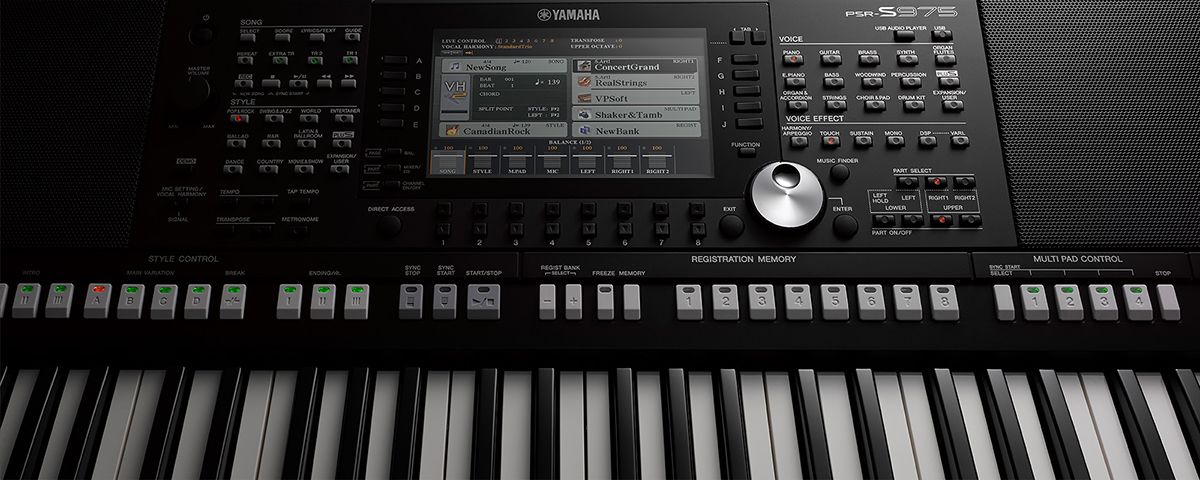
Yamaha are announcing two new models in the arranger workstation line: The PSR-S975 and the PSR-S775

The PSR-S975 is an update to the current PSR-S970. New features include:

  • Half bar fill-in
  • Mono legato operation
  • Store and recall of Live Control settings in registration memory
  • More preset styles (523, up from 450)
  • More Super Articulation voices (140, up from 131)
  • More Live voices (99, up from 89)
  • Larger expansion memory (768MB, up from 512MB)
  • Expansion audio styles (128MB maximum)

Expansion packs like Euro Dance and Salsa are pre-installed. [Click image below to enlarge.]

Quoting the Yamaha Web site:

  • 1625 Voices, including Super Articulation Voices, Organ Flutes! Voices. 55 Drum/SFX kits, and 480 XG voices
  • 523 Styles, including 40 Audio Styles, 34 Session Styles, 15 DJ Styles and 3 Free Play
  • Half bar fill-in and Mono legato function
  • 768 MB on-board memory for expansion data
  • Mic/Guitar input for use when singing or collaborating with other performers
  • Vocal Harmony 2 and Synth Vocoder functions
  • Real Distortion and Real Reverb, with an intuitive effects interface
  • USB audio playback with time stretch, pitch shift, vocal cancel and MP3 lyrics display functions
  • External display capability

The PSR-S775 also received a modest refresh versus the PSR-S770.

Observations

I honestly didn’t expect to see a mid-range refresh this January (2018). Genos™ is barely launched in North America with Winter NAMM 2018 just two weeks away. Yamaha normally announces new arranger workstation products in the Fall. From the marketing point of view, it would have been shear madness to refresh the mid-range while launching Genos during Fall 2017.

I suspect that the refresh is in response to the new Korg Pa700 and Pa1000 mid-range arranger keyboards. Korg and Yamaha are really duking it out in these lucrative segments. The S975 and Pa1000 attract “pro-sumer” musicians and the very affordable S775 and Pa700 are near the magic $1000 USD sweet spot.

Fans expecting a “mini-Genos” will just have to wait. Genos is way too hot to spoil by releasing a mid-range model with Genos-like features. Having played and experienced Genos for nearly one month, the enormous difference in street price between S975 and Genos is (and must be!) justified by a wide gap in functionality and sound quality. Value proposition, folks, value proposition.

One must wonder if a similar product strategy will play out in Yamaha’s synthesizer product line. The MOXF is due for at least a refresh. Does Yamaha have a compelling reason to issue a “Half Monty” two years after the Montage launch? A MOXF refresh might be enough to keep customers interested and sales up given the workstation features (sequencing, sampling, …) left out of the Montage. Some change is due simply because Yamaha’s inventory of the old tone generator IC (SWP51L) must be getting low.

The S975 is probably a simple re-spin of the S970 hardware. Yamaha can ride the ONFI NAND flash memory curve for years to come without breaking a sweat. The switch to ONFI compatible memory makes it easy to drop a larger capacity device into the existing printed circuit board footprint.

I’m still trying to discern where Yamaha are going with audio styles. They do have their patent portfolio covering full audio styles. The S975 allocates 128MBytes for Audio Style Expansion. (The S775 does not.) The Genos has a comparable Audio Style Expansion capability which draws from its Internal Memory. My intuition says that something is afoot, but it’s easy to extend one’s expectations beyond the current hardware/software platform.

There are rumors of another Genos update in the works. As with all things Yamaha, we must wait and see. Fortunately, we have excellent instruments to keep us busy and entertained!

Copyright © 2018 Paul J. Drongowski

NAMM 2018: Half Monty, Full Monty

Winter NAMM 2018 is January 25 to 28 in Anaheim, California. Get your ear protectors ready!

Even though I’ve been concentrating on the Yamaha Genos™, two Yamaha promotions have not escaped my attention.

Back in October, Yamaha began offering a MOXF promotion: Buy a MOXF and get an FL512M flash memory expansion board and the MOXF Premium Content Pack. Not bad. The MOX6 is my gig workhorse and I still enjoy playing it even though I have often pined for flash expansion memory. If you like the Motif XF sound or miss built-in sequencing, then now is a good time to find a good deal on the MOXF and buy one.

This is one of those rare times when a promotion is a harbinger of a future product release. The MOXF uses the previous generation AWM2 tone generation chip, SWP51L. The SWP51L has been superceded by the SWP70 family now deployed in the Montage, PSR-S770/S970 and Genos. The MOXF is the only current product in the synth and arranger product lines based on the SWP51L. Once Yamaha uses up its internal supply of SWP51Ls, that’s it.

So, the MOXF is due to be refreshed (like the MX line) or updated. If you’re OK with the MOXF as it is — and it is a fine machine — then make your move now or wait a little longer for close-out.

Be sure to take advantage of the free flash offer or get you dealer to kick in an expansion board. Yamaha have moved to built-in flash expansion memory and this is definitely the end of the line for the Yamaha flash expansion boards. The boards do not “speak” with the new tone generator and you won’t need them for future Yamaha products.

What would the MOXF replacement look and sound like? Would the MOXF be a “half-Monty?” Tough question.

I’ve spent a lot of time researching both the Montage and Genos as my next instrument for the long-term. Due to the widespread availability of Montage, I’ve had more seat time with Montage (several hours over several days) than the Genos (a two hour go at Audioworks CT). I play an MOX6 and/or PSR-S950 on a daily basis.

Given this experience, Yamaha’s top-of-the-line (TOTL) instruments are more than an incremental cut above middle-of-the-line instruments. In terms of control (knobs, sliders and such) and sound, the TOTL is way above the mid-range.

Hope springs eternal. People are hoping that the next mid-range arranger workstation will be a “mini-Genos.” Similarly, synth people may be hoping for a “half-Monty.”

I think these people will be disappointed. Montage and Genos command a premium price and they both need the feature set and sound to justify the TOTL value proposition. I think the big gap between TOTL and mid-range will persist. In the case of the MOXF replacement, Yamaha aren’t under much pressure to make and sell a half-Monty (e.g., a synth with the Montage’s AWM2 sound set, no FM). The recently refreshed MX, at the low end, has the Motif XS sound set, now ten years old. The MOXF has the very respectable seven year old Motif XF sound set and the sequencing capability that so many people miss in Montage. Thus, Yamaha could give the MOXF a minor spiff and still have a very marketable product in the mid-range.

The same reasoning applies to the next mid-range arranger workstations.

Hey, so I mentioned two promotions. The second promotion is “Buy a Montage and get a pair of HS5 studio monitors for free.” Until the Yamaha promotion came along, Sweetwater was giving away a free Yamaha Reface CS with the purchase of a Montage. The Montage (AKA “the full Monty”) is just turning two years old. I’m a little surprised that the Montage needs a promotion at this point to spur sales.

Might we expect a Montage 2.0 at NAMM? Yamaha have issued a series of successful, substantive updates for the Montage and a major software update might give the full Monty a bit of a shove and a boost.

Copyright © 2017 Paul J. Drongowski

Pocket Miku (Thanks, David!)

I usually unwind with a book or Keyboard Magazine before turning out the light for a good night’s rest. Some of you know Keyboard Magazine as Electronic Musician. 🙂

Imagine my surprise when I read David Battino’s “Adventures in DIY” and it’s about Gakken’s Procket Miku. And further, David gives a shout out to your’s truly and this blog (sandsoftwaresound.net).

Thank you, David! “Adventures in DIY” is one of the main reasons that I keep subscribing to Keyboard Magazine. David has a playfulness in his projects and approach that I really like. Plus, anyone who likes Japanese monsters and toys would fit right into our family.

David continues a long tradition of DIY writing that goes back to Polyphony Magazine, where I really got the bug to create. (There’s still a few treasured issues of Polyphony in our basement.)

So, if you came looking for Gakken Pocket Miku, NSX-39 or Yamaha’s NSX-1 integrated circuit, here’s a quick list of pages related to those topics:

While you’re here, please browse around. This site is my mental storage unit and you’ll never know what you might find. Lately, I’ve been diving into the new Yamaha Genos™. Maybe you need some content like scat vocal samples, converted DJXII patterns, or Motif performances converted to PSR/Tyros styles? Maybe you’re interested in taking a tour inside Montage, PSR/Tyros, or Kronos? Use soft synths on Linux and use Raspberry Pi to bridge 5-pin MIDI and USB.

And then there are reviews of products that I’ve tried or eventually purchased: Yamaha Montage, Genos, Reface CP, Reface YC, Korg Triton Taktile, Roland GO:KEYS, Nord Stage 2ex, etc.

There are several Arduino-based projects to browse (with downloadable code). Heck, there are even notes about data structures, computer architecture and VLSI design from back in the day.

Have fun!

Book-wise, I’m currently reading David Weigel’s “The Show That Never Ends: The Rise and Fall of Prog Rock.” Fun stuff.

Genos: Hi-hat happiness

If you’re following all of the Genos™ hoopla, you know that Revo! drums are one of the major features extensively advertised by Yamaha. You probably know that Revo (I’m dropping that darned exclamation point 🙂 ) drums use wave-cycling to to help remove the mechanical, robotic sound of MIDI drum and percussion parts.

All true.

Revo drums also offer one additional major feature which, in skilled hands, can fend off the MIDI robots: hi-hat drum instruments that help you mimic all of the crazy stuff that drummers do.

Some of us first noticed the new hi-hat sounds while converting Genos styles to other Yamaha arranger keyboards like the Tyros 5, PSR-S970, PSR-S950, etc. Yamaha styles are actually Type 0 Standard MIDI Files (SMF), consisting of a normal MIDI part (regular old SMF MIDI data) and non-MIDI parts (CASM to handle note transposition and OTS to select RIGHT1, RIGHT2, … voice sets on the fly). Whenever a new Yamaha arranger keyboard like the Genos comes along, there is a cottage industry backporting new styles to old axes.

If one installs and plays a Genos style on, say, the PSR-S950, and the style uses a Revo drum kit, you’re entertained by a percussion track that sounds like a Spike Jones novelty tune or a Benny Hill episode. Bells, scratches and other mayhem. What’s up?

For answers, check out the Genos Data List file, a downloadable PDF published and distributed by Yamaha. The Data List file contains the drum kit layout (i.e., how the MIDI note numbers are assigned to individual drum instruments/samples) for all of the drum kits. Many Yamaha drum kits to date approximately follow the note-to-drum instrument layout of the so-called “Standard Kit.” The lowest notes (C#-1 to E0, MIDI note numbers 13 to 28) are sounds like scratch, sequence click, click noise, etc. The highest notes (C#5 to G6, MIDI note numbers 85 to 91) are silent, i.e., no instrument is assigned.

Jump to the new modern age and the Revo “Rock Drum Kit,” for example, assigns ten hi-hat instruments to the notes C#-1 to A#-1. The Rock Drum Kit also assigns four snare drum variations to notes C#0 to E0. The rest of the Revo Rock Drum Kit follows (roughly) the Standard Kit layout.

The Genos styles make use of the new hi-hat and snare instruments assigned to the lowest MIDI note numbers. When a Genos style is played on an old non-Revo keyboard like the S950, the notes bark, ring and wheeze.

Before moving on, I should mention that assigning drum instruments to the highest note numbers is not a new practice for Yamaha or any other vendor, for that matter. Contemporary electronic and dance styles are percussion-rich and the corresponding Yamaha kits often have instrument variations and other fun sounds in the “north country.” Revo drums continue this practice for electronic- and dance-oriented kits.

Back in the day

Even keyboard players are remotely familiar with the real-world hi-hat instrument. The hi-hat is that pedal thing with two opposing cymbals, one platter above the other platter. The pedal controls the top platter, closing the gap between the platters or leaving them apart in the open position.

To appreciate the new Revo world, let’s look back to the MIDI Standard Kit. Drum kits which follow the Standard Kit form have conventionally offered three hi-hat (HH) sounds:

  • Hi-Hat closed
  • Hi-Hat pedal
  • Hi-Hat open

That’s just enough to cover basic hi-hat territory. HH closed is a bright chick or tick. HH open is shimmering and sustained like a ride cymbal. HH pedal is the sound of the pedal closing after being struck.

What drummers do

The top cymbal area is divided (roughly) into three parts: the bell near the center, the edge, and the region between the bell and the edge.

Regular hi-hat sounds are played using the tip of the drum stick hitting the top cymbal somewhere between the bell and the edge. The area closer to the bell has a brighter sound (high frequency tone). Drummers strike the cymbal edge for accents, striking with the thick part of the stick shank (the “shoulder”). Hard rock and metal tend to whack the edge no matter what in order to get an open slushy sound.

Open hi-hat is usually played with the tip on the top of the upper cymbal. For most genres, drummers want a crisp, clean sound. A drummer might hit the edge of an open hi-hat when they want the hi-hat part to stand out in the mix or they want an accent.

As I mentioned, the pedal closes the hi-hat cymbals. Drummers snap the cymbals together as part of their timekeeping (maybe to emphasize quarter notes, for example). It’s not just a binary choice (open/closed), however. Drummers apply more or less foot pressure in order to change the sound, even when the hi-hat cymbals are closed!

Then there are special techniques like choking the hi-hat. The drummer holds the cymbals tight with the pedal, opens the cymbals just before striking the top cymbal, and then quickly clamping the cymbals closed again.

Drummers sometimes look for extra sizzle in the open position and hang a light chain (or other random object) on the top cymbal. Want a completely different tone? Play the hi-hat with brushes or mallets.

Well, combine all of these techniques and the hi-hat is one expressive instrument! The three MIDI Standard Kit sounds don’t even begin to capture the full range of the hi-hat. With all of these playing techniques, the hi-hat has a dynamic sound; it’s no mystery why MIDI hi-hats sound robotic.

This is where Revo comes in.

If you want to learn more about hi-hat playing technique, search the Web. There’s a lot of free info out there. Knowing about real-world instruments is essential knowledge for arranging and orchestration.

What Revo offers

Wave cycling is important, but it only takes you half-way to hi-hat Nirvana.

Here is a table of the new hi-hat instrument sounds in the Genos Revo Rock Drum Kit:

                                     Alternate
Note# Note  RockDrumKit                Group
----- ----  -----------------------  ---------
   13 C#-1  Hi-Hat Tip 00 RD            64
   14 D-1   Hi-Hat Edge 00 RD           64
   15 D#-1  Hi-Hat Tip 10 RD            64
   16 E-1   Hi-Hat Edge 10 RD           64
   17 F-1   Hi-Hat Edge 25 RD           96
   18 F#-1  Hi-Hat Edge 50 RD           96
   19 G-1   Hi-Hat Edge 75 RD           96
   20 G#-1  Hi-Hat Edge 99 RD           96
   21 A-1   Hi-Hat Pedal Closed RD      64
   22 A#-1  Hi-Hat Pedal Splash         96

Even better, the hi-hat instruments (except the splash) use wave-cycling, i.e., there are multiple samples per instrument. The old school hi-hat MIDI note numbers are assigned to Revo sounds in the following way:

                                                Alternate
Note# Note  StdKit     RockDrumKit                Group
----- ----  ---------  -----------------------  ---------
   42 F#1   HH Closed  Hi-Hat Edge 00 RD            1
   44 G#1   HH Pedal   Hi-Hat Pedal Closed RD       1
   46 A#1   HH Open    Hi-Hat Edge 75 RD            1

Given the new-to-old school assignment, I interpret the number in the instrument (sample) name to mean “how open the cymbals are.” This value is the distance between the cymbals where “00” is closed and “99” is open. Warning! I may be totally wrong as Yamaha have not explicitly defined the meaning of the number in the Data List.

Here’s a few more new-to-old school hi-hat MIDI note assignments:

 # Note StdKit PopDrumKit             VintageOpenKit         JazzStickKit
-- ---- ------ ---------------------- ---------------------- ---------------
42 F#1  Closed Hi-Hat Edge 00 PD      Hi-Hat Tip 00 VO       Hi-Hat Edge 00 JS
44 G#1  Pedal  Hi-Hat Pedal Closed PD Hi-Hat Pedal Closed VO Hi-Hat Pedal Closed JS
46 A#1  Open   Hi-Hat Edge 75 PD      Hi-Hat Edge 75 VO      Hi-Hat Edge 99 JS

The closed position is “00” whether the hi-hat is played on the edge or tip. The open position is either “75” or “99”.

These assignment tables suggest a starting point when converting Revo drum parts in Genos styles or songs to legacy, non-Revo kits, e.g., PSR-S950 kits. (More below.)

The Alternate Group controls how an incoming hi-hat note affects an on-going hi-hat sound. Here’s the description from the Yamaha Genos Data List:

  • 1 to 95: Playing any instrument within a numbered group will immediately stop the sound of any other instrument in the same group of the same number.
  • 96 to 127: For these numbers, playing within a specific numbered group will NOT stop other instrument sounds in the same group number. However, the sound of instruments within these numbers are stopped when playing any instrument of a group whose number is that minus “32.” For example, the sound of an instrument numbered “96” will be stopped by playing any instrument numbered “64.”

Revo in action

The image below is a snapshot of the MAIN B section in the Genos “Mr. Soul” style (MP3). [Click image to enlarge.] The DAW is SONAR, which names notes from zero instead of Yamaha’s -2. Subtract 2 from the SONAR note name to get the Yamaha note name.

Section MAIN B plays the following notes and hi-hat instruments in the Revo Rock Drum Kit:

Note# Note  RockDrumKit                 Standard Kit
----- ----  -----------------------     ------------
   13 C#-1  Hi-Hat Tip 00 RD        --> HH Closed
   14 D-1   Hi-Hat Edge 00 RD       --> HH Closed
   15 D#-1  Hi-Hat Tip 10 RD        --> HH Closed
   16 E-1   Hi-Hat Edge 10 RD       --> HH Closed
   17 F-1   Hi-Hat Edge 25 RD       --> HH Open

Section MAIN C starts off with F#-1 Hi-Hat Edge 50 RD. The other drums instruments are:

Note# Note  RockDrumKit                 Standard Kit
----- ----  -----------------------     ------------
   35 B0    Kick 2 RD               --> Kick Tight
   38 D1    Snare 1 RD              --> Snare
   39 D#1   Clap Power              --> Hand clap

These notes carry the kick, snare and clap pattern.

When converting this style to a legacy kit, the kick, snare and clap pattern map to corresponding instruments in the Standard Kit. For the hi-hat, I would first try the mapping shown above for the Revo hi-hat notes. Conversion, though, pretty much sucks the Anton Fig right out of the pattern.

I hope you enjoyed this mini-tour through the Revo drum hi-hats and I encourage you to explore the other extensions in the new Genos drum kits. Yamaha have added variations for snare, brushes, and other drumming techniques. Like the SArt2 acoustic instruments, Genos is a ready-to-play, sample library. The Revo additions greatly enhance the realism of Genos styles. Revo — it’s more than wave-cycling.

Once I get a Genos, or even access to a Genos, I will add audio examples of the individual Genos hi-hat sounds. Meanwhile, give the “Mr. Soul” MP3 a listen

Copyright © 2017 Paul J. Drongowski

Genos: First contact (snap review)

Before I dive into Yamaha Genos™, I need to send a big shoutout to Frank Ventresca of Audioworks CT. I tested and bought my PSR-S950 from Audioworks CT. I’m ba-ack, having had a good experience the first time — largely due to Frank’s customer service. If you’re interested in trying and buying an arranger keyboard, I recommend visiting Audioworks CT and/or giving Frank a call.

For me, it’s about 140 miles one way from home to Audioworks CT. Preparations are similar to getting ready for a long day hike — only with sheet music instead of boots. The long car trip means that testing time is limited. I try to hit the driving sweet spot between morning rush on I-495/I-290 near Boston and the afternoon rush from New Haven and Hartford, leaving me about two hours to play.

After arriving at Audioworks CT, I found a three tiered stack: Yamaha Montage, Korg Pa4x and Yamaha Genos, from top to bottom. Thanks to a tip from Stephen on the PSR Tutorial Forum, I expected to see the Pa4x. With that foreknowledge, do I A/B the Genos and the Pa4x? I chose to focus solely on the Genos given the two hour window for testing. Frank, BTW, invited me to stay longer, but I knew that I needed to avoid traffic Hell later in the day.

I warmed up while Frank finished a business meeting. No music stand, so I used the Pa4x as a very expensive music rest. Once Frank was available, he quickly installed the Genos music stand.

I decided to listen through headphones rather than use Audioworks’ house system. It’s a good system, but I decided to go with my usual, lightweight headphones (Roland RH-7A). Headphones also freed up the LINE OUT which I connected to a Roland MicroBR digital recorder. This setup let me hit record, play and forget.

At the time of this writing, I pulled a few snippets among the noodling and posted them here. I’m trying to get my first impressions down fast and don’t want audio production to get in the way of my initial thoughts.

Before recording, I set the Genos EQ to flat and turned off the master compression. Audio is recorded direct to MP3 (192 kbit/sec). Not the best quality, but I was afraid of overrunning the rather small SD card in the MicroBR. After setting initial levels, I tried to forget that the MicroBR was there and that the red light was ON.

It’s humbling to listen to my noodling. Hats off to everyone’s main man Katsunori UJIIE, who seems to rip this stuff effortlessly!

Genos is an instrument

One shouldn’t have to say this, but the Genos is an instrument in the same league as Montage or Kronos. With the limited time available, I concentrated on Genos as a performance instrument first and as an arranger keyboard second. This approach is consistent with my musical priorities: church gig first, fun and possibly one man band (OMB) second.

As a liturgical musician, I play with a pianist on acoustic piano and a 12-string guitar. That’s a lot of rhythmic content right there. Much of what I play complements piano and 12-string guitar. Subconsciously, I fill in and hear these missing parts when practicing. Hopefully, you will fill in this context, too. If and when you hear the audio snippets, I’m playing fuller than I would with the group. There is always a tendency to “be the whole band” when playing alone. Apologies in advance.

The focus is on emulation of acoustic instruments, orchestra and pop. You won’t hear any synth and given the short trial time, you won’t hear many styles (unfortunately).

The FSX keyboard is a more robust keybed than the PSR-S950. The FSX action is heavier. You do get what you pay for. The FSX affords aftertouch; the S950 does not.

The Genos has three front panel articulation buttons to trigger voice articulations. The voice display shows the available articulations for each selected voice. (Nice.) The voice display also shows a drawbar icon for organ flute voices. Touching the drawbar icon brings up the drawbar display. (Extra nice.) I made extensive use of the voice DEMO touch button in order to play and sort through voices quickly.

The user interface is responsive. I didn’t get a sense of lag as reported by other players. I discovered that the MENU front panel button is your special friend. It brings up two pages filled with touch buttons leading to all internal settings. It’s kind of a “site map” for the Genos.

Strings

The Genos is like having a compact orchestral sample library in a portable, immediately playable keyboard. Think Garritan Personal Orchestra.

There are two major options for strings in addition to legacy voices: Kino strings and Seattle strings. The Seattle strings first appeared in the Tyros 5 before they were explicitly identified and advertised in the Montage. The Kino strings have a different character and the violin sections are panned separately left and right. Both options have multiple bowing and playing techniques (legato, spiccato, pizzicato) plus articulations. The options are also broken out into sections as well as the standard ensemble voices.

The Kino strings have more power and are more in your face than the Seattle strings. Dare I say, more bow? Where is Dave Stewart when you need him? (This review would be wittier if written by Dave Stewart, too.)

The voice DEMO feature is really handy when approaching a deep keyboard like Genos for the first time. I quickly settled on the “warm” variation of the Kino strings and Seattle strings. Either choice (Kino Seattle) would work as a bread and butter ensemble patch. I give the edge to Seattle because, well, they would sit better with piano and acoustic guitar, given our repertoire. Tyros 5 people, hold up your heads with pride.

With the loss of our group’s flutist, I’m play a lot of exposed solo lines using violin, oboe and flute. The Genos offers four Super Articulation 2 solo voices: Celtic Violin, Jazz Violin, Classical Cello and Pop Cello. The Celtic Violin is a good fit with our liturgical repertoire. The Genos cellos are quite good, definitely a big cut above the MOX6 that I currently play. I wish that I had more time to check out the cellos.

Meta-comment: Exploiting the Genos, especially its articulations and ensembles — will require practice, practice, practice.

Woodwinds

In the case of woodwinds, I need both ensemble voices (or layers) and solo voices (mainly oboe and flute). The Genos does not disappoint in either category.

I quite easily built and tried a few layers. It wasn’t difficult to create a workable reed plus horn layer — another bread and butter, every Sunday patch. Less is often more. It isn’t necessary to layer up a preset woodwind ensemble with French horn; sometimes a mellow oboe or clarinet will do.

The Genos has two SArt2 oboes (classical and pop) and an SArt “MOR Oboe.” The Classic Oboe is bright and thin, able to cut through strings. For exposed lines, I would prefer the Pop Oboe or MOR Oboe voices that have a warmer, fuller sound.

The SArt2 Classical Bassoon and Pop Bassoon are quite pleasant without moving into comedic territory. (Peter and the Wolf.)

Brass

The Genos has a mess’o’horns and classical brass. Symphony horns are quite useful in liturgy as pads and mid-range filler. Fanfare brass is too much except for the obvious holidays when all sorts of sonic mayhem can be let loose. The Genos has a wide range of horns from mellow to a brighter more open tone.

The brasher instruments (trumpet and trombone) are available solo and in sections. All quite good. Trombones are especially useful due to their wider range and deeper timbre.

The demo phrases for certain brass voices are way hotter level-wise than the strings or woodwinds. I had to adjust the audio record level way down to prevent clipping. Unfortunately, this affected the level for everything else that I recorded during the day. Sorry, I just spaced out and didn’t reset the level. (Argh!) So, you may need to adjust the audio volume at your end.

Drawbar organ

Huh? That’s not classical. Our church means gospel and a little Hispanic music, too.

I enjoyed getting into the Genos drawbar organ. There’s no undiscovered clone killer here, but Yamaha’s drawbar emulation will work in a lot of churches (and stages, too). I’m already quite familiar with Yamaha’s emulation having played both the MOX and PSR-S950.

The physical drawbars are a treat. The knobs are shaped like, er, classic drawbar knobs. The bars can be changed and played in real time, something that I miss on the MOX and to a large extent, the S950. If you select a preset, the physical position of the sliders does not directly relate to the sound, of course. The sliders are not motorized. When a slider is moved, it won’t change the sound until the slider “catches” the current internal bar value. That’s why Martin Harris “warms up” the sliders before playing the bars in his demo videos.

The new rotary speaker simulation is an improvement, but won’t knock the Neo Ventilator from its perch. Here, Yamaha have some work to do immediately:

  • The Drive parameter doesn’t seem to have any effect on the sound. (Thanks to Uli from the PSR Tutorial Forum for pointing this out.) Pushing the Drive to 10 doesn’t add any overdrive.
  • As mentioned in an earlier post, the rotor slow/fast and fast/slow times cannot be adjusted; only the horn (de)acceleration times can be adjusted.

Yamaha needs to fix these divots.

The rotary speaker sim is set too fast out of the box. This gave me a chance to dive into the DSP effect editing menus. I made the changes without too much difficulty and without a manual. Good job. I just wish that I could change the rotor (de)acceleration times, too.

This seems to be a good place to mention that sound programmers universally tend to set the times too fast, especially the ramp times. Players love it when it takes a while for those old, vintage belts and pulleys to spin the rotor/horn up and down. A lot of real B-players habitually hit the half-moon switch to keep the Leslie in its intermediate, changing state. Watching Gregg Allman do this in 1971 was a revelation that stuck with me for a lifetime!

Wot? No pipe organ? Genos carries over the quite excellent handful of pipe organ voices from Tyros 5. They’re good. Move along.

Pop instruments

Now that the main job is done, it’s time for the funk and blues.

You probably noticed by now that I haven’t said anything about the CFX and C7 acoustic pianos. You’re right and you won’t hear another word about them from me. They’re covered elsewhere, everywhere.

I did try the Suitcase Rhodes (oh, why this charade about names?), the Wurlitzer and the Clav. All will do the business. The Suitcase is still waaaay too polite for my taste in fusion. Think the fuzzed out bliss of “Mahavishnu.” That’s a 70’s Rhodes.

The SArt2 Funk Alto Sax and Funk Baritone Sax are welcome additions. I look forward to exploring those. The Jazz Flute sounds good to my ears and has interesting articulations. The Classical Flute can jam, too.

I took a listen to the new Active Bass (Music Man Stingray?) Sweet. Should provide new options when sequencing.

Then there’s the mess’o’guitars. I presume that 50’s is Telecaster and 60’s is Stratocaster? With all the DSP at hand, the electric guitars are instant “tone” with all of the right pedal-board effects dialed in. The jazz guitar sounds good. I often reach for jazz guitar when playing pop. (Need more technique, though. Practice, practice, practice.)

The sax and brass demos start out with the new funk saxes. The rhythm section demo includes Suitcase Rhodes, Wurli, Clav, CP80, Active Bass, electric guitars and jazz guitar.

Styles

At this point in the day, my ears and hands were getting trashed. I was hoping to try the styles that have been getting short shrift in on-line videos. Given the time that was left, all I could hit was “Mr. Soul” and “Soul Supreme” with the old chestnut “Acoustic Jazz” thrown in. All good for a fun-time jam.

Neither style was harmed by playing over them. I did jam quite a bit and got a decent Fishbelly Black organ tone out of the drawbar organ and rotary sim. Oh, happy day!

Workflow

You should be able to sense my time urgency at this point because my comments are getting shorter and shorter.

I played along with a few MIDI and WAV audio songs in order to assess the workflow for OMB. Even without playlists and registrations, the Genos has a much smoother workflow than the Montage in this regard. Montage designers should take note because many Montage players incorporate audio and MIDI tracks into their performances, too.

I botched a chance to try Revo drums with a MIDI file. I brought the USB drive that contains my WAV audio and MIDI backing tracks. I played along with “Just My Imagination,” a track that suffers from extreme “machine gun” drum rolls. Darn, with time pressing, I forgot to re-voice the file with a Revo drums kit! Bummer.

Summary

Genos is waaaaaay too much for two hours. Two weeks, two months, maybe.

There you have it. Genos? Yes, I played one. As you can tell from this quick review, I’m more enthusiastic than ever about Genos.

Need more information about Super Articulation voices? Please look here.

Copyright © 2017 Paul J. Drongowski