Adafruit Feather: Megavoice key switching

More experiments and I have the initial cut of a simple key switching program for Yamaha MODX and Genos/PSR guitar Megavoices. The program is written in CircuitPython and runs on an AdaFruit Feather M4 Express. Here is a link to the ZIP file with the code.

Megavoice: Background information

MODX, Genos and mid-range PSR keyboards have Yamaha Megavoices. Megavoices combine several waveforms into a single voice (assigned to a single MIDI channel). They are intended mainly for arpeggios (Montage/MODX) and styles (Genos and PSR).

Generally, a Megavoice uses velocity switching to trigger waveforms. Some of the waveforms play ordinary notes, some play articulation notes, and others plays special instrument effects. Let’s take a look at the Nylon Guitar voice, which is implemented on both MODX and Genos. [Megavoice technology dates back to the early Motif and Tyros era, so I won’t be listing all of the models with Megavoice!] Many other guitar Megavoices (e.g., Concert Guitar, Clean Guitar) have the same velocity layout. Megavoice Nylon Guitar has the following velocity layers:

    Vel Lo  Vel Hi  Waveform      Key range
    ------  ------  ------------  -------------
       1      20    Open soft     C6 and below
      21      40    Open medium   C6 and below
      41      60    Open hard     C6 and below
      61      75    Dead          C6 and below
      76      90    Mute          C6 and below
      91     105    Hammer        C6 and below
     106     120    Slide         C6 and below
     121     127    Harmonics     C6 and below
       1     127    Strum noise   Above C6
       1     127    Fret noise    Above C8

MIDI note numbers 0 (C-2) to 96 (C6) comprise “playable” notes. Note numbers above 96 are instrumental effects: strum and fret noise. The strum and fret noises include the sound of a pick crossing the strings, body knocks, and sleeve noise (fingers sliding on strings).

As you can tell from the layout, if you try to play a Megavoice from the keyboard, you’ll have an interesting and maybe frustrating experience. No one really has the skill to control their key touch to reliably play an open hard note versus a dead note, etc. However, a sound designer can program different sounds into a MIDI track with precision, thereby making an expressive, realistic guitar part in a style or arpeggio. [Historical note: Many of the Motif ES/XS arpeggios were taken from PSR Megavoice styles!]

Genos, Tyros and PSR have a way of making the base waveforms playable: Super Articulation (SArt). The SArt engine monitors the incoming key strikes and, in real-time, chooses a destination waveform for each note. If you play in a detached manner, SArt triggers one of the open string waveforms (depending upon your strike velocity). If a second note occurs within a fourth with a slightly higher velocity, SArt plays a slide (up). SArt plays a body knock in response to the ART.1 and ART.2 buttons.

Clavinova CSP and CVP do not have articulation buttons. However, you can still join the fun. Select an S.Art guitar voice and tromp on the foot pedals!

Montage and MODX have Expanded Articulation (XA). It plays open notes as expected and relies on the ASSIGN 1 and ASSIGN 2 buttons to bring in an articulation like Slide or Harmonics. (Element programming allows more flexibility than this simple example, BTW.)

Feather MIDI event processor

In order to implement key switching, we need to break into the path from keyboard to tone generator. We want a chance to respond to incoming notes (key strokes) before the notes go to the tone generator (TG).

We can’t hack the hardware in MODX or Genos, but we can send MIDI messages from the keyboard (e.g., MODX MIDI OUT) to an external MIDI event processor which sends a modified MIDI message stream back to the instrument (e.g., MODX MIDI IN).

I described the hardware for an AdaFruit Feather-based MIDI event processor in an earlier post. The event processor consists of an AdaFruit M4 Express processor, MIDI I/O FeatherWing, OLED FeatherWing and Joystick FeatherWing. Up to this point, I haven’t exploited the OLED or joystick, so you could get away with a very tiny Processor plus MIDI I/O combination. It’s small and efficient enough to be powered by a LiPo battery!

The hook-up looks like this:

    ----------------         --------------       --------------
   |                |       |              |     |              |
   |         MIDI OUT ----> MIDI IN        ----> RX             |
   | MODX6          |       |  FeatherWing |     |  Feather M4  |
   |          MIDI IN ----> MIDI OUT       ----> TX             |
   |                |       |              |     |              |
    ----------------         --------------       --------------

The MIDI FeatherWing communicates with the Feather M4 Express over the serial I/O RX and TX ports. The Feather M4 Express communicates with the Mu editor and development environment on a Windows PC (not shown). Code is written in CircuitPython which is loaded into the Feather M4 from the PC over a USB communication link. The code can print status information via USB to the Mu environment — very handy when debugging.

Since this is a prototype, I’m trying to keep things simple. The MODX6 requires a little bit of manual configuration:

  • MIDI I/O directed to/from the 5-pin DIN connectors
  • MIDI LOCAL OFF (i.e., key events are not sent directly to the TG)
  • Nylon Guitar or other compatible guitar Megavoice selected on Part 1

That’s not too much to ask.

Key switching

It may be said that neither SArt or XA bring together all of the available articulation waveforms in a factory preset single voice (part). That’s where key switching can play a role.

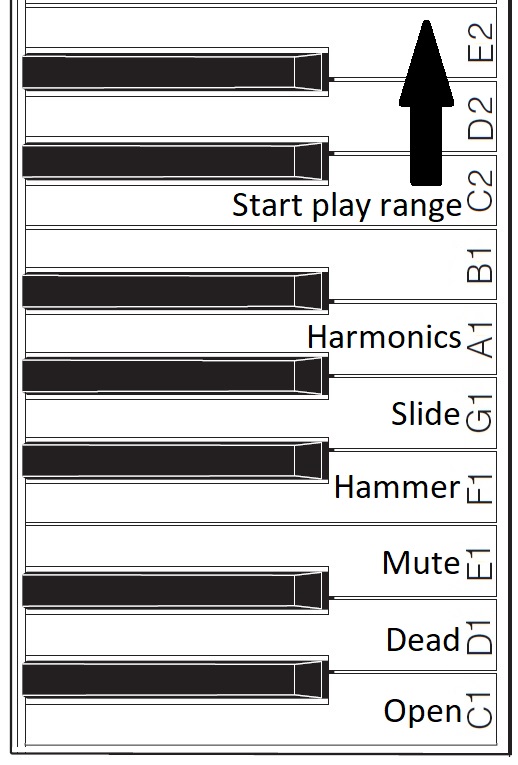
Basically, I want to assign a range of keys to switch between articulations and sounds. For my initial experiments, I assigned MIDI notes 36 to 47 to key switching duties. On MODX6 (61 keys), this key range covers the lowest octave of physical keys (the power-up default, without internal octave switching enabled). Articulations are assigned to keys as shown below.

Assigned key switch articulations

For now, I’m holding the black keys and B1 in reserve. One possibility, for example, is to assign body knocks to F#1, G#1 and A#1. We’ll see!

The articulation keys enable the assigned articulation. All keys from C2 and above play notes using the selected articulation. The articulation keys latch. So, if I strike E1 (Mute) and then strike a key in the play range, a muted guitar note will sound. All subsequent notes will be mute notes until I strike C1 (Open) and return to playing open strings.

I spent some time experimenting with Genos SArt voices in order to get ideas for enhancements. I will summarize my notes in a future post. Suffice it to say, Yamaha have some good ideas! It’s all a matter of code. ๐Ÿ™‚

Copyright © 2025 Paul J. Drongowski

Smart Pianist, CSP and ChordPro

Yamaha repurposes hardware and software technology all the time. The Yamaha CSP series digital pianos (CSP-100 series and CSP-200 series) and Smart Pianist borrow a lot of technology from the Yamaha Genos and PSR arrangers. Yamaha Chord Tracker users know that Smart Pianist also has Chord Tracker technology inside.

Chord Tracker provides a number of Smart Pianist-like features. Chord Tracker analyzes an audio song, extracts its chords, and displays the chords in a chart. Like Smart Pianist, Chord Tracker follows the chord chart while playing back the original audio file. Pretty much anyone can use Chord Tracker in this way to figure out the chords to a song and play along.

Genos and PSR arranger people, however, get extra goodies. Chord Tracker can send the chords to the arranger for playback. Even better, you get to choose the accompaniment style. Want to re-imagine a song as a country tune? You can do it.

Extended ChordPro

Chord Tracker sends the chords to an arranger in a Standard MIDI File (SMF). Instead of notes, the chords are represented in Yamaha System Exclusive MIDI messages.

When I analyzed the file format and chord messages, my first thought was “ChordPro”!

You’ve probably seen ChordPro on the Interwebs. It’s that simple text format for song lyrics and chords. I extended ChordPro adding a few new features to make musical time explicit and precise. (Original ChordPro relies on the musician for time.) Then I wrote a Java program to translate an Extended ChordPro song to an SMF suitable for playback on a Yamaha arranger. Check out an Extended ChordPro demo.

Playback ChordPro Example

Well, guess what? Smart Pianist and CSP-170 can play back SMFs generated from Extended ChordPro songs.

Here is a short ChordPro snippet for Steve Winwood’s “Can’t Find My Way Home”.

{t: Can't Find My Way Home}
{key: D}
{artist:Blind Faith}
{time: 4/4}
# Style: SongwriterBallad (stylecode: 5980)
{stylecode: 5980}
{tempo: 96}

{start_accomp}

# Introduction
[C][*IA]
{c: Introduction}
[Csus2:2][*MB] ---- [G/B:2] ---- [Gm/Bb:2] ---- [D/A:2] ---- 
[F:2] ---- [G:2] ---- [D] --------
[Csus2:2] ---- [G/B:2] ---- [Gm/Bb:2] ---- [D/A:2] ---- 
[F:2] ---- [G:2] ---- [D][*FB] --------

{c: Verse 1}
Come [Csus2:2][*MB] down off your [G/B:2] throne, and 
[Gm/Bb:2] leave your body a- [D/A:2] -lone.
[F:2] Some- [G:2] -body must [D] change.
[Csus2:2] You are the rea- [G/B:2] -son, I've been
[Gm/Bb:2] waiting so [D/A:2] long.
[F:2] Some- [G:2] -body holds the [D][*FC] key.

An Extended ChordPro song begins with a header containing the title, artist, key, tempo, time signature and auto-accompaniment style. After the header, you hit the {start_accomp} directive which tells the arranger (Genos, PSR or CSP) to start playing.

The rest of the Extended ChordPro file consists of chords, e.g.,

    [C]   [Csus2:2]   [G/B:2]   [Gm/Bb:2] ...

section control directives, e.g.,

    [*IA]  [*MB]   [*FC] ...

and lyrics (plain text). Oh, yeah, you can throw in comments, too, e.g.,

    {c: Introduction}
    {c: Verse 1}

The Java program (cp2mid) translates the chords, directives and lyrics into an arranger-ready Standard MIDI File.

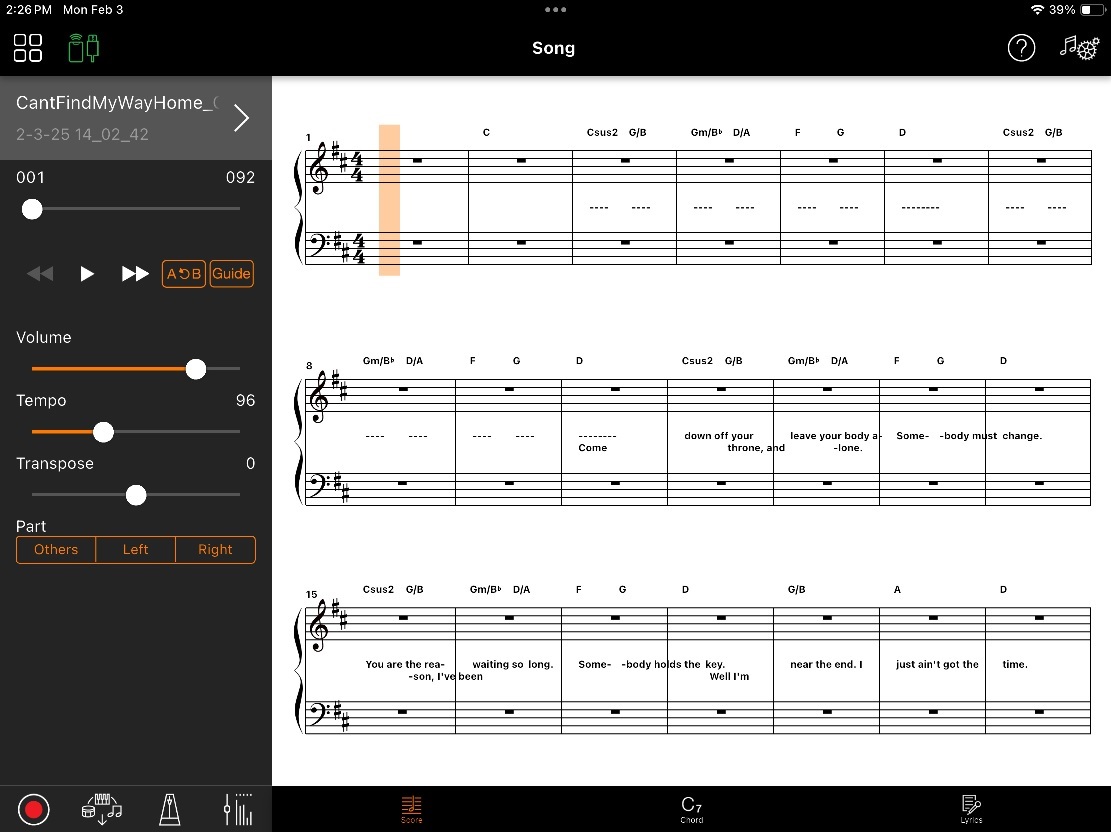
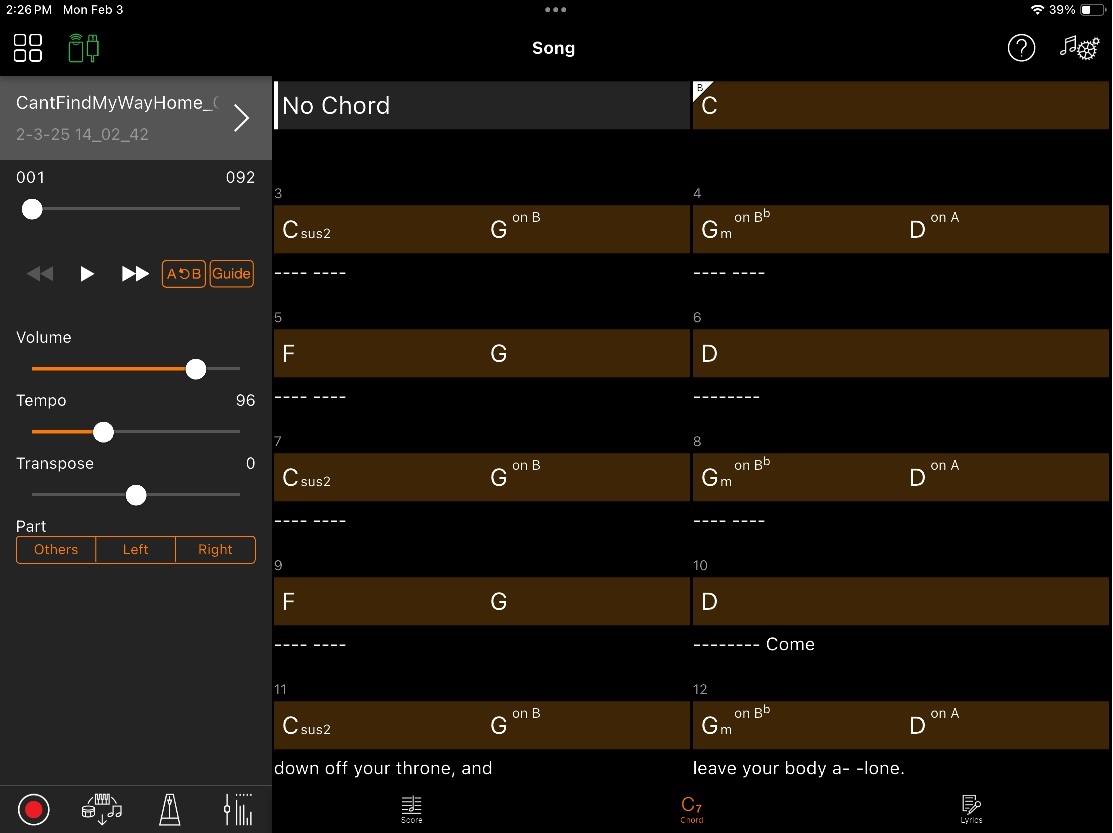
So, what do we get after we import the SMF into Smart Pianist? The screenshot above [click to enlarge] is the score. The chord symbols and lyrics appear with the staves. There aren’t any notes because the SMF doesn’t have any notes; it’s contains only chords and lyrics.

The chord chart looks familiar. But, hey! Smart Pianist display lyrics interspersed with chords. I never saw Chord Tracker do that.

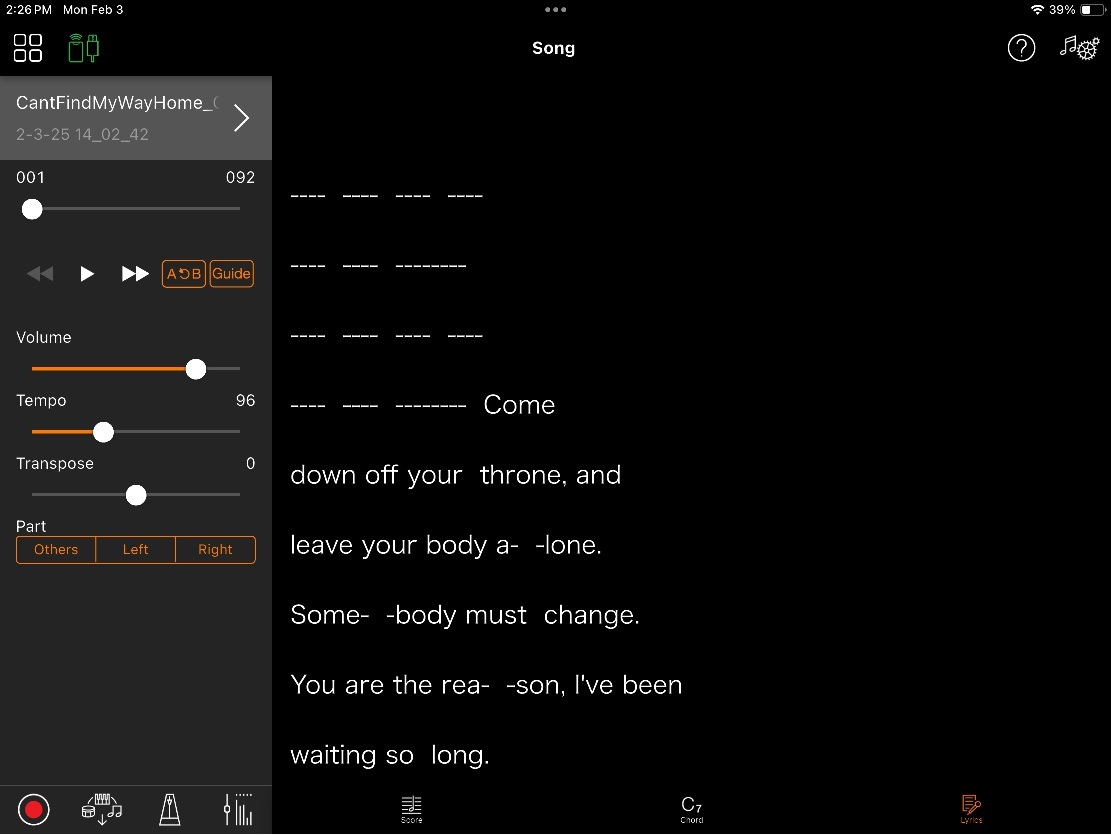
The final screenshot shows the lyrics alone. All of those dashes (“—-“) come from the Extended ChordPro song. They are placeholders during instrumental interludes.

Summary

Today’s example demonstrates a different way to use Smart Pianist and CSP digital pianos. If you own both a Yamaha arranger workstation and a CSP, you should be able to transfer Chord Tracker SMFs to Smart Pianist and the CSP.

If you want to know more about Extended ChordPro and its implementation, please see:

Copyright © 2025 Paul J. Drongowski

The quest for Backing Conductor

Yamaha released a new version of the Smart Pianist app. The release notes list three new features:

  • Backing Conductor (CSP Series, CVP Series and P-S500 only)
  • A-B Repeat for PDF scores
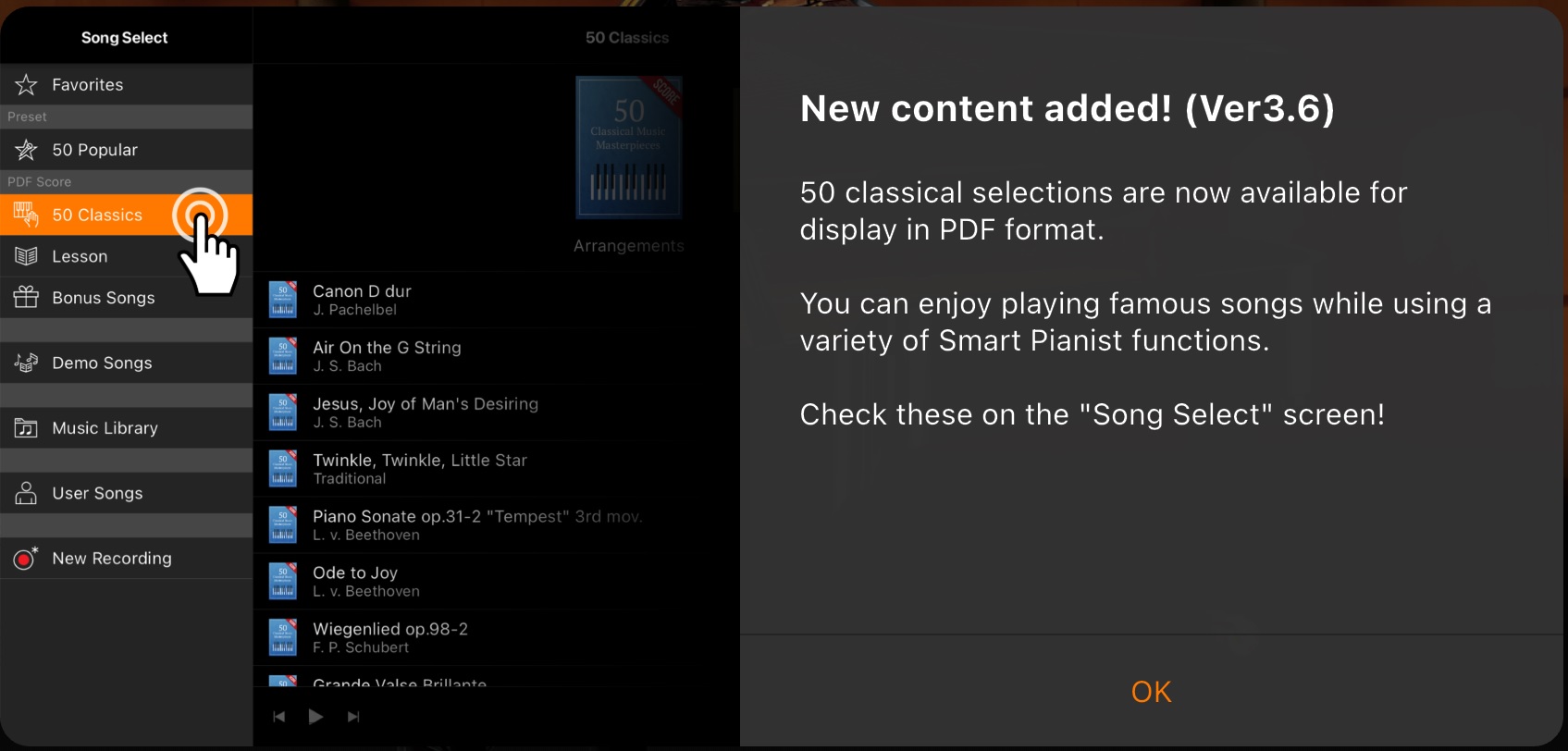
  • Scores for the 50 Classics are distributed and displayed via PDF

The Backing Conductor sounded intriguing and I was anxious to jump on it right away.

I noticed that the CSP Series 200 models require a Firmware Update for Backing Conductor. Be sure to check the downloads page for your CSP.

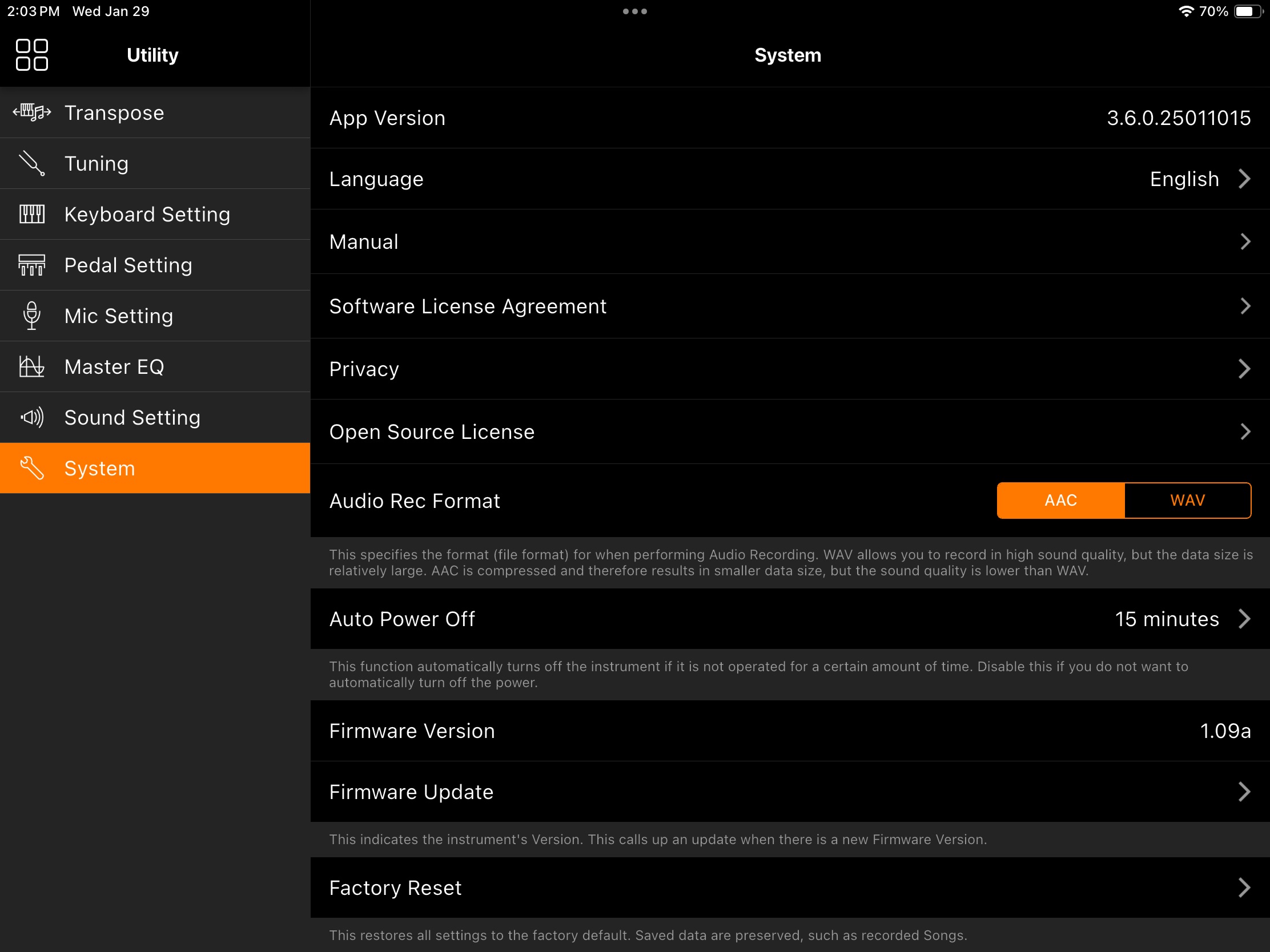
The Apple App store pushed version 3.6.0 to my iPad. No problem there. The screen shot (above) shows Smart Pianist 3.6.0 (January 15, 2025) running and firmware 1.09a installed on the CSP-170. Hopefully, firmware version 1.09a is good because Yamaha never stated if an update is required for the CSP 100 series.

What is Backing Conductor?

The big question: “What is Smart Pianist Backing Conductor?” At this point in time, Yamaha have not publicized any additional information. The Smart Pianist guide, such as it is, has not been updated.

Yamaha software engineering believes that they design intuitive user interfaces (apparently). No documentation required! Quite frankly, if one of my CS students made such a statement, they would have been corrected and marked down. Seriously. ๐Ÿ™

And so began my quest for “Backing Conductor.”

Post-install splash screens

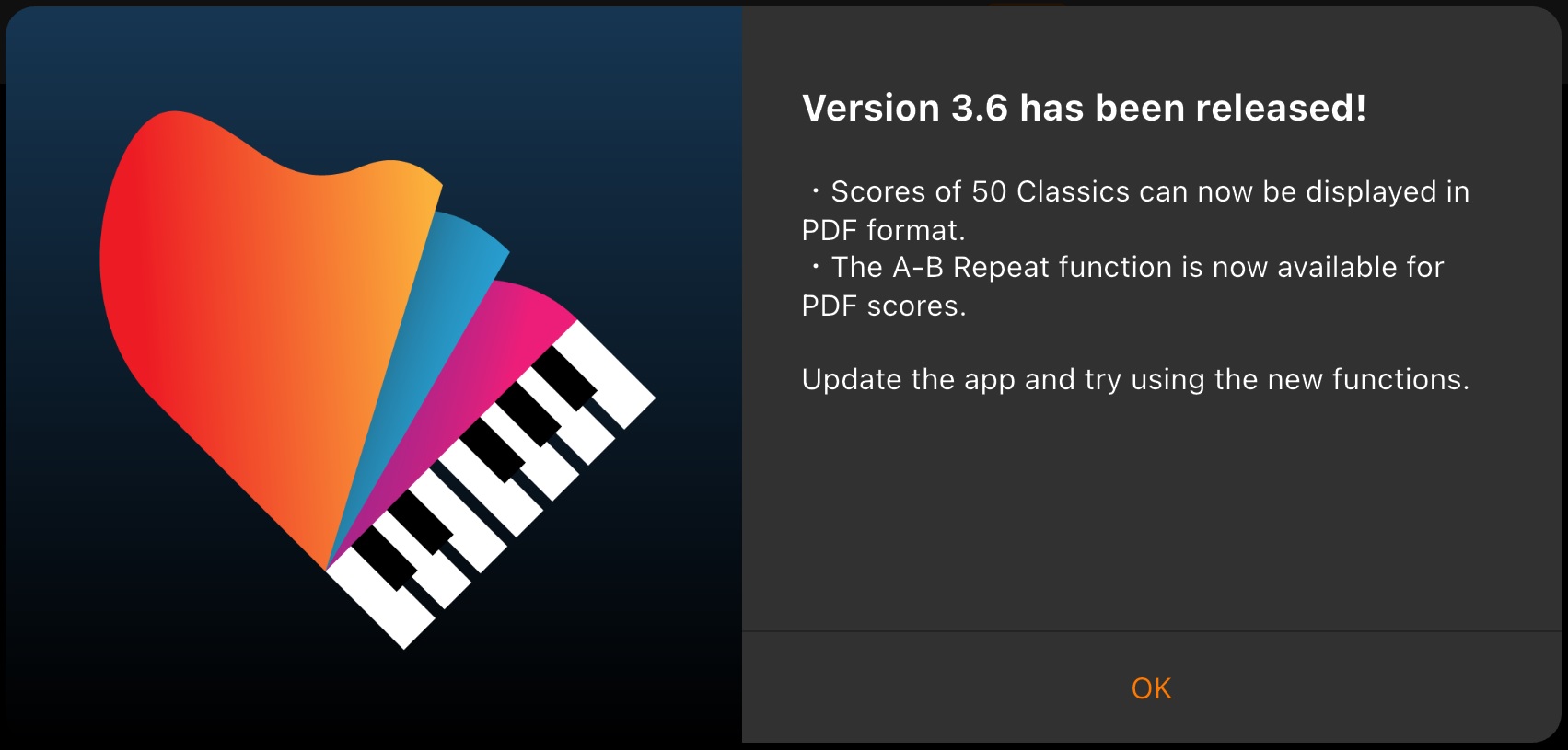
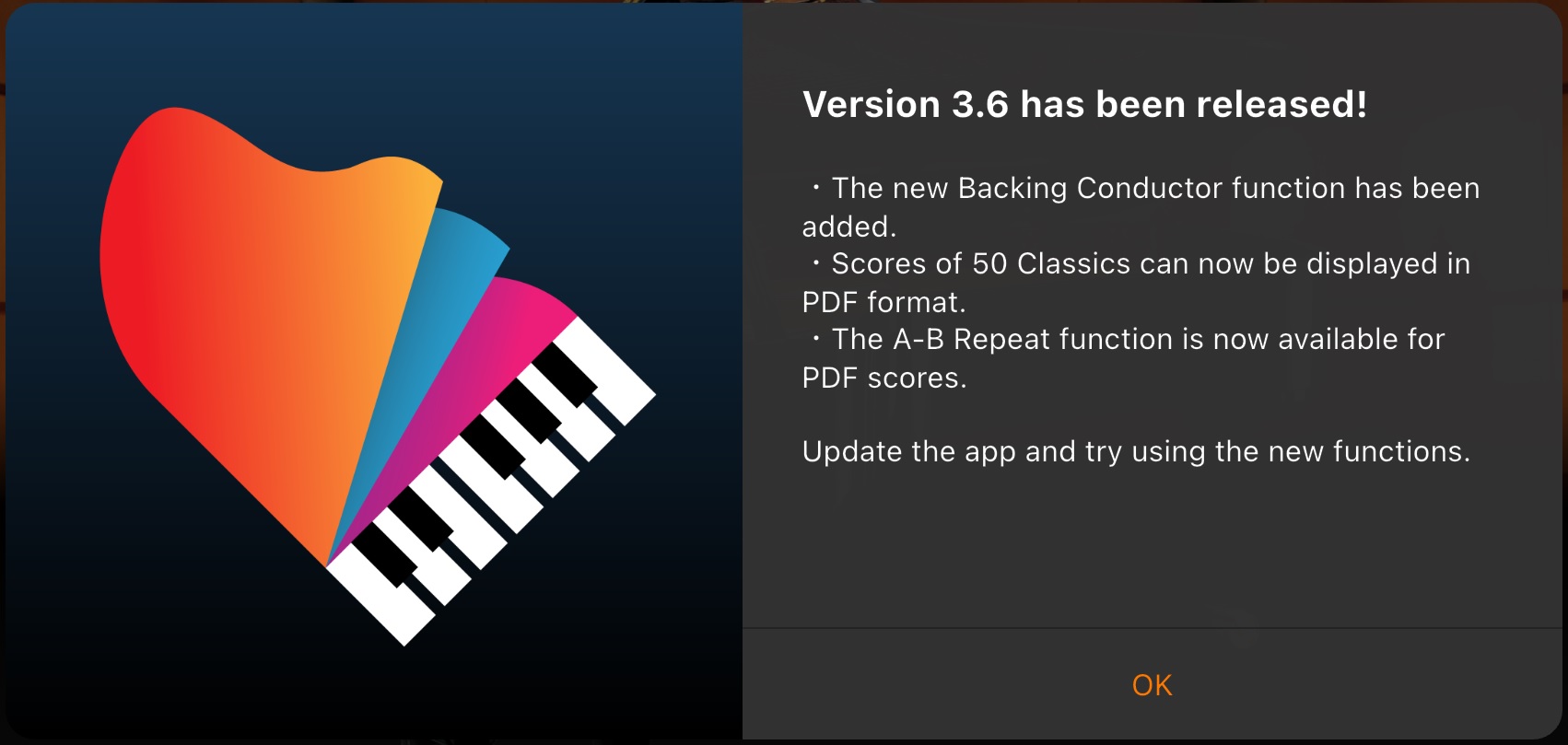
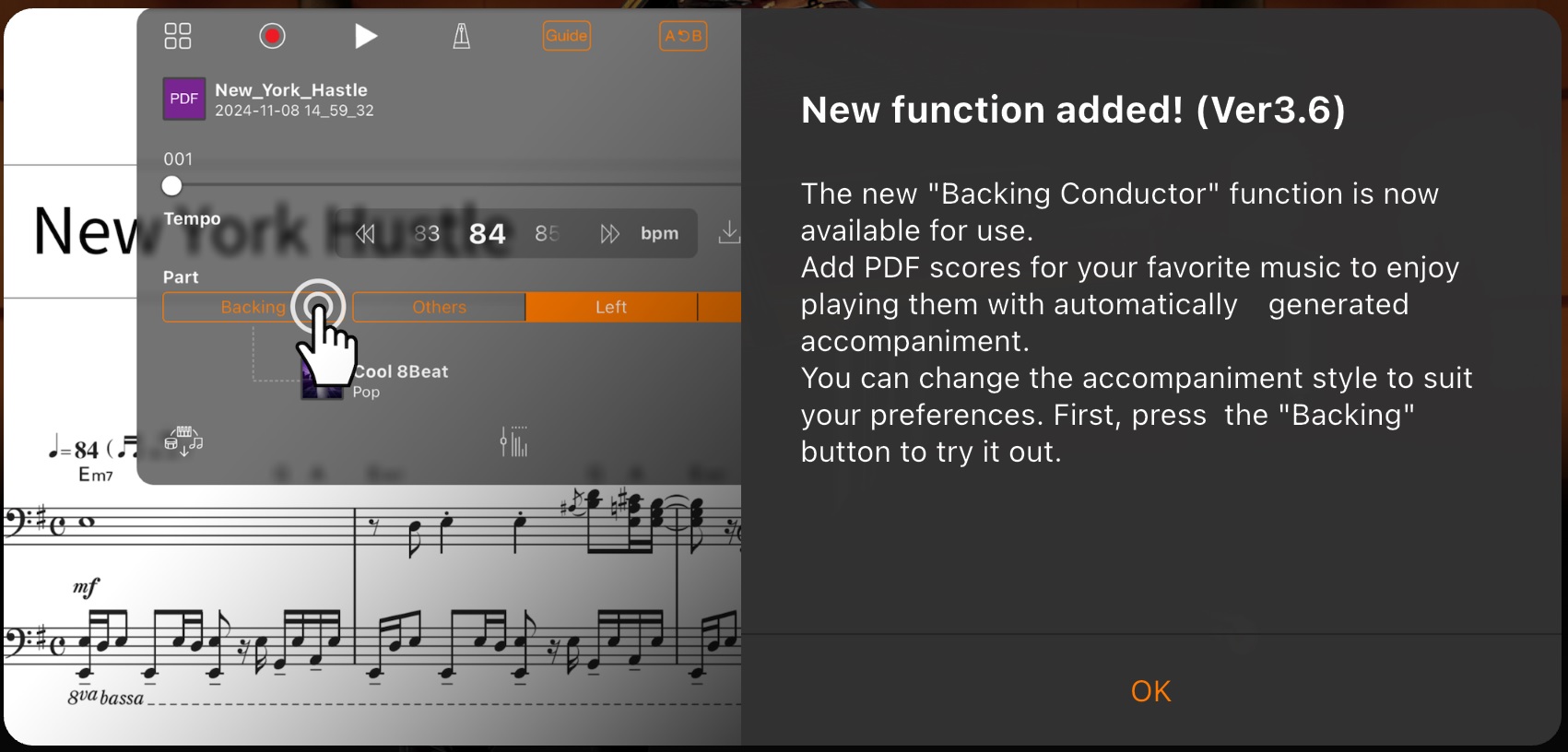
At one point in my quest, I deleted the Smart Pianist app and re-installed it. Below are two rather informative post-install screens which highlight Smart Pianist’s capabilities.

Blink or idly flip by and you will miss these highlights. Forever — they won’t be repeated.

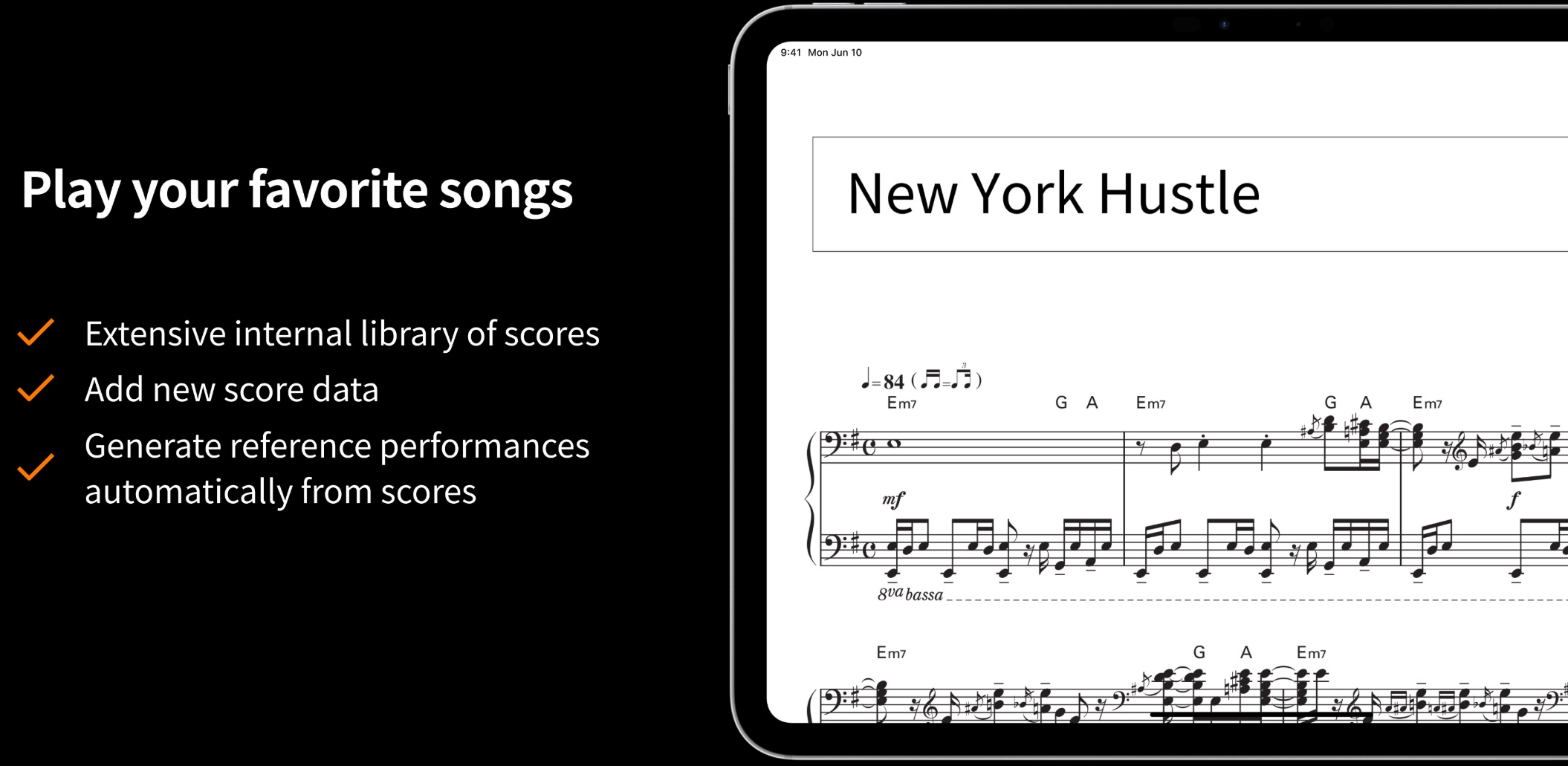
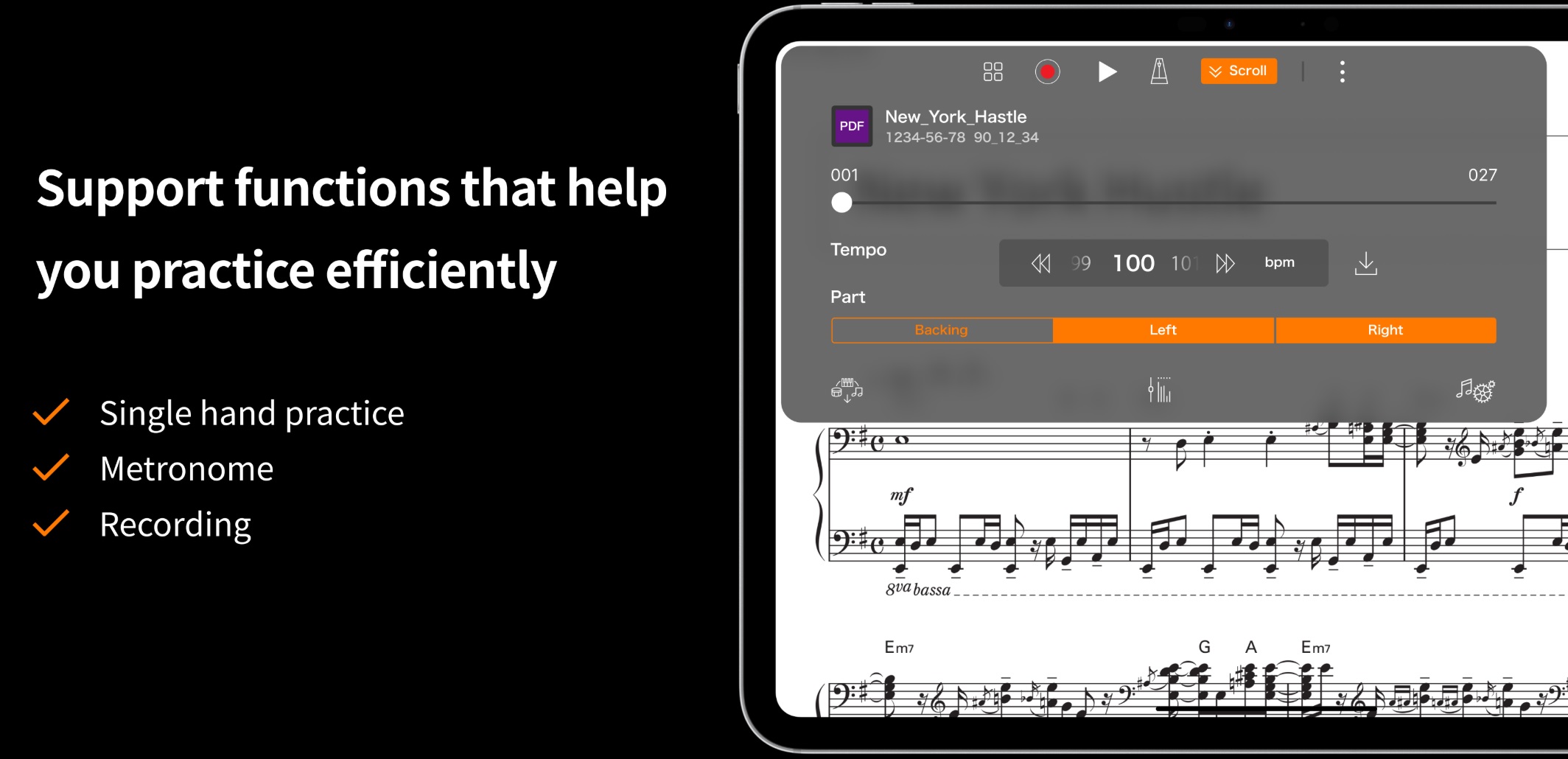
Yamaha should distribute the example score “New York Hustle”. It appears in other examples. By the way, “Hustle” is misspelled as “Hastle” in the second splash screen. Sorry, I live with a professional editor…

Start-up splash screens

Every time you start up Smart Pianist and connect to your instrument, you will be treated to a different splash screen. Again, don’t blink because you will miss something.

Here are three of the screens which highlight new features in version 3.6.0. Yeah, I know. What are they and how do I use them?

“Backing Conductor” gets mentioned again without details.

Backing Conductor, finally

Finally, I hit on the fourth of these elusive splash screens (below).

Oh, now I see what I should look for!

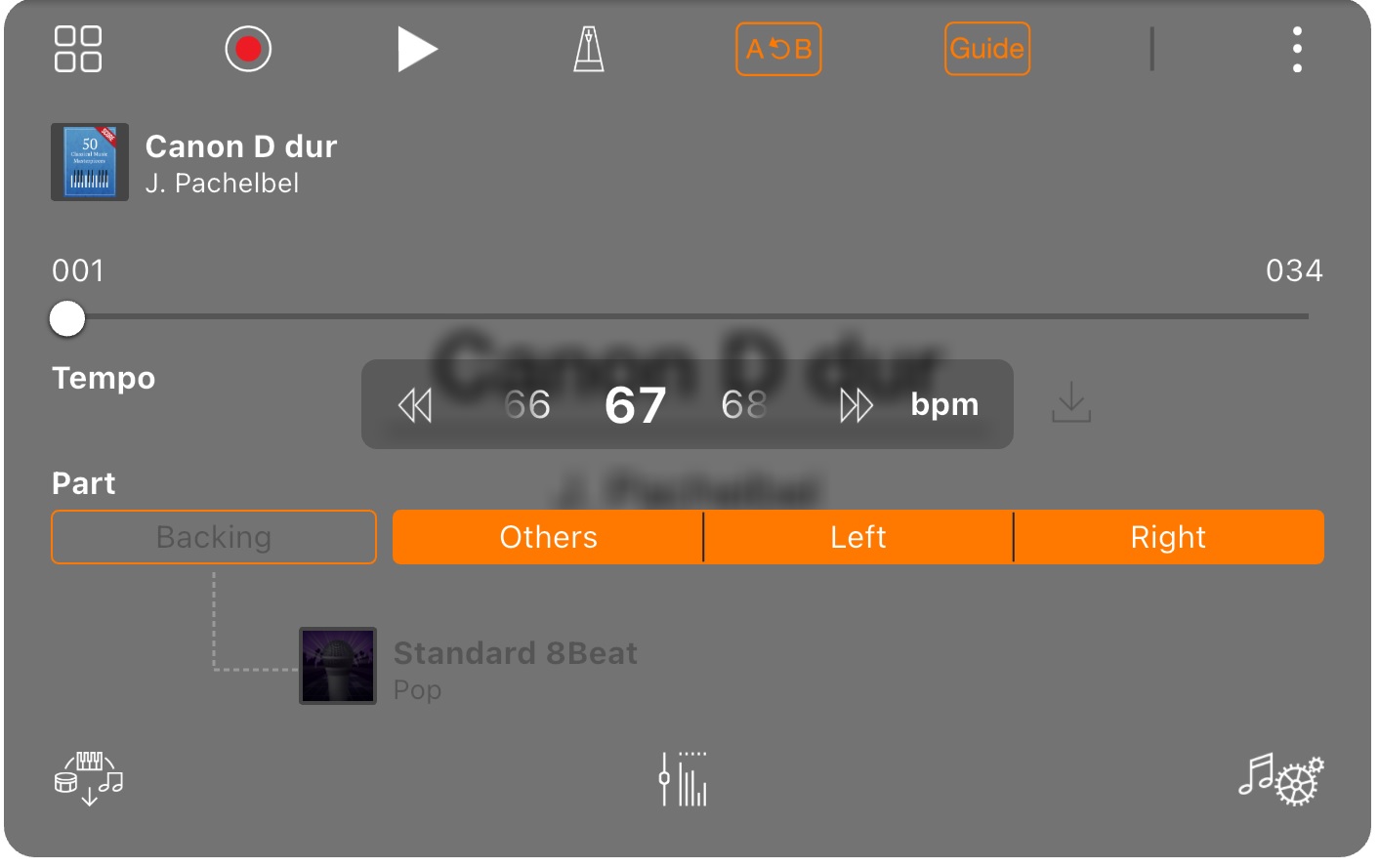
When a PDF is displayed, Smart Pianist displays this playback control box at the top. Folks who have used earlier versions of Smart Pianist recognize the three part buttons: Others, Left and Right. Backing Conductor adds a new part button: Backing. I guess when Backing is turned ON, you can change the auto-accompaniment style, in this case, Cool 8Beat.

There’s “New York Hustle” and “Hastle”, again.

Taco Bell’s Cannon

Now that I have a clue, let’s try a PDF score: Canon D dur by Pachelbel.

Uh, oh. The Backing button and accompaniment style are greyed out. What gives? In this case, Smart Pianist plays back the PDF score without backing.

One of my big frustration using Smart Pianist is what appears to be inconsistent behavior and options. There must be rules governing behavior and user operations. The rules probably differ by the content/media type:

  • PDF score (PDF file)
  • MIDI song (Standard MIDI File)
  • Audio song (MP3, AAC, etc.)
  • Chords extracted from an audio song

I wish Yamaha would explicitly write down the dos and don’ts for each data type. Explicit rules would set expectations straight and reduce frustration.

Bonus screen

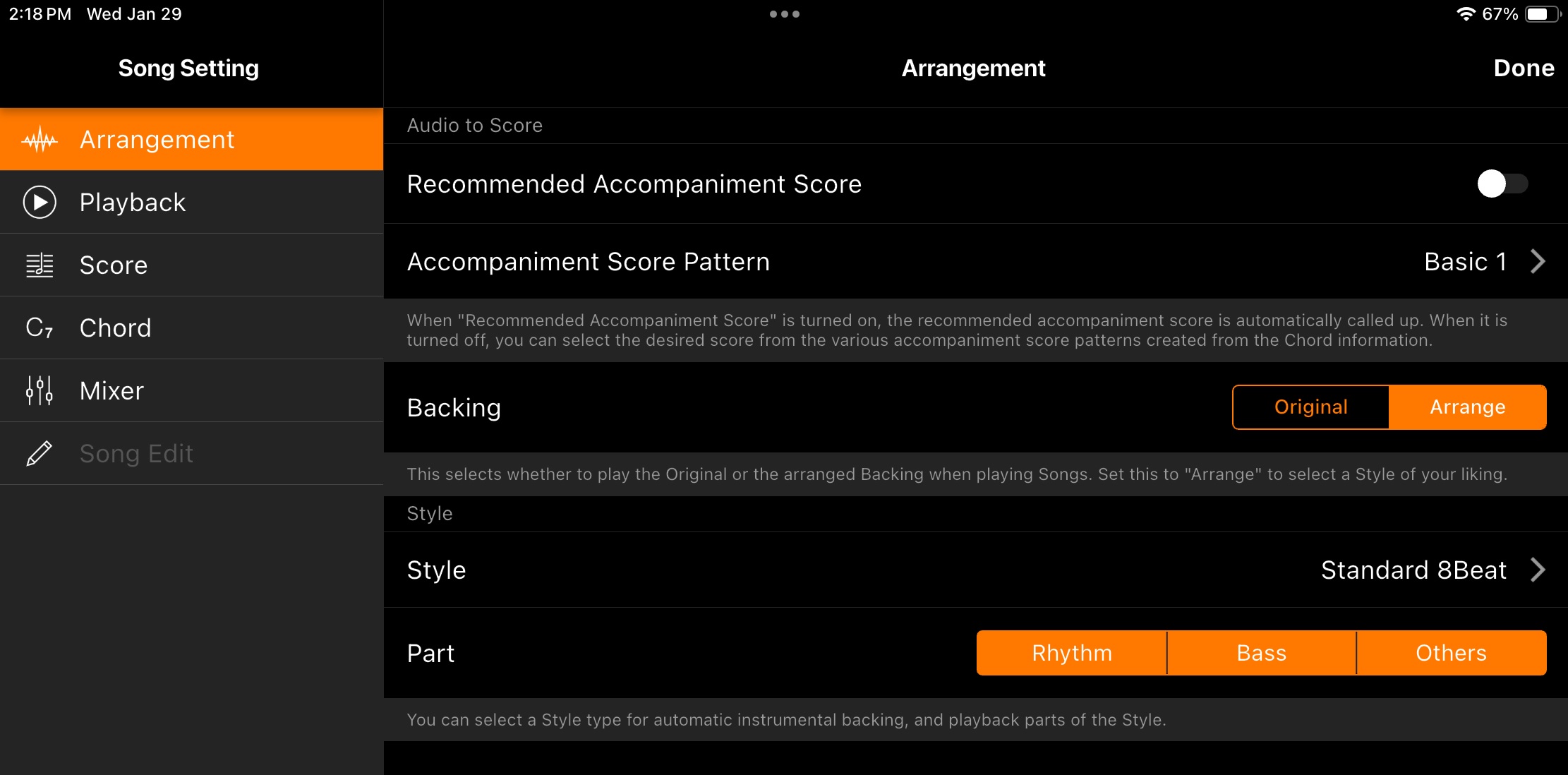
To round things out, here is the Song Settings Arrangement screen for Audio to Score playback.

In this screen, you can choose the accompaniment score pattern to be used when displaying the extracted score and you can choose the backing style. I like the ability to turn different backing parts off (on) individually. Sometimes ya just want a beat, sometimes a beat plus bass, and sometimes a full backing.

Summary

I hope my difficulties have not discouraged you. Maybe you’ll be a little bit smarter then I when you sit down with Smart Pianist.

Before ending, I want to mention my top Smart Pianist want: the ability to add new styles to Smart Pianist. I’m not asking for Style Creator as one finds in the arranger workstations — simply the ability to load new styles and play new backing styles. There are so many user-contributed styles (including my own!), the ability to load and play with new styles would give CSP a huge boost.

Copyright © 2025 Paul J. Drongowski
Yamaha PSR-SX920 new voices

Yamaha arranger folks would like to know about the new(er) voices added to the PSR-SX920. Unfortunately, at the time of this writing, the PSR-SX920 Data List is not yet available.

However! Yamaha did make available a new version of its MIDI Song to Style application, including voice list files for the SX920 and SX720. Here are some of the additions which I spotted.

  • CFX piano and its many variations
  • C7 studio grand and its variations
  • Suitcase EP is upgraded to S.Art, now called “70sSuitcase”
  • 70sVintage (Wurli) EP now S.Art
  • Kino Strings
  • New brass including 80s synth brass and bass trombone
  • New sax sections
  • D-model folk guitar
  • Mandolin and uklele
  • Active bass (finger, pick, etc.)
  • Mini Moog lead
  • Drum kits: Vintage Muted Kit, Vintage Open Kit, Jazz Stick Kit, Jazz Brush Expanded, Brazilian Kit, Pop Latin Kit 2 Comp

And, of course, everyone wants to know about the new S.Art2 voices added to the SX920. This is the first time a mid-range PSR has gotten S.Art2.

  • S.Art2 JazzViolin
  • S.Art2 CelticViolin
  • S.Art2 SoftTrumpet
  • S.Art2 ClassicTrumpt
  • S.Art2 BalladSopranoSax
  • S.Art2 PopSopranoSax
  • S.Art2 TenorSax
  • S.Art2 FunkTenorSax
  • S.Art2 PopTenorSax
  • S.Art2 Clarinet
  • S.Art2 BalladClarinet
  • S.Art2 RomanceClarinet

MegaVoices got a big boost. Here are the new-to-SX920 MegaVoices:

  • Kino strings (4 small ensembles, 5 large ensembles)
  • Martin D folk guitar (5 variations)
  • Steel acoustic finger and thumb picking variations
  • Uklele
  • Mandolin
  • 60s vintage guitar (regular Strat and slap)
  • Active bass (Stingray)

Don’t forget, the MegaVoices are the sonic base for S.Art instrument voices. Look for a bunch of new electric guitar voices based on the 60s Strat, for exaample.

I can’t and won’t guarantee that these lists are complete. They will have to do until the Data List PDFs roll out and we can pore over them in detail.

Copyright © 2024 Paul J. Drongowski

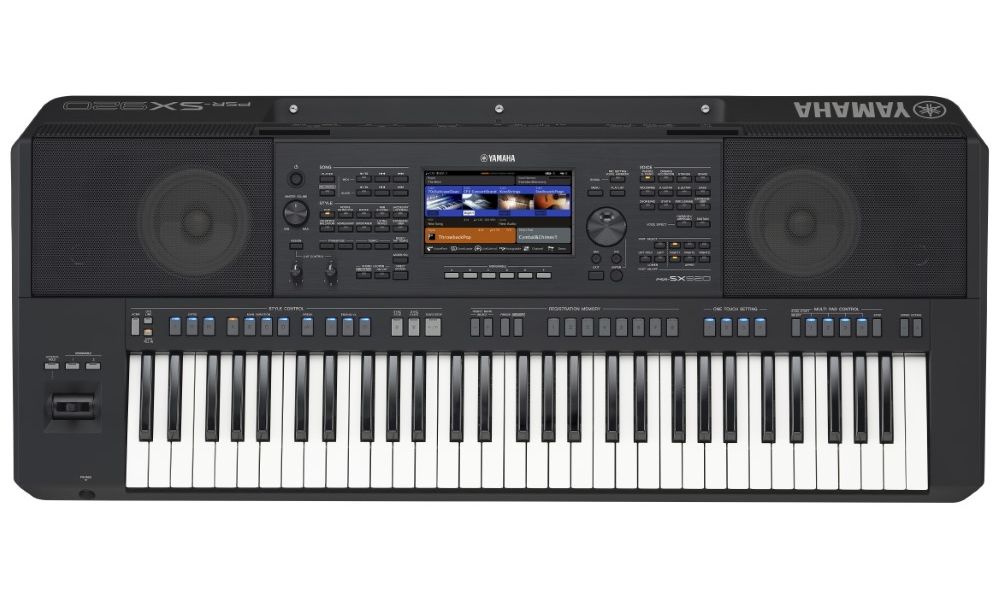
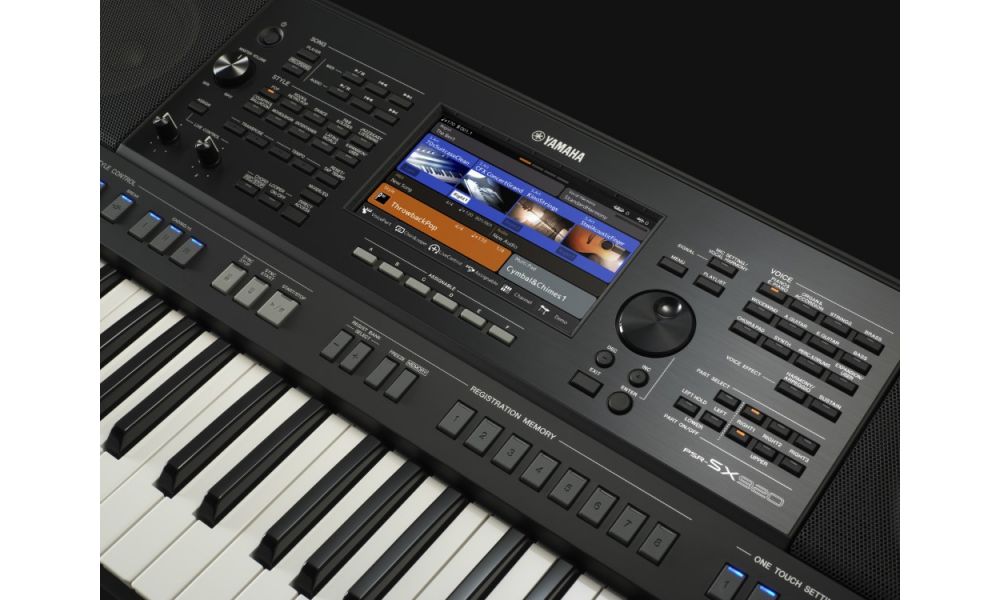
New PSR-SX720 and PSR-SX920 models

I just found this information about the new Yamaha PSR-SX720 and PSR-SX920. It is now appearing on multiple on-line retailer sites. ๐Ÿ™‚ I will have further in-depth comments after I get my hands on the manuals.

Yamaha PSR-SX720 Arranger Workstation

  • FSB keyboard, with 61 touch-sensitive keys
  • 1,377 Voices + 56 Drum/SFX Kits + 480 XG Voices including 9 S.Articulation+ and 252 S.Articulation Voices
  • 128 notes of polyphony
  • 450 Styles including 3 Free Play Styles
  • Dynamic Style Control
  • Expansion Memory 1 GB
  • Assignable: Joystick, 2 controllers, 8 buttons (AF, 1-2)
  • Improved User Interface
  • Buttons with greater visibility
  • Chord Looper Function
  • Bluetooth Audio NOT AVAILABLE
  • Speakers: 13 cm x 2 + 5 cm x 2
  • Speaker power: 2 x 15W
  • Dimensions: 1174mm x 511mm x 246 mm
  • Weight: 12.9kg
  • 1,573 Euro VAT included (Spain), $1,599.99 USD MAP

Yamaha PSR-SX920 Arranger Workstation

  • FSB keyboard, with 61 touch-sensitive keys
  • 1,587 Voices + 63 Drum/SFX Kits + 480 XG Voices including 12 S.Articulation2, 15 S.Articulation+ and 340 S.Articulation Voices
  • 128 notes of polyphony
  • 575 Styles including 6 Free Play Styles
  • Dynamic Style Control
  • Expansion Memory 2 GB
  • Assignable: Joystick, 2 controllers, 8 buttons (AF, 1-2)
  • Improved User Interface
  • Buttons with greater visibility
  • Chord Looper Function
  • Bluetooth Audio
  • Speakers: 13 cm x 2 + 2.5 cm (dome) x 2
  • Speaker power: 2 x (15W + 10W)
  • Dimensions: 1174mm x 511mm x 246 mm
  • Weight: 12.9kg
  • 2,662 Euro VAT included (Spain), $2,299.99 USD MAP

The PSR-SX920 will be the first mid-range PSR to have a few S.Art2 voices. Previously, S.Art2 voices appeared only on the top of the line arranger (such as Tyros 5 and Genos). The two models also introduce Super Articulation+ (S.Art+) which responds to articulation buttons on the front panel. There is a new “128-note” drum kit. [Who knows what that marketing-speak means.]

Both models have doubled the number of DSP effects assigned to Style parts. Both models have Dynamic Style Control adjusting the energy and dynamics of a Style with a single knob.

Yamaha is also introducing Portamento Crossfade to the mid-range (first appeared in G2 and A5000 [Mark]).

“Flexible time signatures” are supported. “Style Section Reset ensures your virtual drummer stays on the down beat with a single button press, especially useful for songs with random 3/4 or 6/4 bars.” A lot of Beatles fans will be happy because they notoriously mixed time signatures. ๐Ÿ™‚

Several on-line retailers in the USA have the new models in stock!

Copyright © 2024 Paul J. Drongowski

Whither PSR Tutorial Forum?

Thank goodness the Olympics are not held every year — I wouldn’t get anything done. This year’s competition was outstanding. On to NFL football!

If you’re a Genos, Tyros or PSR person, you’ve certainly heard about the demise of the PSR Tutorial Forum by now. If it wasn’t for the Olympics, I would have been wandering around aimlessly without the company of the Forum community.

Unfortunately, the PSR Tutorial Forum was struck by the server upgrade of doom. I fear such upgrades to a limited extent myself as PHP/hosting upgrades nudge WordPress which nudges me. Running a forum, however, is a much larger headache and the underlying server upgrade forced the site’s founders and administrators to reconsider the future of the Forum. There are discussions going on in the background, so stay tuned.

In the meantime, we have the terrific Yamaha Musicians Forum run by Saul. Yamaha Musicians Forum has a broader scope than Yamaha arrangers alone. Thanks to the broader scope, I feel more comfortable making comparisons against Yamaha synths as well as arrangers. My first Yamaha keyboard was a 2-op FM CE-20 (1983). It’s in the garage and I should treat it better. ๐Ÿ™‚ Still got the TG-500, too.

Many of the denizens of the PSR Tutorial Forum have registered at Yamaha Musicians Forum and discussions are already under way. If you haven’t made the move, c’mon over. ๐Ÿ™‚

You might ask why I’ve never enabled comments on SandSoftwareSound.net. Fact is, moderating comments is a pain in the neck. That’s why I’m grateful to people who host, administer and moderate forums like PSR Tutorial and Yamaha Musicians. There is a lot of crazy on the Interwebs (both technical and mental) and they work through it.

It’s important to note that our current loss in PSR-land is limited to the PSR Tutorial Forum. The main PSR Tutorial site is still up and running. Feel free to dip into its many lessons, styles and other resources.

Before closing, I’d like to mention a small tidbit. About two months ago, I noted the first signs of new mid-range Yamaha arrangers (PSR-SX720 and PSR-SX920). Searching reveals a few early prototypes circulating in the far east. I saw similar indicators before SEQTRAK was publicly introduced. Stay tuned, indeed!

Copyright © 2024 Paul J. Drongowski

MODX EP umph!

This short post is for MODX/Montage people looking for a little more electric piano (EP) “umph”.

I haven’t been all that happy with the factory stock suitcase and “Rd” patches. They seem to be lacking guts. So, I turned to the Genos 70s Suitcase Ballad voice for inspiration. Here are the EQ and effect settings:

Genos voice: 70sSuitcaseBallad

    EQ Low    -4/64  = -0.75dB @ 200Hz
    EQ High   +16/64 = +3.00dB @ 2.0kHz

Reverb: Real Medium Hall +  (MODX/Montage: HD HALL)

    1 Reverb Time          1.7s
    3 Initial Delay Time   22.1ms
    4 High Damp Frequency  8.0kHz
    6 High Ratio           0.8
    13 EQ Low Frequency    800Hz
    14 EQ Low Gain         +6dB
    15 EQ High Frequency   1.0kHz
    16 EQ High Gain        +4dB
       Return Level        64

Insert: Chorus 2  (MODX/Montage: SPX CHORUS)

    1 LFO Frequency        0.34Hz
    2 LFO Depth            29
    3 Feedback Level       0
    4 Delay Offset         0.0ms
    6 EQ Low Frequency     500Hz
    7 EQ Low Gain          0.0dB
    8 EQ High Frequency    7.0kHz
    9 EQ High Gain         +2dB
    10 Dry/Wet             D63>W
    11 EQ Mid Frequency    2.0kHz
    12 EQ Mid Gain         +4dB
    13 EQ Mid Width        1.0
    15 Input Mode          Stereo

The 70s Suitcase Ballad voice has the guts and warmth that I’m looking for. Always steal from the best! I plugged these effect and EQ values into the stock Case 73 Soft Performance.

Yamaha’s signal flow introduces equalization at multiple levels. This makes it difficult to suss or judge the overall EQ curve. However, these settings appear to add a significant bump in the 800Hz to 2.0kHz range. The reverb stage, in particular, has an major effect.

The chorus effect gives a nice shimmer after tweaking. It replaces auto-pan in the original factory patch. I adjusted the chorus dry/wet mix to D16>W in order to get a deeper/richer chorus.

Have fun!

Copyright © 2024 Paul J. Drongowski

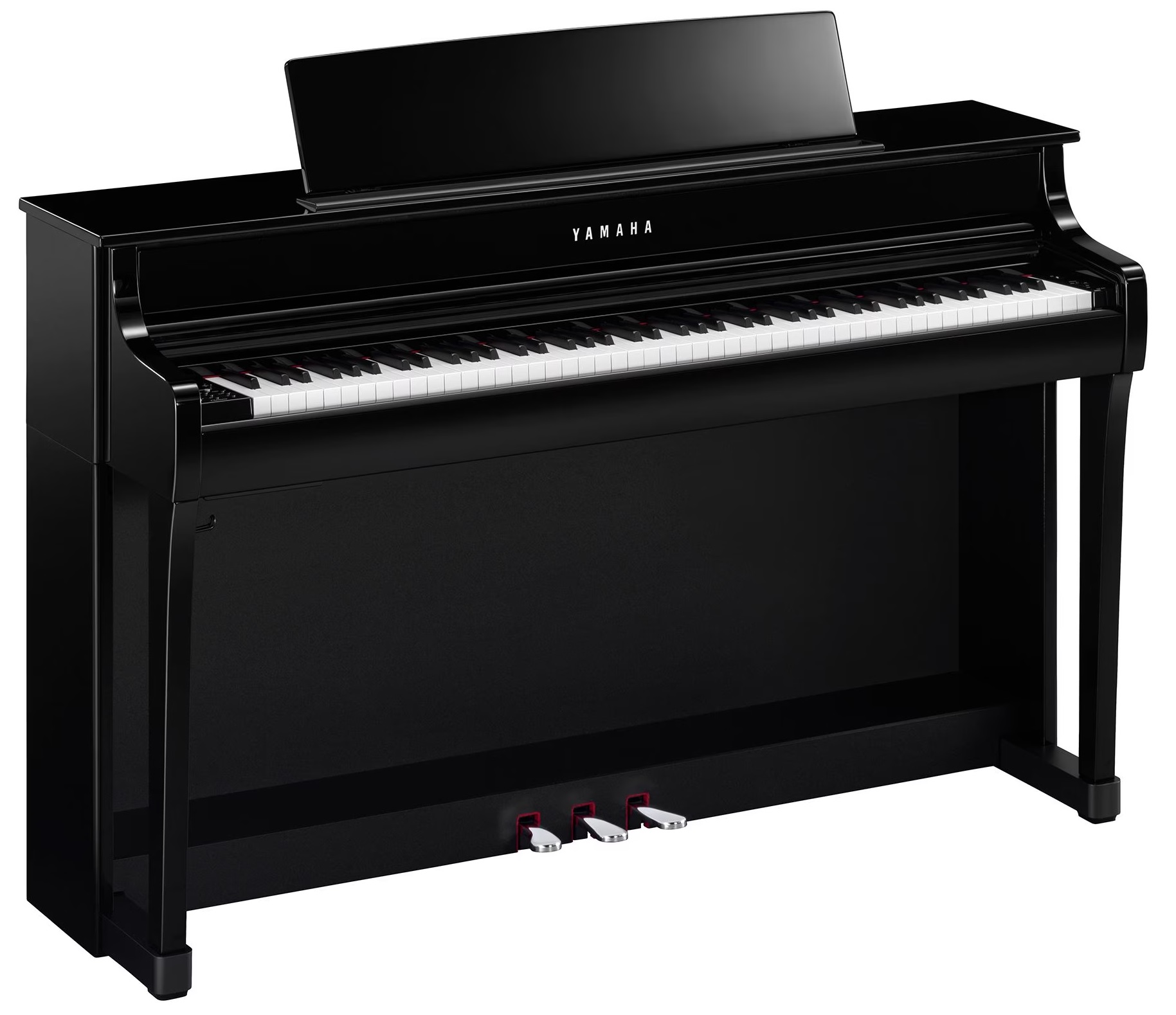
Yamaha announce the Clavinova CLP-800 series

Yamaha have announced the much-anticipated CLP-800 series Clavinova digital pianos.

Personally, I was hoping for a significant bump over the CLP-785, the main reference point for this post. The CLP-785 — and now the CLP-885 — are the flagship “spinet” models. Although I enjoy my CSP-170, my dealer offers an attractive trade-in, trade-up plan which I would exercise given the right motivation. After a quick glance through the Owner’s Manual and Data List, my ardor cooled, sad to say.

Yamaha CLP-845 digital piano

The user interface (i.e., front panel and key functions) and choice of keybed (e.g., GrandTouch and GrandTouch-S) remain largely the same. The piano engine features the same capabilities as the CLP-700 series:

Secondary voices and the XG (GS, GM2) sound set remain the same. Please see the CLP-800 series comparison table as lower-end models may elide specific features and voices.

The CFX Grand and Bรถsendorfer are the featured pianos, and include Binaural Sampling. The CLP-800 series adds two new acoustic piano voices: Chill Out Piano and Lo-Fi Piano. The same Fortepianos are offered: Scarlatti, Mozart, Beethoven, and Chopin Pianos. All other secondary voices are the same in the CLP-800 series. No big upgrades.

The classical and lesson song lists and rhythm list are the same.

The CLP-800 series Owner’s Manual has many revisions for readability. The different organization makes it difficult to make an exact features by feature comparison between the series. I haven’t spotted any gotta-have new features.

Yamaha have made significant changes in the built-in sound system(s):

Component      CLP-885                  CLP-785
-------------  ------------------------  ------------------------
Amplifiers     (45 W + 30 W + 40 W) ร— 2  (50 W + 50 W + 50 W) ร— 2

Speakers       (16 cm with diffuser +    (16 cm + 
               8 cm with diffuser +      8 cm + 
               2.5 cm (dome) with        2.5 cm (dome) +
               Bidirectional Horn) ร— 2,  transducer) ร— 2,
               Spruce Cone Speaker       Spruce Cone Speaker

You will find similar changes in spec for other models, should you look at the CLP-800 series comparison chart.

Yamaha have given the DSP effect types a modest boost by adding “Effect types used for a specific Voice”. These effect types are:

    VCM EQ 501             Virtual Circuit Modeling (VCM) vintage EQ
    Comp Distortion        Compressor stage followed by distortion
    Vintage Phaser Stereo  VCM analog vintage phaser
    Stereo Overdrive       Stereo overdrive distortion
    Damper Resonance       Simulates grand piano damper resonance
    Hall 5                 REV-X hall reverb

Yamaha arranger and synth enthusiasts will recognize these effect types. They are DSP algorithms that are typically applied to electric piano and other keyboard voices.

Initial Reaction

My initial reaction is “Big-whoop”. [“Disappointment” for those of you who are not familiar with American sarcasm.]

The big functional change appears to be the use of “diffusers” in the built-in sound system. The CLP-800 Web page has a big chart comparing sound system components. The chart made me feel like I was buying a PA system, not a piano. Yamaha need to find a different way to promote this technology — something to make the technology approachable and cuddly to the average customer. Way too techie!

Frankly, I’m left cold. Since I’m happy with my CSP-170, I cannot find a compelling reason to upgrade to the CLP-800 product line (or the CLP-885, in particular). Guess that trade-up option is going to go unexercised…

Why the underwhelming Clavinova Series 800 update?

We know — from Yamaha’s quarterly call with analysts and investors — that the bottom has fallen out of the world-wide market for home digital pianos. China, in particular, is slow. Possibly, Yamaha did not feel the need or want to drive the home digital piano market too hard at this point in time. Perhaps they are saving bigger updates for the future when the market is more favorable?

This doesn’t mean that the CLP-800 series are bad pianos. I liked the Yamaha CLP-785 very much. As far as I’m concerned, personally, CLP-885 doesn’t give me a compelling reason to upgrade.

Technical footnote

The CLP-700 and CLP-800 series generate high resolution velocity and acceleration data with each MIDI note ON message. Two MIDI continuous controller (CC) messages are generated:

    CC#19    Key acceleration
    CC#88    High-resolution velocity prefix

By “prefix”, I suspect Yamaha mean the high order byte of an extended velocity data value. If you intend to use a “Grand Expression” digital piano with a personal computer-based software instrument (e.g., Modartt Pianoteq, Arturia Piano V, etc.), you will need to filter out or map these “extra” MIDI messages. Check the MIDI Implementation Chart for your model and software instrument (VST).

Copyright © 2024 Paul J. Drongowski

Chord progressions for Yamaha Chord Looper

Hey, hey, more free content for Yamaha arranger keyboards!

The Yamaha Genos and PSR-SX900 keyboards feature Chord Looper — a chord sequencer that cycles through a user-defined chord progression. Yamaha provides a few example Chord Looper Banks, but folks always wish for more.

So, I collected chord progressions from various public sources and created Chord Looper Banks (and Chord Looper Data files). My Chord Looper Banks have the most common chord progressions and some not-so-common progressions. All are in relatively easy keys and await your creativity.

As an added bonus, I included Java source code for the program that translates Extended ChordPro (CHO text files) to Chord Looper Data (CLD) files. If you don’t care about nerdy stuff and just want to play, then stick with the Chord Looper Banks (CLB) and Chord Looper Data files. ๐Ÿ™‚ You don’t need to know anything about Java to use the CLBs and CLDs.

Download the Chord Loops (v1) ZIP file

Check out the README.TXT (in the ZIP file) for more information.

Copyright © 2024 Paul J. Drongowski

Ain’t no April Fool: piano evoce รŸ

The Japanese Yamaha site posted information about a new app called “piano evoce รŸ”. I’m going to quote the site as translated by the Google:

This is an AI ensemble app that extracts the vocal part of your song and plays it back along with your performance. Feel free to enjoy playing together with your favorite songs!

Practicing the assigned songs alone will not increase your motivation. I want a session buddy who can arrange things freely! I want to be able to play my favorite songs with chords!

This software is a beta version service released primarily for technical verification and service experiments. We hope to continue to make improvements based on the opinions of our users.

piano evoce รŸ appears to be the next evolutionary step in the Chord Tracker family:

1. Connect your electronic piano/keyboard to your Mac via MIDI.
2. Analyze your own songs.
3. Start playing! When you play the chord displayed on the screen, the vocal part will follow your performance.

To use piano evoce รŸ, you need to register for a Yamaha Music ID account (free of charge).

Now, that’s pretty neat. Here’s my guess: Yamaha combined a vocal stem extractor with Chord Tracker. The screens look very similar to Chord Tracker. Given the reference to “service” and the need to have a Yamaha account, the heavy lifting (vocal stem extraction) is performed by Yamaha software running on one of its servers. There’s a bunch of terms and conditions to read and accept — Yamaha and its friggin’ lawyers.

The app has two ways of following the vocal part (quoting the usual minimalist manual):

  • Gentle tracking mode: This mode gently follows your playing. The high degree of freedom allows you to arrange and play chords. Even if the performance stops in the middle of a song, the tempo will slow down, but playback will not stop. The AI listens to your chords and sense of rhythm, understands your playing pace, and sings in a way that feels natural to the AI. Avoid sudden tempo changes, and try playing together to create an ensemble.
  • Perfect tracking mode: This mode waits and follows your performance. It will wait until you play at least one note that makes up the correct chord. AI will play according to the timing of your performance. Be sure to play in time with the chord changes.

Can’t wait to try this! I’m guessing it will be available for Clavinova digital pianos and Yamaha arranger keyboards. Bad news for Windows users: “piano evoce รŸ can be used with macOS 12.0 or higher”. Not a word about Windows.

Copyright © 2024 Paul J. Drongowski