About pj

Now (mostly) retired, I'm pursing electronics and computing just for the fun of it! I'm a computer scientist and engineer who has worked for AMD, Hewlett Packard and Siemens. I also taught hardware and software development at Case Western Reserve University, Tufts University and Princeton. Hopefully, you will find the information on this site to be helpful. Educators and students are particularly welcome!

First glimpse: Yamaha MX88BK

Thanks to Michael at the PSR Tutorial forum, we have the first glimpse of the newest member of Yamaha’s MX synthesizer family — the MX88 in black (MX88BK). The MX88BK is an 88-key version of the popular MX49 and MX61 keyboards. The MX88BK has a GHS graded hammer action. It has the same 128 voice polyphony as its brother and sister, and has the same software update for class-compliant USB audio/MIDI.

The MX88BK is 6.6 x 52 x 16 inches and weighs 30.6 pounds. The MX88BK will have a street price around $1,000 USD.

The MX88BK is the replacement for the MM8. The Yamaha USA site still shows the MM8 as a current product and it’s still possible to order the MM8 from on-line retailers. The MM8 has a GHS keyboard and has a street price around $900 USD. Yamaha is offering a $200 rebate on the MM8. The offer is valid from April 1, 2017 through June 30, 2017.

The MM8’s price hits the sweet spot of a GHS piano/synthesizer keyboard around $1,000 (new). The MX88BK will hit the same spot. This is Yamaha’s strategy of offering products across a spectrum of prices and buyers — something for everybody.

Less talk, more action

Your Youtube product demo can either help you or kill you. And a lot rides on style.

Some folks stumbled onto the DEXIBELL COMBO J2 lounge demo and immediately trashed the COMBO J2 as “cheese,” writing it off. Yeah, but click a little further and Ralf Schink positively shreds the DEXIBELL COMBO J7. This dude absolutely kills it and makes the DEXIBELL COMBO J2 a serious contender for rock and jazz players.

Another pet peeve are demos that are mostly talk without any music. Look, we all get the concepts of layering, splitting, knob control, etc. You don’t need explain the front panel. Just play the $^%$# thing. The Korg Kronos and Kronos LS demo is flirting with the line between listening and clicking off to some other destination.

Talk is truly painful when the demonstrator doesn’t convey energy and enthusiasm. (Tip: Don’t record a demo for the Web after a long day on the show floor.) Everybody’s gold standard for chops and enthusiasm is Katsunori UJIIE (musictrackjp). Even though his videos usually have English captions, I will listen to UJIIE in Japanese for hours thanks to his infectious energy and playing skills.

The Waldorf Quantum looks like an interesting new synth with a beautifully clean front panel. But, demo-wise, Waldorf needs to up their game. I wanted to post a link to a demo, but I also don’t want to poison the well.

An interesting bit of plumbing, that

Frankfurt Musikmesse 2017 is off and running!

Yamaha Europe have a web page for their new product launches at Musikmesse 2017. You can find links to all of the new products on that page, so I won’t reproduce them here.

In addition to new CLP pianos, Yamaha have announced five portable musical instruments:

  • PSR-E263
  • YPT-260
  • PSR-E363
  • PSR-EW300
  • DD-75

The PSR-E363 and PSR-EW300 continue Yamaha’s pattern of offering a 76-key version (the EW model) of a sister, 61-key portable arranger keyboard. Yamaha want a big piece of the low cost digital piano market in China and 76-key models give them a way in.

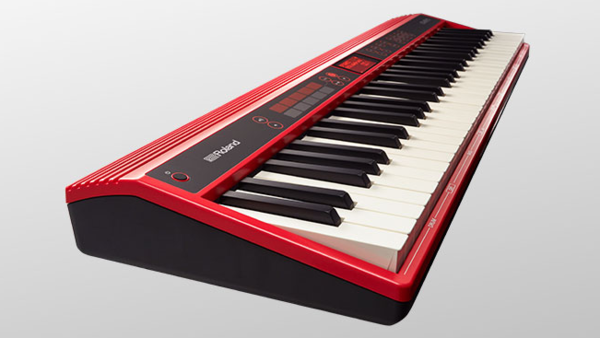
Yamaha also claim “improved sampling,” which is good. I dinged the PSR-E443 for sounding exactly like the PSR-273 from 2003. Yamaha’s competition has gotten stiffer in the entry-level space especially with the new Roland GO:KEYS and GO:PIANO. The few Roland demos on the Web sound pretty darned good. Retailers expect the GO:KEYS in May 2017.

The (unexpected) instrument that brought an instant smile to my face is the Yamaha Venova. The YVS-100 Venova looks like a plumber’s playful take on a recorder. However, the Venova features a real mouthpiece and reed, producing a “sax-like” tone. It might be a little harder for Jon Batiste to pick up one of these and rock it!

Depending upon the cost, I may have to buy one. Aside from being positioned as a fun, “casual” instrument, the Venova looks like the gateway to clarinet or sax. Of course, This may boost traditional, acoustic instrument sales for Yamaha, too, as people want to move on to the harder stuff. The first taste is (almost) free.

I hope Yamaha release the backstory on the Venova. With the odd bends and squiggles in the pipe, it looks like some engineer brought a virtual acoustic (mathematically modeled) VL-70 instrument to life. Cool! Might inspired a STEM career or two along with musical jams.

THAT Corporation

No, not the pronoun.

Just want to give a shout out to a local company which makes audio ICs for the professional equipment market: THAT Corporation of Milford, MA. They manufacture a line of integrated circuits including:

  • Balanced Line Receivers
  • Preamplifiers
  • Digital Microphone Preamplifier Sets
  • Digitally Programmable Gain Controllers
  • OutSmarts® Balanced Line Drivers
  • Analog Engine® Dynamics Processors
  • Blackmer® Voltage Controlled Amplifiers

ICs are available through Mouser Electronics.

Sparkfun has just announced balanced line input and output breakout boards using THAT ICs: balanced audio input and balanced audio output. Gotta keep these in mind for future projects!

If you’re a pedal DIY’er, be sure to check out THAT’s Pedal Page, too.

Livings computers indeed

Just back from a long trip to Seattle. I had a great time seeing family, friends, old and new. Of course, there are always a few nerd-stops along the way.

I had the pleasure of visiting the Living Computers: Museum + Labs on the south side of Seattle. Just take the Sound Transit Link light rail system to the SODO station, walk a few blocks west along South Lander Street to First Avenue, and walk a few blocks north from there.

Seattle area public transportation is excellent. Be sure to pick up an ORCA transit card. Senior citizens can ride pretty much anywhere for $1!

Living Computers is both a hand-on museum and educational lab space. It’s another Paul Allen venture like the Museum of Pop Culture (once known as “EMP,” now “MoPOP”). The goal is hands-on experience with current and vintage computing technology, not static displays.

The first floor exhibit space is relatively new — about one year old. (The museum itself is about five years old.) The space is open and very nicely appointed. The first floor has many interesting interactive exhibits including self-driving car, telepresence robot, programmable robots, neural nets, Cubelets, and more. (Cubelets are super high tech processing blocks that plug together.) The staff is very friendly and knowledgeable.

The first floor also has teaching labs which are nicely equipped. The museum sponsors one day courses and events to help people get started and to work on projects of their own. (Watch out for code.org events, too.) The staff hold open office hours on Thursday afternoons between 3PM and 5PM. I dropped in during office hours and had a fun chat with the teaching staff. The museum has established and is building a close relationship with local school systems and educators.

On to the second floor! Half-way up the stairs, is a mini Internet of Things (IoT) lab where you can quickly assemble a demo IoT system. I put together an Alexa-controlled buzzer. The hardware consisted of an Amazon Echo Dot, a handful of littleBits modules, and a Samsung tablet running the littleBits app. Once assembled, Alexa starts a ping-pong of network messages that eventually turn on the buzzer. Cute.

The second floor began life as Paul Allen’s computer collection. Paul Allen is a preservationist who wants people to experience vintage computing, not just look at old stuff. The second floor is filled with vintage personal computers, mini computers and mainframes. (Please see the museum site for a detailed list.) The PDP-10s, -20s, -8s, 029 card punch, etc. are old familiar tech from my youth. There were a few pieces that I had not touched before such as a PLATO terminal. The micros and minis are in a large exhibit space while the mainframes are running in an air conditioned cold room. You can get an on-line account to the mainframes, BTW.

It was a kick to see SYSTAT, again. Ah, many cold nights spent in the machine room at C-MU as a computer operator. Now there’s an obsolete job title for you! I got in a few rounds of Missile Command on the Atari 400, inspiring me to drag out my old 400 at home.

I would have pictures of the museum and labs, except it was raining cats and dogs when I visited and I didn’t want to drag my iPad into the weather. My day pack is not exactly waterproof. (Ironically, I have since trashed by 1st gen iPod by throwing it into the washing machine with the laundry.)

After taking it easy for a day, I dropped into the 2017 ACM SIGCSE computer science education conference at the Seattle Convention Center. The highlight of my day was Erik Brunvand’s presentation about his course Making Noise: Sound Art and Digital Media.

Erik is an old friend of ours from grad school days at the University of Utah, where he is now a professor of computer science. Erik’s course is like a trip through my own psyche and his lab is indistinguishable from our dining room which serves as my electronics shop. He has quite successfully melded electronic music, computing and electronics into a one semester, project-oriented course. Students slam into art/music and technology from all directions. Students get a taste of everything including circuit bending. Hats off to Erik!

Welcome CS teachers and students!

[Be sure to visit Living Computers in Seattle. SIGCSE 2017 attendees are admitted free during the conference. I visited the museum today and it was a lot of fun! K-12 teachers will enjoy the hands on exhibits.]

The annual ACM Special Interest Group on Computer Science Education (SIGCSE 2017) Technical Symposium is next week (March 8 – 11) in Seattle, Washington. The symposium brings together educators at all levels (K-12 and higher ed) to exchange and discuss the latest methods, practices and results in computer science education.

I don’t often advertise it, but the Sand, Software, Sound site has many resources for educators and students alike. You can browse these resources by clicking on one of the WordPress topic buttons (Raspberry Pi, PERF, Courseware, etc.) above. You can also search for a topic or choose from one of the categories listed in the right sidebar.

Here are a few highlights.

I taught many computer-related subjects during my career and have posted course notes, slides and old projects. The four main sections are:

  • CS2 data structures: Undergraduate data structures course suitable for advanced placement students.
  • Computer design: Undergraduate computer architecture and design which uses a multi-level modeling approach.
  • VLSI systems: Graduate course on VLSI architecture, design and circuits which is suitable for undergraduate seniors.
  • Topics in computer architecture: Material for a special topics seminar about computer architecture (somewhat historical).

Please feel free to dig through these materials and make use of them.

Software and hardware performance analysis formed a major thread throughout my professional life. I recommend reading my series of tutorials on the Linux PERF tool set for software performance analysis:

The ARM11 microarchitecture summary is background material for the PERF tutorial. Program profiling is a good way to bring computer architecture to life and to teach students how to analyze and assess the execution speed of their programs.

There are two additional tutorials and getting started guides for teachers and students working on Raspberry Pi:

Music technology and computer-based music-making have been two of my chief interests over the years. The Arduino section of the site has several of my past projects using the Arduino for music-making. You should also check out my recent blog posts about the littleBits synth modules and littleBits Arduino. Please click on the tags and links at the bottom of each post in order to chase down material.

You might also enjoy my tutorial on software synthesizers for Linux and Raspberry Pi. The tutorial is a getting started guide for musicians of all stripes — music teachers and students are certainly welcome, too!

Tuning up a littleBits oscillator

I’m starting to experiment with the littleBits oscillator and synth bits. I’d like to control the oscillators using an Arturia Keystep either through MIDI or through the Keystep’s control voltage (CV) and gate outputs.

Perusing the littleBits forum, I noticed several complaints about how difficult the oscillators are to tune. Setting the basic pitch is not a problem — just turn the PITCH knob. The issue is really intonation. Guitarists are very familiar with intonation, that is, being in tune along the fretboard. The keyboard equivalent is being in tune across the entire keyboard or a given range of keys.

For my initial testing, I assembled a simple littleBits circuit:

Power -> MIDI module -> Oscillator -> Dimmer -> Synth Speaker

The littleBits MIDI module was connected to an Arturia Keystep and for comparison’s sake, a Korg MicroKORG. The MIDI module translates incoming MIDI note on and note off messages into littleBits-compatible CV. The Dimmer is the volume control. I find it much easier to set volume levels, etc. with a full-size pot instead of a trimmer. Also, I strongly recommend putting knobs on the oscillator PITCH pot. It is much easier to set the oscillator pitch accurately when a knob is installed. (Funny how the little things make a big difference.)

My first concern was the actual control voltage being sent to the oscillator. I pulled out my trusty multimeter and measured the Keystep’s pitch (CV) over a wide range of keys (notes). I also measured the CV generated by the littleBits w5 MIDI module. The voltages all look reasonable for 1 volt per octave CV, modulo the limited 3 digit precision of the multimeter. Two notes separated by an octave produced a one Volt difference as expected.

The Keystep generates CV from 0 Volts to 10 Volts. littleBits signals are limited to the range from 0 Volts to 5 Volts. Rather than tempt fate and drive the littleBits oscillator from the Keystep CV output, I decided to put a littleBits CV interface module on order. The CV interface scales CV to the littleBits range — whatever that means. Stay tuned.

The voltage for each note as produced by each CV source (Keystep CV vs. MIDI module) is not the same. For example, the Keystep generates 4.03 Volts for MIDI note C2 while the MIDI module generates 1.20 Volts. Relax. This isn’t a big deal as the basic pitch is easily set by the oscillator’s PITCH control. It’s all relative, man.

I used a Snark guitar tuner to set the pitch and to test intonation. The Snark is an inexpensive small tuner with a microphone input. I like the Snark because it shows the detected note (C, C#, D, etc.) and whether the note is flat or sharp. I don’t like the Snark because the clip-on thingy breaks off almost immediately! The clip-on thingy isn’t necessary for desktop testing, however.

I first tried setting the pitch and intonation by ear. This is where the MicroKORG was really handy. I sent the MicroKORG’s MIDI out to the MIDI-to-CV module and routed the MicroKORG’s audio output to the mixer feeding the studio monitors. I also patched the littleBits audio into the mixer, so I could easily dial up the MicroKorg audio as a pitch reference. Hit a single key on the MicroKORG and both the oscillator and MicroKORG attempt to play the same note. Adjust the PITCH and TUNE knobs appropriately.

The Snark tuner method is much better. The Snark’s display shows when things are sharp or flat. I recommend using a tuner like the Snark instead of matching pitch by ear.

At first I couldn’t get satisfactory intonation beyond a one octave range. This is disappointing and appears to be the place where most forum members gave up. I read the Korg littleBits Synth booklet paying particular attention to the tuning procedure on page 21. One of my biggest complaints about the littleBits system is the lack of detailed documentation and the Synth book was kind of sketchy about tuning and intonation. However, a light did turn on in my head.

I decided to turn the TUNE trimmer fully clockwise (thinking “OFF”). Then, I set the base pitch, i.e., the lowest pitch in the desired range. Next, I checked the highest note in the desired range — about two octaves. Natch, the intonation was bad, so I slowly turned the TUNE trimmer clockwise until the pitch of the highest note was correct. This disturbed the pitch of the lowest note and I had to find a balance between pitchiness at the low and high ends.

The result is fairly playable. I played the chromatic scale from lowest to highest and checked the Snark at each step. The intonation was acceptable.

To make sure this procedure wasn’t a fluke, I tuned the second oscillator using the same method and got the same result. Finally, I wired up the MIDI module driving both oscillators and mixed the audio:

                             |-> Osc ->|
Power -> MIDI -> Split ->|         |-> Mix -> Dimmer -> Speaker
                             |-> Osc ->|

The pitches were danged close and the intonation of the individual oscillators matched quite well. I just needed to adjust the relative tuning to get a good phat sound.

Not bad for “cheap” $16 USD oscillators! It’s rather unfair to blame the oscillator design at this price. Plus, you did say that you want analog synthesis, right? We’ve gotten spoiled by decades of pitch-perfect digital synths. Making the tuning and intonation right is all part of the analog game.

One final thought. The littleBits CV signal driving the oscillators is somewhat under-documented. Voltage Control Lab have a nice analysis. They explain the littleBits OUT signal from the Korg SQ-1. They say that the CV signal plays two roles as a combined gate and pitch control. When the CV is asserted, i.e., the gate is high, the voltage level sets the pitch.

Here’s a more MIDI-centric interpretation. When a MIDI note is off, the CV signal is 0 Volts. The oscillator is silent at 0 Volts. When a MIDI note is on and held, the CV signal sets the pitch. When the MIDI note goes off, the CV signal returns to 0 Volts and silences the oscillator. This appears to be the behavior of the MIDI module (when it is in MIDI IN mode).

The Arduino combo organ is back

If you have a taste for cheesy 1960s combo organ sounds, I just posted the littleBits MIDI organ project. This project is an updated littleBits take on my old Combo Organ project. It uses the same “bottom octave generator” technique to squeeze five sample playback voices out of an Arduino.

Here’s an MP3 demo of the Farfisa voice and a demo of the Vox voice. I drove the MIDI organ from SONAR on a PC.

Here’s why you should prefer the littleBits version. The original project uses the MidiVox shield which is out of production. The littleBits version replaces the MidiVox with two breadboard-based circuits: a MIDI input interface and a Small Peripheral Interface (SPI) digital-to-analog converter (DAC). Easy to build and functionally equivalent. The new sketch incorporates improvements made to the Arduino SPI library and PROGMEM. The current SPI library uses a different convention for sending data to the DAC. PROGMEM is way different now; the old code won’t compile. The newer version of PROGMEM is stricter about typing and const.

The littleBits MIDI organ could form the basis of a sample playback synthesizer. Just replace the Farfisa and Vox waveforms with single cycle samples of your favorite synth or retro keyboard. Waveform space in PROGMEM is still tight, but hey, this is science. It’s supposed to be fun!

You’ll need to add a few headers to the littleBits Arduino module in order to use SPI. Here are some simple directions and tips:

Add SPI to littleBits Arduino Part 1
Add SPI to littleBits Arduino Part 2
Add SPI to littleBits Arduino Part 3

You’ll also find the SPI DAC and MIDI interface designs in parts 2 and 3, respectively.

While you’re at the littleBits site, check out f.j2’s Solina string synthesizer. Retro is bustin’ out all over!

I need to switch gears for a little while and be a musician again. So, I’ll be taking a short break from Arduino projects. More to come on the music side of things…

Add SPI to littleBits Arduino 3

At some point, you’ll want to go beyond the few inputs and outputs provided by the littleBits Arduino bitSnaps.

The stock littleBits Arduino module has twelve unpopulated signal pads:

  • Three analog inputs: A2, A3 and A4.
  • Three digital inputs/outputs: D10, D11 and D13.
  • Six ICSP signals: GND, MOSI/D16, VCC, RESET, SCK/D15, and MISO/D14.

Three of the ICSP pads can be used as ordinary digital inputs/outputs: D14, D15, D16. The same three ICSP pads also implement the Small Peripheral Interface (SPI): MOSI, MISO and SCK.

         GND ---O  O--- RESET
    MOSI/D16 ---O  O--- SCK/D15
         VCC ---O  O--- MISO/D14

The first article in this short series discusses the ICSP pads and how to solder a 2×3 header to the pads. The second article describes a circuit and code for a SPI-based digital-to-analog (DAC) converter using the Microchips MCP4921 integrated circuit.

The MCP4921 requires an active-low chip select (also known as “Slave Select”) signal to activate data communication with the SPI master (the Arduino). As described in part 2, I generated chip select through one of the bitSnap digital pins: D1, D5 or D9. D5 and D9 are buffered by a relatively slow-acting op amp. The op amp effectively imposes a delay on the chip select signal necessitating a long busy wait in the DAC’s interrupt routine. Pin D1 is not buffered, doesn’t require the busy wait and is faster.

Pin D1 itself does double duty. Depending upon its configuration, pin D1 functions as either an ordinary digital output or as the serial data output (TX). My latest project incorporates MIDI input and uses the Arduino MIDI library to parse and dispatch MIDI messages. After much experimentation and frustration, I determined that the MIDI library just doesn’t know how to keep its paws off pin D1 (TX). Even with MIDI THRU turned off (i.e., calling MIDI.turnThruOff()), the library seems to interfere with D1/TX. The interference disrupts communication with the MCP4921 DAC. Sending chip select by D5 or D9 is too slow, so it became time to populate the rest of the Arduino’s input and output pads.

We need two 1×3 pin headers to finish the job. I bought 1×3 pin headers from Jameco. In order to save time and money, you could just cut two 1×3 headers from a long header strip instead. Once again, I used a solderless breadboard as a jig to hold the headers in place while soldering. Here’s a tip (pun intended). Apply pressure to the side of each pin with the soldering tip; do not push down on the pin. If you push down, the pin may sneak down into the through-hole!

The 1×3 pin headers and the finished Arduino module are shown in the picture below. (As always, click on images for higher resolution.) With the 1×3 header pins soldered in place, I connected the MCP4921 chip select to Arduino pin D10 using a male-to-female jumper wire and changed the sketch to toggle D10.

When I was searching for the headers, I came across “breadboard friendly” 5-pin DIN sockets sold by Adafruit. Adafruit charges a pretty penny for these sockets, but they are well worth it. With the success of the SPI DAC implementation, I decided to build the MIDI input interface on a small solderless breadboard (picture below). These small 170 point breadboards are so inexpensive, there isn’t much need to build on a prototyping board.

Here are the schematic and broadboard layout for the MIDI input interface. Have fun!

A tale of three keyboards

First, another customer service success story!

I was watching and waiting for a controller keyboard to complement the littleBits Synth modules. I especially wanted a keyboard that generates gate, control voltage (CV) and standard 5-pin MIDI all-in-one. The Arturia Keystep fit the bill and it’s been getting rave reviews. So, when I saw a “mint” Keystep at Musician’s Friend for a few dollars off, I put one on order.

Musician’s Friend (MF) does a good job of assessing the condition of customer returns. Once again, they didn’t disappoint. Physically and electronically, everything is ship-shape. It’s a good way to save a few bucks, although a brand new Keystep is not a budget-buster at $119 USD street.

The only issue — and it’s not exactly MF’s fault — is that someone registered the Keystep and copped the Ableton Live Lite activation code. Cheeky and damned annoying. The Arturia site would not let me register the product (my main goal).

Fortunately, Arturia has excellent customer service. (A shout-out to Amine and Guillaume!) Within 24 hours, the Keystep was registered and I had the code for Ableton Live Lite. Great job!

I’m trying to spin out another littleBits project and haven’t been able to dive into the Keystep as yet. However, my first impression while unboxing is highly favorable. For a product that streets at $119, this beast is solid — perhaps the best build quality that I’ve seen in an inexpensive controller. Arturia have a “slim key” design of their own. The slim keys are quite playable and they feel positively robust.

The unboxing led me to a quick comparison between the three short controller keyboards that I have on-hand. The picture below shows, from top to bottom, the Roland SK88Pro (37 keys), the Arturia Keystep (32 keys), and the Korg MicroKORG XL+ (37 keys). I shot all three keyboards together in the same image, then edited the image to compare the relative key and keyboard sizes. The SK88Pro is a “full” size synth keyboard and is comparable to the old Roland JV, XP, XV keybeds. The Arturia Keystep keys are a little wider and a little longer than the MicroKorg XL+. It always takes me a few minutes to adjust to the XL+. Adjustment to the Keystep is even easier.

I hope this short post helps you out!