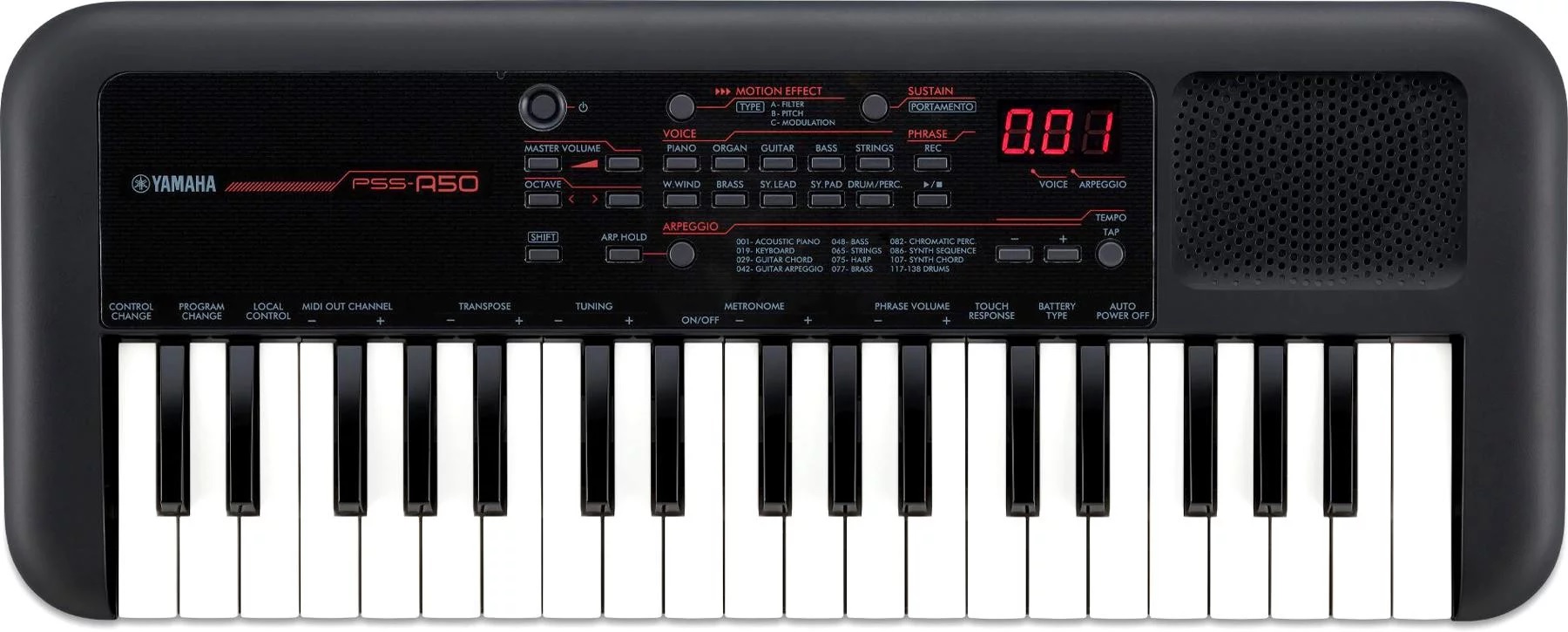
Combo organ: Montage, MODX, Genos

Contemporary workstation instruments offer several options for combo organ emulation. Every workstation has at least a few internal combo organ waveforms. Korg Kronos, for example, has two Vox organ waves built in. Even the lowly Korg microKorg XL+ has two Vox waveforms (DWGS single cycle).

Yamaha MODX and Montage — my focus in this article — have a good variety of Vox and Farfisa waveforms. Yamaha Genos has a lesser endowment as we’ll see. Yamaha Reface YC shares sonic DNA (AWM2 and effects) with the Motif XF and will be the subject of a future post.

Motif, Motif ES and Motif XS

Models in the early Motif series primarily base combo organ patches on two waveforms:

  • Portable Electronic: Vox-y tone
  • Compact Electronic: Farf-y tone

You can hear these waveforms at work in the Tiny Combo Bars 1 performance and the Tiny Combo Bar 2 performance. The patches layer three are more elements playing Portable Electronic or Compact Electronic (respectively). Each element is filtered differently: low pass, band pass and high pass. The net effect is like several distinctive tab stops or drawbars pulled at once.

These waveforms are very old, going back to the original Motif (maybe S80) in the early 2000s. I’ll bet dollars to donuts that the Portable Electronic waveform is the basis for the 60’sOrgan voice (MSB: 0, LSB: 116, PC: 18) in PSR and Tyros keyboards. The 60’sOrgan voice was the sole combo organ mainstay in the arranger line for a loooong time.

Motif XF, Montage, MODX

Motif XF got a big shot of combo juice. Motif XF added several combo organ waveforms:

  • Fr All Tabs
  • Fr Bright Boost
  • Fr Flute
  • Fr String Lo
  • Fr String Hi
  • Fr Trumpet
  • Fr Piccolo
  • Fr Pedal
  • Fr KeyOff
  • Vx Drawbar1-3
  • Vx DrawbarIV
  • Vx KeyOff

The Farfisa (Fr) waveforms support emulation of specific Farfisa features: individual voice tabs (flute, string, trumpet and piccolo), the wicked Bright Boost knee lever, bass keys (pedal), and key off sound. The Fr All Tabs waveform covers one of the most common use cases — all of the tab stops turned on. Subtlety was not a hallmark of sixties combo organ music. 🙂

The Vox (Vx) Vx Drawbar1-3 waveform covers the three Continentel footage drawbars while the mixture drawbar is handled by the Vx DrawbarIV waveform. The Vox waveforms include a Vox key-off noise.

In terms of voice programming, one uses note shift to achieve different footage ranks. Passive filtering is emulated through filter type (low pass, band pass, high pass) and cutoff frequency. Of course, everything can be routed into insert effects for distortion, amp simulation, and other grunge.

Since Montage and MODX inherit all things Motif, these waveforms and the Motif performances are there for you. The Montage and MODX sliders allow control over individual voice elements. For example, choose the Raspy Tabs performance and assign slider control to element level. The Fr Raspy Tabs waveform-to-element assignment is:

El# Waveform     KeyLo KeyHi VelLo VelHi Coarse Level Cutoff XA Ctrl 
--- ------------ ----- ----- ----- ----- ------ ----- ------ -------
1 Fr String Lo C2 G8 1 127 0 97 255 Normal
2 Fr Trumpet C2 G8 1 127 0 82 255 Normal
3 Fr Flute C2 G8 1 127 24 120 236 Normal
4 Fr Pedal C-2 B1 1 127 0 127 160 Normal
5 Fr String Hi C2 G8 1 127 19 24 236 A.SW2 On
6 Fr KeyOff C2 G8 1 127 6 87 80 Key Off

Different tabs are brought in and out by moving the corresponding slider. Assignable switch 2 turns on additional brightness. The low keyboard octaves play the bass (pedal) tones. Overall, this is a fairly controllable representation of a wheezy Farfisa Compact.

Because the sliders are not discrete, you can probably make up Farfisa tones which aren’t entirely authentic. But, really, should one care? 😉

Vox performances have similar control-ability. Here is the waveform-to-element assignment in the Vx Full Bars performance:

El# Waveform      KeyLo KeyHi VelLo VelHi Coarse Level Cutoff XA Ctrl 
--- ------------- ----- ----- ----- ----- ------ ----- ------ -------
1 Vx Drawbar1-3 C-2 G8 1 127 0 75 255 Normal
2 Vx Drawbar1-3 C-2 G8 1 127 12 77 255 Normal
3 Vx Drawbar1-3 C-2 G8 1 127 24 91 255 Normal
4 Vx DrawbarIV C-2 G8 1 127 0 127 250 Normal
5 Vx KeyOff C-2 G8 1 127 4 68 85 Key Off

The first three sliders control the 16′, 8′ and 4′ Vox drawbar settings and the fourth drawbar controls the Mixture (IV) tone. Go ahead, just everything to eleven. 🙂

Montage and MODX FM

But, wait, there’s more! Montage and MODX have two FM combo voices: BOX FM Combo Organ and FM YC Combo Organ. Although these performances don’t sound authentic to my ears, they provide starting points for further programming. I haven’t heard the YC61 as yet, but I wonder if the YC61 combo emulations can be ported to Montage and MODX?

Genos

As I mentioned earlier, the arranger series has been historically short on combo organ sounds, relying on the old 60’sOrgan voice. Wheezy, raspy Farfisa tones are noticably absent. The 60’sOrgan voice sounds like the Portable Electronic waveform on which the Motif 1967 Keys performance is based.

Tyros 4 and Motif XF were introduced at approximately the same time. They certainly were together in the development lab during late 2009. Tyros 4 added four combo organ voices:

  1. 60sComboOrgan1: VoxContiComb1_Full_NoVib waveform
  2. 60sComboOrgan2: VoxContiComb1_Full_VibOn waveform
  3. 60sComboOrgan3: VoxCombi4NoVib waveform
  4. 60sComboOrgan4: VoxCombi4NoVib091117 waveform

Voices 1 and 2 capture one Vox Continental drawbar combination (Comb1) and voices 3 and 4 capture a second combination (Combi4).

Voices 1 and 3 are without vibrato. Voices 2 and 4, unfortunately, have an excessive amount of vibrato — almost painfully so. When I use voices 2 and 4 in a MIDI sequence, I dial down the vibrato depth using MIDI CC#77 messages. Vibrato frequency is about 5Hz. I also remove touch sensitivity by setting:

  • Velocity sensitivity depth to zero, and
  • Velocity sensitivity offset to 114.

An organ voice should not respond to touch (key velocity) — ever.

PSR, Tyros and Genos players shouldn’t forget the “hidden” Italian 60s organ voice (It60’sOrgan) in the GM2 sound set. On PSR and Tyros, you’ll find It60’sOrgan within the Legacy voices Organ subfolder. On Genos, you need to download GM2 and XG user voices to the USER voice folder. (See this thread in the PSR Tutorial Forum.) Of course, you can select
It60’sOrgan from a DAW (MSB: 121, LSB: 2, PC: 17) .

All-in-all, you can get a nice Vox tone out of Genos. Farfisa is still missing in action, tho’. Kind of an odd shortcoming of a keyboard with styles and a user base that want to play popular hits from days past.

In the next post, I’ll compare Reface YC combo organs against Montage/MODX (Motif XF). The result may surprise you.

Copyright © 2021 Paul J. Drongowski
Customizing the Sonogenic voice editor

Back to the Yamaha SHS-500 Sonogenic voice editor…

Thanks to Brent at Keyboard Corner for suggesting a different set of default voices in my MIDI Designer-based Sonogenic voice editor. Back when I released the editor, I was hoping that folks could customize the user interface, changing or adding their own buttons and controls. Brent downloaded the editor, got everything running, and hit a roadblock with MIDI Designer. That’s understandable because I doubt if anyone can dive right into MIDI Designer as easily as diving into the menu of a synth.

So, smart guy, how do you change bank select and program change? Here’s a sequence of screen shots that may help. [Not so easy a year later, is it? 🙂 ]

MIDI Designer ordinarily runs in its operational mode, that is, the buttons, sliders and other controls are live and send MIDI. In order to make changes, one needs to enter Design Mode (edit mode). With the Sonogenic voice editor loaded, tap the More menu button, then tap the Design button under “Tools”.

MIDI Designer More menu

You should see a floating button widget saying “Exit Design Mode”. If you see that, you’ll know that you’re in Design Mode.

MIDI Designer button (control) properties in Design Mode

Tap a button or other control to select it. MIDI Designer outlines the selected button (or control) in red. Double tap the button (or control) to display and change its properties.

In this case, I double tapped the “QuackLd” button. If you want to name the button something else, tap the “Label” field and change the button name.

Button MIDI properties

To send a different MIDI message, tap the MIDI icon in the lower left corner of the Properties dialog box. MIDI Designer should display the control’s MIDI properties. The Sonogenic QuackLd voice has the following bank select and program change values:

  • Bank select MSB: 0
  • Bank select LSB: 112
  • Program change: 84

Values for the other SHS-500 preset voices are listed in the Yamaha Sonogenic SHS-500 Reference Manual.

Tap the “MIDI Off → On” field to edit the program change value. Tap the “Channel – Bank #” field to change the MIDI channel, bank select MSB value and bank select LSB value. You should probably leave the channel value alone.

MIDI Designer channel and bank select dialog box

The “Channel, Bank MSB, LSB” dialog box displays three spinning number dials (kind of like a slot machine) where the first column is MIDI channel, the second column is bank select MSB and the third column is bank select LSB. Spin the dials to get the setting you want. Tap the return arrow in the upper left corner when you’re finished. To leave a dialog box, just tap a blank area in the user interface background.

MIDI Designer actions

Tapping the Actions icon in the lower right corner of the Properties dialog box displays MIDI Designer actions. Use the “Delete” action to delete the control. Use “Copy” and “Make Similar” to copy the control.

General MIDI voice example

The buttons for the Sonogenic General MIDI (GM) voices are similar. Here, I selected and double tapped the “Vibraphone” button.

General MIDI voice selection properties

Again, tapping the MIDI icon in the dialog box displays the MIDI message properties for the button. The GM voices adhere to the GM standard program change values. However, you must send zero for both bank select MSB and LSB to properly switch the Sonogenic.

Tap the Exit Design Mode button to leave Design Mode. Then test your changes with the Sonogenic. Also, you probably should save the modified MIDI Designer interface following the directions in my original article.

Hopefully, this tutorial is enough to get you started with customization!

Copyright © 2021 Paul J. Drongowski
Combo organ tone generation

Combo organs got me into this mess. 🙂

Back in the day, I played a Farfisa Mini Compact Deluxe. Even though it didn’t have many tabs or reverb, it was enough to cover Wooly Bully and the rest of the Top 40 hits. I always wanted a Vox, but the Jaguar and Continental were always out of my financial reach.

Farfisa Mini Compact Deluxe organ

Farfisa and Vox each had their own distinctive tone. The Farfisa is raspy and nasal. The Vox is brighter and more cutting. Farfisa offered more vibrato options while Vox is just ON/OFF. Either one could quease (or cheese) your stomach when overdone. 🙂

Vox Continental organ

There are several great on-line resources if you would like to know more about Farfisa, Vox and some of the lesser competitors (e.g., Gibson, Fender, Acetone). My two favorite sites are Combo Organ Heaven and The Vox Showroom. It’s also fun to browse E-bay and Reverb.com for vintage organ gear and spare parts. I also recommend the book “Classic Keys” by Alan S. Lenhoff and David E. Robertson.

Internally, the 1960’s Vox and Farfisa models employed tone generation boards — one board for each of the twelve semi-tones in an octave. Each board consisted of an oscillator for the highest pitch (e.g., C6) and dividers for the corresponding pitches one or more octaves down (e.g., C5, C4, C3). A schematic for the Farfisa Mini Compact Deluxe tone generator board is shown in the picture below.

Farfisa tone generator circuit

The oscillator is, essentially, a square wave generator and the divider stages are a ripple carry counter. The square wave generator feeds the counter and each stage of the counter divides down by a power of 2, thereby producing the lower octaves. The square wave generator is on the left with five divider stages arrayed to the right.

Each board has different capacitor values (C1A to C5A) depending upon base pitch (C to B). The generator is tuned by a variable inductor coil. This darned coil was delicate back in the 1960’s and cost me an expensive repair when I tried to tweak the F# tuning. If you’re contemplating ownership of such a vintage instrument, don’t suffer delusions about the fixing and maintaining a vintage beast. Sixty or seventy years on, these critters are difficult to maintain.

Once the basic tones are generated, they are sent through a rat’s nest of wires comprising the key and bus bar switching network. Then, the individual (bus bar) signals are mixed and go to filters. Farfisa and Vox have different filters, giving each brand a distinctive voicing flavor. Farfisa routed its signals into a switched passive filter network while Vox sent its signals into drawbars. The Farfisa filters are switched in and out by the front-panel voice tabs while the Vox allows a mix of flute and reed tones. The Vox Jaguar employed an approach similar to Farfisa (tabs), letting Vox offer a cheaper alternative to the Continental.

Vox Continental drawbar circuit

The picture above shows the Vox Continental drawbar schematic. Key contacts switch signals onto four bus bars: 16′, 8′, 4′ and Mixture. The four main drawbars (1, 2, 3, and 4) mix the incoming ranks into a single signal which goes to the so-called sine and reed drawbars (5 and 6). Drawbar 5 filters the incoming square waves producing a sine-like, flute tone. Drawbar 6 doesn’t filter the incoming square waves and produces a brighter, reed tone.

If you would like to know more about Farfisa and Vox internals, I recommend getting acquainted with ElectroTanya. ElectroTanya is an on-line server providing service manuals for current and old gear. You can download up to five service manuals for free each day. The user interface is a little funky, but ElectroTanya is a terrific resource for out-of-print manuals. Here are links to the keyboards mentioned in this blog post:

Please keep these designs in mind. The oscillator/divider approach gave birth to the top-octave tone generator design that reduced the cost and complexity of organ tone generator boards. Thank you large scale integration (LSI).

Martinec wrote two of the best free combo organ VST emulations ever: Combo Model F and Combo Model V. You can still find copies of the Martinec VSTs on the Web. Get your combo groove on!

Arduino people should check out my sampled 60s Combo Organ (MidiVOX). I managed to get four voice polyphony out of an Arduino! Lo-fi heaven.

Copyright © 2021 Paul J. Drongowski
Curtis Electromusic Specialties

Tom Oberheim plans to bring back the TVS-Pro in the form of the TVS Pro Special Edition. The TVS-Pro Special Edition consists of a 3-octave keyboard, sequences and two Synthesizer Expansion Modules (SEM). The two modules are flexibly assigned to the keyboard, sequencer, etc. Designed by Tom Oberheim and manufactured by Marion Systems. Gordon Reid reviewed the original Two Voice Pro in Sound on Sound (July 2016).

To my ear, Tom Oberheim, OB-Xa and Curtis Electromusic Specialties (CES) are synonymous. And that brings me to today’s offerings from CES circa 1981.

OK, OK, Dave Smith, Prophet-5, Pro-One, and Curtis Electromusic Specialties are synonymous, too. Pro-One (CEM 3340, CEM 3310, CEM 3320) — wish I had that one back… 🙂

Doug Curtis was an analog synthesis circuit genius and founded Curtis Electromusic Specialties (CES) in 1979. Doug’s fertile mind and CES produced what is arguably the most successful line of commercial integrated circuits (IC) for analog synthesis.

I’m happy to share my collection of CES brochures, data sheets and schematics, all in PDF:

Unlike data sheets posted at some other sites, these data sheets are complete (not just the first two pages). The preliminary data sheets are hand-drawn — now that’s preliminary!

The SynthSource newsletter contains an interview with Tom Oberheim titled “Giving the musician more for his money.” Doug’s chips made Tom’s successful OB-X synths (OB-X and OB-Xa) physically and economically feasible. The OB-Xa used the entire CES chip line: 3310, 3320, 3330, 3340 and 3360.

The newsletter also announces the CEV 3301 Evaluation Board hosting one each of the CEM 3310, CEM 3320, CEM 3330 and CEM 3340. At that time, PAiA Electronics sold both CES chips and the CEV 3301 Evaluation Board. I bought ’em all. 🙂 The CEV 3301 PDF covers design, construction details, board layout and schematics. I’ve posted pictures (below) of the unpopulated CEV 3301.

Curtis Electromusic CEV 3301 Evaluation board (trace side)
Curtis Electromusic CEV 3301 Evaluation board (component side)

Have fun and stay healthy!

Copyright © 2021 Paul J. Drongowski
E-mu Systems and SSM ICs

E-mu Systems and Solid State Micro Technology for Music (SSM) were pioneers in analog synthesis. E-mu Systems was founded in 1971 by Dave Rossum, Steve Gabriel and Jim Ketcham. Solid State Music Technology was founded by Ron Dow and John Burgoon in 1974. E-mu, of course, is renown for its ground-breaking Emulator keyboard.

E-mu and SSM developed several integrated circuits (IC) for analog synthesis. Also in that era (1978), Curtis Electromusic Specialties (CES) introduced their own line of analog synthesis chips.

In 1978, I was finishing up my stint in Silicon Valley and heading to grad school at the University of Utah — as far east as my meager savings could take me. Little did I know that Ercolino Ferretti at the U was investigating computer music and I would soon enjoy his expertise and banter!

Nonetheless, I was interested in building my own synth gear and I wrote to E-mu/SSM for information about the SSM demonstrator board and their chips. Here are three PDFs covering the E-mu/SSM offerings in 1978:

Check out these prices!

  • SSM 2010 VCA: $12.50
  • SSM 2020 DVCA: $7.50
  • SSM 2030 VCO: $10.00
  • SSM 2040 VCF: $10.00
  • SSM 2050 TG: $7.50

Good luck finding E-mu/SSM chips today. They’re worth their weight in gold.

Copyright © 2021 Paul J. Drongowski
SN76477 Complex Sound Generator

Things are going to take a vintage turn during the next few weeks. I’m knocking out a few 60’s backing tracks, returning to classic combo organ sounds. As a teen, I owned and played a Farfisa Mini Compact Deluxe. As a neophyte engineer, I was also interested in rolling my own gear — a great entry-way to audio electronics. [Not drugs.]

Thanks to our move, I uncovered, literally, a small number of brochures and data sheets from the 70’s and 80’s era. Today’s subject is the Texas Instruments SN76477 Complex Sound Generator.

TI SN76477 Complex Sound Generator pin out

The SN76477 was an all purpose, mixed signal (digital+analog) noise maker, appearing in games, toys and other mass market consumer electronics. Its temperature stability was none-to-good, making it a poor choice for musical instrument design. It excels, however, at cheesy 1980’s sound effects.

TI SN76477 Complex Sound Generator block diagram

I built the SN76477 sound demonstration circuit (below) into a “busy box” for our son. Unfortunately, the busy box and the SN76477 is lost and gone. Only the data sheets and application notes remain in its place. If you find an SN76477, it’s most likely a “pull” from an old toy and probably not new old stock (NOS).

TI SN76477 Sound demonstration circuit

Here are links to the SN76477 data sheets and application guide. All of the files are PDF.

I apologize for the yellow pages, but we are talking true vintage! The sound development system schematic is brittle and requires careful handling.

TI wrote a very compresensive SN76477 guide, so there isn’t too much point in detailing the SN76477 here. If you’re going to experiment with the SN76477, the TI guide is a must-read. The guide describes a few of the internal circuits as well as sample application circuits.

Copyright © 2021 Paul J. Drongowski
RPi 4 tuning: The code

I hope you have enjoyed my series of articles about Raspberry Pi 4 performance events, measurement and tuning:

Today, I want to wrap up the series with C code.

Please don’t forget my Performance Events for Linux tutorial and learn to make your own Raspberry Pi 4 (Broadcom BCM2711) performance measurements. The commands in the PERF tutorial apply to x86, AMD64 and other architectures, too.

Before getting too far, here is the link to the ZIP file with the code. 🙂 The main source files are:

  • makefile: The make file (duh!)
  • pe_assist.h: Performance event helper header
  • pe_assist.c: Performance event helper functions
  • pe_cortex_a72.h: A72-specific helper header
  • pe_cortex_a72.c: A72-specific helper functions
  • pe_test.c: pe_assist check-out test
  • pe_matrix.c: pe_assist matrix multiply example
  • a72_test.c: A72-specific check-out test
  • a72_walk.c: A72-specific array walk kernel
  • a72_matrix.c: A72-specific matrix multiply
  • a72_misp.c: A72-specific branch mispredict kernel
  • a72_chase.c: A72-specific pointer chasing kernel

There are a few surprises, too, such as earlier versions of code, etc.

The programs self-monitor, that is, they call perf_event_open() to configure, control and read the performance counters. perf_event_open() has many parameters, so I wrote helper functions assisting counter configuration, control and access. There are two flavors: architecture independent and Cortex-A72 specific. The architecture independent functions are defined in pe_assist.* and the A72-specific functions are defined in pe_cortex_a72.*. The architecture independent functions should work on x86, etc., too.

Aside from the two check-out tests, the rest of the source modules are workloads. These are the programs that I used to collect data for the articles about Cortex-A72 performance measurement, analysis and tuning. Feel free to bash away at everything!

Helper functions

As I mentioned above, I separated the helper functions into architecture independent and Cortex-A72 specific modules. The architecture independent helper functions handle Linux performance counter set-up, control and read back:

  • peInitialize(): Initialize/reset the helper module:
  • peMakeGroup(): Make a counter group
  • peAddLeader(): Add leader event to the group
  • peAddEvent(): Add an event to the group
  • peStartCounting(): Start the counter group
  • peStopCounting(): Stop the counter group
  • peResetCounters(): Reset the counters
  • peReadCount(): Read an event count
  • pePrintCount(): Print and event count

The interface is “lite” and uncomplicated. It’s just enough to get the job done. Sometimes during early days, there is a temptation to build the Taj Mahal. I prefer to build something simple and get experience before building up and out. This simple interface proved to be good enough.

perf_event_open() supports simple event counting and sampling. If you’re familiar with perf stat, you’ve already seen simple event counting, AKA counting mode. perf stat measures events across the entire run of an application program. Self-monitoring is similar except you insert measurement code into the application program around the critical code that you wish to measure. perf stat doesn’t require code modification or recompile, but it doesn’t let you focus on particular critical loops or whatever. Self-monitoring is a little bit more effort, but it allows focus.

The usage model is straightforward:

  1. Initialize the module data structures.
  2. Create a performance event group.
  3. Add a leader event to the group.
  4. Add other events (up to 6 events for Cortex-A72) to the group.
  5. Start the counter group.
  6. Execute the workload or critical inner loops.
  7. Stop the counter group.
  8. Read and print the event counts.

Since this sequence is a recurring pattern, I also wrote a few functions which target common types of measurements such as:

  • peMeasureInstructionEvents()
  • pePrintInstructionEvents()
  • peMeasureDataAccessEvents()
  • pePrintDataAccessEvents()

These functions configure the pre-defined “symbolic” events which the Linux kernel has preselected for the platform architecture. Thus, you should be able to use the pe_assist.* module on any Linux box.

The Cortex-A72 module, pe_cortex_a72.*, use “raw” event identifiers for configuration. The available events are defined in pe_cortex_a72.h and they are specific to ARM Cortex-A72. I rely mainly on the Cortex-A72 events because then I know exactly which A72 events I am measuring. The Cortex-A72 module calls the low-level helper functions and it exports only targeted measurement functions:

  • a72MeasureInstructionEvents()
  • a72PrintInstructionEvents()
  • a72MeasureDataAccessEvents()
  • a72PrintDataAccessEvents()
  • a72MeasureTlbEvents()
  • a72PrintTlbEvents()

Take a peek inside one of the test programs and you’ll see how to call the helper modules.

Internal design

perf_event_open() is the Swiss Army knife of performance counter configuration and control. On Linux, all counter-related operations go through this single kernel call.

perf_event_open() allows control of individual counters, of course. However, it also provides a way to control a group of counters. One can save additional trips in and out of the kernel through counter groups. Instead of making six calls to start six counters, one only needs to make one perf_event_open() call to start an entire group of six events.

A Cortex-A72 group consists of one to six event counters. Each group has a distinguished member: the leader event. You can start, stop and reset the entire group by referring to the leader. Because the group members usually share characteristics like the process (ID) to be measured, the CPU set, flags, etc., it makes sense to define all of these common properties for an entire group. This approach reduces the number of parameters to be passed around during configuration.

In keeping with the “lite” philosophy, the helper module keeps the common flags and such in a few variables and arrays. The group and leader definition functions establish group-wide values for the member events in the group. That’s all there is to it, so hack away! The “lite” approach was good enough 99% of the time, so you might not need to dip into the helper modules at all.

Copyright © 2021 Paul J. Drongowski
ARM Cortex-A72 tuning: Memory access

Today’s post characterizes read access time to three different levels of the Raspberry Pi 4 (Broadcom BCM2711) memory hierarchy. The ARM Cortex-A72 processor has a two level cache structure: Level 1 data (L1D) cache and unified Level 2 cache. There is one L1D cache per core and all four cores share the L2 cache. Primary memory is the third and final level beyond L2 cache.

The test program is a simple kernel (inner loop) that runs through a linked list, i.e., pointer chasing. Each linked list element is exactly one A72 cache line in size, 64 bytes. I have used pointer chasing on other non-ARM architectures (Alpha and AMD64 come to mind) and it’s a pretty simple and effective way to characterize memory access speed.

The trick is to adjust the number of linked elements so that the entire linked list fits entirely within the memory to be characterized. In order to facilitate run-to-run comparisons, there is an outer loop which repeatedly invokes list chasing, i.e., the entire list is walked multiple times per run.

There are two main run parameters:

  • The number of linked list elements (which determines the array size), and
  • The number of iterations (which is the number of times the full list is walked).

When the array is doubled, the number of iterations is cut in half. This keeps the number of individual pointer chase operations (approximately) constant across runs.

The following table summarizes the test run parameters and the memory level to be exercised by the each run:

    #Elements  Iterations  Array Size  Mem Level 
--------- ---------- ---------- ---------
32 8388608 2KB L1D cache
64 4194304 4KB L1D cache
128 2097152 8KB L1D cache
256 1048576 16KB L1D cache
512 524288 32KB L1D cache
1024 262144 64KB L2 cache
2048 131072 128KB L2 cache
4096 65536 256KB L2 cache
8192 32768 512KB L2 cache
16384 16384 1MB L2 cache
32768 8192 2MB RAM
65536 4096 4MB RAM

Here is the C code for the test kernel:

  initialize(number_of_elements) ;
a72MeasureDataAccessEvents() ;

start_clock() ;
peStartCounting() ;
for ( ; iterations > 0 ; iterations--) {
for (CacheLine *p = listHead ; p != NULL ; p = p->nextLine) ;
}
peStopCounting() ;

print_clock_time(stdout, get_clock_time()) ;
a72PrintDataAccessEvents(stdout) ;

Both Linux clock() time and Cortex-A72 performance counter events are measured.

In my first experiments, the linked list elements were laid down in a linear sequential fashion and in a simple ping-pong scheme. I quickly discovered that Cortex-A72’s aggressive data prefetch is too good and naive layout did not produce the expected number of L1D or L2 cache misses. A72 speculatively reads the next cache line beyond a miss. By the time execution would reach the list element beyond the current one (or the very next element), the needed destination element would be available in cache or in flight.

Ideally, we want to fool the memory prefetcher and hit only the intended memory level, taking the full read access penalty each time we chase a pointer. I rewrote array/list initialization to lay down the list elements at (pseudo-)random positions in the array. The Fisher-Yates (Knuth) shuffle algorithm got the job done. Once list element layout was randomized, the pointer chasing test began producing the expected number of reads and misses.

The following table summarizes each run by the number of retired instructions, CPU cycles, instructions per cycle (IPC) and execution time:

    Array  Mem  Retired Ins    CPU Cycles     IPC    Time 
----- --- ----------- -------------- ----- ------
2KB L1D 847,249,436 855,660,776 0.990 0.609
4KB L1D 826,277,916 1,154,215,728 0.716 0.814
8KB L1D 815,792,156 1,114,379,370 0.732 0.806
16KB L1D 810,549,276 1,093,757,212 0.741 0.763
32KB L1D 807,927,836 1,382,324,229 0.584 0.975
64KB L2 806,617,116 5,074,763,198 0.159 3.446
128KB L2 805,961,756 5,643,312,493 0.143 3.805
256KB L2 805,634,076 6,621,262,142 0.122 4.452
512KB L2 805,470,236 7,163,843,161 0.112 4.813
1MB L2 805,388,316 27,563,140,814 0.029 18.421
2MB RAM 805,347,356 49,317,924,775 0.016 32.969
4MB RAM 805,326,876 54,865,753,267 0.015 36.645

No surprise, access to L1D cache is best, L2 is second best and primary memory is worst. Access to L2 cache is about five times as long as L1D cache, in terms of CPU cycles. Access to primary memory is nearly 50 times longer than L1D cache. The effect on IPC is very significant.

Taking a look at the L1D performance event counts:

    Array  Mem   IPC    Time    L1D Reads    L1D Misses  Ratio 
----- --- ----- ------ ----------- ----------- -----
2KB L1D 0.990 0.609 268,435,785 484 0.000
4KB L1D 0.716 0.814 268,435,630 1,316 0.000
8KB L1D 0.732 0.806 268,435,639 1,149 0.000
16KB L1D 0.741 0.763 268,435,622 4,319 <0.001
32KB L1D 0.584 0.975 268,435,828 17,343,069 0.065
64KB L2 0.159 3.446 268,435,603 234,906,566 0.875
128KB L2 0.143 3.805 268,435,592 268,435,529 1.000
256KB L2 0.122 4.452 268,435,625 268,435,588 1.000
512KB L2 0.112 4.813 268,435,599 268,435,530 1.000
1MB L2 0.029 18.421 268,435,594 268,435,782 1.000
2MB RAM 0.016 32.969 268,435,579 268,435,960 1.000
4MB RAM 0.015 36.645 268,435,635 268,435,941 1.000

we see that pointer chasing correctly and independently exercises L1D cache according to design. The L1D cache capacity is 32KB. The particular 32KB run shown here has the shortest execution time of the 32KB runs and thus, is cherry-picked. As I’ve seen on other architectures, measurements get a bit “weird” near cache capacity. When a cache gets nearly full, “weird stuff” starts to happen and run statistics become inconsistent. The shortest run best shows the break between L1D and L2 access.

Finally, here are the L2 cache performance event counts.

    Array  Mem   IPC    Time     L2 Reads    L2 Misses   Ratio 
----- --- ----- ------ ----------- ----------- -----
2KB L1D 0.990 0.609 1,085 68 0.063
4KB L1D 0.716 0.814 8,490,994 228 0.000
8KB L1D 0.732 0.806 4,300,759 151 0.000
16KB L1D 0.741 0.763 2,102,562 163 0.000
32KB L1D 0.584 0.975 18,495,230 1,003 <0.001
64KB L2 0.159 3.446 235,483,730 1,517 <0.001
128KB L2 0.143 3.805 270,831,005 2,745 <0.001
256KB L2 0.122 4.452 269,203,020 31,340 <0.001
512KB L2 0.112 4.813 270,893,954 443,477 0.002
1MB L2 0.029 18.421 302,452,386 107,397,408 0.355
2MB RAM 0.016 32.969 286,244,127 227,010,870 0.793
4MB RAM 0.015 36.645 277,293,265 252,881,540 0.912

As expected, we see a dramatic breakpoint at 1MB, which is the capacity of the unified L2 cache.

Bottom line, these performance measurements reinforce the importance of cache-friendly algorithms and data access patterns. Start with the best algorithms for your application, measure cache events and then tune for minimum misses. Data access should hit most frequently in the Level 1 data cache, then L2 cache. Primary memory is fifty times (!) more expensive than L1D cache and reads out to primary memory should be as infrequent as possible. Your mantra should be, “Bring it into cache, compute the heck out of the in-cache data, then write the final results back to memory, and move on.”

Please check out other articles in this series:

Don’t forget my Performance Events for Linux tutorial and learn to make your own Raspberry Pi 4 (Broadcom BCM2711) performance measurements.

Next time, I will wrap up this long series of articles with C code so you can perform your own experiments.

Copyright © 2021 Paul J. Drongowski
Linux clock and temperature: An interlude

I’m in the midst of investigating a performance anomaly which seemingly pops up at random. I wrote a pointer chasing program to exercise and measure cache miss performance events. As part of the testing regimen, I run the program several times in a row and compare run time, event counts, etc. and look for inconsistencies.

The program is usually well-behaved/consistent and produces the expected result. For example, when the program is configured to always hit in the level 1 data (L1D) cache, the program measures just a few L1D misses and the run time is short. However, occasionally a run is slow and has a slew of L1D misses. What’s up?

My first thought was re-scheduling, that is, the pointer chasing program starts on one core and is moved by the OS to another core. The cache on the new core is cold and more misses occur. The Linux taskset command launches and pins a program to a core. In fancier language, it sets the CPU affinity for a (running) process. If we pin the program to a particular core, the cache should stay warm.

If you’re an old-timer and haven’t used taskset in a while, please be aware that a user must have CAP_SYS_NICE capability to change the affinity of a process. You can also set CAP_SYS_NICE capability for an application binary using the setcap utility:

    sudo setcap 'cap_sys_nice=eip' <application> 

You can check capabilities with getcap:

    getcap  <application>

The form of the capabilities string is in accordance with the cap_from_text call, so I recommend viewing its man page. The eip flags are case sensitive and specify the effective, inheritabe and permitted sets, respectively.

As to the performance anomoly, setting the CPU (core) affinity did not resolve the issue. Long runs and misses kept popping up. My next thought was “maybe CPU clock throttling?”

There’s quite a bit of on-line material about Raspberry Pi clock throttling and I won’t repeat all of it here. Suffice it to say, the RPi 4 firmware has a so-called CPU scaling governor that kicks in at high temperatures. The governor tries to keep the CPU temperature below 80℃ . Over-temperature occurs when the temperature rises above 85℃ . The governor adjusts (throttles) the CPU clock to achieve the configured operating temperature goals.

We do know that Raspberry Pi 4 can run hot. My RPi4 has heat sinks installed, but no case fan. Heat vents out the top of the Canakit plastic enclosure. The heat sinks are warm to the touch, not super hot, really. However, it’s not a bad idea to take the Pi’s temperature.

The following command displays the RPi’s temperature:

    cat /sys/class/thermal/thermal_zone0/temp 

Divide the result by 1000 to obtain the temperature in degrees Celsius. The next command displays the current frequency (kHz):

    cat /sys/devices/system/cpu/cpu0/cpufreq/scaling_cur_freq

Divide the result by 1000 to obtain the frequency in MHz. This frequency is the Linux kernel’s requested frequency. The actual, possibly throttled frequency may be different.

The Pi’s vcgencmd command is even better! vcgencmd is the Swiss Army knife of system info utilities. The following command displays a list of vcgencmd subcommands:

    vcgencmd commands

Here’s a few commands to get you started:

    vcgencmd measure_temp 
vcgencmd measure_clock arm
vcgencmd measure_volts core
vcgencmd get_throttled

See the vcgencmd man page for more.

You may run into permission issues with vcgencmd. I couldn’t tame the permissions and simply ran vcgencmd via sudo.

The get_throttled subcommand returns a bit mask. Here’s the magic decoder ring:

    Bit   Hex value  Meaning 
---- --------- -----------------------------------
0 1 Under-voltage detected (< 4.64V)
1 2 Arm frequency capped (temp > 80'C)
2 4 Currently throttled
3 8 Soft temperature limit active
16 10000 Under-voltage has occurred
17 20000 Arm frequency capping has occurred
18 40000 Throttling has occurred
19 80000 Soft temperature limit has occurred

If all of that isn’t enough, you can install and run cpufrequtils:

    sudo apt install cpufrequtils 
cpufreq-info

After running the workload and measuring both CPU clock and temperature, throttling did not appear to be a problem. My current conjecture has to do with Linux fixes for the Spectre security vulnerability. In short, Spectre is a class of vulnerabilities exploiting observable side-effects of the machine micro-architecture in order to set up clandestine information channels that leak confidential data. One way to supress data cache observables is to flush (clean) and invalidate the data caches during a context switch. If the data cache is invalidated, cache misses and program run time will go up. Stay tuned.

Even though I haven’t found the source of the performance anomoly, I welcomed the chance to learn about vcgencmd, etc. Off to investigate Linux hardware cache flushing…

Copyright © 2021 Paul J. Drongowski
ARM Cortex-A72 tuning: Branch mispredictions

Back on the old day job, I developed and tested software and hardware for program profiling. Testing may sound like drudge-work, but there are ways to make things fun!

Two questions arise while testing a profiling infrastructure — software plus hardware:

  • Does the hardware accurately count (or sample) performance events for a given specific workload?
  • Does the software accurately display the counts or samples?

Clearly, ya need working hardware before you can build working software.

Testing requires a solid, known-good (KG) baseline in order to decide if new test results are correct. Here’s one way to get a KG baseline — a combination of static analysis and measurement:

  • Static analysis: Analyze the post-compilation machine code and predict the expected number of instruction retires, cache reads, misses, etc.
  • Measurement: Run the code and count performance events.
  • Validation: Compare the measured results against the predicted results.

Thereafter, one can compare new measurements taken from the system under test (SUT) and compare against both predicted results and baseline measured results.

Applying this method to performance counter counting mode is straightforward. You might get a little “hair” in the counts due to run-to-run variability, however, the results should be well-within a small measurement error. Performance counter sampling mode is more difficult to assess and one must be sure to collect a statistically significant number of samples within critical workload code in order to have confidence in a result.

One way to make testing fun is to make it a game. I wrotekernel programs that exercised specific hardware events and analyzed the inner test loops. You could call these programs “test kernels.” The kernels are pathologically bad (or good!) code which triggers a large number of specific performance events. It’s kind of a game to write such bad code…

The expected number of performance events is predicted through machine code level complexity analysis known as program “microanalysis.” For example, the inner loops of matrix multiplication are examined and, knowing the matrix sizes, the number of retired instructions, cache reads, branches, etc. are computed in closed form, e.g.,

    (38 inner loop instructions) * (1,000,000,000 iterations) + 
(26 middle loop instructions) * (1,000,000 iterations) +
(9 outer loop instructions) * (1,000 iterations)
-----------------------------------------------------------
38,026,009,000 retired instructions expected
38,227,831,497 retired instructions measured

This formula is the closed form expression for the retired instruction count within the textbook matrix multiplication kernel. The microanalysis approach worked successfully on Alpha, Itanium, x86, x64 and (now) ARM. [That’s a short list of machines that I’ve worked on. 🙂 ]

With that background in mind, let’s write a program kernel to deliberately cause branch mispredictions and measure branch mispredict events.

The ARM Cortex-A72 core predicts conditional branch direction in order to aggressively prefetch and dispatch instructions along an anticipated program path before the actual branch direction is known. A branch mispredict event occurs when the core detects a mistaken prediction. Micro-ops on the wrong path must be discarded and the front-end must be steered down the correct program path. The Cortex-A72 mispredict penalty is 15 cycles.

What we need is a program condition that consistently fools the Cortex-A72 branch prediction hardware. Branch predictors try to remember a program’s tendency to take or not take a branch and the predictors are fairly sensitive; even a 49%/51% split between taken and not taken has a beneficial effect on performance. So, we need a program condition which has 50%/50% split with a random pattern of taken and not taken direction.

Here’s the overall approach. We fill a large array with a random pattern of ‘0’ and ‘1’ characters. Then, we walk through the array and count the number of ‘1’ characters. The function initialize_test_array() fills the array with a (pseudo-)random pattern of ones and zeroes:

void initialize_test_array(int size, char* array, 
int always_one, int always_zero)
{
register char* r = array ;
int s ;
for (s = size ; s > 0 ; s--) {
if (always_one) {
*r++ = '1' ;
} else if (always_zero) {
*r++ = '0' ;
} else {
*r++ = ((rand() & 0x1) ? '1' : '0') ;
}
}
}

The function has options to fill the array with all ones or all zeroes in case you want to see what happens when the inner conditional branch is well-predicted. BTW, I made the array 20,000,000 characters long. The size is not especially important other than the desire to have a modestly long run time.

The function below, test_loop(), contains the inner condition itself:

int test_loop(int size, char* array) 
{
register int count = 0 ;
register char* r = array ;
int s ;
for (s = size ; s > 0 ; s--) {
if (*r++ == '1') count++ ; // Should mispredict!
} return( count ) ;
}

The C compiler translates the test for ‘1’ to a conditional branch instruction. Given an array with random ‘0’ and ‘1’ characters, we should be able to fool the hardware branch predictor. Please note that the compiler generates a conditional branch for the array/loop termination condition, s > 0. This conditional branch should be almost always predicted correctly.

The function run_the_test() runs the test loop:

void run_the_test(int iteration_count, int array_size, char* array) 
{
register int rarray_size = array_size ;
register char* rarray = array ;
int i ;
for (i = iteration_count ; i-- ; ) {
test_loop(array_size, array) ;
}
}

It calls test_loop() many times as determined by iteration_count. Redundant iterations aren’t strictly necessary when taking measurements in counting mode. They are needed, however, in sampling mode in order to collect a statistically significant number of performance event samples. I set the iteration count to 200 — enough to get a reasonable run time when sampling.

The test driver code initializes the branch condition array, configures the ARM Cortex-A72 performance counters, starts the counters, runs the test loop, stops the counters and prints the performance event counts:

initialize_test_array(array_size, array, always_one, always_zero) ; 
a72MeasureInstructionEvents() ;
peStartCounting() ;
run_the_test(iteration_count, array_size, array) ;
peStopCounting() ;
a72PrintInstructionEvents(stdout) ;

The four counter configuration, control and display functions are part of a small utility module that I wrote. I will explain the utility module in a future post and will publish the code, too.

Finally, here are the measurements when scanning an array holding a random pattern of ‘0’ and ‘1’ characters:

    Instructions ret'd:      45,999,735,845 
Instructions spec'd: 98,395,483,123
CPU cycles: 59,010,851,259
Branch speculated : 8,012,669,711
Branch mispredicted: 2,001,934,251
Branch predicted 8,012,669,710
Instructions per cycle: 0.780
Retired/spec'd ratio: 0.467
Branches per 1000 (PTI): 174.189
Branch mispredict ratio: 0.250

Please recall that there are two conditional branches in the inner test loop: a conditional branch to detect ‘1’ characters and a conditional branch to check the array/loop termination condition. The loop check should be predicted correctly almost all the time, accounting for 50% of the total number of correctly predicted branches. The character test, however, should be incorrectly predicted 50% of the time. It’s like guessing coin flips — you’ll be right half the time on average. Overall, 25% of branch predictions should be incorrect, and yes, the measured branch mispredict ratio is 0.250 or 25%.

The number of speculated instructions is also very interesting. Cortex-A72 speculated twice as many ARMv8 instructions as it retired. Over half of the speculated instructions did not complete architecturally and were discarded. That’s what happens when a conditional branch is grossly mispredicted!

I hope you enjoyed this simple experiment. It makes the Cortex-A72 fetch and branch prediction behavior come alive. As a follow-up experiment, I suggest trying all-ones or all-zeroes.

Please check out other articles in this series:

Don’t forget my Performance Events for Linux tutorial and learn to make your own Raspberry Pi 4 (Broadcom BCM2711) performance measurements.

Copyright © 2021 Paul J. Drongowski
ARM Cortex-A72 branch-related performance events:

 Number Mnemonic          Event name
------ ---------------- -----------------------------------------
0x08 INST_RETIRED Instruction architecturally executed
0x10 BR_MIS_PRED Mispredicted or not predicted branches
0x11 CPU_CYCLES Processor cycles
0x12 BR_PRED Predictable branch speculatively executed
0x1B INST_SPEC Operation speculatively executed
0x76 PC_WRITE_SPEC Software change of the PC (speculative)
0x78 BR_IMMED_SPEC Immediate branch (speculative)
0x79 BR_RETURN_SPEC Procedure return (speculative)
0x7A BR_INDIRECT_SPEC Indirect branch (speculative)

Disassembled code for test_loop():

00010678 :
10678: e92d0830 push {r4, r5, fp}
1067c: e28db008 add fp, sp, #8
10680: e24dd014 sub sp, sp, #20
10684: e50b0018 str r0, [fp, #-24] ; 0xffffffe8
10688: e50b101c str r1, [fp, #-28] ; 0xffffffe4
1068c: e3a04000 mov r4, #0
10690: e51b501c ldr r5, [fp, #-28] ; 0xffffffe4
10694: e51b3018 ldr r3, [fp, #-24] ; 0xffffffe8
10698: e50b3010 str r3, [fp, #-16]
1069c: ea000008 b 106c4
106a0: e1a03005 mov r3, r5
106a4: e2835001 add r5, r3, #1
106a8: e5d33000 ldrb r3, [r3]
106ac: e3530031 cmp r3, #49 ; 0x31
106b0: 1a000000 bne 106b8 ; Should mispredict!
106b4: e2844001 add r4, r4, #1
106b8: e51b3010 ldr r3, [fp, #-16]
106bc: e2433001 sub r3, r3, #1
106c0: e50b3010 str r3, [fp, #-16]
106c4: e51b3010 ldr r3, [fp, #-16]
106c8: e3530000 cmp r3, #0
106cc: cafffff3 bgt 106a0 ; Correctly predicted
106d0: e1a03004 mov r3, r4
106d4: e1a00003 mov r0, r3
106d8: e24bd008 sub sp, fp, #8
106dc: e8bd0830 pop {r4, r5, fp}
106e0: e12fff1e bx lr