Crunchin’ da drums

In my last post, I discussed Motif/MOX eight zone (8Z) drum kits. The eight zone concept lets you assemble eight different percussion sounds into a custom kit. The waveforms are assigned to voice elements and are stretched/limited to eight different keyboard (MIDI note) zones. The Motif/MOX have matching arpeggios that work with the 8Z kits.

By the way, the 8Z drum kits were first introduced with the Motif XS. My notes on the 8Z kits and this note on effects apply to all later models including the Motif XF and MOXF.

If you have ever tried the percussion sounds alone without effects, the drum sounds are kind of “plain Jane” without a lot of impact. This post deconstructs a couple of effects which can be applied to break beats and other styles that require crunch and animation.

The first effect chain is taken from the Voice PRE8:060 “8Z Romps.” The voice has two insert effects connected in series. INSERT A is a Lo-Fi algorithm with the following parameters (effect preset “Max Lo-Fi”):

    #  Parameter              Value    Numeric
   --  ---------------------  -------  -------
    1  Sampling Freq Control  4.01KHz  (10)
    2  Word Length            93       (93)
    3  Output Gain            +7 dB    (14)
    4  LPF Cutoff             20.0KHz  (60)
    5  Filter Type            Radio    (2) 
    6  LPF Resonance          10.0     (100)
    7  Bit Assign             2        (2)
    8  Emphasis               On       (1)
   10  Dry/Wet                D<W63    (127)
   15  Input Mode             Stereo   (1)

The parameter number, name, values, etc. are taken from the MOX Data List. (See the section titled “Effect Parameter List” in the PDF file). The numeric values — given here in decimal — are what you need to program the effect through System Exclusive MIDI messages. More about this in a minute.

The Lo-Fi effect adds a lot of crunch and crush. But, wait! There’s more. The INSERT B effect is the AmpSim 1 amp simulator. Its parameters are:

    #  Parameter              Value    Numeric
   --  ---------------------  -------  -------
    1  Over Drive             54%      (54)
    2  Device                 dst1     (2)
    3  Speaker                Combo    (2)
    4  Presence               +10      (10)
    5  Output Level           34%      (34)
   10  Dry/Wet                D<W63    (127)

This is the “Beat Crunch” effect preset.

Please remember that my goal is to use the 8Z break beats in a PSR/Tyros style. In order to do accomplish this, I found the equivalent effects algorithms for the Yamaha PSR-S950 arranger workstation. Here are the equivalent algorithms:

    MOX            PSR-S950
    --------       -----------------------------
    Lo-Fi    --->  Lo-Fi DRUM1 (MSB:94 LSB:18)
    AmpSim 1 --->  V_DIST CRUNC (MSB:98 LSB:18 )

Unfortunately, the XG effects architecture supports at most one system-wide variation effect or one per-part insert effect. So, I decided to use the Lo-Fi algorithm because it seemed to provide most of the grit and nastiness that I was seeking.

It took a little detective work to find and match up the corresponding effect algorithms between the Motif/MOX and the PSR/Tyros. The effect type is enough to get into the same neighborhood. The rest of the sleuthing involves comparing the parameter lists in order to find the exact (or best) match. The MOX has Virtual Circuit Modeling (VCM) effects and the S950 does not. Therefore, you may not always be able to find an exact match.

With the S950 Data List in hand, I translated the effect parameters into the hexadecimal System Exclusive (SysEx) messages to configure the Lo-Fi effect on the PSR:

    F0 43 10 4C 02 01 40 5E 12 F7   Variation Type
    F0 43 10 4C 02 01 5A 01 F7      Variation Connection (SYSTEM)
    F0 43 10 4C 02 01 42 00 0A F7   PARAMETER 1 Sampling Freq Control (10)
    F0 43 10 4C 02 01 44 00 5D F7   PARAMETER 2 Word Length (93)
    F0 43 10 4C 02 01 46 00 0E F7   PARAMETER 3 Output Gain (14)
    F0 43 10 4C 02 01 48 00 3C F7   PARAMETER 4 LPF Cutoff (60)
    F0 43 10 4C 02 01 4A 00 02 F7   PARAMETER 5 Filter Type (2)
    F0 43 10 4C 02 01 4C 00 64 F7   PARAMETER 6 LPF Resonance (100)
    F0 43 10 4C 02 01 4E 00 02 F7   PARAMETER 7 Bit Assign (2)
    F0 43 10 4C 02 01 50 00 01 F7   PARAMETER 8 Emphasis (1)
    F0 43 10 4C 02 01 54 00 7F F7   PARAMETER 10 Dry/Wet (127)
    F0 43 10 4C 02 01 74 01 F7      PARAMETER 15 Stereo  (1)

I configured the effect as a system-wide variation effect such that multiple percussion parts may be sent to the effect. I inserted the SysEx messages into the set-up measure of the PSR style file using SONAR (my usual DAW/sequencer). Yow, the difference between the percussion sounds without and with this effect is like night and day!

The MOX insert effects are followed by a system-wide Tempo Cross Delay effect (effect preset “4beat Echo”). This effect adds a nice bit of animation to the overall sound. The MOX effect parameters are:

    #  Parameter              Value    Numeric
   --  ---------------------  -------  -------
    1  Delay Time L>R         4th      (11)
    2  Delay Time R>L         8th.     (10)
    3  Feedback Level         16       (80)
    4  Input Select           L        (0)
    5  Feedback High Dump     0.5      (5)
    6  Lag                    0ms      (64)
   10  Dry/Wet                D<W63    (127)
   13  EQ Low Frequency       250Hz    (22)
   14  EQ Low Gain            0dB      (64)
   15  EQ High Frequency      4.0KHz   (46)
   16  EQ High Gain           0dB      (64)

The equivalent S950 effect is TEMPO CROSS1 (MSB:22 LSB:0). I assigned this effect to the system-wide CHORUS block.

Here are the S950 (XG) SysEx messages to configure the delay effect in the CHORUS block:

    F0 43 10 4C 02 01 20 16 00 F7  Chorus Type TEMPO CROSS1
    F0 43 10 4C 02 01 22 0B F7     PARAMETER 1 Delay Time L<R     (11)
    F0 43 10 4C 02 01 23 0A F7     PARAMETER 2 Delay Time R<L     (10)
    F0 43 10 4C 02 01 24 50 F7     PARAMETER 3 Feedback Level     (80)
    F0 43 10 4C 02 01 25 00 F7     PARAMETER 4 Input Selection    (0)
    F0 43 10 4C 02 01 26 05 F7     PARAMETER 5 Feedback High Dump (5)
    F0 43 10 4C 02 01 27 40 F7     PARAMETER 6 Lag                (64)
    F0 43 10 4C 02 01 2B 7F F7     PARAMETER 10 Dry/Wet           (127)
    F0 43 10 4C 02 01 32 16 F7     PARAMETER 13 EQ Low Frequency  (22)
    F0 43 10 4C 02 01 33 40 F7     PARAMETER 14 EQ Low Gain       (64)
    F0 43 10 4C 02 01 34 2E F7     PARAMETER 15 EQ High Frequency (46)
    F0 43 10 4C 02 01 35 40 F7     PARAMETER 16 EQ High Gain      (64)

A little bit of delay on a busy drum part goes a long way. The send level (not shown here) is relatively low — just enough to add a little animation to the sound without creating a lot of clutter. It sounds OK, but I might adjust the send level dynamically and add more delay to exposed parts like the break while keeping the MAIN sections clean.

I hope this short effects clinic helps you out!
Groovin’ in eight zones

I heard a great interpretation of Chris Isaak’s “Wicked Game” by Groovy Waters. Their work inspired me to create a down-tempo PSR/Tyros style with break beats that would let me jam over the changes (Bm-A-E-E).

And that led me into a whole new exploration in Motif/MOX and PSR/Tyros styles!

While goofing around with the Yamaha MOX6 workstation, I stumbled into some break beats with “8Z” in the name. I noticed that the “8Z” arpeggios are targeted for voices with “8Z” in their names. So, what is this “8Z” business?

The Motif XS (and MOX) added 8-zone drum kits and arpeggios, hence, the “8Z” in the names. A conventional drum kit has dozens of individual percussion sounds laid out across the MIDI note range (AKA “the keyboard”). An 8-zone kit is an extension of a regular synth voice where each voice element is assigned a percussion sound. The usual upper and lower note limits determine the key range for each sound. Here is the element information for the PRE8:060 “8Z Romps” voice:

                            Name        Note#
                         ----------   ---------
    Waveform             Low   High   Low  High
    ----------------     ----  ----   ---- ----
    BD T9-4               C0    C1     24   36  
    SD Elec7              C#1   F1     37   41  
    China St              F#1   C2     42   48  
    SD Rim SE             C#2   C3     49   60  
    Bd Jungle 2           C#3   F#3    61   66  
    Bd Distortion4        G3    C4     67   72  
    Bd Distortion RM      C#4   C5     73   84  
    Bd D&B2               C#5   C6     85   96  

Each waveform is stretched across a multi-key zone. Thus, each of the notes within a zone have a slightly pitch-shifted tone, allowing for tonal variation in patterns where repeated notes are played in sequence. Since these are basically regular synth voices, you are also free to mess about with the filter, amplitude envelope and all the usual sound design goodies.

The arpeggios designed for the “8Z Romps” voice do just that. (See “MA_8Z Romps” and so forth.) The pitch shift, etc. breaks up the monotony of repeated notes.

The “8 zone” idea makes it easy to cobble new drum kits together from the diaspora of waveforms in the regular drum kits. You probably don’t need more than eight different percussion sounds for a set of basic beats. A quick survey of other “8Z” kits shows this to be true:

    8Z HeavyHearts      8Z Chilly Breakz    8Z Gated Beatz
    --------------      ----------------    --------------
    Bd T9-1             Bd HipHop6          Bd Gate
    Bd Hard Long        Sd HipHop9          Bd HipHop9
    SD Elec12           Sd T8-1             Sd HipHop6
    Sd HipHop6          HH Closed T8-2      Sd Hip Gate
    HH Closed D&B       HH Open T8-2        HH Closed T8-1
    HH Open T9          Electric Perc1      HH Open T8-1
    Clap AnSm           Sleigh Bell         Noise Burst
    Shaker Hip 2        Shaker Hip 1        Shaker Hip 1

These kits have a different key layout than “8Z Romps”. In fact, these 8Z kits have a few zones that resemble the conventional kit layout — the bass drums (Bd) cover the notes where bass drum is usually found, the snare drums (Sd) cover the usual notes for snare drum, etc. Thus, you can play “regular” drum arpeggios through these 8Z voices and they sound just fine. The upper range elements cover a wide range of notes and are the “catch all” for the usual percussion spice such as conga, shakers, guiro, triangle and the like. With the pitch shifting, the “catch all” approach can produce some hip patterns.

There is far more fun to be had. I came across the “8Z” kits and arpeggios while playing the Performance USR2:102(G06) Ibiza Growl Sax. This Performance had the feel that I was looking for, although I wasn’t too pleased with the sax voice. (A problem that is easily fixed.) The Performance assigns “8Z Romps” to the first voice, but, wait! It plays break beats through “8Z Romps” that were not designed for “8Z Romps”, having different zones, etc. Cool. Yamaha sound designers are not only good at following the rules, they are equally adept at breaking the rules, too.

I decided to go ahead with the break beats from Ibiza Growl Sax even though the PSR/Tyros do not have “8Z” drum kits. I had to unwind all of the 8Z-ness and map the percussion voices to standard PSR-S950 drum kits. Unfortunately, the repetitive patterns are a little bit plain even though the musical feel is still good.

Next up, crushing the drums and bouncing them around.

Performance styles for PSR-E443

The PSR-E443 folks don’t get enough love, so here is a collection of performance styles for the E443 and the E433.

So, what is a “performance style?”

The Yamaha Motif/MOX series of synthesizer workstations have hundreds of factory “Performances” to to help a composer get started with a new song. A Performance has up to four independent voices (drum, bass, guitar, etc.) and up to six sets of related musical phrases — “arpeggios” in Motif-speak. The arpeggios are drawn from a built-in library of several thousand musical phrases in a slew of contemporary genres. Each set of phrases has a role (main section, fill, break) and the composer switches between sets while playing in order to lay down a basic arrangement or backing track. Even if you’re not a songwriter, the Motif Performances are just plain fun for jamming or practice.

I recorded and translated 22 of my favorite Motif/MOX Performances to PSR/Tyros styles — Performance styles. They play just like regular styles (follow chords in the left hand, play fill-ins when changing main sections, etc.) The styles are stripped down and are meant to be played. A few of the styles have only bass and drum, so there isn’t a lot of elaborate orchestration to get in the way. The introductions and endings are very simple.

This first collection targets the PSR-E443 and E433. The styles are SFF1 and should work on other arrangers supporting SFF1 although you may need to substitute different drum kits. The styles in this collection do not use Mega Voices. A more advanced collection with SFF GE and Mega Voices is being developed.

Since these are my favorite performances, the styles come from a funky, jazzy, fusion kind of place.

For more information, check out the README page. Then, download the ZIP file and have fun!

Free DJX-II styles/patterns for PSR/Tyros

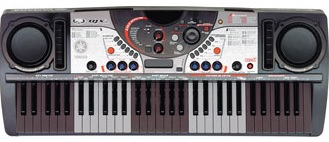
Once upon a time (around the year 2000), Yamaha was into beat boxes and other spiffy tools for creating dance, hip hop, and other forms of “electronic” music. The DJX-II groove machine was an entry-level keyboard designed for budding DJs and musicians. It combined a funky looking 61-key keyboard, pattern-based sequencer and basic sound engine into an all-in-one, battery-powered instrument with built-in amplifier and speakers. Genres included techno, trance, garage, hip hop, old skool and trip hop.

DJX-II

The musician or DJ could select from 70 preset patterns, each pattern with ten variations. The variations were further categorized into six MAIN patterns and four FILL patterns. The keyboard was divided into five 12-key zones where each octave performed a specific performance function. One of the zones selected the current variation allowing the player to switch between pattern variations. Another zone transposed the pattern into the current root key.

Yamaha still makes the original DJX-II patterns available through its support site. Each of the files is a standard MIDI file (SMF) containing a single pattern. Although they are in SMF format, the files are not immediately useable. The rhythm tracks are programmed for some truly ancient and arcane Yamaha drum kits, none of which adhere to GM or XG layout conventions. Further, the files cannot be imported and played as an arranger workstation style, i.e., they do not contain the information and format needed by a PSR/Tyros style.

Last December, I developed a process for converting a DJX-II pattern file to a PSR/Tyros style file. I wrote and posted an earlier article on the DJX-II style format and conversion process. I then got to work and converted fifteen patterns to PSR/Tyros style format.

The patterns are all on the jazz tip and they include some pretty hip chord changes! I quickly found that I needed to transcribe the chord changes and bass lines in order to play along. I used Sibelius First to notate the MIDI data in each pattern and saved the lead sheets in PDF files. Knowing the changes makes jamming easier and a lot more fun.

At long last, I’m ready to distribute the converted patterns. Here is a link to the the ZIP file. The ZIP file contains fifteen style files (one for each DJX-II pattern), fifteen PDF lead sheets and a README.TXT file with performance tips.

Update: Check out version 2 of the DJX-II style collection. It’s still free!

I strongly recommend reading the README.TXT file before using the new styles. The converted patterns behave like the new Yamaha DJ styles on the PSR-S670. You only need to play a single note in the left hand accompaniment. No chords are necessary because the chord progressions are cooked into the patterns. The note sets the root note for the progression and the arranger and DJ style take over from there.

Current and recent workstation arrangers should play these styles without problem, save the occasional kit or voice substitution. Good news for musicians with entry-level models (e.g., PSR-E443) as the style files are SFF1 and no OTS. Thus, entry-level arrangers should load and play these pattern styles, too.

Please enjoy playing with these “DJ styles.” In terms of the future, the DJX-II trip hop styles are genuinely sick and I hope to convert them one of these days!

What’s in a name?

Anything that we want to go from just a beginner to a pro,
You need a montage (montage)
Oh, it takes a montage (montage)
— Team America Lyrics

Back in January before Winter NAMM 2015, there was a lot of speculation about a new Yamaha workstation to replace the venerable Motif product line. Yamaha filed for the trademark name “Montage” in December 2014 and many wondered if this would be the name of the new workstation. (Yamaha have a teaser ad for “Reface” at https://www.yamahasynth.com with a countdown clock leading up to Summer 2015 NAMM week. Your guess is as good as mine!)

Getting a little bit Zen for a moment, it doesn’t matter what a thing is called. All that matters is what the thing is.

Periodically, I troll the United States Patent and Trademark Office (USPTO) database for interesting patents and patent applications. Yamaha carefully (and wisely!) protects its inventions through patents. Yamaha R&D, by the way, rarely publishes in the scientific literature, which is another way to stake your ground. Patent protection is stronger legally. A patent costs money, so a corporation is usually serious about a technology when it makes the commitment to file. The Yamaha patent applications cite Japanese applications/patents to establish priority in the United States. Thus, there is usually an existing Japanese application or patent that was filed at an earlier date for each US application.

Of course, a patent does not necessarily indicate that a product will follow. However, I’ve noticed a trend in some (relatively) recent filings by Yamaha.

Let’s start with US Patent Application Publication 2013/0305902, “Accompaniment Data Generating Apparatus,” published November 21, 2013. Quoting the application, “An object of the present invention is to provide an accompaniment data generating apparatus which can generate automatic accompaniment data that uses phrase waveform data including chords.” This rather lengthy patent application describes a musical instrument keyboard that uses audio waveforms in the same way that an arranger or Motif-series workstation uses MIDI phrases (AKA arpeggios). The application cites Japanese Patent Publications No. 2900753 (MIDI-based accompaniment) and No. 4274272 (MIDI-based arpeggio performance) as prior art.

US Patent Application Publication 2013/0047821 (published February 28, 2013) covers similar ground. This application adds waveform pitch shifting and time stretching. It cites Japanese Patent Publication No. 3397082 on the specific capability of pitch shifting and time stretching. Audio phrases (waveforms) need to be transposed via pitch shifting and must fit into the rhythm via time-stretching.

US Patent Application Publication 2013/0305907 (published November 21, 2013) is related to the previous two application. It covers production of chords using audio waveforms, guided by chord root and chord type.

US Patent Application Publication 2014/0033902 (published February 6, 2014) is titled “Technique for Analyzing Rhythm Structure of Music Audio Data.” The technique described in this application identifies the beat positions and intervals in a piece of music in audio form (i.e., rhythm pattern analysis). Figure 1 shows the embodiment (design) of the technique within an accompaniment generation system. The beat position information is used to synchronize playback of both MIDI and audio phrases. The diagram shows a “MIDI reproduction section” and an “Audio reproduction section.”

The most recent publication is 2015/0154979 (June 4, 2015) and is titled “Automated Performance Technology Using Audio Waveform Data.” The application deals with a specific issue that arises when audio waveforms are used for accompaniment (pitch shifting and time stretching). Quoting the application, “it is an object of the present invention to properly deal with a processing delay and sound quality deterioration that are likely to occur when audio waveform data is reproduced with time axis expansion/contraction control performed on the audio waveform data in accordance with a desired performance tempo.”

These are long documents with a lot of detail expressed in excrutiating “patent language.” They are too long and detailed to summarize here. I recommend downloading the patent applications from the USPTO, brewing coffee, and then reading the applications.

Looking at the overall trend, Yamaha are thinking about automated accompaniment that incorporates both MIDI and audio phrases. This technology could be applied to arranger instruments or a new generation of synthesizer workstation. The latest arrangers have “audio styles” which only use audio for the rhythm track. No “harmonic” phrases (e.g., bass line, electric piano comping, etc.) are available. The current Motif generation (the XF and MOXF) have only MIDI-like arpeggios. Possibly, combined audio/MIDI accompaniment was not fully cooked in time for the PSR-S950 and Tyros 5.

I am very interested to see if Yamaha rolls out this technology in future products. The definition of “montage” is “the process or technique of selecting, editing, and piecing together separate sections of film to form a continuous whole.” Hmmm.

Make music with MMS on a PSR

Yamaha Mobile Music Sequencer includes features for Motif, MOX and Tyros5, but did you know that you can create music using MMS on your PSR arranger? Yes, you can!

I’m using MMS with both the Yamaha PSR-E443 and PSR-S950 and I have written up a tutorial on making music with MMS on PSR/Tyros. This article concentrates on set-up, MIDI voice selection and MIDI file export which are aspects not covered by the MMS manual. The tutorial complements the many on-line videos that demonstrate composition and mix down. In particular, I show how to use the full 128 voice General MIDI voice set in the PSR, thereby expanding your sonic palette beyond the limited range of voices built into MMS.

Enjoy and keep on keepin’ on!

Scat voice expansion pack

I’m pleased to release version 1 of my jazz scat voice expansion pack for Yamaha PSR-S950 and PSR-S750 arranger workstations. The expansion pack has five PSR voices which let you create “Take 6” style, a cappella arrangements and other kinds of jazz voice performances. Give the MP3 demo a try!

Four of the PSR voices are individual syllables: DOO, DOT, BOP and DOW. The DOO syllable is looped and let’s you create sustained chords for backing. The DOT, BOP and DOW syllables are short and provide scat-like expression. All four syllables are combined into a velocity-switched voice where you select and play one of the syllables based on how hard you strike the keys (i.e., MIDI note velocity). You will need to adjust touch response (and practice!) to get the most playable and musical result.

Here is a link to the expansion pack file. You need to download and UNZIP this file, then install the YEP file by following the directions in the Yamaha PSR-S950/PSR-S750 Owner’s Manual. See the section titled “Expanding Voices”.

I am also releasing the multi-samples that I used to create the expansion pack in case you would like to create a scat voice for your own synthesizer or software instrument. If you are curious about how I created the expansion pack voices and the samples, please see this blog post.

Both the scat voice expansion pack and the scat voice samples are released under a Creative Commons Attribution 4.0 International License.

Creative Commons License
ScatVoices and ScatVoice samples by Paul J. Drongowski are licensed under a Creative Commons Attribution 4.0 International License.

You are free to use the expansion pack voice or samples (even for commercial purposes) as long as you provide a link to http://sandsoftwaresound.net from your own web site AND/OR explicitly credit me in your creative work, e.g., “Scat samples/voice by Paul J. Drongowski”.

Vocaloid is not just for anime!

As I mentioned in my last post, I’m developing a new sample-based voice for the Yamaha PSR-S750/S950 arranger workstations. Roland is famous for its “jazz scat” voice which uses velocity-switching to trigger syllables like DOO, DAT, BOP and DOW at pitch. This synth voice is good for a cappella-like arrangements (think “Take 6”) or free melody lines. It’s a real boon for those of us with weak natural voices and technique.

The Roland scat voice incorporates samples from the Spectrasonics Vocal Planet library produced by Eric Persing and Roby Duke. Although these are great sounds/samples, I want to distribute both the workstation voice (as an expansion pack) and the samples within. I intend to make my work available under a Creative Commons attribution license. Thus, I want and need to produce fully original samples in order to avoid copyright and licensing issues.

The quest

These goals and desires launched a month-long quest for suitable “scat” samples. I decided to base the scat voice on the four syllables DOO, DOT, BOP and DOW where the DOOs are looped and the other syllables are one-shots. The DOOs are triggered at relatively low velocity and provide a pad-like bed while the DOTs, BOPs and DOWs provide short staccato accents/melody. The voice implementation requires a set of multi-samples for each syllable where the multi-samples are spread across the natural range of the human voice (F3 to F6 where C5 is middle C).

Freesound.org has a few individual sounds, but nothing in the way of multi-samples across a range of pitches. I next decided to try sampling my own voice. A few tentative attempts left me highly discouraged! I’m a baritone with a relatively small range — definitely not F3 to F6! Plus, I lack training and my technique is not particularly good.

I then began to experiment with vocoding. I was hoping to achieve loopable, pitch-accurate samples by using my voice as a formant and imposing my voice on a pitch accurate synth sound (the carrier). I experimented with the vocoders in the PSR-S950 and the Yamaha MOX6 workstation. The MOX6 vocoder is great at producing dance-floor sounds, but not so good at producing more natural vocal sounds suitable for jazz.

Not to be too cagey, I eventually found good use for the S950 vocoder and will describe this process in a separate post. Before I went in that direction, however, I discovered and tried Yamaha’s Vocaloid.

Vocaloid

Here is how Yamaha describes Vocaloid.

Vocaloid is a technology for singing voice synthesis developed by Yamaha, and the name of this software application. The software allows users to input melody and lyrics in order to synthesize singing. In other words, with this technology, singing can be produced without a singer. Singing voice synthesis is produced by using fragments of voices recorded from actual singers, called the Singer Library.

To a user, Vocaloid consists of two parts: the Vocaloid editor and one or more libraries. Generally, Yamaha does not provide the libraries and prefers to license the Vocaloid technology to third parties (like Zero-G) who develop libraries using their own artists.

Vocaloid has an active and enthusiastic on-line community among anime enthusiasts. There are Japanese and English singer libraries for various anime characters or personas. These singers are not appropriate for jazz! Fortunately, there are a few singer libraries for pop and classical vocals.

Mini-review

Vocaloid is not inexpensive. The full Vocaloid version 3 editor is about $160USD and individual Vocaloid 3 singer libraries are $150USD. Thus, it’s hard to take a casual drive by the latest Vocaloid technology and give it a try. Vocaloid 4 has just been announced along with Cyber Diva. Pricing, unfortunately, has not budged.

Luckily, Zero-G has a fire sale on a few individual Vocaloid 2 libraries which include the version 2 editor. I bought the Zero-G Tonio library for $50USD. This is a much smaller amount to gamble in order to get a taste.

Tonio is an opera singer. The Tonio demo is very good (it’s opera!) and after messing with Vocaloid and Tonio, someone sank a lot of work into that demo! You can get very nice results from Vocaloid if you are willing to spend countless hours tweezing a performance. I recommend the on-line Vocaloid reviews at Sound on Sound Magazine. The reviews are right on the money and provide useful information to help get you started with Vocaloid. (SOS is great that way.)

To make a long story very short, you edit the vocal performance in the editor by entering lyrics into a piano roll editor. You then change the attack, vibrato and other aspects of the vocal performance. These tweaks are essential for getting a good result.

Ultimately, Tonio is an opera singer and his vocal characteristics are a distinct part of the vocal samples that underlie the singer library. There ain’t no way to turn this nice Italian boy out and make him sing pop! He isn’t Bruno Mars. Please keep this in mind if you decide to try Vocaloid in a project of your own. Make sure that the voice library is a simpatico match with the target genre/style. This is why I moved on from Tonio and Vocaloid for the scat voice project.

The technology

Yamaha has invested heavily in the Vocaloid technology and have filed many patents. They are conducting joint research with The Music Technology Group (MTG) of the Universitat Pompeu Fabra in Barcelona. The MTG, by the way, are the people behind the Freesound.org web site.

Vocaloid does a lot of intense digital signal processing (DSP). It modifies and concatenates sound in the frequency domain. It performs a Fast Fourier Transform (FFT) to convert from the time domain to the frequency domain, modifies the spectral characteristics of the sound, and then performs an inverse FFT to return to the time domain. This is too much computation to perform in real-time. Thus, there is always a delay while Vocaloid renders a performance before playback.

Yamaha protects its intellectual property (IP) through patents and rarely publishes results in the scientific literature. Vocaloid is an exception, probably due to the partnership with MTG. Here is a short list of a few papers on Vocaloid and its technology.

  • Singing synthesis as a new musical instrument, Hideki Kenmochi, IEEE International Conference on Acoustics, Speech and Signal Processing, 2012 (ICASSP 2012).
  • Sample-based singing voice synthesizer by spectral concatenation, Jordi Bonada and Alex Loscos, Proceedings of the Stockholm Music Acoustics Conference, August 6-9, 2003 (SMAC 03).
  • VOCALOID – Commercial singing synthesizer based on sample concatenation, Hideki Kenmochi and Hayato Ohshita, International Speech Communication Association (ISCA), Interspeech 2007.

You don’t need to know all of this to use Vocaloid, but it’s good to know that there is cutting edge science behind the product.

I strongly recommend the developer interview with Michael Wilson which is published at the Vocaloid US web site. The interview gives insight into the incredible amount of work and detail behind the development of the latest library, Cyber Diva. This interview is extremely informative. Thanks, Michael. Articles such as this one bridge the gap between vacuous press releases and scientific papers giving everyone a greater appreciation for the technology behind a product.

It is also the best case to be made against software piracy. Innovation, research and development is fueled by money. Cheat developers out of their just payment only if you wish to kill off future innovation!

The Vocaloid technology reminds me a little bit of Super Articulation 2 (SArt2) on Tyros. SArt2 concatenates tones together to product realistic articulations such as legato and glissando. SArt2 works in the time domain and computes in real time although latency remains a very practical concern. (There are patents.) Perhaps someday when sufficient parallel processing resources are inexpensive, there will be an SArt3 that computes in the frequency domain.

PSR-E443: Snap review

Ah, it’s always fun to post a “first impressions” review of a new toy! In this case, the Yamaha PSR-E443 portable arranger.

I like to use a battery powered keyboard at rehearsals since an all-in-one sets up and tears down without a lot of work. Up to this point, I’ve been playing an old Yamaha PSR-273. The 273 first made the scene in 2003, so it was definitely time for an update.

The PSR-E443 is the top of the entry-level portable keyboards from Yamaha. It has 61 keys and a built-in stereo sound system comprising two woofers and two tweeters. The E443 is powered by either an AC adapter (PA-150) or six AA batteries. So far, I’ve only used an AC adapter and don’t have a feel for battery life. Fortunately, the MOX6 uses the same PS-150 adapter and I didn’t need to buy yet another adapter. (The E443 does not ship with an AC adapter.)

For the sake of review, I played similar styles and MIDI songs on the old PSR-273 and the more expensive PSR-S950 arranger workstation ($250 street for the E443 version $1,900 street for the S950). The E443 sells for about the same price as a mid-range “boutique” guitar pedal. Given that the E443 consists of a computer-based sound generator, analog-to-digital converter (ADC) for the auxiliary audio input,
LCD display, keyboard and media content (e.g., styles, DJ patterns, voices), it’s quite a manufacturing feat to deliver a fun, usable product at such an aggressive price point!

In terms of build quality, you definitely get what you pay for. The build quality of the old PSR-273 seems to be more robust than the E443. Yamaha definitely has taken cost of the E443 in order to sell it for a $250 street price. Although the E443 is a reasonable solid product for the home, it would definitely not hold up on the road. The push buttons do not have the same solid feel as the S950 (or the MOX synthesizer) and one needs (and should use) a gentle touch when pressing buttons. Cosmetically, the only really bothersome observation is the obvious difference between the top C key and the rest of the keys in the key bed. The top C is an add-on key which is not aligned evenly with the rest of the keys and which has a slightly different color (shade of white) than the other white keys. In comparison, the old 273 and the more expensive S950 have nice even keys and consistent key color.

The E443 has a somewhat “retro” sound set augmented by many additional voices that were added over the history of the E4xx series. The E443 and 273 share many of the same panel voices which is a little disappointing. These common voices sound somewhat better on the E443 due to better effects, equalization and sound system. However, with only a few exceptions, the panel voices in common share the same waveforms. One of the exceptions are the string voices. The E443 strings sound much better especially in the lower octaves.

The XG sound set is definitely a step up from the 273 although the S950 XG sound set is at a still higher quantum level in quality. I played the same commercial XG file (“Smooth Operator” by Sade) through all three instruments. The 273 is truly pathetic, the E443 is acceptable, and the S950 is not too bad at all. The E443 does not have the benefit of the XG variation (DSP) effects as available on the S950 and the solo sax sounded just a tad naff. However, I think a typical consumer would be happy with MIDI file playback through the E443; it definitely beats the Microsoft wavetable synthesizer!

Although it sounds a bit negative at this point in the review, the E443 definitely shines brighter than the 273 due to the additional, augmented panel voices. These voices include the several “Cool” and “Sweet” voices, three dynamic velocity-switched voices, a handful of newer voices like “Woodwind Section”, and the many “DJ” synthesizer voices that were added to implement the DJ patterns. There are also some wonderful world voices like Trumpeta Banda and Harmonium. The sound designers also added a few dozen dual (layered) voices. Even though the dual panel voices use the same waveforms as normal non-layered panel voices, many of these dual panel voices are fatter, very playable and usable. I’m looking forward to using these “newer” voices and the improved strings at rehearsals.

The area where the E443 shines brighter than the S950 (!) is the real-time tweaking provided by the two sound control knobs on the front panel. Even though I’m not a huge synth enthusiast, I used the knobs to tweeze voices like the dynamic overdriven guitar while jamming over a style. I’m now sold on having a few knobs around for real-time tweaking and would love to see a couple of knobs on the mid-range arranger workstations. Pressing up/down buttons in the S950 mixing console just doesn’t have the same feel or immediacy. Further, a quick check with MIDI-OX shows that the E443 sends MIDI CC messages for cut-off frequency, resonance, reverb level, chorus level, attack time and release time when the appropriate knob is twisted.

The E443 also has some advantages over the S650 (the next model up in the arranger family). The E443 supports limited voice programming and stores the same six voice parameters for the main and dual voice. These voice parameters are stored in registration memory. This makes the E443 voices tweakable. The S650 lacks even this rudimentary level of voice editing.

Like voices, the styles are a mix of old and new. The styles include many old chestnuts like “Cool8Beat.” The older styles sound better through the improved sound system, but they retain the same essential phrases. The newer styles, especially those in the “Dance” category create more excitement. There are also a few fun additions in the Latin and World categories. Each style has a “One Touch Setting” (OTS) voice that selects a voice that Yamaha deemed to be appropriate for the style. Of course, this is somewhat hit or miss as personal taste and preference varies. There are a few surprises like a very nice Sweet Flute and Piano layer.

The E443 is reasonably adept at playing commercial styles in the original (and older) Style File Format (also known as “SFF” or “SFF1”). I played the styles in the MIDI Spot Soul and Blues pack and got a fairly decent result. These styles were developed for the PSR-9000 (circa 2000). It goes to show that good programming and musicality trumps mere technology! I had more trouble getting the recent “HappyBeat” style to sound decent even though Musicsoft sells this style as “PSR-E443 compatible.” It isn’t just a difference in voicing — the actual harmony sounds off and discordant. I am increasingly disappointed in Musicsoft’s notion of “compatibility.”

I successfully played back the DJX II patterns which I have been converting for PSR. More about this in a future post.

Speaking of DJ patterns, we finally are getting to the E443 functionality that makes it unique in the current arranger product line! There are twenty EDM patterns. I don’t work in the genre, so I’m not really qualified to speak to their currency or quality. However, I do know that EDM styles change with lightning speed! I also know that you cannot load new (user) patterns into the E443. You have to be happy with what Yamaha have provided. Yamaha, even if you continue to keep the internal patterns locked up — a user cannot save or play the patterns to a MIDI file or data stream — please, please, please add the ability to load new patterns. This capability would really enhance the product and create a community of developers around the E4xx series. As Patti Smith said, “This is the era when everyone creates.”

I like the Old Skool and R&B Smooth patterns the best, but that’s just me. Old Skool immediately brings up memories of Grandmaster Flash and “The Message.” Each pattern seems to have an OTS voice (panel voice number 000). The R&B Smooth pattern’s OTS brings up a nice Sweet Flute and Voice Lead layer.

The E443 has 150 arpeggios (musical phrases) for additional instant, real-time fun. The arpeggios track and respond to notes played with the right hand. (BTW, with the main, dual and split voice capability, you can play a left hand bass along with a two-voice layer with your right hand.) Wisely, there are also forty arpeggios voices which automatically bring up a voice and an appropriate arp. This makes it easy to jump into arpeggios without having to do any configuration. Of course, you can change the arp type, voice, etc. to come up with new combinations.

Between the DJ patterns and arpeggios, the E443 approaches the capabilities of the MM6/MM8 “Mini Mo” workstation. The Mini Mo had DSP effects and a smattering of Motif voices, but the E443 has more voice editing and more user style locations — all at a much lower price. If you crave the old MM6/MM8 patterns, they are available through the Yamaha Mobile Music Sequencer (MMS), where Yamaha have re-purposed them. I tried MMS with the E443 and I’m happy to report that you can drive the E443 with MMS on iPad with a little knowledge and consideration of how MMS selects General MIDI voices and drum kits. This is a subject for another day.

The E443 has a pretty decent range of drum kits. Some of the kits have been around the loop once too often and lack punch. When I was experimenting with the DJX II patterns, I noticed that the E443 Dance Kit is the older version of the Dance Kit and has been assigned a different program change number (#113) than the most current kit on the S950. This may be an issue for content creators more so than regular players.

The E443 user interface is a significant refinement of the old PSR-273 era interface. The E443 provides many direct access buttons where you just need to hold a button for a little while in order to be taken to the appropriate editing screen. Further, Yamaha have made it much easier to navigate through the “Function” menu. In the 273 era, one had to repeatedly push the function button to step sequentially through the function menu. With the E443, you navigate through the function menu using the category buttons which do double duty as up and down. Another nice improvement is the transpose button on the front panel. On the 273, I would often skip past the transpose screen and have to circle all the way around the menu. This is a true pain at rehearsals as our music director will often call for a new key right on the spot.

Overall, the E443 is “something old, something new, something borrowed, something blue.” For the street price, it’s hard to find a better value in both sound quality and fun!

Mining the Yamaha DJX II

Update: Follow this link to download a free collection of PSR/Tyros DJX-II styles.

Time to party like it’s 1999!

The Yamaha DJX II was the second generation of Yamaha “DJ” keyboards that were targeted for musicians/producers working in “dance” styles (e.g., tekno, hip-hop, drum’n’bass, etc.) Thus, the DJX II uses loop-like “patterns” as its basic musical element instead of arranger styles. The DJX II is best remembered for its unusual keyboard; Some octaves had white whole note keys while other octaves used grey. That’s because different octaves controlled different functions like selecting a pattern to play or transposing a pattern.

The DJX II had a selection of fairly decent patterns in different dance-oriented genres. Although I’ve never heard a DJX, it’s sound was probably hobbled a little bit by the sound set. The DJX II had only 4MBytes of wave ROM! The internal and external patterns are available for download from the Yamaha support site. Seems like a place to find and mine some useable musical phrases, and naturally, I’m looking for the funk. The target keyboard is the PSR-S950 arranger workstation.

The ZIP files from Yamaha unpack into a bunch of standard MIDI files (SMF). Each SMF contains a group of ten, musically related patterns that form a construction set. The SMF has a small amount of set up information at the beginning: General MIDI reset, reverb type select and chorus type select messages. Each pattern within the SMF begins with a MIDI text marker from “1” to “10”. In order to convert the SMF for the PSR-S950, I changed these markers to arranger style markers (e.g., “Main A,” “Intro A,” etc.) and added “SFF1” and “SInt” markers to the first measure. The new marker name determines the method by which the arranger will play the pattern. More about this in a second.

As I mentioned above, the DJX patterns are assigned to keys such that a single key press plays a particular pattern. The patterns are laid out according to black and white keys as follows:

Pattern  Type  Key color
-------  ----  ---------
1        Main  White
2        Fill  Black
3        Main  White
4        Fill  Black
5        Main  White
6        Main  White
7        Fill  Black
8        Main  White
9        Fill  Black
10       Main  White

Main patterns are on the white keys and fill patterns are on the black keys. Fill patterns are not restricted to one measure; a pattern may be anywhere from 1 to 256 measures in length.

Given these considerations, you may need to be a bit creative when assigning a pattern to an arranger section. Please recall that arranger introduction, ending and main sections may be 1 to 256 measures in length. Fill-in and break sections are limited to one measure. A DJX “fill” pattern may be greater than one measure and cannot always be assigned to an arrange fill-in section. Further, you may not even want to assign the fill pattern this way, preferring to invoke the pattern from one of the section buttons instead. The three introduction buttons (sections) are good destinations for a “fill” pattern because the section acts like a manually controlled fill button. The arranger will play the fill pattern (introduction) and then automatically proceed to the selected main section.

Patterns assigned to arranger ending sections are a little problematic. An arranger ending will stop playback unless another section is selected. You’ll need to fast finger the arranger buttons when jamming.

Even though this seems complicated, it’s not really. The more difficult and time-consuming part is dealing with the drum sets and note mappings.

First, some background is needed. The DJX channel layout is very different than the arranger channel layout. Here is the layout for the 53_Soul pattern file, which is typical of all DJX II SMFs:

Channel  DJX PC#     DJX voice         S950 voice/kit
-------  ----------  ------------      --------------
9        126   0  3  BD Kit        --> Real Drums
10       126   0  4  SD Kit        --> Real Drums
11       126   0  1  B900 Kit      --> Hip Hop Kit
12       127   0  5  Analog Kit1   --> Analog Kit
13       0   112 34  Pick Bass     --> Pick Bass
14       0     0  1  Bright Piano  --> Bright Piano
15       0   112 17  Jazz Organ    --> Organ
16       0   113 27  60's Clean    --> Tremolo Guitar

Channels 9 to 12 are rhythm, channel 13 is bass, and channels 14 to 16 are phrases. By (un)convention, channel 9 is bass drum, channel 10 is snare drum, channel 11 is high hat and channel 12 is percussion. Channels 9 to 12 must be set up as drum parts:

F0 43 10 4C 08 08 07 01 F7
F0 43 10 4C 08 09 07 01 F7
F0 43 10 4C 08 0A 07 01 F7
F0 43 10 4C 08 0B 07 01 F7

These System Exclusive (SysEx) messages must be added to the initialization part of the SMF in order to select different drum kits independently under XG.

You’ll need to choose new drum kits for the rhythm channels since the DJX II has its own unique, non-standard kits. This part is totally creative. Who’s to say what the new style should sound like? If it moves your booty, then it’s a winner! Fortunately, the bass drum, snare drum and hi-hat channels seem to use these drum instruments exclusively. This narrows the re-mapping problem. I remapped the kick first just to get a listenable groove going and then tackled the snare followed by the hi-hat. The following chart lists the DJX II drum kits and the roughly equivalent S950 drum kit.

DJX II drum kit           S950 drum kit
------------------------  ------------------------
127 0  5 Analog Kit1      127 0  25 AnalogKit
                          126 0   8 AnalogSet     [GM]
127 0  8 Analog Kit2      127 0  58 AnalogT8Kit   [Major update]
127 0 10 Analog Kit3      127 0  59 AnalogT9Kit   [Major update]
127 0 13 Analog Kit1D     127 0  58 AnalogT8Kit   [Distorted version]
127 0 14 Analog Kit2D     127 0  59 AnalogT9Kit   [Distorted version]
127 0 12 RhBox Kit
127 0  9 Hard Kit
127 0 11 Break Kit        127 0  57 BreakKit
127 0  6 Dance Kit        127 0  27 DanceKit      [Major update]
127 0  4 Electronic Kit1  127 0  24 ElectroKit
                          126 0   3 ElectronicSet [GM]

126 0  0 Electronic Kit2
126 0  1 B900 Kit
126 0  2 DJX Kit                  HipHopKit?
126 0  3 BD Kit
126 0  4 SD Kit
126 0  5 HH Kit
126 0  6 Human Kit        
126 0  7 Scratch Kit

127 0  0 Standard Kit1    127 0  0 Standard Kit1  [Legacy]
127 0  1 Standard Kit2    127 0  1 Standard Kit2  [Legacy]
127 0  2 Room Kit         127 0  8 RoomKit
                          126 0  1 RoomSet        [GM]
127 0  3 Rock Kit         127 0 16 RockKit        [Legacy]
127 0  3 Rock Kit         127 0 90 RockKit2
127 0  7 Jazz Kit         127 0 32 JazzKit
                          126 0 35 JazzSet        [GM]

The DJX-specific kits (BD kit, SD kit, B900 kit, etc.) do not remotely follow General MIDI-ish conventions. It takes a lot of note mapping to get these drum patterns to play sensibly. I recommend playing back the SMF from a DAW (like Sonar) while tweaking the SMF. Do not attempt note remapping on the arranger — you’ll only drive yourself crazy!

Chord progressions are part of the patterns, so the melody/chord phrases need to be transposed like introductions and endings. Please review Note Transposition Rules (NTR) and Note Transposition Tables (NTT) before forging ahead. Since the channel layout is unconventional, the CASM information must be changed to be consistent with the MIDI channel data. Channels 9 to 12 are configured for rhythm NTT/NTR (root fixed, bypass) and the Channels 13 to 16 are configured for intro/ending NTT/NTR (root transpose, bypass). The chord root must be changed to match the phrases (53_Soul: Fm7, 59_ClubFunk: Dm7). You’ll need to identify the root (the musical key) either by ear or by analyzing the chord harmony.

Tool-wise, I did most of the editing in Sonar X3. I used Jørgen Sørensen’s CASM editor ( http://www.jososoft.dk/yamaha ) to create the CASM section for the style and to change the NTR, NTT and chord root information. Special thanks go to Jørgen for creating such great and helpful tools!

Oh, yeah, the final results. Here is a link to the ZIP file containing the 53_Soul and 59_ClubFunk styles. Enjoy!