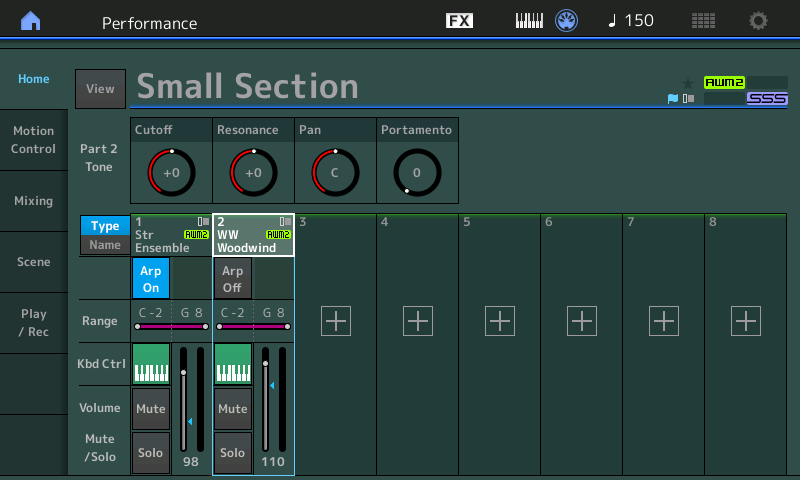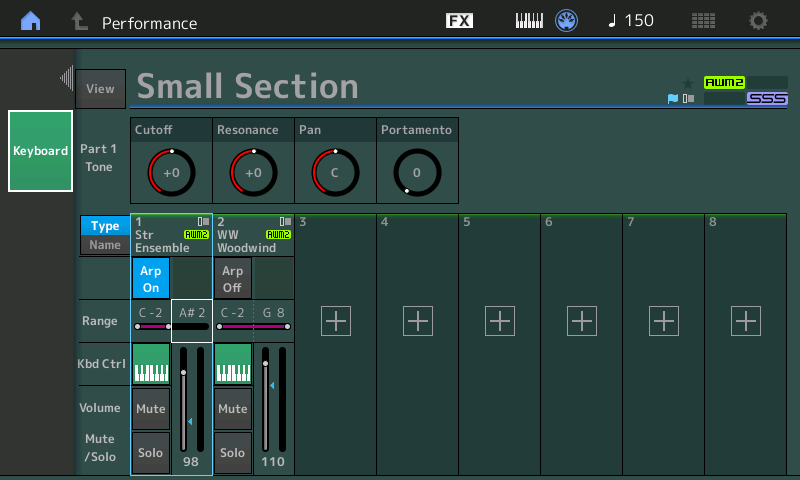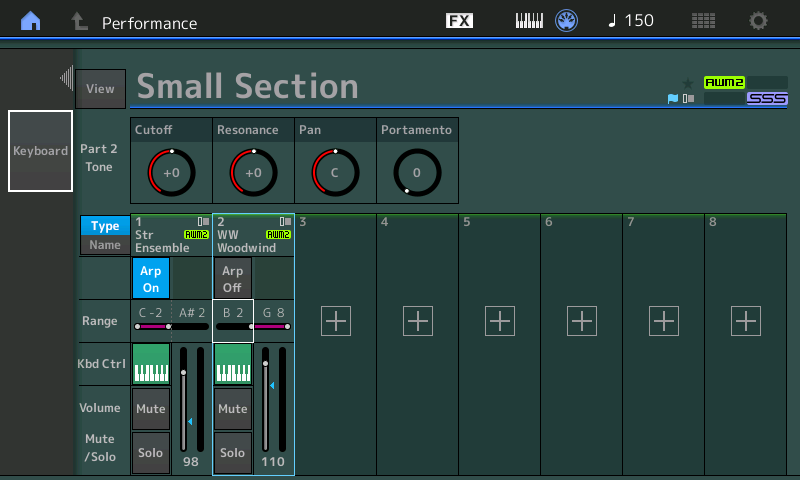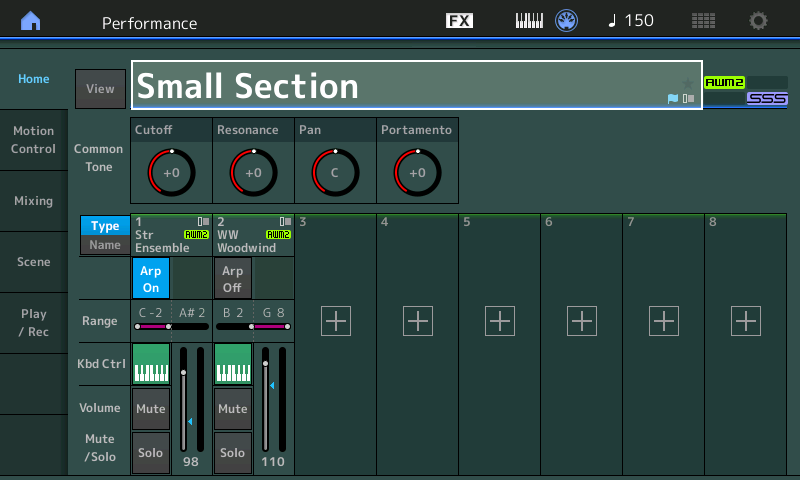
And we’re off!

The exploration begins!

Starting in with a new keyboard is like landing on the Moon. What should I explore first?

First stop: Reverb

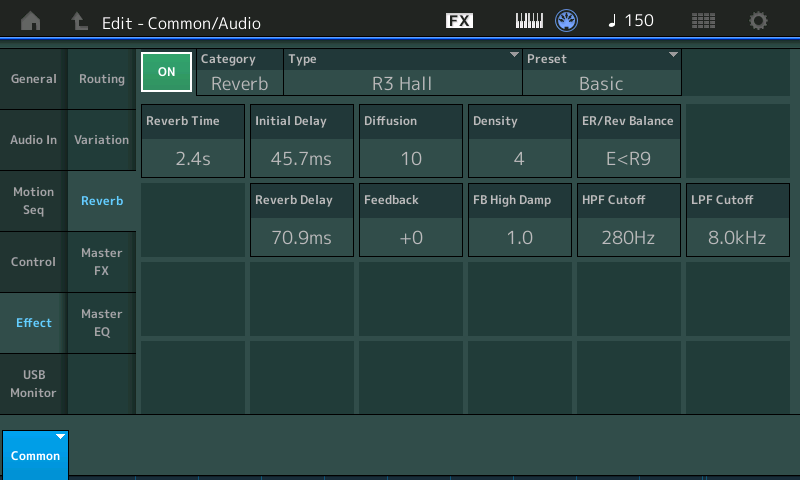
Effects are critical to good sound. I’ve fallen in love with the Genos™ “Real Small Hall+” effect preset. It just sounds nice to my ears and I want to incorporate it into Performances as I port my MOX voices to MODX. The “Real Small Hall+” preset has a mid-range bump around 700Hz to 800Hz which adds presence.

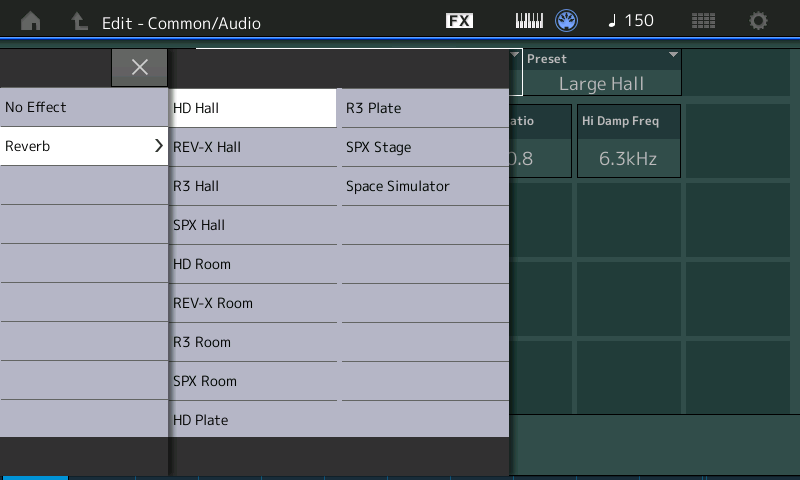
First off, what the heck is the equivalent effect algorithm on MODX? The Genos “Real Small Hall+” uses the Genos “REAL REVERB” algorithm. Quick comparison between the Genos Reference Manual (RM) and the MODX RM reveals that “HD Hall” is the same as “REAL REVERB”. Frankly, I don’t know why Yamaha names effects differently on different product lines. Slightly bonkers.

MODX provides three presets for “HD Hall”:

  • Large Hall
  • Medium Hall
  • Bright Hall

The “Medium Hall” preset is the closest to “Real Small Hall+”. It’s not the same, so there will be some extra editing ahead. In case you’re wondering, here are the parameter settings for “Real Small Hall+”:

Number Parameter Value
1 Reverb Time 1.3s
3 Initial Delay Time 22.1ms
4 High Damp Frequency 8.0kHz
6 High Ratio 0.8
13 EQ Low Frequency 700Hz
14 EQ Low Gain +6dB
15 EQ High Frequency 800Hz
16 EQ High Gain +4dB
Return Level 64

I would love to make a MODX user effect preset with these specific parameter values. Would sure save a lot of editing…

Of course, I tried these settings and so forth. In the course of investigation, I found it easier to navigate with the MODX cursor keys instead of poking the touch screen. As I mentioned in my last post, the small size of the MODX widgets requires care and precision when tapping the screen. I also noticed that more finger pressure is required than the Genos touch screen. Widgets along the edge of the screen are the most troublesome and maybe I’ll need to re-calibrate the touch panel.

Next step: Rotary speaker effects

One big, lingering question in arranger-land is how to make the PSR/Genos drawbar organ more realistic.

I need to port my B-3 patches, so it made sense to drop into the “All 9 Bars!” Performance. “All 9 Bars!” is a 2-part Performance which marshalls 14 voice elements into a pretty decent B-3 plus Leslie emulation. Part 1 implements the first eight drawbars and part 2 implements the 1′ bar plus some other goodies.

I’ll have more to say about the part programming in another post. In the meantime, here is a screen shot showing the insert effects routing for “All 9 Bars!”. [Click images to enlarge.]

The MODX “Rotary Speaker 1” algorithm is what we could call “the old algorithm.” “Rotary Speaker 2” is the “new algorithm” debuted in Montage. The rotary speaker effect (Insert A) drives the Multi FX (Insert B) algorithm before everything hits the 2-band EQ (flat).

The following screen shot shows the parameters for the “Rotary Speaker 1” effect.

The “Rotary Speaker 1” algorithm includes its own 2-band EQ which gives a kick at 200Hz and 4.5kHz. Thus, the 2-band EQ at the end of the Insert A to Insert B chain is flat.

The next screen shot summarizes the parameter settings for the “Multi FX” effect.

BTW, both the Multi FX and HD Hall reverb were introduced in the Motif XF version 1.50 update. Multi FX is supported in the PSR-S950 (and later) mid-range arrangers, Tyros 5 and, of course, Genos.

The effect routing diagram illustrates one immediate advantage of the Yamaha synth effect architecture over the Genos effect architecture. It is possible to chain two insert effects on Genos, but you need to stand on your head to do it. Also, it’s not easy to chain a distortion effect into the PSR/Tyros “Organ Flutes” mode. These limitations are due to legacy software and the XG voice/effect architecture — and they stick in everyone’s craw like a bad burrito. Yamaha, please?

MODX screen capture

About those screen shots!

Like Montage, the MODX has a double-secret Easter egg for capturing screen shots.

  1. Insert a USB flash drive into the USB TO DEVICE port.
  2. Press and hold the A/D INPUT ON/OFF button.
  3. Press and release the AUDITION button.
  4. Release the A/D INPUT ON/OFF button.

The MODX writes screen shots to the USB flash drive with names such as “DSNAP_0.png”. I don’t know why Yamaha hides this capability. We live in a modern, visual age, after all, and people need to share screen shots through (anti-)social media.

Here’s two tips. 1. To save wear and tear on the USB TO DEVICE port, I plug a short extender cable into the port and then plug the USB flash drive into the extender cable. The cable brings the port to a place where I can easily reach it and it reduces wear on the port connector. 2. The screen capture procedure doesn’t provide any visual indication that the capture was successful or complete. Use a USB flash drive with an activity LED (e.g., the Kingston Data Traveler Elite G2). You should see the drive’s LED flash when the PNG file is written. Naturally, do not remove the drive when it is active!

Copyright © 2018 Paul J. Drongowski

Relationship: Committed

I went in to play the 88 and walked out with the 61.

It isn’t because I don’t like the Yamaha MODX8 — it comes down to repertoire, need and gamey heart rhythm. If I could schlep the Montage 6 (33 pounds), I would have bought the Montage ages ago. 🙂

I dropped by my local GC knowing that they had a MODX6 in stock. I was hoping to try the MODX6, but found an 88-key MODX8 set up and waiting. As it was with the Montage launch, Yamaha laid out a little extra promotional money and the MODX8 was driving a pair of Yamaha HS8 monitors. Nice. Extra nice, it was raining like crazy and nobody was in the store. GC took a little bit away from the experience by hooking up a truly beat-out sustain pedal and cheap-ass cables to the HS8s. Life is never perfect.

The MODX8 is a very nice instrument. I spent 20 or so minutes jamming and generally had a blast. The hand-to-sound connection of the multi-part CFX grand piano is excellent, IMHO. This is a good keyboard for piano. Organ, not so much. The keys cut my hands when doing palm swipes. I played long enough to verify that all of the Montage sound is in the MODX. Thank heavens I had wrung out the Montage quite heavily when comparing Montage versus Genos™ and knew what to listen for.

BTW, I stick by my earlier comment. It’s a long reach to the MODX8’s pitch bend wheel, MOD wheel and assignable function (AF) buttons. This is the only genuinely negative thing that I can say about the MODX8.

Stop arguing on-line about the action. (And DACS. And touch screens.) Go play one. If you like it, buy it. The MODX8 — or any other instrument — is what it is.

I hadn’t really planned to buy the MODX6 that day, but the trade-in offer was quite decent. The dealer also allowed the usual minus 10% off given during GC trade-in, trade-up promotions. I suppose I could have bargained harder…

My first reaction while unboxing — damn, this thing is small and light. The MODX6 is a pound lighter and several inches shorter than my beloved MOX6. Hurray, I can use my current gig bag! Moving the PB and MOD wheels back let Yamaha cut inches from the overall length. I’m surprised that the front-to-back depth was not increased to accommodate the color touch screen. Good industrial design.

The plastic chassis does not feel as robust as the MOX6. This is just about the only negative. The MOX6 has stood up to guitars clunking into it and relatively light travel abuse. I hope the MODX6 will prove to be robust, too. My main gripe is the fit of the plastic end cheeks (end panels). They seem a little flimsy compared to the single molded shape of the MOX6. On the other hand, I think of the 88-key MODX8 as rather sturdy.

Certain compromises are made by all manufacturers when producing a mid-range model and the MODX is no exception. The quarter inch jacks are mounted directly on a printed circuit board (PCB) and are a little wobbly when compared to an up-scale model like the Genos. All of the controls give a nice resistance. If you’re an MOX/MOXF player, you’ll be right at home.

The touch screen is the same size as the Montage, which is smaller than the Genos screen. I’ve been spoiled by the Genos! I made a few tentative experiments at performance editing and find that I need to tap the screen with more care and precision than Genos, simply because the danged on-screen widgets are smaller.

Speaking of editing, I was able to create some layers and splits without cracking the manual. One big “However”. I know the Yamaha voice architecture and approach to voice editing quite well already. A novice will need time to get up to speed. I suggest reading the first chapter or two in the MODX Reference Manual and skim the Owner’s Manual before doing anything.

About the MODX6 keybed. Yes, it’s different than the MOX. Phil Clendeninn, on the Yamaha Synth site, mentioned that the keybed is new, even with respect to the MOXF models. The black keys have a nice texture adding a little “warmth” to the touch. The keybed is similar to the keys belonging to mid-range Yamaha arrangers. Yes, these keys are light and they are not FSX like the Montage and Genos. I don’t think this is a deal-breaker. I can perform palm swipes with ease and found the similar feeling S950 keys to be robust enough.

I’m now in the process of porting over my voices and performances from the MOX6. There is a direct migration path from MOXF to MODX, but not MOX. Yamaha usually support direct migration from the previous generation (singular), not two or three generations back. The port shouldn’t be too bad as I have only ten or so splits/layers built from scratch. All other MOX6 voices are based on factory patches which are present on the MODX, too. Those edits will be simple tweaks like dialing back reverb, extending release times here and there, etc. I eventually want to exploit the shining beacon known as the “Super-Knob” and scenes. In the meantime, I’ll be happy to start small and build Live Sets equivalent to my MOX6 set-up.

So, there you have it — my first report from the field.

Before signing off for today, I’d like to say “Goodbye” to an old friend: the PSR-S950 that I traded in. I had a lot of quality time with that ‘board and some lucky customer is going to get a gently used instrument. So long!

Update. Literally. The MODX6 had version 1.00 installed. I decided to update to 1.10 before creating too many performances and the possibility of losing data. First, the download from Yamaha was extremely slow. The first two downloads failed. Next, the read me document recommends formatting the USB flash drive on the MODX. USB drive usage information is split between the Owner’s Manual and the Reference Manual. I had to search on “format” in order to find the relevant text in the Reference Manual. The Reference Manual doesn’t have an index! Finally, the formatting directions are minimal (2 sentences?) and are not easy to understand.

Actually, I need to ding Yamaha for the overall quality of the Owner’s and Reference Manuals. The grey-scale screenshots are so small as to be unreadable and unusable. Both documents read like a direct translation from Japanese and both documents need to be edited by a native English tech writer.

Copyright © 2018 Paul J. Drongowski
Getting started with style files

The question of getting started with the creation and editing of PSR/Tyros/Genos style files arose on the PSR Tutorial Forum. I’m re-posting my reply here.

The best suggestion that I can make is reading Jørgen’s style creation course:

If folks don’t like PDF, there are on-line versions of the same articles:

Honest to goodness, Jørgen has done a super job!

Another excellent resource is “Style Files – Introduction and Details” by Peter Wierzba and Michael Bedesem:

This document and other very useful information are published on Peter’s site:

Anyone who is interested in creating new styles really needs to know what is inside of a style file — not just hand-waving, but to know in enough depth to start editing.

Another alternative is the high-level tool MidiSoft Style Magic:

Even then, a modest amount of background information is needed.

Once someone has the background, I encourage them to read a few existing articles at my site. Parts 2 and 3 of the series:

describe translation of a Standard Midi File to a style. Another potentially useful article is about converting the Yamaha DJX II patterns to styles:

So, there are already quite a few resources available. Jørgen, Michael and Peter have really shown the way!

One more suggestion.

Crack open a style file with a DAW and look inside. First, change the file name extension to “.mid” by renaming the file. Then, open the file in a DAW like Sonar or Cubase. Poke around.

A Yamaha style file consists of “chunks.” A style file must have a MIDI chunk and may contain a CASM chunk and an OTS chunk. The CASM chunk holds the NTR/NTT information that you can see and edit in PSR Style Creator. The OTS chunk holds the OTS information.

DAWs ignore the Yamaha chunks, so if you change the MIDI file, it won’t have the original CASM and/or OTS chunks. That’s where Jørgen’s style split/splice tool comes into play. The tool splits a style file into MIDI and non-MIDI parts. After editing, the tool splices the MIDI and non-MIDI parts back together again to make a complete style file.

If someone gets this far, they can move mountains. 🙂

Copyright © 2018 Paul J. Drongowski
MMS: Pack voices and drum kits

I’ve been mining the Yamaha Mobile Music Sequencer (MMS) patterns. Yamaha themselves mined these patterns from the old “Mini Mo” mm6/mm8 keyboards. The mm6 and mm8 are a somewhat unique hybrid of a Yamaha arranger and cut-down Motif MO synth.

I plan to post several PSR-compatible styles based on the MMS patterns. In the meantime, I drew up a list of the additional voices and drum kits in the add-on packs. The lists include the corresponding MSB bank select, LSB bank select and program change values. If Yamaha demonstrates any continuing interest in MMS (by releasing an update!), I will add this information to my existing Mobile Music Sequencer Reference page.

MMS sends all sorts of MIDI messages and can be used to control an XG-compatible sound engine, including reverb, chorus and variation effects. (See the Reference page.) MMS can export a Standard MIDI File (SMF) with a voice selection message for each track. Only certain targets are supported: Tyros 5, Motif XF, Motif XS, MOXF, MOX, and MX. I use the Tyros 5 setting to target Genos and the PSR-S950.

I have to say, the results sound quite good when played back on either Genos© or the PSR-S950. The hardware sound engines are far superior to the software engine in MMS. Still, one shouldn’t pass MMS by.

MMS Drum Kits

Program Change values are shown in two ways: starting from zero and starting from one. Raw MIDI messages number voices starting from zero. Sequencers and other software sometime number program change values starting from one. Check your DAW’s manual!

MMS Kit            Hex         PC# 0:127   PC# 1:128
-----------------  --------    ---------   ---------
Standard Kit       7F 00 00    127 0  0    127 0  1
Gate Drum Kit      7F 00 10    127 0 16    127 0 17    Electronic Pack
Analog T8 Kit      7F 00 19    127 0 25    127 0 26
Analog T9 Kit      7F 00 1A    127 0 26    127 0 27
Dance Kit          7F 00 1B    127 0 27    127 0 28
New Pop Kit        7F 00 1C    127 0 28    127 0 29    Dance Pop Pack
Trance Power Kit   7F 00 1D    127 0 29    127 0 30    Dance Pop Pack
Elct.Dub Kit 1     7F 00 1E    127 0 30    127 0 31    Electronic Pack
Elct.Dub Kit 2     7F 00 1F    127 0 31    127 0 32    Dance Pop Pack
Brush Kit          7F 00 28    127 0 40    127 0 40
Break Kit          7F 00 53    127 0 83    127 0 84
Hip Hop Kit 1      7F 00 54    127 0 84    127 0 85
Hip Hop Kit 2      7F 00 55    127 0 85    127 0 86    Hip Hop Pack
Hip Hop Kit 3      7F 00 56    127 0 86    127 0 87    Hip Hop Pack
R&B Kit 1          7F 00 57    127 0 87    127 0 88    R&B Pack
R&B Kit 2          7F 00 58    127 0 88    127 0 89    R&B Pack
Dubstep Kit        7F 00 59    127 0 89    127 0 90    Electronic Pack

SFX Kit            3F 20 00     63 0  0     63 0  1
Percussion Kit     3F 20 01     63 0  1     63 0  2
Epic FX            3F 20 02     63 0  2     63 0  3    Electronic Pack
Short FX           3F 20 03     63 0  3     63 0  4    Electronic Pack
Trance FX Menu     3F 20 04     63 0  4     63 0  5    Dance Pop Pack

MMS Dance pack voices

Voice              Hex         PC# 0:127   PC# 1:128
-----------------  --------    ---------   ---------
Brite Trance Arp   3F 00 2A    63 0  42    63 0  43
Cosmeter           3F 00 63    63 0  99    63 0 100
Dancy Hook         3F 00 23    63 0  35    63 0  36
Fat Dance Chordz   3F 00 24    63 0  36    63 0  37
Fix Start Seq      3F 00 29    63 0  41    63 0  42
Raw Square 5th     3F 00 26    63 0  38    63 0  39
Sawtooth Lead 3    3F 00 7E    63 0 126    63 0 127
Landing Pad        3F 00 73    63 0 115    63 0 116
Mystery Sine       3F 00 78    63 0 120    63 0 121
Rebirth '70        3F 00 7B    63 0 123    63 0 124
Sand Pad           3F 00 74    63 0 116    63 0 117
Brite Dance Bass   3F 00 21    63 0  33    63 0  34
Fat Trance Bass    3F 00 22    63 0  34    63 0  35
Lately             3F 00 54    63 0  84    63 0  85

MMS Electronic pack voices

Voice              Hex         PC# 0:127   PC# 1:128
-----------------  --------    ---------   ---------
Big Lead           3F 00 64    63 0 100    63 0 101
Snap Seq           3F 00 75    63 0 117    63 0 118
Sync Phat 1        3F 00 28    63 0  40    63 0  41
Sync Phat 2        3F 00 35    63 0  53    63 0  54
Wobble Phase       3F 00 2B    63 0  43    63 0  44
Back Pad           3F 00 72    63 0 114    63 0 115
Landscape          3F 00 7A    63 0 122    63 0 123
Vapor              35 00 6D    63 0 109    63 0 110
Synth Bass         3F 00 58    63 0  88    63 0  89
Wazoo              3F 00 55    63 0  85    63 0  86
Wobble Bass        3F 00 20    63 0  32    63 0  33
Hard Saw Brass     3F 00 5E    63 0  94    63 0  95
Ober Horns         3F 00 5A    63 0  90    63 0  91
Timeless           3F 00 5D    63 0  93    63 0  94

MMS Hip Hop voices

Voice              Hex         PC# 0:127   PC# 1:128
-----------------  --------    ---------   ---------
Growl Tekk         3F 00 36    63 0  54    63 0  55
Soft RnB           3F 00 69    63 0 105    63 0 106
Square Lead 2      3F 00 6A    63 0 106    63 0 107
Goblins            3F 00 7C    63 0 124    63 0 125
Light Pad          3F 00 6E    63 0 110    63 0 111
Chuggin' Guitar    3F 00 42    63 0  66    63 0  67
Jazz Organ 2       3F 00 41    63 0  65    63 0  66
P.Mod Bass         3F 00 57    63 0  87    63 0  88
Lots O'Brass       3F 00 45    63 0  69    63 0  70

MMS R&B pack voices

Voice              Hex         PC# 0:127   PC# 1:128
-----------------  --------    ---------   ---------
Mini Three         3F 00 60    63 0  96    63 0  97
Simple Oct         3F 00 62    63 0  98    63 0  99
Sine Comp          3F 00 77    63 0 119    63 0 120
Square Lead 3      3F 00 7D    63 0 125    63 0 126
Analog 2           3F 00 38    63 0  56    63 0  57
Twist              3F 00 79    63 0 121    63 0 122
Oct Fuzz           3F 00 43    63 0  67    63 0  68
Mellow Piano       3F 00 40    63 0  64    63 0  65
Ice Bells          3F 00 46    63 0  70    63 0  71
Dark Bass          3F 00 50    63 0  80    63 0  81
Kick Bass          3F 00 56    63 0  86    63 0  87

Copyright © 2018 Paul J. Drongowski
Yamaha MODX Version 1.10 Update

Yamaha just posted the MODX Data List, Reference Manual, Supplementary Manual, and Synthesizer Parameter Manual. You’ll find them in the Yamaha manual library or linked from the MODX page on your regional Yamaha site.

The Supplementary Manual describes the new functions added with the MODX Version 1.10 update. Quoting the manual:

Yamaha has upgraded the MODX firmware, adding the following new functions. This manual describes additions and changes with respect to the Reference Manual that came with your instrument.

  • A new function has been added that allows you to selectively enable (or disable) recording of Arpeggio data, when recording
    MIDI songs.
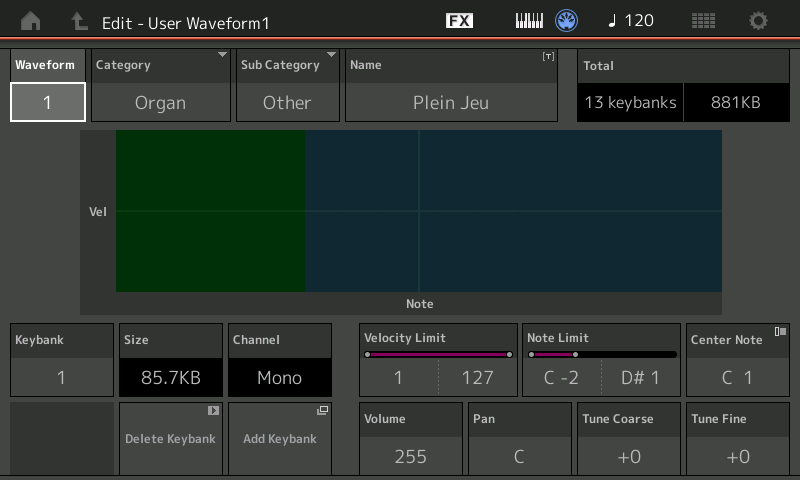
  • You can now set a Center Note in the Edit Waveform display.
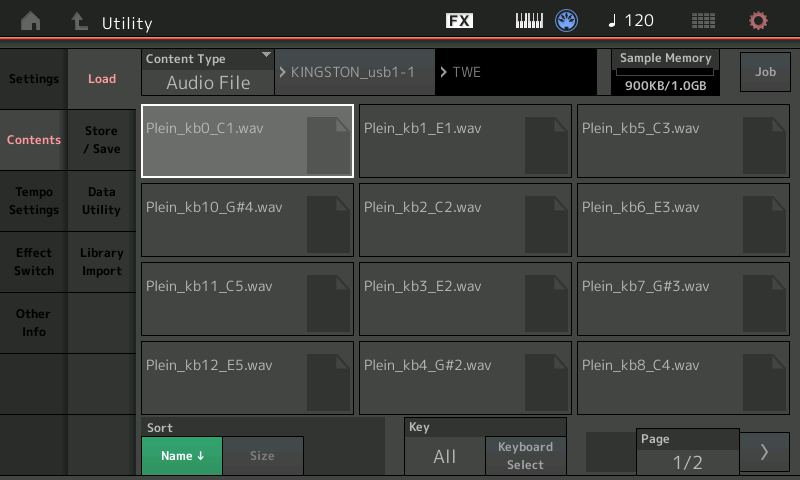
  • You can now set a key for assignment when loading WAV files or AIFF files as waveforms.
  • You can now select the Assignable Knob for Common Parts, by pressing the [PART SELECT MUTE/SOLO] in the dialog
    displayed when selecting the Part parameter and pressing the [CONTROL ASSIGN] button.
  • The Panel Lock function has been added to prevent inadvertent operations during your performance.

The ability to assign a key to a WAV or AIFF waveform as it loads partially mitigates the hassle of triggering a backing track or other “sample” when playing. It requires the waveform to be loaded into expansion memory, however.

Both the Montage and MODX are a behind their competitors when it comes to playing a WAV/AIFF or MP3 from USB drive. Yes, you can do it, but it requires several steps. Yamaha need to extend the Live Set concept to remember both a Performance and a USB WAV/AIFF path name in a Live Set button. The button memory should also remember the audio level and AUTO-start status. This feature would be great for live play as a single or as a small combo with a backing track. In this way, one button press can bring up a patch and start a backing track from a USB flash drive — no menu diving.

Hey, hey, have fun today!

Copyright © 2018 Paul J. Drongowski (except manual quotation)
MODX aftermath

After a veritable explosion of Yamaha MODX information on the Web, there isn’t too much new to say! One useful tidbit is MODX availability. Yamaha expect MODX to be available at retailers around September 27. Another tidbit is to download the MODX version 1.10 updater from the Yamaha support site, if you need it.

Folks shouldn’t forget the John Melas Montage/MODX tool set. Amidst all of the hoopla, John quietly released an updated tool set with MODX support. This is good news since it provides a MODX librarian, performance editor, Live Set editor and waveform editor — available separately or bundled. (Please see his Web site for details.)

I watched a little bit of the MODX launch live stream — enough to be duly impressed by DOMi. What a player! Her demo made a good background while I pulled together another donation to LIVING COMPUTERS: museum + labs. One take-away — it’s a long reach to the MODX8 PB/MOD wheels. The engineers needed the extra depth to accommodate the weighted keyboard action. Folks interested in the 88-key model should take this into account.

On Saturday, I spent an hour or so watching demo videos. For my purposes, the video by Blake Angelos (Yamaha) for Guitar Center is the best. He showed how to pull together an orchestral layer with Super Knob control. This is information that I can use. Thanks, Blake! Yamaha have really kept him running with the MODX launch.

Even though emphasis is on EDM and other pop — which pays the bills at Yamaha — there are very fine orchestral instruments hiding in plain sight on the Montage and MODX. In this regard, the Montage/MODX and Genos™ share sonic DNA by way of the underlying waveforms (AKA “the samples”). The separate product lines employ the waveforms in different ways (Extended Articulation versus Super Articulation), but the sound quality is amazing overall. Having worked with Genos over several months, it’s like an orchestral VST in a box, completed with scripted, articulated voices. Quite pleased.

I have such regard for the Montage acoustic instruments that I very seriously considered buying a Montage for my church gig. I passed mainly due to the weight and schlep factor. The MODX6 is a slender 14.6 pounds, a bit less than the MOX6 that I now transport and play. The MODX is a contender.

While evaluating Montage, I listed the new waveforms added to Motif XF and the new waveforms added to Montage. I was trying to decide if it made sense to upgrade to Motif XF on close-out or to go for Montage. [I decided to wait.] I’ll be using these tables, again, to compare MODX versus MOX because the MODX has the same waveforms and performances (voices) as Montage. Frankly, I don’t think there’s much question about “if”, so much as “when” to upgrade from MOX.

These are highly technical instruments. As a user, the Genos user interface (UI) is similar enough to the Tyros/PSR UI that I didn’t much too trouble making the transition from S950 to Genos. The transition from MOX to MODX is going to be a much bigger task, especially since I want to take advantage of scenes and macro control (AKA “the Super Knob”). Fortunately, the MODX UI is essentially the same as the Montage v2.5 UI and Yamaha have provided a fair number of “Mastering MODX” videos and resources on Day 1.

Copyright © 2018 Paul J. Drongowski
Yamaha MODX announcement

I’m going to update this page as information rolls out.

The Yamaha MODX Owner’s Manual is now available in the Yamaha manual library. No Data List PDF (yet). Once we have the Data List, we’ll be able to do a better comparison of effect types versus the Montage. Yamaha added a number of effect algorithms through updates and, of course, we’re hoping that the MODX will have the same arsenal.

After taking a quick side-by-side pass through the MODX Owner’s Manual, it’s clear that the MODX has much of the on-screen Montage user interface. The MODX and Montage code base is now the same and this should help Yamaha to swat bugs on both platforms and to reduce internal software development costs.

New to the MODX user interface are Rhythm Patterns. Quoting the MODX Owner’s Manual:

The [Rhythm Pattern] button provides a simple way to add a rhythm part to the current Performance. By combining rhythm patterns and the Envelope Follower, you can modify the patterns even further.

Use this button to call up the Rhythm Pattern display. You select the Rhythm Pattern you want to use, and then press [PERFORMANCE (HOME)] button or [EXIT] button to set the selection.

Seems to be a way to get a beat going quickly and is an enhancement of the existing arpeggio mechanism. [Click image to enlarge.]

Rest assured. There is a performance recorder/sequencer which is the (nearly) the same as Montage (MODX: 128 songs, Montage: 64 songs). Lack of a full sequencer (a la Motif/MOX) will disappoint some. I intend to keep my MOX6 and trusty QY-70.

The on-screen Live Set operation is identical to Montage. As noted before, the MODX drops the extensive bank of front panel buttons on the Montage. The Montage’s physical buttons mirrored the operation of the Live Set on-screen buttons, etc. I’ll have to try switching patches on-the-fly using the touch screen alone to determine if this is an acceptable compromise for me. I rely on quick changes when I play and I don’t always know in advance what voice I’ll be using. I’m an improvisational orchestrator.

Also as noted earlier, there are four sliders instead of eight. Front panel buttons select between part group 1 to 4 and group 5 to 8 in order to control part volume via the sliders. Again, some operational compromises due to cost saving as there are fewer direct access controls on the MODX. The MODX also has fewer SHIFT functions due to the elimination of the Montage’s front panel button matrix.

On-line retailers are beginning to offer the MODX on pre-order. Yamaha is going to sell a lot of these!

USA pricing table:

MODX6 MODX7 MODX8
MSRP (list) $1,649 USD $1,899 USD $2,399 USD
MAP (street) $1,299 USD $1,499 USD $1,899 USD
Weight 14.6 pounds 16.3 pounds 30.4 pounds

Yamaha MODX vs. Montage table:

Feature MODX Montage
Display 7″ WVGA color TFT 7″ WVGA color TFT
AWM2 poly 128 128
FM-X poly 64 128
SSS 4 parts 8 parts
Faders 4 8
Encoders 4 8
Buttons 4 8
Ribbon No Yes
USB audio in 4 channels (2 stereo) 6 channels (3 stereo)
USB audio out 10 channels (5 stereo) 16 channels
Sampling frequency 44.1kHz Up to 192kHz
ADC inputs 2 2
Dual insert effects 12 parts+A/D 16 parts+A/D
Waveforms 6,347 6,347
Waveform ROM 5.67GB 5.67GB
Flash ROM 1.00GB 1.75GB
User Performances 640 640
Library Performances 5,120 5,120
Scenes 8 per Perf
Arpeggios 10,239 10,000+
Simultaneous Arps 8 8
Perf Rec Songs 128 64
MIDI IN,OUT IN,OUT,THRU
Output Unbalanced Balanced
Keyboard Synth FSX
Aftertouch No Yes
Weight 61-key 14.6 pounds 33.1 pounds

Copyright © 2018 Paul J. Drongowski
Yamaha MODX audio demos

The folks at AudioFanzine.com have posted 40 audio snippets demonstrating the new Yamaha MODX synthesizer. Merci beaucoup, AudioFanzine.com!

Pretty much sounds like a Montage! Strings, horns, brass, organ — I can’t hear much difference from the Montage.

I love the woodwind demo. Nicely played with a contemporary cinematic flair. Très bon!

Having spent a lot of time with Genos™, I feel that the Montage — and now Yamaha MODX — electric pianos have more guts. I can’t wait to dive into the programming of these voices and hope to beef up the Genos EPs. Ditto the B3 organ and clavs.

Owning both a Yamaha synth and a Yamaha arranger has proven to be a good practical strategy for voice and style development. I can explore voice programming on the synth and then translate the same programming (modulo limitations in Yamaha Expansion Manager) to the Genos. It works in the reverse direction, too. Some of the arranger programming is inspirational and I can translate it back to the synth. Always steal from the best!

If you’re considering an upgrade from MOX or MOXF, you should check out my analysis of the new waveforms in Montage. The Yamaha MODX has the same factory waveforms as the Montage and this analysis should help you to decide. Whether it’s Yamaha, Roland, Korg, etc., the waveforms are the basis for current and future sounds.

Copyright © 2018 Paul J. Drongowski
Yamaha MODX: A few more details

A few more pre-announcement details are coming out about the new Yamaha MODX synthesizer. Official prices will be announced tomorrow.

MODX6 MODX7 MODX8
Price 1,399€ 1,599€ 1,799€
Weight 6.6kg 7.4kg 13.8kg

For ‘mercans, that’s:

MODX6 MODX7 MODX8
MSRP (list) $1,649 USD $1,899 USD $2,399 USD
MAP (street) $1,299 USD $1,499 USD $1,899 USD
Weight 14.6 pounds 16.3 pounds 30.4 pounds

The current MOXF6 and MOXF8 weigh 15.6 pounds and 32.8 pounds, respectively. Nice to see a weight reduction.

The current MSRPs for the MOXF6 and MOXF8 are $1,499 and $1,999. So, we’re probably lookin’ at a slight price increase. At least we won’t have to purchase add-on flash memory boards.

Speaking of which, the Yamaha flash expansion boards are now totally dead end. If you’re negotiating for a MOXF, be sure to get your retailer to kick in a flash expansion board or two. Just sayin’.

The MODX Owner’s Manual is now available in the Yamaha manual library. Check your regional site.

Roland Drops a Keytar

I’m sure you’ve seen it elsewhere by now…

Special thanks to the chap who posted this image on Gearslutz!

9 pounds, eh? I’m still trying to get rid of my Les Paul copy. Too old for this… 🙂

I did have a chance to check the Roland Juno DS line. Nice mid-range product and can operate on batteries. I’m full up on Roland, so I’ll be passing it by. If you’re looking for a mid-range ‘board, give it a listen. The DS is respectable.