Yamaha MODX: Inside stuff

Time for a quick look at the MODX internal hardware. I’m going to be brief, so please read my Yamaha Genos articles (main CPU and tone generation) and my Montage internals article for more details and background information.

The MODX main CPU subsystem should look familiar. It is essentially the same as the Montage main CPU subsystem. Again, the Texas Instruments AM3352 Sitara ARM microprocessor is the star, providing many of the important internal device interfaces. The eMMC bulk storage device is still 4GBytes although the MODX eMMC data clock is slightly slower than Montage (48MHz instead of 52MHz). Deja vu all over again.

MODX Main CPU (Click to enlarge)

The MODX is a reduced-spec Montage. Although the MODX has the same waveforms and Performances as Montage, its polyphony is less:

  • AWM2: 128 (maximum; stereo/mono waveforms)
  • FM-X: 64 (maximum)

The keybed is lower quality (semi-weighted vs. FSX) and the MODX front panel is greatly simplified.

Both products employ an MB9AF141NA ARM microcontroller for user interface scanning assisted by an 89FM42AUG logic device (E-GKS) for keybed scanning. User input (e.g., controller messages) are sent to the Master SWP70 tone generator over the EBUS. The EBUS is a low-latency path for controller input and commands, making for a responsive instrument with excellent hand-to-sound connection.

MODX Tone Generation (Click to enlarge)

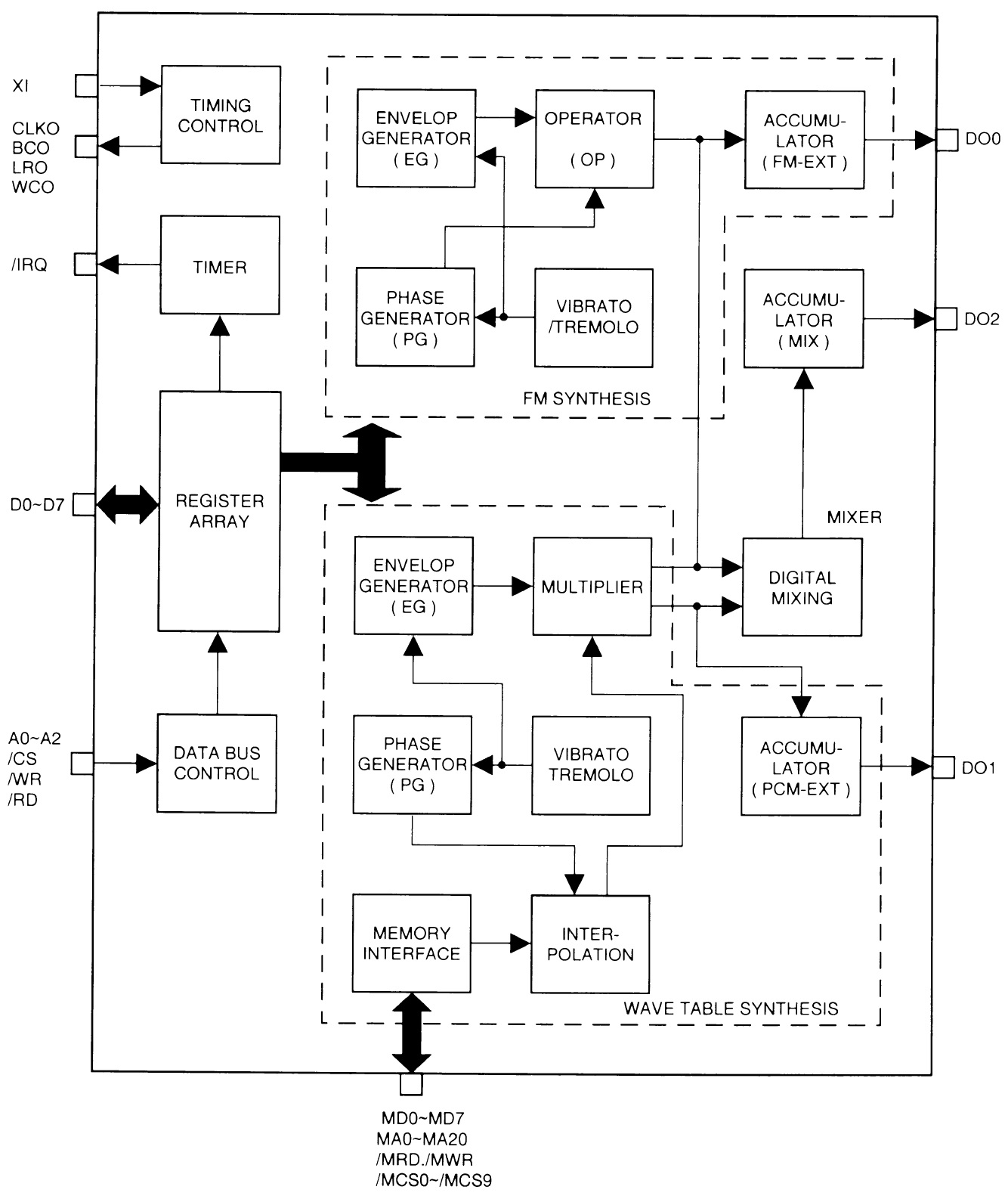
When we look at the MODX tone generation subsystem, we immediately see why the FM-X spec is lower. The MODX has only one SWP70 tone generator integrated circuit (IC). The Master SWP70 performs both AWM2 and FM-X synthesis. The MODX printed circuit board (PCB) has space and connections for a second SWP70 (in Slave mode), but the real estate is unpopulated (“No Mount”). Yamaha have planned ahead for a future model. They did the same thing with the MOX, BTW, leaving space and connections that were filled in the MOXF.

The extra computational capacity within a single SWP70 is surprising! The Master SWP70 provides 128 channels of AWM2 polyphony and 64 channels of FM-X polyphony. In order to pull off this trick, Yamaha utilize a second dedicated DSP RAM channel and SDRAM. Montage, on the other hand, utilizes only one DSP RAM channel on each SWP70.

Thus, the SWP70 can expand in two different dimensions:

  • DSP RAM (two dedicated channels max) with a corresponding boost in DSP computation, and
  • Wave RAM (two dedicated channels max) with an as-yet unexploited boost in AWM2 synthesis.

MODX illustrates the first case while Montage has an unpopulated position and connections for a second WAVE working memory channel. Your guess is as good as mine as to how Yamaha will expand and exploit these channels in future products.

The MODX serial digital audio bus is a subset of Montage. An SSP2 processor supports audio-over-USB through the USB TO HOST interface, just like Montage. However, the overall spec is substantially reduced. A single DAC drives the MAIN and PHONE outputs. A single ADC encodes incoming stereo audio from the A/D input. The SSP2 does not have a direct channel to an SSP2; the needed logic device is missing from MODX.

In case you’re wondering about serial audio bus clocking, the bus clock is 11.2896MHz. The clock speed is 256 * Fs, where Fs is 44.1kHz. In MODX and Montage engineering-land, this signal is known as M_SYSCLK. Genos engineers refer to this signal as mcasp-256fs. The different terminology doesn’t help comparison across product lines! Bottom line, the master clock is fast enough to support 32-bit 44.1kHz stereo audio. Currently, only the Genos has a 32-bit DAC for its MAIN out, BTW.

Our look inside MODX shows how Yamaha can manufacture the MODX at a lower price point. More significantly, perhaps, is the cost leverage gained by reusing the Montage software and sound content. I think sometimes arguments on the Web play up component cost while neglecting manufacturing, software and sound development costs. I suspect that software and sound development (waveforms, voices, arpeggios, styles, etc.) are a very large fraction of unit cost.

We also caught a glimpse of what’s in store for the future. SWP70 is in early childhood and Yamaha have left room to grow in both the MODX and Montage. In addition to unpopulated PCB sites, Yamaha can build out by using higher capacity NAND flash devices for waveform memory. I’ve said it before — the real limiting factor is Yamaha’s capacity to produce high-quality content — a labor intensive job. Ultimately, the payroll is more important than the cost of commodity NAND flash!

Montage digital audio clocking

I’m still thinking this through…

The Montage USB audio interface supports 44.1kHz, 48kHz and 96kHz sampling frequencies. The number of supported audio channels depends upon the chosen sampling frequency as defined in the specs:

“[Sampling Frequency = 44.1kHz] Input: 6 channels (3 stereo channels), Output: 32 channels (16 stereo channels)

[Sampling Frequency = 44.1kHz – 96kHz] Input: 6 channels (3 stereo channels), Output: 8 channels (4 stereo channels) “

The MODX USB audio interface is strictly 44.1kHz supporting:

“Input: 4 channels (2 stereo channels), Output: 10 channels (5 stereo channels)”

The digital audio bus master clock is a multiple of 44.1kHz, so how does Montage handle 48kHz and 96kHz?

The Montage SSP2 processor handles 44.1kHz, 48kHz, and 96kHz internally. The tone generators, however, are 44.1kHz only. A-ha! That explains the function of Montage’s SRC16 gate array. The gate array is clocked at 49.152MHz, which is a multiple of 48kHz. It converts the sample rates and samples between 48/96kHz and 44.1kHz in DAC-A format (2 channels per line).

The schematic notations on SRC16 match the Montage 48/96kHz spec:

Output: SWP->SRC->SSP2 8 channels (stereo 4 channels)
Input: :SSP2->SRC->SWP 6 channels (stereo 3 channels)

Someday I will explore the Montage/MODX subsystems in more depth.

Copyright © 2019 Paul J. Drongowski
Diagrams are from the MODX Service Manual (copyright Yamaha) .

Just like starting over

I’m playing with a new group of liturgical musicians and am having great fun.

The two biggest challenges when playing with a new group are 1. listening and 2. picking up new music. Both challenges are opportunities for growth.

Listening is always key. As a synth player, I’m a bit of a frustrated orchestrator. Instruments like the Yamaha MODX and Genos offer a wide palette of acoustic and electronic sounds. The challenge is to listen carefully and find the right sound and part in the musical context. The context, of course, is the song and the other players — what the song needs, the instrumentation, what instrumentalists are playing, what singers are singing, dynamics and so forth. My goal is to select an instrument and improvise a part to complement the other instrumentalists while making the song stronger.

My last group was small: piano, acoustic guitar, sometimes drum, and me. That left a lot of musical space including exposed solos, fills, left-hand bass (as long as it didn’t interfere with the pianist) and foundation (e.g., pads, B-3 organ, etc.)

The new group is much larger: piano, guitar, drums, two flutes, viola, trumpet and trombone. There’s a lot going on! I’ve played with woodwinds and strings before; full-on brass is a new situation for me. There is still space, but careful listening is needed in order to find it. Obvious ideas include double reeds (oboe), French horn, woodwind ensemble, ensemble strings, cello, contrabass, pipe organ and B-3 organ (when the music calls for it).

With all of that going on already, it’s important to be part of the blend and to not overemphasize existing parts. Nor do I want to step on anyone’s part! For example, the flutists and viola contribute introductions and musical interludes such as an instrumental verse of a hymn. It’s going to take listening, time and experience to find the find complementary part(s). Conventional wisdom in scoring claims that acoustic instruments make it easier to fool the ear with electronic emulations. Thus, it makes sense to keep the real-deal acoustic instruments front and center.

Last Sunday, we did a rendition of “When the Saints Go Marching In” in remembrance of All Souls Day. Playing with the brass was a genuine kick. Challenge #2 — new music — I’ve never played New Orleans-style traditional jazz before. Although there are a lot of blue notes, the phrasing is unlike the gospel or Chicago-style blues that I’m used to playing.

So, hey, what to play? Clarinet and euphonium. New Orleans jazz is “lead and fill” or “call and response.” I downloaded a MIDI file to study and cop a few clarinet licks. I wrote out a simple clarinet part with a few fills and lines to harmonize what I thought the brass would play, assuming that the trumpet would take the lead. Euphonium-wise, an oom-pah alternating root (1 and 3) and fifth (2 and 3) was good enough to get started.

Try as I might, I just couldn’t get the two parts and hands going at the same time and settled for the clarinet line alone at the gig. Maybe next time… I think I may ditch the harmonization idea and play (around) the melody, too.

Patch-wise, you can’t always get what you want. I practiced the clarinet part on Genos using its Super Articulation 2 (SA2) clarinet which is darned sweet. I programmed a clarinet/eupohonium split on Yamaha MODX, but the MODX clarinet is not in the same league as the SA2. Compared to Genos, it sounds cheap. MODX (Montage) does have a decent euphonium, however, and maybe it’s better to go low than go high next time!

Yamaha, how ’bout a euphonium on Genos and SA2 on MODX?

That won’t stand in the way of the fun. In the meantime, there’s more than enough to keep me busy.

Copyright © 2019 Paul J. Drongowski

Update about the updates

Yamaha Genos V2.0 is on the way

Yamaha have updated their short video about the Genos V2.0 update. The release date is now specific: 15 November 2019. There was considerable squabbling on the forums as to what “Winter 2019” meant. I’m glad that Yamaha has put the question to rest.

The other big tidbit from the new video as to do with the “Genos V2.0 Superior Pack.” The new content will include 50 new styles and 68 voices including Super Articulation 2 voices. I’m not a big style hound, but new voices are always welcome! I’ve still got plenty of room in expansion memory and can’t wait for the new content. I’m looking forward to the Chord Looper, too.

[Update] The Yamaha Europe site has further details. The Genos Version 2.0 Superior Pack includes SArt2 Premium voices such as “Pan Flutes,” “Female Vocals,” and “Trombone.” The page shows thumbnails for the Yamaha Musicsoft Premium Expansion Packs of the same name. This might be a little disappointing to users who already own these packs. I have “Female Vocals” already. Of course, that’s just icing and we still need to taste the whole cake.

Improvements have been made to expansion pack installation (Yamaha Expansion Manager). Yamaha have also improved Genos Style Creator, which was looking rather long in the tooth. Other improvements include new portamento functionality, sorting playlists alphabetically, and an increase in the number of USER effects which can be stored.

Additional improvements flash by near the end of the video. (Look for the flying boxes!) Unfortunately, the English is a little rocky and its hard to tell what some of them actually mean! One useful improvement is the addition of USER voices to FAVORITES. (?) I hope they allow USER styles in chord step record because I didn’t see this mentioned.

Yamaha are listening. They cite user feedback as the source for many of these enhancements.

BTW, some folks have noted an increase in the USA Minimum Advertised Price (MAP). Please remember that all dealers cannot publicly advertise below MAP as part of their dealership agreement with Yamaha. That doesn’t mean selling at MAP because that would be illegal price fixing in the USA. If you want a good deal, be sure to call around, especially smaller focused dealerships like Audioworks CT. The large on-line retailers don’t have as much incentive to negotiate or to offer a better price below MAP. Smaller dealerships are often more flexible.

Yamaha MODX update V2.0 is here

Yay! The MODX V2.0 update has dropped! I’m downloading now and will be installing shortly.

Yamaha have posted a new MODX Supplementary Manual and a new MODX Data List PDF in the downloads section of the MODX Web pages. You’ve probably already seen the list of new features as implemented in the most recent Montage update:

  • New effect types have been added: VCM Midi Filter, VCM Mini Booster, Wave Folder.
  • 52 new Performances have been added.
  • The Pattern Sequencer function has been added.
  • You can now play songs, patterns and audio files from the Live Set display.
  • Super Knob Link has been added to the data that is recorded in the Scene function.
  • Keyboard Control has been added to the data that is recorded in the Scene function.
  • Increased the range of the LFO Speed parameter.
  • You can now connect MIDI equipment via the USB TO DEVICE terminal.
  • The Global Micro Tuning settings have been added.
  • The Audition Loop setting has been added.
  • Improvements have been made to the user interface.
  • The sequencer storage capacity (total User Memory) has been increased from about 130,000 to about 520,000 (for Songs) and about 520,000 (for Patterns).

The new Performances are listed on page 17 of the new Data List PDF (version c0). The new Performances are numbered from 2144 to 2195. Laser Trumpet?

Not going to the gym today… 🙂

Installing the MODX V2.0 update

The first thing to note: This is a major update.

I don’t just mean that as a compliment to Yamaha. The software engineers had to touch many, if not all, of the major internal data structures. You must perform a complete back-up before attempting installation as you will need to initialize all data and then reload your back-up file.

Please read the installation directions before starting. The directions clear state that all of User Memory (Library Data, User Data, etc.) will be initialized. Be sure to do a complete back-up following the directions on pages 60-61 of the Owner’s Manual and pages 201-202 of the Reference Manual. You want to write a back-up file, also known as an “ALL file” or “X8A” file by its extension. A back-up file saves the whole shee-bang including your libraries.

Follow the steps in the installation guide. The installation process takes about 4 to 5 minutes. If everything is successful, you will see messages like:

Searching for the updater ... OK

MODX updater 2.00.1

Preparing ... OK (current version 1.10.0)
Updating ... OK
Verifying ... OK
Finish.
Please turn off.

Turn MODX off, remove the USB drive with the updater, and turn MODX on again. Navigate to the System Settings by pressing [UTILITY] > [Settings] > [System]. I pressed the “Initialize All Settings” screen button first and then pressed the “Initialize All Data” button. (Deep breath.) Yamaha’s installation directions should be a little more specific here as to which buttons to press.

The initialization steps will, of course, wipe everything clean. Next, insert the USB drive with your back-up file. Navigate to the load contents page, i.e., [UTILITY] > [Contents] > [Load] and select the “Backup File” content type. Find your back-up file on the USB drive and re-load your content. If all goes well (modulo power failure, cosmic debris, pulsars, etc.), you should be good to go again.

Copyright © 2019 Paul J. Drongowski (excluding excerpts from Yamaha’s announcements)

Yamaha Montage: Internals revisited

I liked the Genos block diagrams which I posted the other day. The diagrams summarize the Genos main CPU and tone generation subsystems in a compact form.

So, let’s move on to Montage. The diagrams below are taken from the Yamaha Montage Service Manual. I scrubbed non-essential detail (e.g., power rails) in order to focus on the overall digital system organization.

The internal design of mid- and high-end synths and arrangers separates neatly into a main CPU subsystem (running Linux) and a tone generation/digital audio subsystem. Genos, Montage and MODX fit this design pattern.

[Click images to enlarge.]

The Montage main CPU is a Texas Instruments AM3352. Montage has a slightly lower clock rate: 800MHz vs. 1.0GHz (Genos). I don’t think the difference in clock speed is significant because the main CPU generally doesn’t perform compute intensive tasks. (The tone generator circuits and the audio DSP do the heavy lifting.) The main CPU handles sequencing, user interface, the file system, etc.

The AM3352 is an ARM Sitara Cortex-A8 32-bit “system on a chip.” The AM3352 is designed for embedded applications and as such, it has many integrated input/output (I/O) interfaces. The main interfaces are:

  • Primary working memory (EMIF)
  • Touch panel and display (LCD)
  • Bulk memory (MMC0)
  • USB to device interface (USB1)
  • MIDI I/O (UART1)
  • Serial digital audio bus (McASP0)
  • CPU-SWP70 bus (GPMC)
  • Power management (I2C0)
  • General purpose I/O (GPIO)

Having so many interfaces in one integrated circuit (IC) package lowers cost signficantly.

Memory resources are modest. Primary memory is only 256MBytes. Bulk storage is provided by a 4GByte eMMC embedded memory device. Linux and user data (performances, songs, arpeggios, etc.) reside in the eMMC device. Please note that the bulk memory bus (MMC0) has a relatively slow clock speed (52MHz) and width (4 bits). Simply put, this bus cannot support real-time sample streaming for synthesis. [Please stop ranting about this on the Web.] Instead, waveform samples are stored in NAND flash connected to the Master SWP70 tone generator.

Speaking of tone generation, the main CPU is connected to two SWP70 tone generation ICs by the CPU-SWP70 bus. The bus is mediated by a programmable logic device (CPLD). The bus clock is 100MHz. The bus has 19 address bits and the data path is 16 bits wide. The CPU sends control data to the SWP70s through this bus. Also, the main CPU loads samples into NAND flash using this bus. I doubt if this bus could sustain high volume sample streaming in real time.

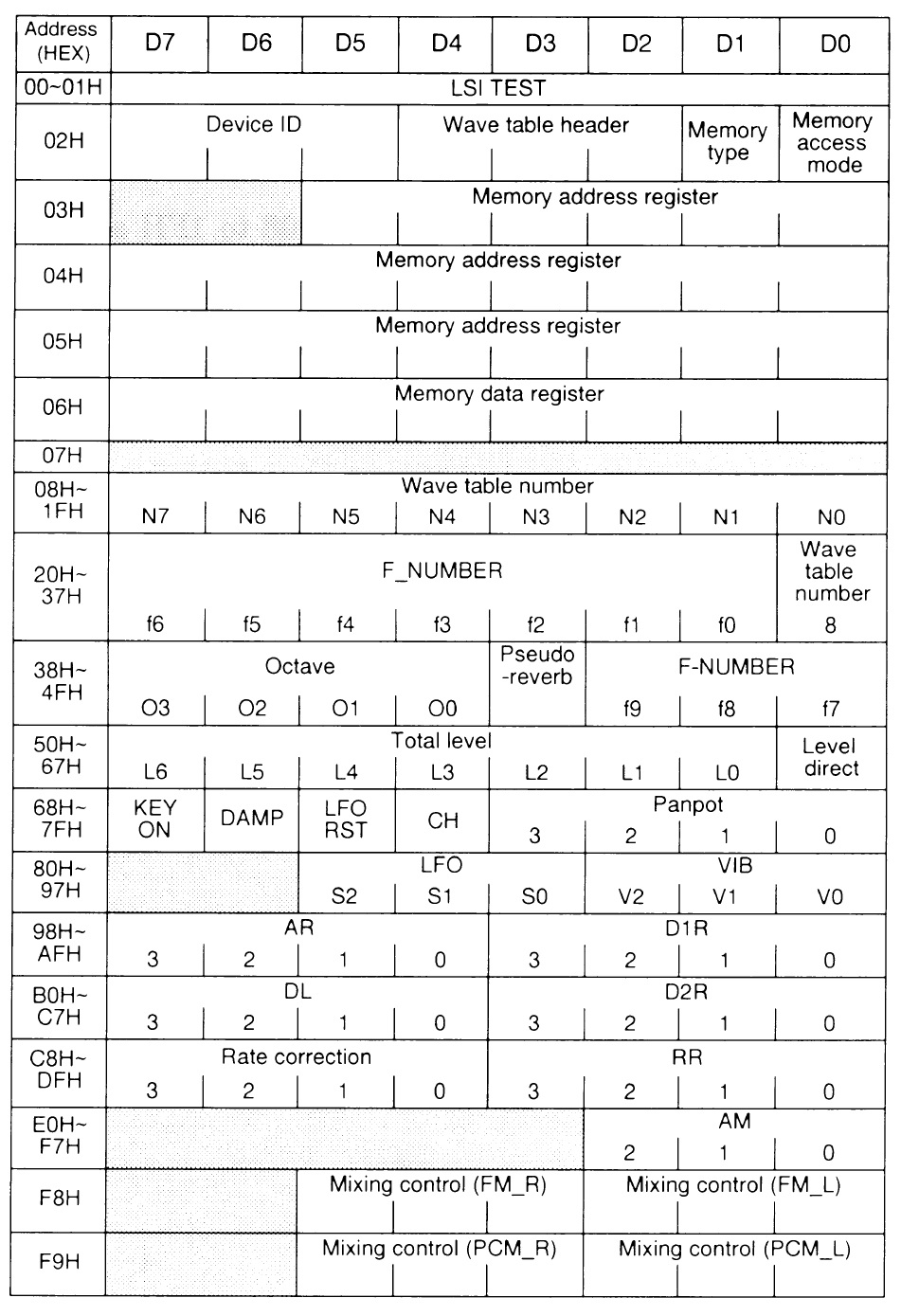
The CPU-SWP70 bus is organized as an addressable memory bus. (The ARM acronym “GPMC” means “General Purpose Memory Controller.”) Instead of ordinary memory, I believe that the CPU-SWP70 bus provides direct access to thousands of synthesis control registers for AWM2 and FM-X. Check out the huge list of synthesis parameters in the MIDI section of the Montage/MODX Data List PDF. Each parameter controls some aspect of AWM2 or FM-X synthesis. These parameters need to be loaded quickly into the the SWP70 tone generation blocks. Addressable control registers provide the appropriate mechanism.

There are two other major busses in Montage: the EBUS and the serial digital audio bus. (More about the digital audio bus in a second.) The EBUS is driven by an ARM architecture microcontroller (MB9AF141NBPQC) which scans knobs, sliders and switches. The EBUS sends user input to other components, most notably the SWP70s. Thanks to the EBUS, user inputs are quickly acquired and sent to the tone generation process, thereby minimizing latency. This fast path is an important aspect of Yamaha’s design.

On to tone generation and digital audio!

High-end Yamaha synths and arrangers have two SWP70 (“Standard Wave Processor”) tone generation chips. One SWP70 is the Master and the other SWP70 is the Slave. “Master” and “Slave” refer to the communication relationship between the two components. The Master generates the reference clocks for both the Master and Slave, and it generates the clock for the serial audio bus.

In Montage, the Master SWP70 performs AWM2 synthesis and the Slave performs FM-X synthesis. The Master has waveform memory; the Slave does not. Waveform memory isn’t required for FM-X synthesis, apparently.

Both the Master and Slave SWP70s have 16MBytes of DSP RAM apiece. The DSP RAM provides big, fast random access storage for effects processing. Time-based effect algorithms like reverb and delay need a large amount of memory space. The DSP RAM does the job.

The Master SWP70 has two additional kinds of memory: Wave ROM (4GBytes physical capacity) and Wave RAM (32MBytes). [The Genos designers use slightly different terminology for these units, but the functionality is the same.)

Wave ROM is Open NAND Flash Interface (ONFI) compliant. This is the same commodity NAND flash built into PC solid state drives. Instead of using a solid state drive and a SATA bus, Yamaha have built the controller and data cache into the SWP70. This design eliminates the cost, power consumption and delay of a PC solid state drive controller. The Wave RAM is the data cache, holding the currently used samples needed for AWM2 synthesis.

Why a data cache? NAND flash has two major drawbacks. First, writing to NAND flash is slow. Second, random read access to NAND flash is much slower than sequential block access. In fact, random access is too slow for direct streaming into synthesis. The SWP70 pre-fetches blocks of samples into fast Wave RAM which, in turn, provides fast random access to samples. This two-level storage organization supports the high read bandwidth required for 128 lanes of stereo AWM2 synthesis.

The SWP70 has two independent Wave RAM channels. Only one of these channels is populated in Montage. The second Wave RAM unit is not installed and is reserved for a future model. We haven’t seen the full power of the SWP70 generation — yet.

Montage has a power digital audio subsystem which is interconnected by the serial digital audio bus. The CPU, SWP70s and SSP2 chips transfer digital audio on the serial audio bus. These units send audio to the digital-to-analog converters (DACs) and receive audio from the analog-to-digital converters over the bus. The main audio streams are:

  • The main CPU receives audio from the AD INPUT ADC and the Master SWP70.
  • The Master SWP70 receives audio from the main CPU and the AD INPUT ADC.
  • The Slave SWP70 receives audio from the SSP2.
  • The SSP2 receives audio from the Master SWP70 and the Slave SWP70.

The Master SWP70 sends digital audio to the two DACs (assignable output and main output, respectively). The DACs and the ADCs are on a separate circuit board away from the digital electronics (Pure Analog Circuit).

Montage has an SSP2 processor dedicated to USB2.0 audio I/O. It’s like having a mini Steinberg UR interface inside. The SSP2 is the source of Montage’s audio prowess. The SSP2 is a fairly beefy computational engine having an SH-2 CPU core (135.4752MHz internal clock). It is the computational engine in the high-end Steinberg UR series, the Reface DX and the Reface CS. Its role in Montage is like a UR — high speed, multi-channel USB audio. This is why the SSP2 supplies the Montage USB TO HOST interface. Digital USB audio has a direct path to the USB HOST.

The SSP2 gets commands and transfers data with the main CPU over the CPU-SWP70 bus.

I hope you have found this quick tour to be informative and helpful. Yamaha had a few other tricks up its sleeve as we shall see when I discuss MODX specifically. Take care and stay tuned for the MODX update which is about to drop.

Copyright © 2019 Paul J. Drongowski

Diagrams are Copyright Yamaha

Yamaha Genos, Montage, sample compression

Sample compression is a bit of a hot topic among tech heads on the PSR Tutorial Forum and the YamahaSynth.com Forum.

Yamaha recently pre-announced the Yamaha Genos V2.0 update. Features will include:

  • Increased expansion memory from 1.8GBytes to 3.0GBytes
  • Genos V2.0 Superior Pack (50 styles, more than 25 voices including SuperArticulation 2)
  • Chord Looper
  • Style Section Reset
  • Scale Tune Separation

The update will be available during Winter 2019. The scope of the update has caused much excitement as well as a lot of good feeling because Yamaha views Genos as an update-able platform, not a one off. I’m looking forward to the Genos update and the upcoming MODX update, too.

The Superior Pack likely will be an expansion pack containing new styles and voices. Putting the new content in an expansion pack is the easiest way to distribute the content. A user simply puts the expansion pack installation file on a USB drive, inserts the drive into Genos, and runs the on-board Genos installation procedure. The installation process is tried, true and mature.

Of course, this raises the question of expansion memory space and how to make best use of it. Would or should someone install the Superior Pack and always keep it around? Will there be enough space for other packs? Some people are pack rats (pun intended) and want to keep everything loaded. Increasing the expansion memory from 1.8GBytes to 3.0GBytes takes a little pressure off the pack rats.

Naturally, the increase in expansion memory piques the tech heads. How did Yamaha increase the expansion memory space? One cannot snap fingers and add physical memory to Genos. This is a software update, after all.

One theory has to do with sample compression. Yamaha’s expansion packs typically use two sample formats: LINEAR16_FRAME and WXC. WXC is Yamaha’s proprietary sample compression format. WXC is treated like a closely guarded secret. WXC is the way to pack voice waveforms as tightly as possible within the limited physical capacity of wave memory. It’s part of Yamaha’s secret AWM2 sauce.

User samples, on the other hand, are not compressed and are stored in LINEAR16 format. Currently, when Yamaha specifies the size of Genos expansion memory, they mean the ability to store approximately 1.8GBytes of uncompressed user samples in expansion memory. Since users can’t compress their samples via YEM (or whatever), Yamaha doesn’t want to disappoint them by overstating expansion memory capacity and then underdeliver on their spec.

So, is the increase achieved through sample compression, i.e., restating the capacity as 3.0GBytes using the well-known qualifier “when converted to 16 bit linear format?” WXC compression can easily squish 3.0GBytes of samples into 1.8GBytes. Or, have Yamaha found and allocated extra space to user samples? In the latter case, the extra space must be in the NAND flash memory which holds the factory waveforms. This is left-over space and assumes that Yamaha left quite a bit of slack in the 4GBytes holding the factory waveforms.

Now we get to the point of contention among Montage/MODX tech heads. If Yamaha have found a way to support compressed user samples on Genos, can the same technology be ported to Montage and MODX?

The answer partly depends upon the means by which Yamaha provide sample compression itself. (Remember, sample decompression is built into the SWP70 AWM2 hardware.) YEM is an established application in the Genos software eco-system. Yamaha could add the compression algorithm to YEM. In the case of Genos, a user would compress user samples into WXC format when creating a new voice in YEM. The WXC format samples within Yamaha expansion packs would remain untouched by YEM in WXC format and users wouldn’t see any benefits there.

The closest thing to YEM in the Montage (MODX) eco-system is the John Melas tool suite. Perhaps Yamaha will partner with John Melas, who will add sample compression to the tool suite. That’s one possibility. Another possibility is to add WXC compression to SKYLIFE SampleRobot.

If Yamaha wants to protect its secret sauce, they could provide a Web-based service to compress user samples into WXC format. In that case, Yamaha could keep the WXC algorithm hidden from prying eyes (i.e., reverse engineering). The compression service could compress samples for both Genos and Montage voice developers.

A third alternative approach adds the compression capability into the Montage/MODX keyboard firmware. Embedding the algorithm would provide the best security although Linux experts have already plumbed the depths of Montage/MODX update files. Further, Yamaha has shown a reluctance to add low-want or esoteric features to firmware.

Well, this is all quite interesting and highly speculative. We’ll know more when the Genos 2.0 update is released. In the meantime, wadda think?

Copyright © 2019 Paul J. Drongowski

Yamaha Genos: Tone generation

After visiting the Genos CPU complex yesterday, let’s take a look at the two Yamaha SWP70 tone generators in Genos.

The SWP70 is the latest generation, top-of-the-line Yamaha tone generator. We know that the SWP70 is capable of both sample-playback AWM2 synthesis and FM-X synthesis as demonstrated by the Yamaha Montage and MODX.

[Click image to enlarge.]

The two SWP70s are organized as a master and slave pair, each with different connections and dedicated memory units. The SWP70s communicate with the TI AM4376 processor over the CPU-SWP70 bus. The bus is arbitrated by a programmable logic device (CPLD). The data path is 16 bits and there are 19 address bits. Bus clock speed is 100MHz.

The main CPU sends control messages, etc. to the SWP70s through this bus. The main CPU also uses this bus to write waveforms (“samples”) in the SWP70 wave memory. Please note that the 100MHz bus isn’t fast enough to sustain so-called sample streaming from bulk storage. As mentioned in my previous article about the main CPU, the embedded bulk memory devices (eMMC) would not be able to supply samples fast enough for streaming either. Plus, write time to NAND flash is quite slow — another strike against streaming.

The Master SWP70 has extensive connections to the serial digital audio bus that interconnects the main CPU, tone generation, analog to digital converstion (ADC) and digital to analog conversion (DAC). Here’s a few notable connections:

  • The main CPU sends five digital audio streams to the Master SWP70.
  • The Master SWP70 sends one digital audio stream to the main CPU.
  • The Master SWP70 sends the MAIN OUT, SUB 12 and SUB34 streams to their respective DACs.
  • The Master SWP70 receives the AUX IN and MIC IN streams from their respective ADCs.
  • The AUDIO-LOOP stream is a loop-back from the Master SWP70 to the Master SWP70.

Genos serial digital audio resources and capabilities are substantially less than Montage. In short, Montage has a Yamaha SSP2 processor dedicated to digital audio much like a Steinberg UR interface. This version of the Genos hardware will never have the extensive digital audio capabilities of Montage.

Another important interface is the Yamaha EBUS. Genos has an ARM M3 microcontrollers that scan the knobs, sliders, buttons and keys. The microcontroller sends these inputs on the EBUS. The EBUS is a slow-speed, serial I2C bus. User inputs are quickly encoded and are sent directly to tone generation. Nifty. The direct connection decreases latency by keeping the main CPU out of the message path. Montage and MODX have an EBUS, too. It’s an essential feature of Yamaha high-end design.

As Gandolf would say, “On to the Forest of Memories!”

Each SWP70 has two working memories:

  • WAVE SDRAM (light blue)
  • DSP SDRAM (orange)

Both working memories have dedicated address and data paths. The data paths are sixteen bits wide. The required memory capacity is too large to integrate on the SWP70 integrated circuit (IC), so separate commodity memory devices are used instead.

The DSP SDRAM is working memory for DSP computations. Certain kinds of effects are memory intensive — reverb and delay effects, in particular. The DSP SDRAM is a fast read/write working memory for effects processing.

The WAVE SDRAM is the working memory which holds the most recently streamed and used waveform samples. Random access to data in NAND flash is relatively slow. The WAVE SDRAM is a fast random access cache for samples in current use. The SWP70 behaves like the controller and cache within a commodity solid state drive. It streams waveform samples into cache as fast as possible via sequential reads to the WAVE NAND. The incoming samples are stored in the WAVE SDRAM and are played back from WAVE SDRAM.

Yamaha’s architecture is often (unfairly) slagged on two points:

  • Why doesn’t Yamaha stream from a commodity SSD?
  • Why doesn’t Yamaha use a commodity x86 motherboard for tone generation?

Yamaha combined the best parts of a commodity SSD and hardware tone generation in one component (the SWP70). This is a strategic low-latency advantage. The SSD SATA bus is quite unnecessary. The Yamaha architecture lowers power consumption, component count and most importantly, latency.

As to commodity motherboard, see Korg Kronos (big, heavy and hot).

WAVE NAND memory (light green) is implemented using commodity Open NAND Flash Interface (ONFI) devices. This is the same NAND flash employed in commodity, SATA-based SSDs. The Slave SWP70 has four gigabytes (4GBytes) of waveform memory while the Master SWP70 has two gigabytes (2GBytes). Storage is split into upper and lower bytes for a total data path width of 16 bits. The SWP70 accesses the upper and lower bytes in parallel. (Each ONFI channel is 8 bits wide.) Thus, Yamaha double the transfer bandwidth from NAND flash.

Presumably, the Slave WAVE NAND contains the Genos factory preset waveforms and the Master WAVE NAND contains user expansion waveforms. The Genos specifications split polyphony between preset and user voices. Expansion memory is limited to something just shy of 2GBytes. So, this inference is reasonable.

Now that you’ve read this far, you should have solid footing in Yamaha synth and arranger hardware architecture. Of course, there are many additional details about clock speeds, displays, touch panel, etc. However, you should have a better appreciation for and understanding of the basic data flows and storage units.

Copyright © 2019 Paul J. Drongowski

Source: Yamaha Genos Service Manual (Copyright Yamaha)

[Update: 18 October 2019]

Just a quick addendum about the SSP2 chip and the Steinberg URs. The SSP2 is built into the UR242, UR44, UR28M and UR824. Steinberg have a spiffy iOS app, dspMixFx, which exposes the SSP2’s functionality. Quoting Steinberg:

dspMixFx brings the flexibility and sound of Yamaha’s SSP2 DSP chip to your iOS device. Built in Steinberg’s UR824, UR28M, UR44 and UR242 interfaces, this custom-designed DSP chip runs the acclaimed REV-X reverb, Sweet Spot Morphing Channel Strip and Guitar Amp Classics effects. The free dspMixFx app allows you to control all DSP features and create your own latency-free mixes on your iPad and iPhone with effects, ideal for live recording sessions where getting exactly the right sound for performers is paramount. dspMixFx is also compatible with other iOS audio apps, offering full operation when using third-party apps with the DSP-powered interfaces in Steinberg’s UR range.

The REV-X reverb built into the UR824, UR28M, UR44 and UR242 is a complex reverb algorithm developed by Yamaha. Renowned for its high density, richly reverberant sound quality, with smooth attenuation, spread and depth that work together to enhance the original sound, the REV-X features three types of reverb effects: Hall, Room and Plate simulations with reverb time and level control.

Thanks to its SSP2 chip, the Montage provides conversion to and from a DAW roughly on par with a Steinberg UR interface.

Yamaha Genos: Main CPU

After a long move and a hiatus from writing, it’s time to dig into digital design.

I get a little anxious when I see people speculating about the internal operation of synthesizers and arrangers. They often assume that:

  • A keyboard instrument is organized just like a PC.
  • Samples are streamed from some kind of magnetic or solid-state disk.
  • The main CPU runs the tone generation software.
  • Samples are held in the main CPU’s memory during tone generation.

These assumptions are not true for Yamaha Genos, Montage or MODX.

These musical instruments are organized internally like an embedded hardware device. Sure, there is a main computer inside, but it is an embedded processor with many input/output (I/O) interfaces integrated onto the same integrated circuit (IC). This kind of organization is often called an “SOC,” or “System on a chip.”

[Click on image to enlarge.]

The diagram (above) shows the main CPU in Yamaha Genos. It is a Texas Instruments AM4376 embedded ARM processor. You can see that it has many integrated I/O ports: two USB ports, three serial interface ports (UART), parallel digital pins (GPIO), serial audio (McASP), real-time clock (RTC), and display and touch panel ports. Of course, there are also RAM (EMIF) and bulk storage (MMC) interfaces, too. Finally, there is a 16-bit bus connecting the main CPU to the two Yamaha SWP70 tone generator chips.

Before moving into important details, here’s a few quick observations:

  • The USB1 port connects to an internal 4-port USB hub. The hub provides external interfaces: TO DEVICE (front), TO DEVICE (bottom), USB TO DEVICE, and an internal wireless LAN module (UD-WL01).
  • The USB0 port provides the external USB TO HOST interface.
  • UART1 provides the 5-pin MIDI A data signals and and UART2 provides the 5-pin MIDI B data signals.
  • Digital audio is transferred on an internal serial audio bus using time division multiplexing (TDM). Serial digital audio is 2 channel, 24-bit I2S compatible, allowing direct communication with the audio converters (ADCs and DACs)

Montage has a more extensive digital audio subsystem — one of the reasons why Montage supports studio-level audio conversion.

RAM capacity is modest: 512MBytes. The Linux operating system and Genos control software reside in this memory during operation. Suffice it to say, this is no where near enough to store samples for tone generation. Tone generation is handled by the SWP70 integrated circuits.

There are two embedded bulk storage memories: 4GBytes and 64GBytes. Linux boots from the 4GByte device. The 64GByte device provides the user expansion memory. Please note the data clock speed (52MHz) and data bus width (4 bits), which adhere to the eMMC protocol. There is enough bandwidth to support a single digital audio stream, but not near enough bandwidth for tone generation. I might add that the 100MHz 16-bit bus to the SWP70s is not enough bandiwdth either.

I hope this short article provides a bit of insight about the modest computational and memory resources of the Genos main CPU. When I get a chance, I’ll give a short tour of Genos’s tone generation section.

Source: Yamaha Genos Service Manual (Copyright Yamaha)

Copyright © 2019 Paul J. Drongowski

Another tiny toy from Yamaha: SHS-300

Yamaha keeps cranking out mini-keyboards!

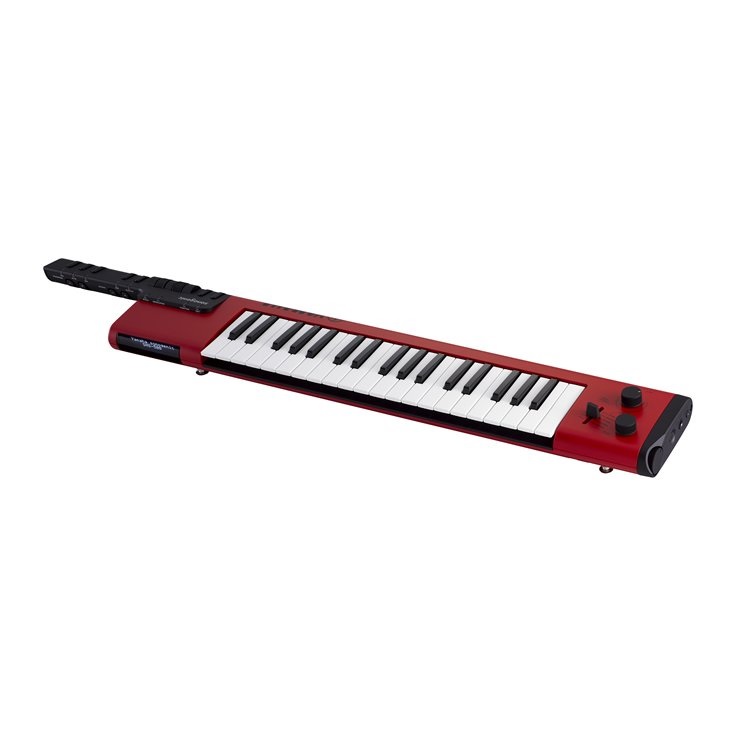
The SHS-300 Sonogenic is squarely in the musical toy category. The SHS-500 keytar is a solid, well-built instrument with 28 melodic instruments, 2 drum kits (House and Power), and DSP effects. The SHS-300, on the other hand, is a plastic, reduced rendition.

Both keyboards interface with Yamaha’s ChordTracker app and implement Jam mode. Jam mode lets an untrained user flail at the keyboard while the software maps the played notes to the musical scale determined by ChordTracker.

The SHS-300 has just 12 instruments organized into four categories:

  • Synth: Saw Lead, Square Lead, Synth Brass
  • Piano: Piano, Electric Piano, Organ
  • Guitar: Electric Guitar, Acoustic Guitar, Electric Bass
  • Other: Strings, Synth Bass, Dance Kit

The Dance Kit is the sole drum kit. The sounds are definitely entry-level PSR quality with no real effects. The nice solid controls of the SHS-500 are replaced by plastic buttons. Buttons control vibrato and sustain; Pitch bend is the sole wheel.

Street prices should be quite low as Yamaha are aiming for a super-casual, impulse-buy customer base.

Of course, the SHS-300 does not provide 5-pin MIDI out, an alphanumeric display or other niceties. I think I would stick with the bigger sibling SHS-500.

Where in the world?

Been quite a while since the last post, eh? 🙂

All I can say is that moving is a long journey!

I’m currently holed up in a hotel outside Everett, WA — 3,000 miles west of our old home. Fortunately, our former house sold quickly and we found a new house in just two weeks of intensive search. We’re still waiting to move to the new house and nearly everything is in storage. Probably a month to go before we will get our stuff and to try to get back to normal.

Our grandson is a hyperactive package of joy. It’s a real kick to be here as he learns so much every day. I started reading “Child Language” by Mathew Saxton, an easy read that I can recommend already. He is well into the “vocabulary spurt.” [Most grandparents don’t see their grandchildren as science experiments.]

“Nearly everything is in storage” means that I did bring along a few items for amusement…

So, OK, what is my desert island synthesizer? Ta-da, it’s the Yamaha MODX. It’s my regular gig instrument and I need to keep my chops up in order to audition for a new church group. Before moving, I built 30+ Performances for pop, rock, jazz and funk, expecting to play a few favorites over backing tracks. I can’t live on church music alone!

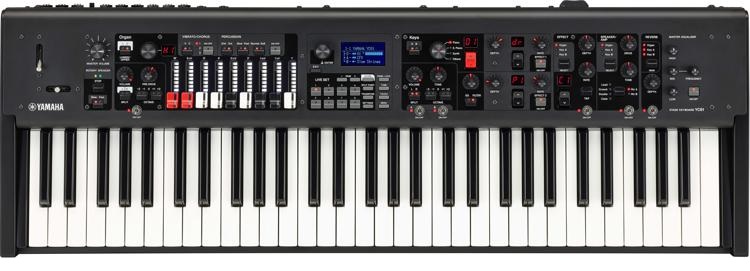
I shipped the MODX ahead, not wanting to check it with the airline. For that, I packed the Yamaha Reface YC, my rehearsal machine. The YC fits into the enormous suitcase which also holds my clothes. The clothes and gig bag held the YC rather securely and like the MODX, it got here just fine.

I guess that makes two desert island synths. 🙂

Blog posts will remain rather sparse in the near term, I’m afraid. We need to plan for delivery, complete the deal and get the job done. Yamaha just announced three new portable toys: the PSS-E30, PSS-F30 and PSS-A50. Might be good for amusement?

Bests.

Yamaha Genos update v1.4

Yamaha have posted Genos™ update v1.4 to their support sites. I’m in the process of downloading and installing the update. [More later.]

Yamaha have also updated the Genos manuals and the AudioPhraser program. AudioPhraser definitely needed some touch-ups. Hopefully, there is a new version of Yamaha Expansion Manager (YEM) and ChordTracker just around the corner.

Looking through the list of changes, v1.4 is not the major update many punters are looking for. However, Yamaha’s strategic decision to issue updates for its flagship products is very welcome. This move brings Yamaha into parity with its major competitors (Korg, especially).

Here’s the list of changes from the Version History:

  • Some information displays have been added to the Home display.
  • Many additional functions have been included for assignment to individual controllers on the Live Control display and the Assignable display
  • You can now see the result of operations of the ASSIGNABLE buttons via the pop-up window.
  • It is now possible to output to an external display by connecting a commercially USB-display adapter. For details on the supported device list, download from the “Downloads” tab on the product site.
  • You can now select the content displayed on the external display, from the Utility display.
  • Changes: The maximum capacity per file of MIDI Song has been expanded to about 3 MB.
  • Changes: Disabled switching between Dual Player mode and Song List mode during Song playback.
  • Changes: Changed the buttons for display/operation on the Song List mode to the SONG B buttons instead of the SONG A buttons.
  • Changes: The font settings on the Lyrics display and the Text display are backed up and retained even after the power is turned off.
  • Changes: The “Song” item which can be selected on the Registration Memory window is divided into “MIDI Song” and “Audio Song.”
  • Changes: When operating the on-screen knobs and vertical sliders, the first touch will not change the value immediately, but only select (focus) it.
  • Changes: The Voice Guide function supports display changes of this version. Please download the latest Voice Guide file from the product site for the additional sounds to work properly.
  • Fixed a problem in which, under a certain situation, the Audio Section of Audio Style would not play back.
  • Fixed a problem in which, under a certain situation, an Audio Song longer than 80 minutes would not play correctly.
  • Fixed a problem in which the instrument would become unresponsive to operations when playing back a specific MIDI Song.
  • Fixed a problem in which the instrument response would slow down when certain Preset Wallpaper settings were selected.
  • Fixed a problem in which Initial Touch On/Off settings would not function properly when calling up a specific Registration Memory.
  • Fixed a problem in which, under a certain situation, the Registration Freeze function would not work properly.
  • Fixed a problem in which certain Music Finder Record files of Tyros series could not be imported.
  • Fixed a problem in which the Panel Sustain parameter seems to have an effect on the Left part because the Panel Sustain can be edited on the Voice Edit display for the Left part.
  • Fixed a problem in which the instrument would occasionally become unresponsive to operations when executing Search.
  • Fixed a problem in which the instrument would occasionally become unresponsive to operations when changing the mode of Wireless LAN.
  • Fixed a problem in which the instrument would become unresponsive to operations when the pop-up window is closed in certain situations.
  • Fixed a problem in which the instrument would become unresponsive to operations when saving a file in certain situations.
  • Fixed a problem in which characters would occasionally not be displayed correctly.

The previous firmware version cannot be restored after updating the firmware to this version (v1.4).

Well, I can confirm that the v1.4 update did not kill my Genos. 🙂 The Home page definitely displays more useful information. (Check out the link to the video to see what I mean.) I like the visual feedback as to where “the one” (downbeat) is. Some styles do not have a firm downbeat in MAIN A and I easily get lost.

I love having more assignable functions although nothing blows me away initially. The assignable functions are listed in the updated (e0) Genos Reference Manual starting on page 126. I’m glad to see the MIDI file size limit kicked up to 3MB. Controller intensive MIDI files can get pretty big.

Overall, I’m looking forward to improved stability. Yamaha gave us a few functional improvements, but nothing stunning. The list of bug fixes, however, shows attention to detail and quality. I will certainly miss the Genos while it’s in storage during the move!

Copyright © 2019 Paul J. Drongowski