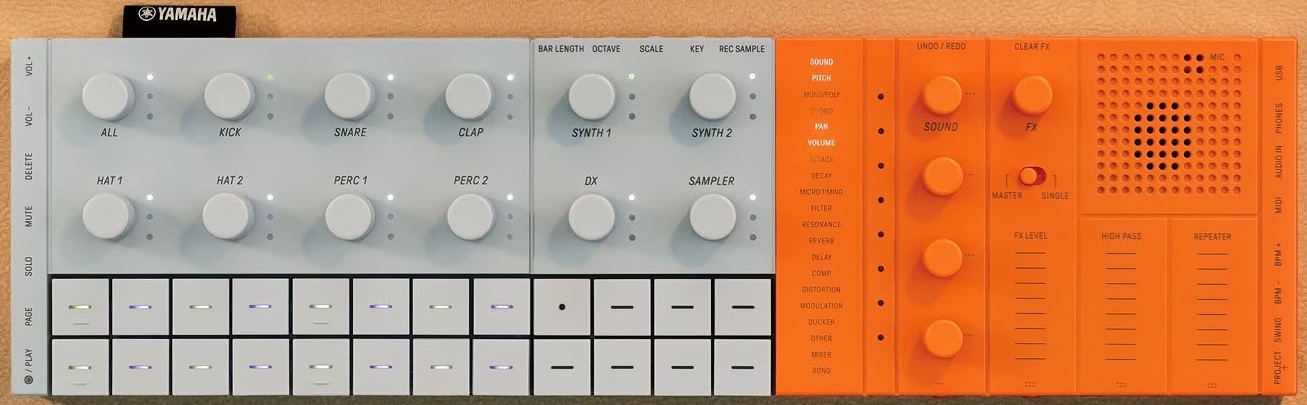
SEQTRAK as sound module: Connections

A quick hit on the SEQTRAK front…

I’ve been experimenting with Yamaha SEQTRAK as a sound module. The biggest trick is living within SEQTRAK’s MIDI channel assignments:

  • Channels 1 to 7: Drum, synth, or drum kit
  • Channels 8 and 9: Synth
  • Channel 10: DX 4-op FM
  • Channel 11: Sampler

Channels 1 to 7 can be assigned to “Synth” through the SEQTRAK app and that’s how I have assigned them. Overall, I have 9 channels of AWM2 synth and 1 channel of 4-op FM for ten melodic voices total. I haven’t sussed out the Sampler yet.

So far, I’ve tested SEQTRAK using three MIDI controllers:

As you might expect for a mature technology, 5-pin MIDI is rock solid. The Keylab Essential and Launchpad both have 5-pin MIDI out which I connect to the SEQTRAK through its MIDI adapter. The SEQTRAK MIDI adapter has an oddball 5-pole TRRRS 3.5mm plug (Yamaha part number VFD34200). I intend to buy a spare adapter or two just in case I lose one.

I didn’t try the Keylab or Launchpad over USB due to power concerns. I don’t want to tax the small-ish SEQTRAK lithium-Ion battery (2,100 mAh) although the output current is rated at a hefty 1.5 Amps.

The output current spec gives me pause. Maybe I should pull out a USB power meter and take measurements?

I tested SEQTRAK with the Microkey Air USB interface because the Air has low current draw. No joy. Although the Microkey Air powered up, no notes, no sound. I double-checked the outgoing MIDI (channel 1) stream. The SEQTRAK just did not seem to get MIDI messages. I need to find a way to monitor SEQTRAK’s MIDI activity in order to draw a more definite conclusion.

I was more successful sending MIDI over USB from a Yamaha PSS-A50. (Channel 1, again.) Unfortunately, SEQTRAK would occasionally lose the USB connection and I would need to restart the PSS-A50 and SEQTRAK. Other folks on the web have reported this issue and Yamaha need to troubleshoot.

KORG USB MIDI ain’t working too well with Windows 11, either. There is something quirky about KORG’s USB support and I wish KORG would put engineers on it and straighten things out once and forall.

A quick test with a CME Bluetooth WIDI UHost was successful. I connected SEQTRAK to the UHost USB-C data port, turned on SEQTRAK, turned on the Microkey Air, and bang — the Microkey Air connects to the SEQTRAK via Bluetooth MIDI. It would be terrific if the Microkey Air connected to SEQTRAK’s internal MIDI, but I could easily live with a tiny external WIDI UHost instead.

Going forward, I will stick to 5-pin MIDI or WIDI Bluetooth. I need rock solid connection and cannot reboot during a church service. One thing about playing in church, when you gotta play and be heard, your tech must work without failure every time.

I will have more to say about configuring the SEQTRAK voices in a future post. I’ll leave you with a list of my favorite and most useful melodic voices:

    Hammond organ    Pipe organ       Electric piano
    -------------    -------------    --------------------
    Vib Chorus       St. Paul         Wood EP (DX)
    Soulemn          Sunday           Wood EQ Tremolo (DX)
    Mellow                            Soft Case
    Even Out                          Vintage Case
    Draw Control
    Swishie

    Strings          Brass            Woodwind
    -------------    -------------    --------------------
    Violin           2 Flutes         Jazzy Flugel     
    Violin Solo      Flute & Clari    Legend Mute
    Cello Duo        2 Oboes&Bassoon  Trumpet Vibrato
    Quartet          WoodWind Quartet French Horn
    Medium Section                    FrenchHornSection1
    Full Chamber                      F.Horn + Trombine
    Warm Back                         F.Horn + Strings
    VP Soft                           Wood Winds+Strings

    Pad
    ----------------
    Ethereal
    Simple Air
    Warm Backing Pad
    Oooh Pad
    Strings & Choir
    Nativity

This list reads like the greatest orchestral sounds of the Motif XS and XF. For a $250 to $300 USD sound module, that ain’t bad! Many of these sounds are in my MODX Live Set for church.

More to come…

Copyright © 2026 Paul J. Drongowski

Comparison: SEQTRAK, EP-40 Riddim, Volca Sample

I’m taking a break from the toys to compare:

All four machines are deep so you’re not going to get an in-depth analysis of features and so forth. I’m going to concentrate on immediacy and fun. Each box has its own best uses and I will offer my opinion.

A word about manuals

Wait! You were going to talk about immediacy and the first thing you mention is manuals?

All four machines support direct production of a single pattern. Sooner or later, you’ll need to learn about song structure, chaining, etc. and you will need to do menu diving. That’s where a good manual can help because if you can find information fast, you won’t lose the buzz.

In that regard, the AN200 manual is the best. Not only can you read and search the manual in PDF, the AN200 came with a nice thick paper book. In terms of content, the AN200 manual was written when Yamaha obviously cared about manuals and good technical writing.

Today, not so much. The SEQTRAK guide covers the usual front panel and button pressing stuff, but is woefully short about the SEQTRAK app. You are expected to puzzle out app functionality. Unfortunately, some app features are not obvious like click and hold on a step to reveal step parameters. It took me forever to discover that one.

The Teenage Engineering EP-40 user guide is at roughly the same level as the SEQTRAK manual. The EP-40 is more intuitive to use right out of the box. Once you want to get into customization, though, you’ll be looking into the guide. Unfortunately, TE does not provide a PDF manual and you’ll need an Internet connection to keep the guide by your side. Can’t really search the on-line manual either.

The Volca Sample 2 owner’s manual is the worst. The paper and PDF versions are broad sheets. Text is shown in mice type — too tiny for humans. I do paper origami and blow up parts of the manual onto regular 8.5″ x 11″ paper. Korg, this is ridiculous. Also in the ridiculous department is the poor readability of TE’s and SEQTRAK’s app text (tiny size, low contrast). As I’ve mentioned elsewhere, I literally read the 4K 24″ monitor screen with a magnifying glass. Inexcusable.

Yamaha AN200 Loop Factory

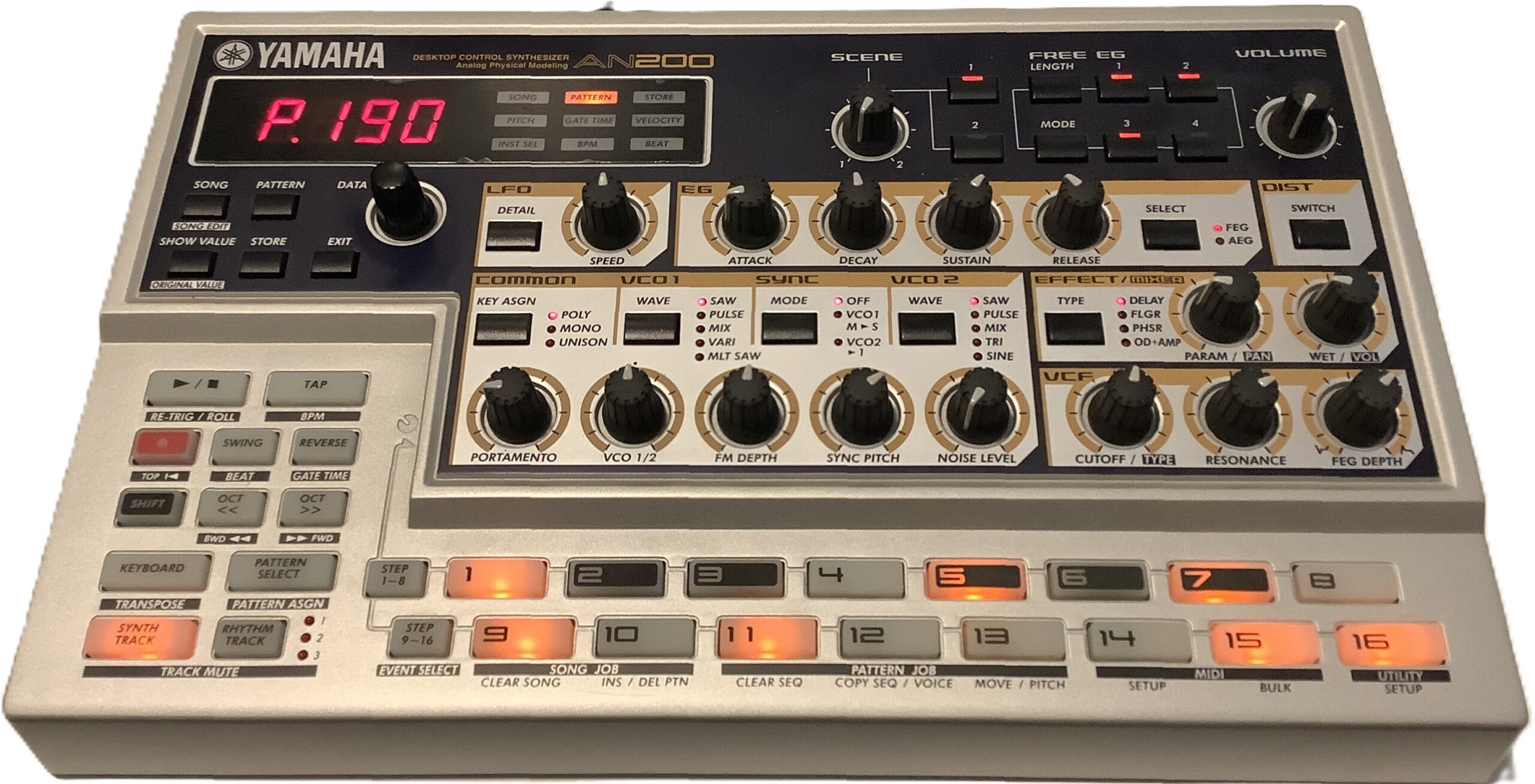
The AN200 is the OG. It’s big (13″ x 8″) and lights up like a pachinko machine. Therein lies the magic. Ya get big back-lit buttons, big knobs, and clearly readable legends on all of the controls. There isn’t any guessing about where the SHIFT button will take you.
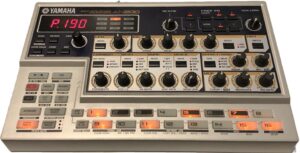
Yamaha AN200 — the OG

AN200 is vintage and you pay market price. Unlike the three modern machines in this comparison, the AN200 factory content is fixed and you cannot add your own samples. The factory patterns are stuck in the late 90s and if that’s your thing, good. You won’t find much downtempo or chill.

In terms of immediacy, it’s hard to beat all of those controls and lights. If you want to do more with help from a PC or Mac, you’re stuck with legacy software (the AN200 editor) from 2001.

The AN200 is fun. I enjoy working with it again. I’m capturing patterns and converting them to SEQTRAK. [I’ll leave that topic for another post.] You get five analog physical modeling voices on one synth track and three AWM rhythm tracks. People still pine for Yamaha AN of yesteryear, so I ain’t complaining.

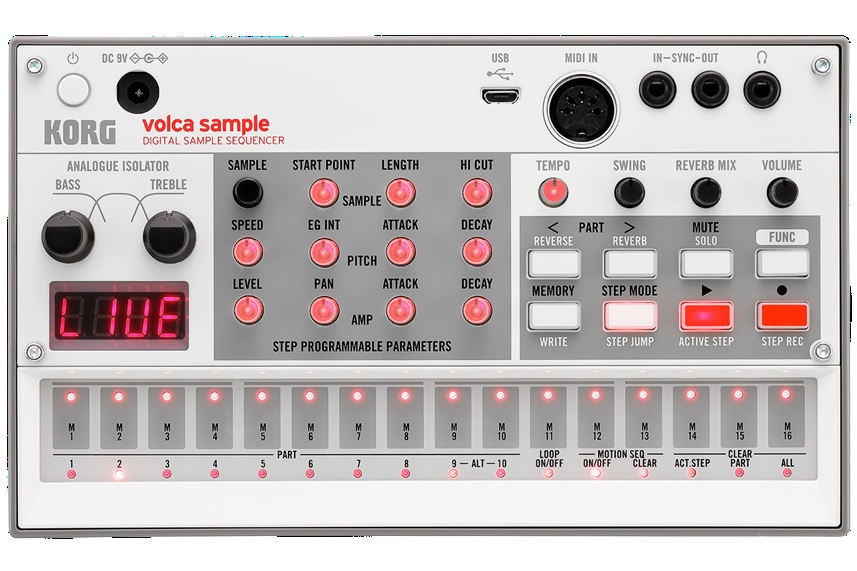
Korg Volca Sample 2

The Sample 2 remains on the undercard. For $150 USD, you get a pretty decent sample-based beat box. The Volca can’t sample new sounds itself, so you need to load the Volca via Korg’s sample librarian.

As to immediacy and fun, the Sample 2 has a lot going for it. The front panel has a bunch of well-labelled, back-lit mini-knobs and buttons. If someone knows a little bit about beat boxes and sample playback, hey, one-two you know what to do. Like the AN200, the Sample 2 has a four digital LED display meaning feedback is limited and often cryptic.
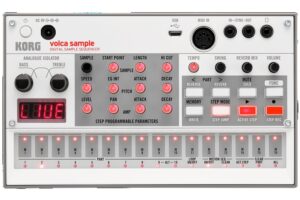
Korg Volca Sample 2

Memory capacity is way low — too small for long loops. Even if you toss all of the rather nice factory content, you won’t be loading a lot of mix stems. I just want to tell the Sample 2, “You’re a beat box and you will always be a beat box.” Never-the-less, I don’t regret owning the little pup.

Teenage Engineering EP-40 Riddim

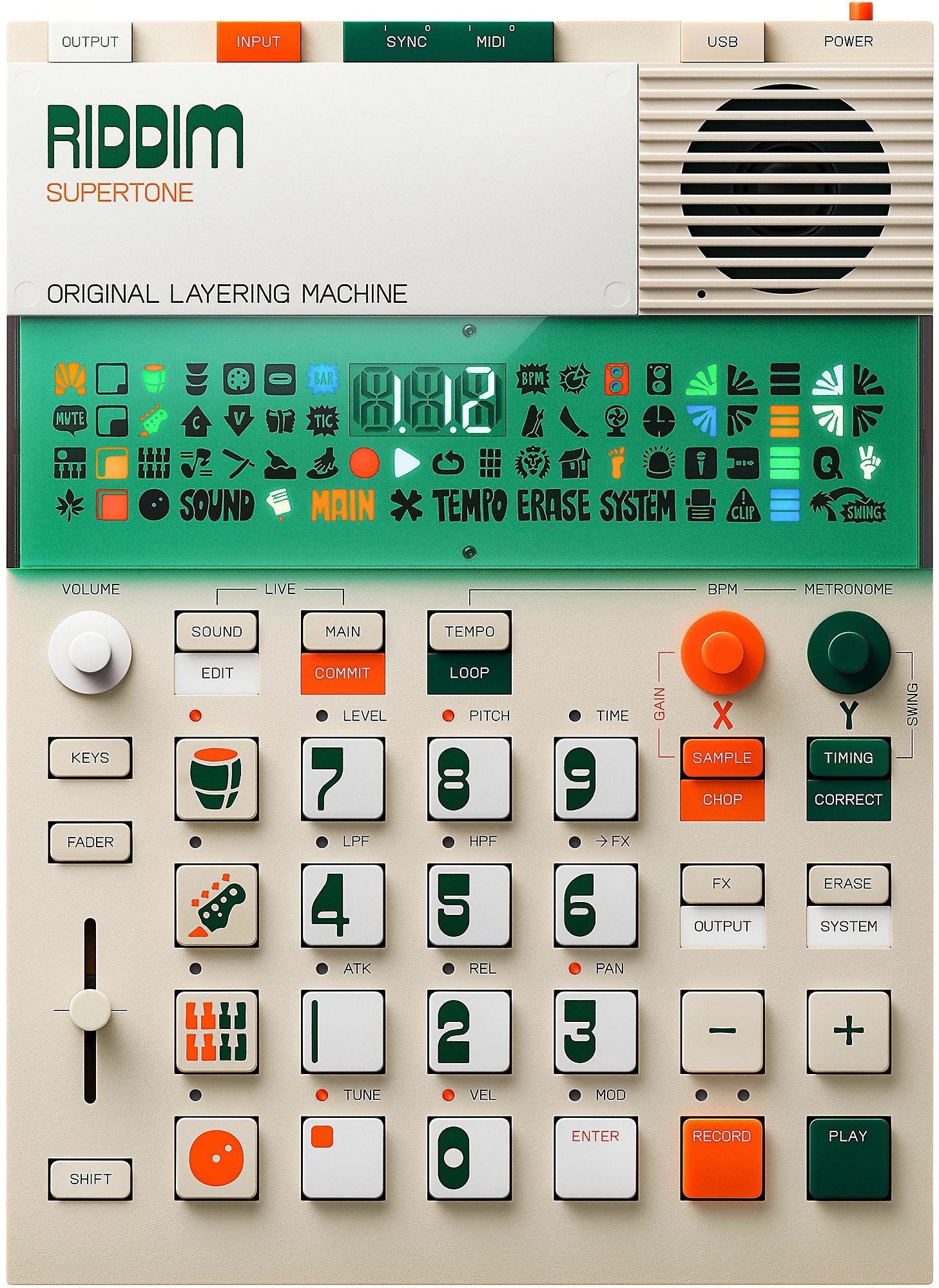
The TE EP-40 gets my vote as “Most fun right out of the box.” Those big buttons demand pushing and the control legends are easily read and understood. You do need a clue or two from the included Getting Started card. For example, you need to know that the “instrument” buttons select one of the four tracks, how the fader and knobs affect parameters, etc.

The funnest element is being able to perform a full song right from the git go. The Riddim says “Original Layering Machine.” That’s an apt description. You can make beats, but the ability to play and perform from long loops that stay in sync hits my sweet spot. It takes more reading to know how to drop in effects and navigate projects. The effects, by the way, are right on point. The built-in Supertone synth is not bad although you need to read about sound editing to expand its somewhat limited range.
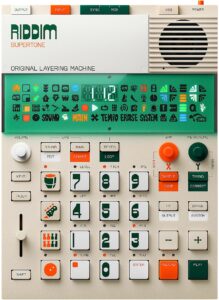
Teenage Engineering EP-40 Riddim

I hope EP-133 K.O. II users have as much fun. A fair bit of my enthusiasm comes from the Reggae content and styling theme. TE recently upped the K.O. to 128Mbytes of sample space — just enough to be dangerous. Riddim has the ability to sample on the fly and it doesn’t take much to fill up the 32MB or so of free space. Kicking content out of Riddim is like deciding which of your children to leave behind on the loading dock. Ouch.

The EP-40 has a three digit display. It also has a large bank of Swedish hieroglyphics. I still don’t know what half of those symbols mean. πŸ™‚ The symbols are useful when you know what they mean (e.g., MIDI activity).

I know it’s possible to make beats with this thang. OK. I am not a beat maker and prefer long loops. Thus, EP-40 suits my use case (AKA production style). I’ve been rummaging through reggae loops trying to get new “songs” together. I wish there was an easy way to audition a few loops together to see if they fit without going through the download process. Oh, well, there is always Ableton Live for that… Eventually, I will venture into downtempo and chill; I don’t see any technical barriers.

Sample 2, EP-40 and SEQTRAK have built-in speakers. The EP-40 has the best of the lot, although none of the speakers is good enough to use stand-alone for very long. All are “courtesy speakers” and you’ll be plugging into monitors anyway.

Yamaha SEQTRAK

When folks first saw SEQTRAK, they gasped, “Yamaha is trying to copy the Teenage Engineering OP look.” Yep, Yamaha’s industrial designers shot for a sleek minimalist look and hit the mark. After playing EP-40, though, my next impression was, “Gee, Yamaha achieved the look, but they left out the fun.” TE tries to build in playfulness as well as modernist industrial design.
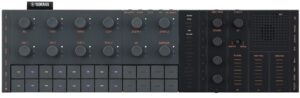
I had waited a long time to jump on the SEQTRAK wagon because I am not a beat maker. Beat making is SEQTRAK’s primary use case. I will let the Interweb’s argue the case for and against on that basis.

I will use SEQTRAK as a sound module — no doubt about it. This module has a huge internal library of AWM2, sampled and 4-op DX sounds. (The DX sound set could be a little beefier.) The AWM2 sound set is “MX+” (or “XS+” depending upon your reference point). None of us should have trouble putting the factory sounds to work modulo the MIDI channel restrictions.

As a standalone beat making tool, I can see how the SEQTRAK is somewhat unapproachable. There are small side buttons and connection points. Purpose is sometimes clear (e.g., USB. phones, VOL+, VOL-) and sometimes not (e.g., PAGE, DELETE, PROJECT). Plus, what is that quasi-display in the middle with words that light up? SEQTRAK does include a multi-lingual “Quick Operations Guide” with about 20 pages of instructions and tips. Thank goodness.

I didn’t really get into SEQTRAK until I fired up the SEQTRAK app. Now we’re talkin’. The app is far more relatable and it provides a longer user guide. Thanks to the app and its guide, I understand the track layout, effects structure, project management, etc. I have a long history with Yamaha gear and immediately “got” SEQTRAK as a sequencer and synth.

When I saw MIDI import and export, I decided to convert a some of the old DJX-II patterns to SEQTRAK. After a few minor stumbles, I got reasonably familiar and competent at SEQTRAK conversions. Now my SEQTRAK has several jazzy songs, each song (project) with six different pattern (sets) up to eight bars (the SEQTRAK max) in length. Most importantly, they sound danged good for the money. I could see loading (up to) eight songs and performing a live remix standalone.

SEQTRAK prices have dropped to where a punter shouldn’t hold back — if beat making is your thing. I don’t think SEQTRAK would be the best engine for long, stem-like loops. TE’s EP approach is a better fit for that production process.

Is there a champ?

Is there a champ? That depends on your musical process. Beat makers should be happy with SEQTRAK once they climb the learning curve. Us kids who just want to have fun and are inclined toward stem-like loops will be happier with a TE EP-40 or EP-133 K.O. II. Gratefully, neither device is beastly expensive (about $300 USD each). Both are good value.

Copyright © 2026 Paul J. Drongowski

Review: Yamaha Seqtrak

Yamaha Seqtrak went on sale last month — at the fantastically low price of $250 USD. OK, that got me. πŸ™‚

By now, there are a mess o’ Seqtrak videos on-line. You’ve probably watched and heard the demonstrations and tutorials. Therefore, I will concentrate on my personal experience and reactions. It will be hard to avoid comparisons to Teenage Engineering EP-40 Riddim and Korg Volca Sample 2. I’ll save comparisons for another day.

Gotta say up front, I am not a beat maker. My beats sound like a 1960s home organ and I ain’t proud of them. That’s why I waited so song to get a Seqtrak. It’s primary advertised use-case is beat making, so I decided to wait until the price fell to impulse level.

The Seqtrak has four very high quality noise making sections; five, if you count the excellent effects. You get:

  • Seven parts (channels) for AWM2 drums/percussion,
  • Two parts for AWM2 synth voices,
  • One part for 4-op FM (a la Reface DX)
  • One part for sampler playback.

If you have the latest updates installed, the seven drum parts can be reassigned to either AWM2 synth or drum kit. That means you can turn Seqtrak into a 9 channel AWM2 sound module with a channel of DX FM.

The factory AWM2 sound set is no slouch. I compared the Seqtrak waveforms against the Motif XS and XF. I would call the Seqtrak an “XS+” — some desirable additions from the XF, but minus Megavoices (like the MX) and the S6 acoustic piano. Seqtrak also gets some of the later digital effects like HD reverb, guitar amp simulators (REAL DISTORTION), compression (UNICOMP), and EDM, hippity-hop sound bashers.

250 bucks is roughly the cost of a mid-range software synth. You would be very hard pressed to find a MIDI sound module with Seqtrak’s capabilities for $250. Forget the General MIDI module crap out of China. Buy a Seqtrak. [Seqtrak is manufactured in Malaysia.] You give up a few channels and you need to live within the Seqtrak’s channel structure. Read the manual.

Seqtrak has a frightening amount of connectivity: USB C, Bluetooth, Wi-Fi, MIDI. The MIDI dongle is very weird. Its 3.5mm plug has five (5) contacts; good luck finding one of these things. The dongle works fine and I had Seqtrak working with my Arturia Keylab Essential in nothing flat. Should work fine with the Novation Launchkey, too. Using the Seqtrak app, I programmed nine AWM2 channels and DX with my favorite voices. I then selected among the faves by changing the MIDI send channel on the Keylab Essential.

Another approach is to tag sounds as favorites through the app. Then use the SOUND knob to scroll through your favorite sounds.

Seqtrak as a sound module — check!

The Seqtrak app is a brilliant piece of work. It provides basic AWM2 “quick edits” and full access to effects and effect parameters. The app also has a beautiful FM editor. I intend to build a translation app in order to use the Seqtrak app as an editor for Reface DX. The SysEx is similar between both units.

As I mentioned, I am not a beat maker. That is Seqtrak’s intended market, however. Yamaha shot for a Teenage Engineering aesthetic and hit the mark. On the other hand, the rather sparse appearance of the front panel and buttons left me uninspired and lost. The unit is super-light, which is great until you press those side buttons and Seqtrak slides away. I quickly learned to steady the unit with my thumb, second hand, whatever. Also, I never got into multi-button combinations — why I never played Street Fighter…

This is where the app is not only brilliant, but essential. I spent the last two weeks converting a few DJX-II patterns to Seqtrak and I cannot imagine working without the app. The latest updates (now v2.0) make Seqtrak what it should have been on day one. With only eight project slots, back-up and project management is an absolute necessity.

A few app features got a heavy work-out when converting patterns: MIDI import, mixer, sound assignment, effects editing. The Seqtrak app is very well integrated with the hardware and you can move between on-screen controls and hardware controls without thinking about it. Kudos. As Yamaha recommend, start working with the app and you will eventually learn how to use Seqtrak stand-alone.

My biggest niggle is the same as Teenage Engineering’s Riddim software — font size and contrast. I work on a 4K monitor on Windows 11. By default, Windows wants to display everything at native resolution. Yeah, you can change the scale factor, but that changes the scale factor for all applications. Like TE’s software, I’m reading text with a magnifying glass. Software developers, have your grandmother use your app. If she can’t read the text, fix your app!

Seqtrak is a lot of tech for not very much money. If Seqtrak fits your work-flow and use cases, go for it.

Copyright © 2026 Paul J. Drongowski
Want vs. need: Yamaha Seqtrak

It doesn’t cost anything to window shop!

With the holiday selling season in full swing, I took another look at Yamaha Seqtrak. Ya never know when a bargain might present itself, so it’s good to be ready. πŸ™‚

Seqtrak is Yamaha’s low cost alternative to the all-in-one Teenage Engineering OP-1 — a battery-powered synthesizer, sampler and sequencer. The price is much sweeter, $399 USD (MAP/street), than Teenage Engineering.

I’ve been hesitant to chomp on Seqtrak because I don’t really need a groove box. Yeah, it might provide fun occasionally, but it doesn’t really fulfill a need for what I play live (mainly keyboard emulation of acoustic instruments).

A few postings on Yamaha Musicians Forum motivated me to investigate further, however. Seqtrak implements two forms of synthesis: AWM2 and FM. At first, the AWM2 support sounds like a yawner. Guess what? The AWM2 sound set is pretty much the Motif XF (MOXF) factory sounds! That ain’t chopped liver.

The Seqtrak DX FM implementation is the same as the Reface DX. Even though it’s a four-OP implementation, feedback is supported on any OP, yielding a harmonically richer sound than four-OP of yesteryear. Both DX FM and AWM2 synths can be routed into a robust collection of DSP effects, including rotary speaker, VCM effects and HD reverb.

I wish the Seqtrak DX FM editor supported the Reface DX. It is one nice editor.

Thus, $399 buys a three channel (two synth, one DX FM) battery-powered MIDI module supporting DX FM and Motif XF synthesis. That’s quite a bargain when Reface DX alone costs $400 or so on a typical day.

As an expander, my main quibble is usage model. Seqtrak does not have a display showing the currently selected voice. I can’t tolerate that level of uncertainty during a live performance. The Seqtrak app controls all, but it means schlepping another piece (iPad) to the gig and making everything work live.

Still, it’s enticing. A case of want over need.

Seqtrak inside

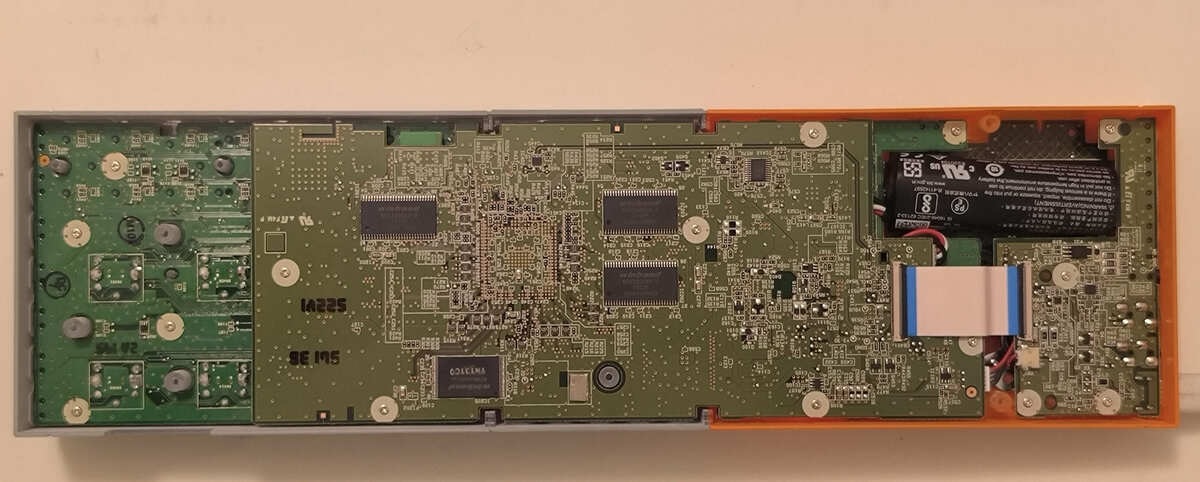
What’s inside that tiny box? Thanks to a brave soul on LoopyPro, we get the picture.

Seqtrak consists of three printed circuit boards (PCB): a front panel board which runs most of the length of the chassis, a large digital electronics board mounted in parallel with the front panel board, and a small analog electronics board near the battery and speaker. The analog electronics board has connectors for USB-C, PHONES, AUDIO IN and MIDI.

SeqTrak printed circuit boards

The main event is the digital electronics board, usually called “DM” in Yamaha-speak. In this picture, we are looking at the bottom of the board. The top of the board — sometimes called the “component side” — is obviously out of view. The three large rectangular integrated circuits (IC) are SDRAM (e.g., Winbond W9825G6KH-6 256Mbit Parallel 166 MHz, typically organized as 32MBytes). The specially labelled IC is (likely) a Winbond 256Mbit (32MByte) NOR flash ROM containing the Seqtrak code.

The memory ICs surround the foil pattern for a Yamaha proprietary SWX processor. I’m guessing SWX09 or SWX10. SWX combines an ARM core with AWM2 tone generation and DSP effect processors. Seqtrak implements DX FM because only SWP70 implements FM-X. Low cost devices like Seqtrak usually employ a single, highly integrated SWX and do not include a separate SWP70 tone generator.

There may be additional memory devices on the component side of the DM board. The battery is a 3.6V 2100mAh Li-ion battery.

Copyright © 2024 Paul J. Drongowski

October 8th — How’d that turn out?

Ableton Move

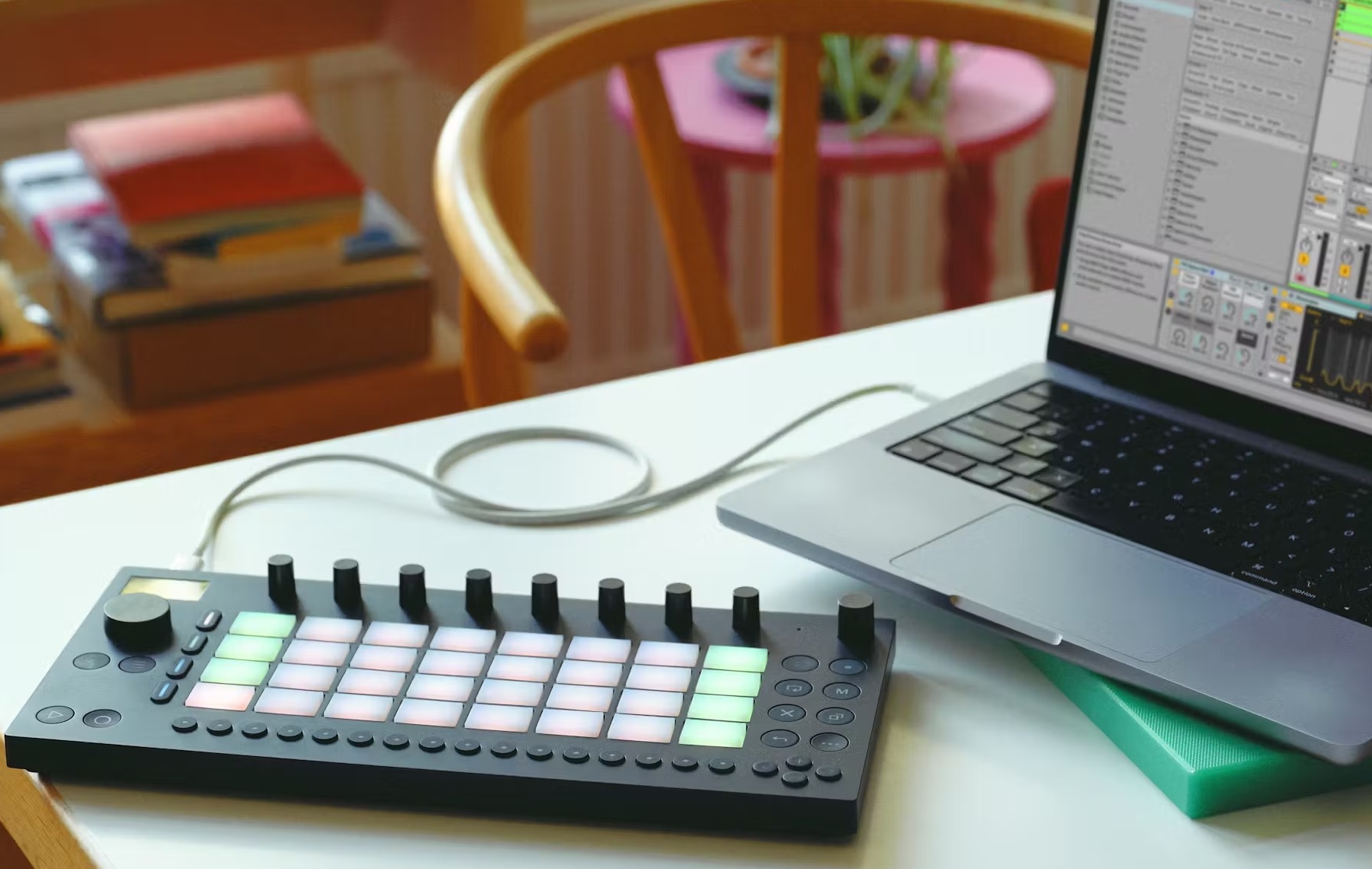
Ableton Move is a new portable, stand-alone “music creation” surface. Move has four tracks (drum, sampler, or synth) and a step sequencer. Move has audio input and output (3.5mm), built-in WiFi, 64GByte internal storage, built-in speaker and microphone, and an OLED screen (128×64 pixels). Control gizmos include 32 pads with polyphonic aftertouch, 9 touch-sensitive endless encoders and 16 multi-function buttons.

Ableton Move

Like its competition (Yamaha SEQTRAK), Move is loaded with 1,500+ preset instruments, samples and drum hits. Three instruments are preloaded: Drift, Wavetable and Drum Sampler (plus Melodic Sampler).

Each track has up to two (insert) effects with two more for the Main Track. Effects include everb, Delay, Saturator, Chorus-Ensemble, Phaser-Flanger, Redux, Channel EQ and Dynamics.

Interesting — to me and other nerds — is the 1.5GHz quad-core ARM Cortex-A72 within. Wisely, Ableton included a USB-A port which means you can hook up your class-compliant controllers to Move. I wish this kind of “HOST” capability was standard everywhere on planet Earth.

Ableton Move is 313.5mm wide, 146.3mm deep, 34mm high. That’s 12.4 inches by 5.8″ for you English types.

Of course, Ableton Live Intro is bundled and Move knows about Ableton Live (and vice versa). With portability and integrated sound-making, I could see the Ableton Move becoming the prefered low-end Ableton Live controller. I have a boatload of mini controllers. At $449 USD, I could see Ableton Move replacing them all, even if I never do the on-the-go beat-making thing.

ROLI Airwave

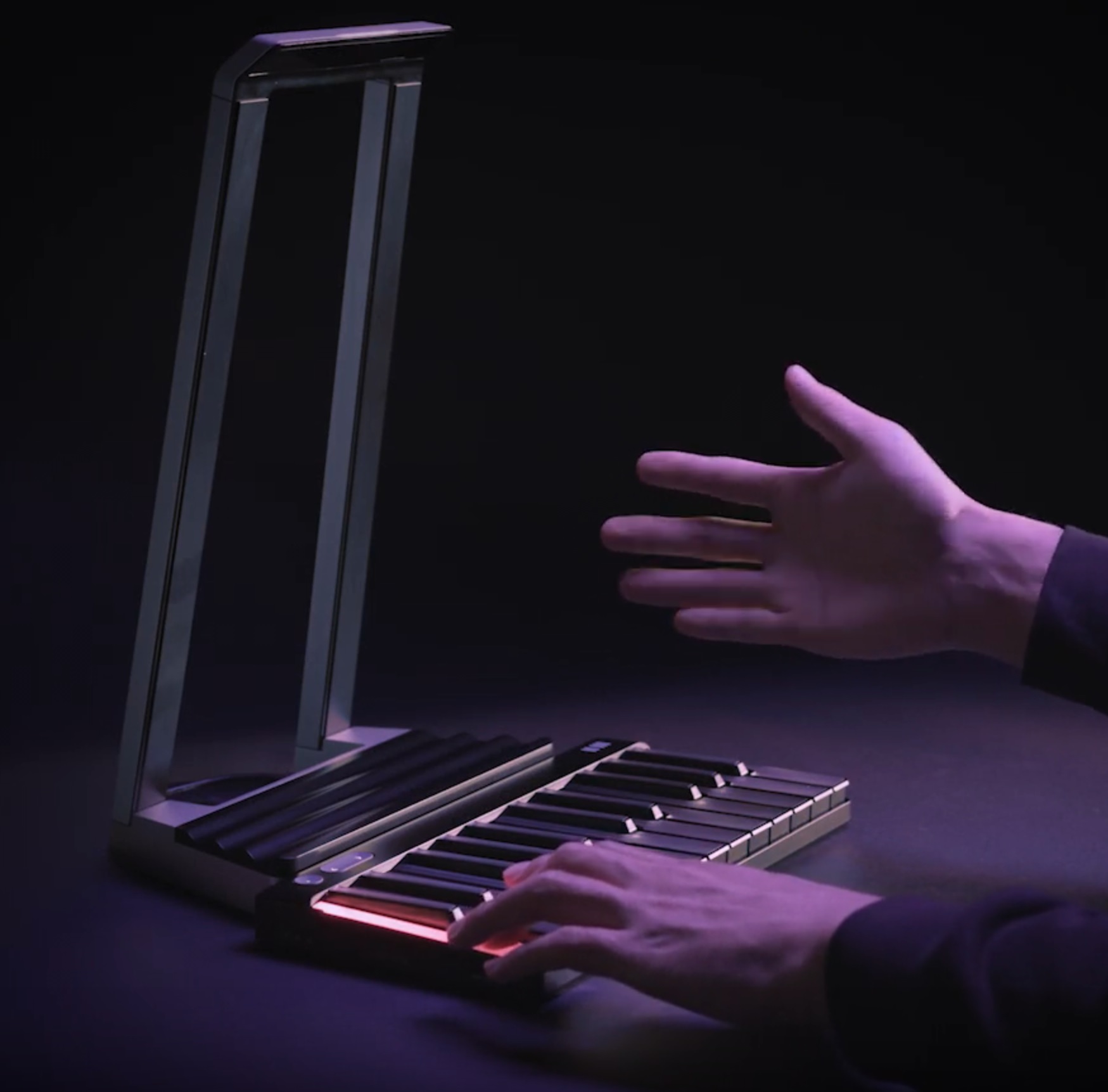
If you ever wanted a Theremin, maybe a ROLI Airwave?

ROLI Airwave

The ROLI Airwave lets you wave your hands about like The Amazing Kreskin, the mentalist. It connects to ROLI Piano M (formerly known as “Lumi Keys”) or ROLI Seaboard. Airwave supports gestures:

  • Air Raise: Raise your hand up or down.
  • Air Tilt: Turn your hand (rotate your wrist).
  • Air Glide: Move your hand left/right over the keys.
  • Air Slide: Move hands front to back over the keys.
  • Air Flex: Change the angle of your wrist.

Put your hands in the air like you just… Oh, never mind.

The gestural thing is kind of neat. It would be cool to conduct a virtual orchestra, not just play keys. The tech is called “ROLI Vision”: “Airwave uses infrared cameras and ROLI Vision technology to reliably track all 27 joints in each of your hands at 90 frames per second. The data is converted into MIDI in real time, giving you incredibly precise control of your musical expression.”

ROLI Airwave is $299 USD and pre-order is available. And there are bundles.

Connectivity specs:

  • 3.5mm TRS Headphone Output
  • 3.5mm TRS Pedal input
  • Two USB-C ports (data and power) plus a magnetic USB port for ROLI hardware
  • Class compliant MIDI over USB and class compliant audio interface

Copyright © 2024 Paul J. Drongowski

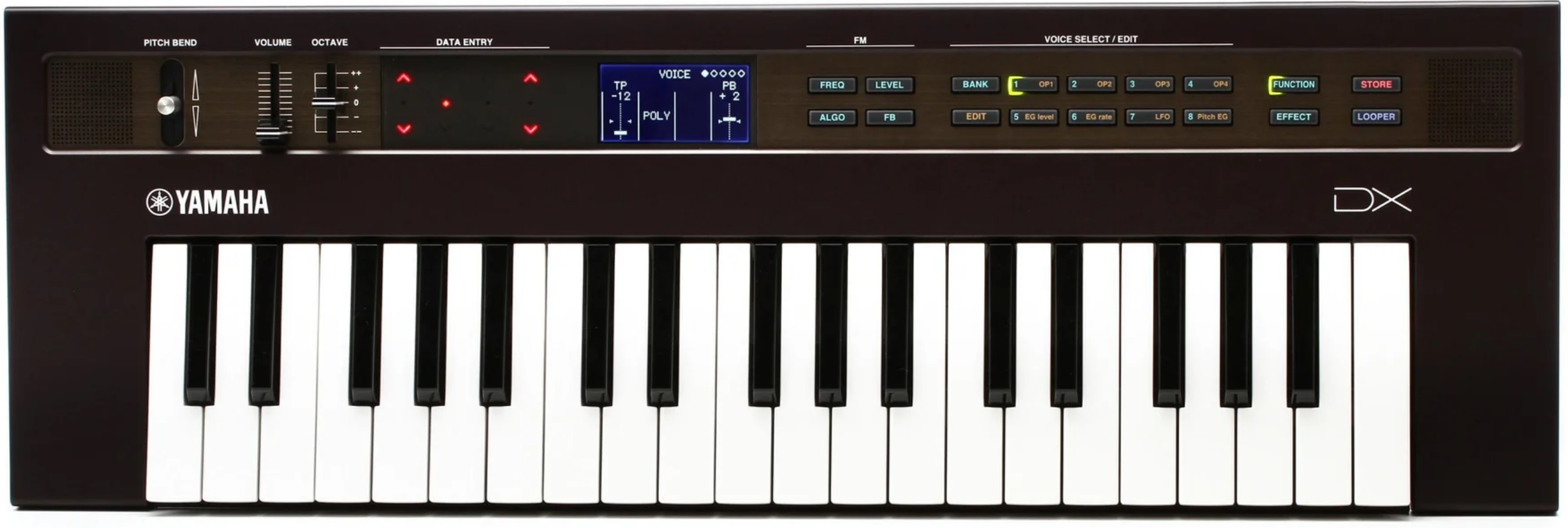
Reface DX: No static at all

If you’ve browsed Yamaha Reface at on-line retailers, you’ll know that Reface DX and Reface CS are currently on sale. The DX and CS are the two Katzenhammer kids which share the same internal design, using a Yamaha-proprietary SSP-2 processor as the central compute engine.

The Reface DX price is startling: $250 USD (MAP). Wow! That’s the price of a mid-range guitar pedal. Makes me wonder if the DX and CS are being closed out or if Mark 2 models are in the works. The venerable SSP-2 is supplanted by the SSP-3 and perhaps the inventory of SSP-2 is depleted.

The Reface CP and Reface YC MAP prices remain the same. I suspect that sales of these models remain solid as there always seems to be a need for good EP and organ sounds.

That DX price is a clearance price. When Reface was released, I vowed to buy at blow-out pricing. Yep, I put a Reface DX on order.

A few Reface DX programming links

First off, I’m amazed at the number of contributed DX patches at Yamaha’s Soundmondo sharing site. There are literally thousands of Reface DX patches. The Soundmondo tagging idea is good, but too many punters over-tagged their submissions. I’m looking for “orchestral” sounds and there are many tagged patches that are not remotely “orchestral”. A search system is only as good as the quality of its tagging.

If that’s not enough patches for you, try the Reface DX Legacy Project. Martin Tarenskeen maintains this vast library of Reface DX patches converted from old FM machines. I can’t vouch for the quality of the conversions (yet), but I’ll be heading there for old 4-op DX21 patches. I had a DX21 back in the day, and know the factory sound set quite well. I still have the original cassette tape with DX21 patches on it!

I also plan to do a little FM programming. This series of articles by Manny Fernandez is excellent:

Learn from the best in the field — that would be Manny. His articles have links to his example patches in the Soundmondo library.

You’ll need a Reface DX algorithms and envelope cheat-sheet (PDF), too.

Reface DX is old enough to be a grown up by now. So, there’s plenty of on-line support if you choose to jump into the Reface DX pool.

Yamaha SEQTRAK FM

I was curious to see how SEQTRAK FM stacks up against Reface DX. My conclusion — it’s the same FM engine:

  • 4-op, 12 algorithms, polyphony 8
  • Same algorithms and parameters
  • SEQTRAK includes many Reface DX patches

Looking beyond FM, SEQTRAK does AWM2, sampling and sequencing, and offers more effects. I’m more of a player than a button-pusher, so Reface DX is better for my personal needs.

Reflecting on the SEQTRAK FM and AWM2, I would expect to find a Yamaha proprietary SWX09 at its heart. The SWX09 core executes the Renesas SH architecture, same as SSP. Plus, SWX09 has an integrated AWM2 tone generation engine.

Copyright © 2024 Paul J. Drongowski

Yamaha SEQTRAK: Quick reaction

I’ve already gotten requests to comment on the new Yamaha SEQTRAK™ Ideastation. Mind you, I haven’t touched one, but here goes.

How does SEQTRAK compare to the old QY-70/QY-100? I would say, they are different beasts for different compositional processes. The QYs are the early predecessors of the Motif and PSR, Tyros, Genos sequencers. The QY usage model is based on phrase-oriented composition providing a big internal library of musical phrases. The QYs assembled the phrases into arranger-like styles. Then, one composes songs using either a preset or user style.

The QY workflow is pretty conventional. Motif and PSR people would recognize the line-oriented presentation of sequencer data and the infamous “JOBS” for tasks like quantization, copying sequence data and so on. The Motif series and arranger workstations borrowed heavily from the QYs. In fact, sometimes, I feel like they are running the old legacy code!

I like my QY-70 because I can compose songs in the “traditional way”. The QY beats both Motif and PSR/Genos in the way it handles chord tracks. Oh, how I wish for that in today’s instruments. The QY designers were on to something good, there.

SEQTRAK is Yamaha’s attempt to capture some of the old RM1x and RS-7000 groove box magic. The old groove boxes are in step with modern beat-box sequencers. The workflow is pattern-based — create a pattern in a track, create another pattern in a different concurrent track, and chain the concurrent patterns into a song. (Yeah, this is a gross over-simplification. πŸ™‚ ) This is different compositional process than the QYs which are more “trad”.

Japan’s Lost Decade(s) hit Yamaha hard and made their managers very conservative. The old QYs and groove boxes got the ax in order to survive a moribund Japanese economy.

I think Yamaha got tired of watching other people make money on tech which they pretty much invented back in the 90s and 00s. Teenage Engineering is making outrageous money with the all-in-one OP-1. $2,000 USD (MAP)? Really?

In my quick opinion, SEQTRAK is too timid, too conservative. Yamaha went to the AWM2 and FX technology well One. More. Time. The only upside is the low selling price of $399 USD (MAP). Given the polyphony spec, I would expect to find a single SWP70 (AWM2+FM) tone generator IC and an ARM host processor. How innovative is that? Where is AN-X or even the low-spec AN found in Reface CS?

Is SEQTRAK competitive with OP-1? Time and deep analysis will tell. In the meantime, I see SEQTRAK aimed at the $400 to $500 synth plus sequencer groove box niche. Strap a few KORG Volcas together and you get SEQTRAK — for roughly the same price. I’m thinking Volca Sampler 2, plus Volca FM 2, plus Volca Keys? Take your pick. The Roland Aira Compact series come to mind, too. The SEQTRAK app one-ups KORG (and Roland), however, and SEQTRAK has superior connectivity. Engine-wise, it’s all rather plain Jane.

Hmmm. I still have my Yamaha AN-200. Aside from FM and sampling, would SEQTRAK give me more? SEQTRAK versus the old AN-200 and DX-200 would be a better comparison than QY.

I also question Yamaha’s time-to-market with SEQTRAK. Yamaha needed to extend the trademark’s intention to use (application) multiple times. This tells me that they had trouble finishing and releasing this product on schedule. I’m sure Web comments will trash Yamaha for too little, too late.

As someone steeped and experienced in American high-tech culture, Yamaha engineering needs to have its butt kicked. Hard.

Update: Observations

The Yamaha SEQTRAK specifications state preset waveform memory at 800MBytes, when converted to 16-bit linear format. With a 2-to-1 compression ratio, physical preset waveform memory is about 400MBytes. User waveform memory is 500MBytes, uncompressed presumably. Overall physical waveform memory is around 1GByte.

I quickly browsed the voice and FX lists. SEQTRAK has a slew of drum sounds as you might expect. The AWM2 and FM voices will look very familiar to Montage/MODX players. The keyboard voices are reminiscent of Motif XS; these are not fresh sounds. In fact, if one owns a Montage or MODX, I don’t see the need for SEQTRAK unless you really dig its portability and workflow.

The FX section is a whole lot better. Yamaha included many of its latest “EDM-oriented” FX like spiralizer, multiband compressor (3-band), Uni Comp compressor, bit crusher, digital turntable, wave folder, etc. Bread and butter FX include the current crop of amp sims, VCM effects, and REV-X, SPX, HD reverbs. Yamaha did a good job here.

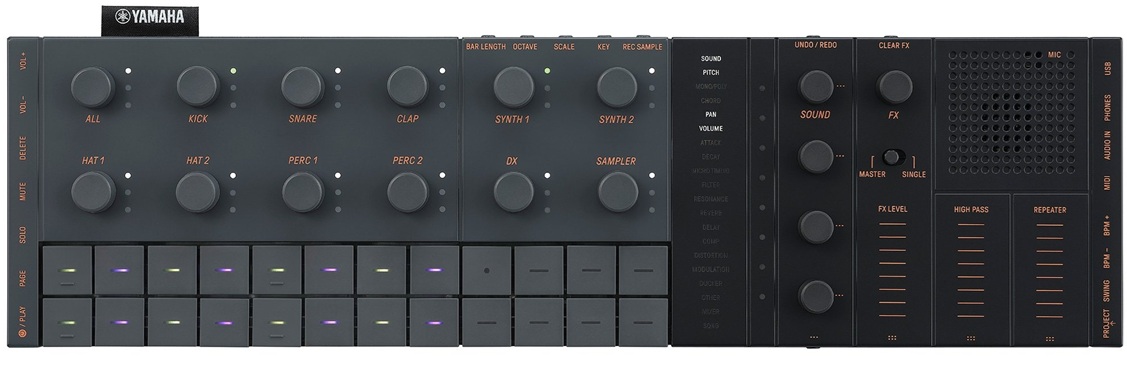
SEQTRAK has many function buttons on its side panels.

  • Left side: volume up/down, delete, mute, solo, page, play
  • Rear: bar length, octave, scale, key, record sample, undo/redo, clear FX
  • Front: sound design page, FX page
  • Right: BPM up/down, swing, project

That’s a lot of special purpose buttons to remember. Fortunately, the printed legends are clear. (I prefer the orange/grey model for that reason.) External connections are made on the right end panel: phones, audio IN, MIDI, and USB-C.

The big list of parameters and modes is the “Index”, which replaces any kind of LCD or OLED screen. Yamaha saved money here. A “global meter” is right next to the index showing parameter values and load/save status. The meter indicates key scale (minor, major, etc.) and root key. You’ll need a cheat sheet nearby to know what’s selected.

You can select a sampling source (MIC, audio IN, USB, resampling) and assign incoming samples to the synth keys for playback. Sampling does auto-normalization (if configured), but there’s not much else for sample editing in the native hardware. I didn’t see any ability to assign a sample across the synth keys.

The sound design section lets you adjust the most common, basic parameters: pan, volume, AEG attack (decay/release), filter cutoff and resonance, FX sends, etc. Look to the SEQTRAK app for deep editing.

I noticed that some functions in the SEQTRAK User Guide are marked “[OS V1.10]”. A reasonable inference is that SEQTRAK got a major functional update during its long gestation period.

Copyright © 2024 Paul J. Drongowski

NAMM 2024: Yamaha SEQTRAK Ideastation

Remember, folks, you saw it here first in October 2023. πŸ™‚

As I mentioned way back when, Yamaha SEQTRAK™ comes in two color schemes: black and orange/grey. Yamaha did a decent job on the price: $599 USD (MSRP) and $399 USD (MAP). It’s available for pre-order at on-line retailers.

The front panel is divided into three sections: Drums (left), synth and sampler (middle) and sound design/effects (left). (Click image to zoom in.)

The Interwebs are absolutely plastered with Yamaha SEQTRAK news, so there isn’t any need for a long screed. Just the facts:

  • Four track types: Dum, synth, DX and sampler
  • Eleven tracks: 7 Drum, 2 AWM2 synth, 1 FM synth, 1 sampler track
  • Eight (8) projects
  • 128 sequencer steps
  • Two AWM2 synth engines (128-note polyphony total)
  • One 4-op FM synth engine (polyphony: 8)
  • 2,032 preset voices
  • Built-in sampler (44.1kHz, 16-bit)
  • A/D input (stereo 3.5mm mini jack)
  • Built-in speaker (1W 2.3cm) and microphone (MEMS)
  • AUX audio IN (3.5mm mini jack)
  • USB-C power MIDI to host, MIDI to device, and audio
  • Bluetooth MIDI and Wi-Fi (for big data like WAV)
  • Headphone output (stereo mini jack)
  • MIDI IN/OUT using the included converter cable
  • Internal rechargeable Li-Ion battery (estimated life: 3-4 hours)
  • 13.5″W x 3.8″D x 1.5″H, 1.1 pounds (0.5kg)

SEQTRAK is positioned as an anyplace, anywhere, all-in-one music-making production tool. Yamaha are calling it the “Mobile Music Ideastation”. It is supported by the SEQTRAK app which adds more functions: Visualizer (visual effects), hands-on tutorial and so forth. Detailed sound-editing depends upon the app.

Wonder if they will trademark “Ideastation”?

Here is the SEQTRAK Walkthrough video. In the end, it comes down to workflow and sound. I don’t think Yamaha are breaking new ground with AWM2 and FM, tho’. Kinda tame.

For once, Yamaha got smart and announced a major product just before NAMM. (NAMM 2024 starts Thursday, January 25, 2024). Maybe the early announcement will overcome the big yawn of Prince’s purple piano and flagging NAMM attendance?

Oh, yeah, here’s the spy photo one more time…

Copyright © 2023 Paul J. Drongowski

Montage M (emulated)

Thanks, again, to Saul at Yamaha Musicians Forum. Quoting:

Yamaha has created a software version of the Montage M. This is a 1:1 emulation with all features present.
My understanding is that the software will come free with the purchase of a new Montage M but that it will also be available as a standalone purchase.

Of course, this raises many questions about capabilities, end user licensing, distribution, pricing, yada-yada. We’ll know soon. BTW, only n00bs launch a new product on a Monday. πŸ™‚

Back in April, Steinberg announced a “rent-to-own” partnership with Splice. Could the new partnership bring the emulated Montage into fruition?

Will the emulated Montage M interoperate with Yamaha’s new control surface?

Flash: Major leakage

A few highlights from the Hispasonic article.

The Expanded Softsynth Plugin (E.S.P.) provides an “in the box” version of Montage M. Available in January (at no cost to Montage M users), E.S.P. provides hardware and software integration (editing, use of sounds, etc.)

AN-X polyphony is 16 voices (as rumored). The basic voice architecture includes 3 oscillators, noise source, double filter section, ring and FM modulation, autosync, PWM, 2/4-voice unison modes.

Each AWM2 part of a performance can stack up to 128 elements. AWM2 polyphony is doubled. The 8-part limit on Seamless Sound Switching (SSS) remains.

Montage M factory AWM2 preset sounds (7,620 multi-samples) occupy 10GB of memory when converted to 16-bit linear format. USER flash memory space is 3.7GB (presumably uncompressed). The article refers to an additional 128 voice polyphony when playing from USER flash memory — which is similar to Genos (gen 1).

FM-X polyphony remains 128.

Yamaha Pure Analog Circuit (PAC) is improved with better mids and bass.

As rumored, only the M8x model gets polyphonic aftertouch. The M6 and M7 have channel aftertouch. (Probably FSX keybeds as before.)

Overall, the Hispasonic article repeats, confirms or amplifies the most recent leak. I’m still waiting to see the manuals, especially the Data List PDF. The analog cultists hate everything already.

A few other random comments. A separate leak claims “VCM Rotary Speaker effect and realistic drawbar behavior deliver authentic organ control and sound.” Well, as far as eight sliders will take you, anyway. I think this means flipping the slider behavior. Maybe Yamaha ported the Stage YC rotary speaker effect to Montage M? That would be welcome on both Montage M and Genos (mark 2).

Wonder where all the preset waveform memory went? The “Best of Montage M” screen lists four pianos: CFX Concert, Ballad Piano, Hamburg Grand and Imperial. Pianos notoriously chew through sample memory.

The pictures aren’t up to Yamaha PR quality (resolution). Seem kind of home-brew. That carpet is hideous. I tore out one like it from our first house — 30 years ago. πŸ™‚

Copyright Β© 2023 Paul J. Drongowski


The fair, the Princess and the unicorn

Yamaha at Synthfest UK 2023

Yamaha have issued the following statement regarding their participation at Synthfest UK 2023 this weekend:

“Yamaha are looking forward to joining SynthFest UK this weekend to display a wide range of hands-on products along with Yamaha specialist staff to support any enquiries.

We will be exhibiting our recent releases including the CK Stage Keyboard Series and Finger Drum Pads, in addition to our more established MODX+, CP, YC and Reface ranges.

There has been much speculation regarding the launch of our successor to the flagship Montage synth which has been announced as an October release. To manage any expectations ahead of the show, we would like to clarify that unfortunately the timing of this new release means that it will not be featured at the show.

We look forward to seeing you all there.”

Princess

Celebrate Hatsune Miku’s 16th birthday with a special Steinberg UR12 MK16th edition audio interface and an MK16th-themed VKB-100 Vocaloidβ„’ keyboard.

Illustration by iXima [Yamaha]

Hatsune Miku Magical Mirai 2023

Unicorn

I couldn’t possibly comment. πŸ™‚

Copyright Β© 2023 Paul J. Drongowski